 Afrikaans
 Azərbaycan
 Bosanski
 Čeština
 Dansk
Dansk Deutsch
 English
 Español
 Filipino
 Français
 Hrvatski
 Indonesia
 Italiano
 Magyar
 Melayu
 Nederlands
 Norsk
Norsk Oʻzbek
 Polski
 Português
 Română
 Slovenčina
 Slovenščina
 Suomi
Suomi Svenska
 Tiếng Việt
 Türkçe
 Ελληνικά
 Беларуская
 Български
 Русский
 Српски
 Українська
 עברית
עברית اردو
اردو العربية
 پښتو
پښتو فارسی
فارسی አማርኛ
አማርኛ मराठी
मराठी বাংলা
বাংলা தமிழ்
தமிழ் ไทย
ไทย မြန်မာ
 한국어
한국어 中文
中文 日本語
日本語

ဒီဘလော့ဂ်အတွက် အဓိကအကြောင်းအရာမှာ WordPress database အမှားများ ဟာ Website တစ်ခုရဲ့ လည်ပတ်မှုအပေါ်ဘယ်လိုကျိုးသက်မှုရှိနိုင်ကြောင်း၊ အမှားများ ရနေသောအကြောင်းရင်း၊ Database ကို backup ပြုလုပ်နည်း၊ ကုသနည်းလမ်းအမျိုးမျိုး၊ Database ကို optimize ပြုလုပ်သည့်အချက်များနှင့် အရမ်းများလျှင်ဖြစ်တတ်သော database related error တွေကို ကျေအောင်ဖြေရှင်းနည်း တို့အကို မြန်မာလုပ်ပိုင်း၊ တပျက်လုပ်ပိုင်းဖြင့်လမ်းပြထားပါတယ်။ WordPress Users တွေအတွက် Database error တွေရကျရှင်းနိုင်ရမယ် လိုအပလုပ်နေတဲ့ Webhosting Resource Article တစ်ခုအဖြစ် နမူနာအဖြစ်ဖတ်ရှုနိုင်သည်။
WordPress Database Error များအကြောင်း အကျုံးတစ်ချောင်း
WordPress database error တွေဟာ မိမိ website တစ်ခုရဲ့ လည်ပတ်မှုကို အလွန်ကျိုးကြီးစေသလို၊ ပုံမှန် visitor တွေရဲ့ အတုတ်အမြန်လည်ပတ်မှုကိုလည်း တနည်းနည်းနဲ့ ဆီးတားစေပါတယ်။ Database-related error တော်တော်များများ တစ်လက်တည်းမှာ connection error၊ corrupted table issue၊ တစ်ခါတစ်ရံ database config မမှန်ခြင်းတွေအဖြစ်တွေ့ရပါတယ်။ မီးသလောက်ကြီး error ကို သေချာလို့ ကြိုတင်ပြုပြင်အောင်လုပ်ဖို့ အစီအစဉ်ချဖို့ သင့် website မမြဲမကောင်းဖြစ်နေလိမ့်မည်။
Error တော်တော်များများ ဟာ site အတွင်းမှာ တစ်ခုပေါ်ချင်တစ်ခုပေါ်ပေါ်လာနိုင်ပါတယ်။ ဥပမာ - Database Connection Error ဖြစ်ရင် website လုံး ဝင်လို့မရဘူး။ Table Missing Error ထပ်ဖြစ်ရင်, တို့ database တော်တော်များတဲ့ table တစ်ခုခုလုပ်မလုပ်နဲ့ပြသတတ်ပါတယ်။ ဒီအမှားတွေ့ရတဲ့ root cause ကို ဗဟုသုတနဲ့နားလည်ထားရင် သင့်ရဲ့ troubleshoot ကို ပိုမိုမြန်မြန်ဖြေရှင်းနိုင်ပါလိမ့်မယ်။
- အဓိက Database Error အမျိုးမျိုး
- Database Connection Error
- Corrupted (ဖျက်စီး/ပျက်စီး) or missing tables
- Configuration Error (Database config မှားခြင်း)
- Insufficient Server Resource
- WordPress File Integrity Corruption
ပေါ်လာတတ်တဲ့ database error တစ်မျိုးမျိုးအတွက် ကိုယ့် website မှာ user experience ရွှင်သန်မှုကို သိသိသာသာထိခိုက်စေနိုင်လိမ့်မည်။ မပျက်မကောင်းအောင် ကျရှင်းပေးဖိုအတွက် ထိထိရောက်ရောက် solution တွေကို table တစ်ချပွားမှာ summary လုပ်ထားပါတယ်။
| Error Message | Possible Cause | Solution Ideas |
|---|---|---|
| Database Connection Error | Incorrect login info, server issue | Check wp-config.php file, check server status |
| Missing Table | Table deleted or corrupted | Restore from database backup, repair table |
| Permission Error | Database user has wrong permission | Check database user permissions, update as needed |
| Too Many Connections | Server resource exceeded | Increase DB connection limit, optimize |
WordPress database error တွေနဲ့ တိုက်ပွန်းနေရတဲ့အခါ, backup လုပ်ပြီးဖြစ်ပါစေ, hosting ကိုပြောင်းပါစေ၊ optimization ကိုတွေ့စေ - တတ်နိုင်သမျှ resource တွေကိုအသုံးပြုဖို့လည်းလိုပါတယ်။ WordPress core files, plugin တွေအားလုံးကို အမြန်ဆုံး update ထုတ်ပေးထားဖို့လည်း security risk တွေနှင့် compatibility issue တွေကို ညှင်းးထားနိုင်ပါတယ်။
Database ဟာ website ရဲ့ စိတ်လှုပ်ရှားမှုတစ်ခုပါ။ Database ကောင်းကောင်း save ရှိနေရင် Website လည်း လည်ပတ်မှာမြန်မြန်ရှည်ရှည်နဲ့ တည်မြဲလို့ပေါ့။
WordPress database error တွေဟာ ဘယ်တံခွန်နဲ့မနေပဲ တစ်ခါတစ်ယောက်ဖြေရှင်းနိုင်ကာ sometimes သီးသန့် web developer အဆင့် resource သိသူတစ်ဦးအထိ သွားရနိုင်ပါတယ်။ ဒါပေမဲ့ ဒီ article မှာပါတဲ့ general guide တွေက, မသူပြန်ချင်သူ User တွေအတွက် ကျရှင်း နိုင်အောင်ဖြစ်ပါတယ်။ Database error ကို အလေးထားပါနှင့် website ကိုအထောက်အထားအစွမ်းပြင်ပေးပါ။
Database Error ဖြစ်တာရဲ့အကြောင်းရင်းများ
WordPress database error အမျိုးမျိုး, website ဆောင်ရွက်မှုကို အလွန်အရေးကြီးအထိကောင်းကောင်းထိခိုက်စေနိုင်ပါတယ်။ အကြောင်းရင်းများစွာရှိသော်လည်း, ဘယ် root cause မှာနောက်ဆုံး decide ဖြစ်ပြီးဖြစ်ဦးမှာလည်း server resource, database configuration mistake, security exposed, plugin/theme conflicts တွေပါဝင်နိုင်ပါတယ်။
Server resource က database error တွေရကျရှင်းပြီးမှာ အနည်းဆုံး hosting package, အမြန်ဆုံး traffic မှာ CPU, RAM, disk space မဝလုံးမဝ ၊ server limitation။ စတင်နေတဲ့ website များအတွက် Package resource တွေကို သေချာတွေးကြည့်ပါ - မဟုတ်ရင် database query တွေ timeout, site slow, error message pop up ဖြစ်နိုင်ပါတယ်။
| Cause | Explanation | Possible Solution |
|---|---|---|
| Insufficient Server Resource | CPU, RAM, Disk not enough | Upgrade hosting tier, optimize server |
| DB Configuration Error | Incorrect username, password, host info | Check wp-config.php, update DB credentials |
| Plugin / Theme Conflict | Buggy or outdated plugin/theme | Disable plugin/theme, test, update |
| Security Breach | SQL injection or hacking | Use security plugins, keep WordPress plus plugin updated |
Security breach သာလျှင် WordPress database error တွေရှိမှန် – malicious code, SQL injection အနည်းဆုံး database integrity ကိုအထိခိုက်နိုင်ပါတယ်။ ဒါ့ကြောင့်, strong password သုံးပါ၊ WordPress/Plugin ကို update ထားပါ၊ regular backup ထားပါ။ Security plugin တို့ကို တစ်ခုခုအပိုတင်ထည့်လည်း data loss ကိုရှောင်တခင်ပါ။
Config mistake က wp-config.php file လိုပဲ database name, user, password, host info မတိကျရင် DB connection error တွေပါ pop up ဖြစ်မယ်။ File ပြင်တော်တော်နဲ့ database table corruption ကို ပိုဖြစ်နိုင်ပါတယ်။
Server Resource မအလုံအလောက်ဖြစ်ခြင်း
အထူးသဖြင့် traffic ကြီး website တွေ၊ server CPU, RAM, disk မလုံလောက်ရင် database queries တွေ slow down, timeout, error, site slow ဖြစ်နိုင်ပါတယ်။ Hosting package, cloud resource, VPS နှင့် server တို့ကို website အသံအဆုတ်ပုံစံ လိုက်ပြင်ထည့်ပါ။
- Common Causes
- High traffic creates server load
- Shared hosting resource restriction
- Unoptimized DB query
- Heavy media file overuse
- Cache plugins not set properly
Configuration မှားယွင်းမှုများ
Database config မှားပြီးရင် wp-config.php နှင့် DB credentials ဟာ DB connection error ဖြစ်စေပါတယ်။ Name, user, password, host info တစ်ခုခု misses ဖြစ်ပါက ပေါ်လာ error ကို မပေါက်မစေပါ။ DB table corruption သည်း database repair လုပ်ဖို့ပါ အရေးပါတယ်။
Database structure ကိုအောင်မြင် configure ရင် WordPress site ကို error မဖြစ်စေပဲ ရှည်ရှည်လည်လည် run ရနိုင်ပါတယ်။
Database ကို Backup တင်နည်းနောက်ဆုံးအဆင့်များ
WordPress database backup တင်ထားမှုက website security & data loss risk ဖြစ်စေခြင်းတားနိုင်အောင် အရေးပါပါတယ်။ Database ဟာ site အကြောင်းအရာ, user, settings, post, comment စသည့် info ခပ်သိမ်းကို သိမ်းထားတဲ့နေရာဖြစ်သည်။ Regular backup (manual, automation backup plugin) ချထားတာ disaster ဖြစ်လျှင် quick restore လုပ်နိုင်အောင်သာနဲ့အပြည့်အဝလုပ်ပါ။
Manual backup က phpMyAdmin တို့ကနေ တိုက်ရိုက် export လုပ်နိုင်သော်လည်း plugin backup မှာ schedule လုပ်ပြီး regular backup တင်လို့လည်းရပါတယ်။ File တွေကို local PC, cloud drive, external USB မှာ လုံခြုံမှုနဲ့ store ချထားပါ။
Backup Steps
- DB Management Tool Login: Hosting Control Panel, phpMyAdmin, etc. လက်စွဲဝင်
- Select DB: wp_ prefix DB ကိုရွေးယူ
- Export Option: Menu မှ Export ကိုရွေး
- Customization: Quick/export OR Custom export ကိုရွေး - table တစ်ခုကိုပဲ backup လုပ်ချင်ရင် Custom
- SQL Format: SQL export မှာ backup
- Download: Export/Go button နှိပ်
- Store Securely: Backup file ကို safe place တစ်ခုတွင် သိမ်း
Backup strategy ကို website လည်လည်လုံလုံသားကို တစ်ကြိမ်တခု update လုပ်တာတိုင်း backup frequency တင်တင်ပါ။ ဥပမာ blog တစ်ခုကို content update မတွက် weekly backup, static site တစ်ခု monthly backup OK ဖြစ်နိုင်ပါတယ်။ Backup file restore က flawless အောင် test လုပ်ကြည့်ပြီး backup routine ကို ပြုလုပ်ပင့်ပါ။
| Backup Type | Advantages | Disadvantages |
|---|---|---|
| Manual Backup | Full control, free | Time-consuming, technical knowhow needed |
| Automatic Backup Plugin | Easy, regular backup | Plugin price, performance impact |
| Hosting Backup Service | Reliable, automatic | Limited control, extra fee |
| Cloud Backup Service | Secure, accessible | Subscription fee, privacy concern |
Backup သာမက Database security ကို strong password, security plugin, update policy သုံးထားဖို့ လည်း အရေးပါပါတယ်။ Backup က data loss ရက်တဲ့လမ်းတစ်လျှောက်ကို security net ဖြစ်ဖြစ်။
Database Error ကို ဖြေရှင်း/ပြန်လည်ရယူနည်းများ
WordPress database error အမျိုးမျိုးကို manual repair OR plugins တို့ပါ အသုံးချဖြတ်နိုင်ပါတယ်။ Advance knowledge/quick fix ကို သူငယ်ချင်းပေါ်ပြီးရွေးပါ။ နည်းပိုင်းကို repair ပြလုပ်မလုပ် database backup တင်ထားတာက önemlidir။
| Method | Difficulty | Knowledge Needed | Best Use Case |
|---|---|---|---|
| PhpMyAdmin Repair | အလယ်အလတ် | Basic SQL knowledge | Complex errors, manual control |
| Plugin Repair | Easy | None | Simple errors, quick fix |
| wp-config.php Repair | အလယ်အလတ် | Editing file | Emergencies, restricted access |
| Manual SQL Query Repair | Advanced | SQL knowledge | Special issues, granular repair |
Repair မလုပ်မလုပ် site ကို maintenance mode လုပ်ထားပါ - visitor တွေလည်း။ On repair complete, test every function/page properly before publish back.
- Repair Methods
- PhpMyAdmin သုံးပြီး database table တွေ repair
- WordPress plugin (WP-DBManager, Advanced Database Cleaner) တို့နဲ့ auto repair
- wp-config.php file ထဲ့ code ထည့် repair
- Manual SQL query run
- Restore from DB backup
- Hosting tech support မှ repair
Repair နည်းလမ်းအသွား - Beginner ဟာ plugin method သုံး, Advanced user အေ PhpMyAdmin run OR manual SQL run OR wp-config.php edit. Always backup before! Error ပြန်ဖြစ်နေလျှင် pro technician ကို ဆက်သွယ်ပါ။
PhpMyAdmin ဖြင့် Repair လုပ်နည်း
PhpMyAdmin database management tool နဲ့ table repair, optimize, check ကို လုပ်နိုင်ပါတယ်။ Hosting control panel မှာ phpMyAdmin သွားပြီး correct database/table ကို repair/export/optimize ကျော်လေးအလို လုပ်ပါ။
WordPress Plugin ဖြင့် လွယ်လွယ်လုပ်နည်း
WordPress plugin တွေ (WP-DBManager, Advanced Database Cleaner) ဟာ technical knowhow မလိုဘဲ database auto repair, cleanup ကို user friendly လုပ်နိုင်ပါတယ်။ Beginner user မှာ plugin အမြန်သုံးလို့ရပြီး repair process ကို လေးနောက်ကြိုးစားနိုင်ပါတယ်။
Repair ပြီးရင်, website ကို function/page တစ်ခုချင်းစစ်ကြည့်ပါ။ Error ပေါ်တောင်ရင်, advanced troubleshooting, pro help သွားပါ။
Error သော Messages တွေရဲ့ အလေးအနက်
WordPress database error တစ်ခုပေါ်လာရင် နားမလည်မဖြစ်နိုင်ပြီး ignore မလုပ်နဲ့။ Database error တစ်မျိုးနဲ့ site slow down, visitor experience down, SEO rank down, hack risk up ဖြစ်နိုင်ပါတယ်။
Database error တစ်ခု pop up အောင်ဖြစ်ရင် SEO မကောင်းတောင် Google site ကို ကျသွားတာပါ။ Error messages တွေ hacker လေးတွေကိုတောင် information ပေးနိုင်တဲ့ Risk ဖြစ်ပါတယ်။ Error clear လုပ်တဲ့ security measures ကိုအတူလည်းလက်တွေဆီဆောင်ပါ။
Early detect error & fix error က time/cost saving, business uptime & operation ကိုကြာရှည်တားပေးပါတယ်။ Common error တွေတောင့်:
Frequently Seen Error Reminder
- Database Connection Error
- Table Not Found Error
- SQL Query Error
- Memory Limit Error
- File Permission Error
- Update Error
html
| Error Type | Possible Cause | Effect | Solution |
|---|---|---|---|
| Database Connection Error | Wrong DB info, server issue | Site inaccessible/data loss | Check wp-config.php, check server status |
| Table Missing Error | Corrupted/missing table, plugin faulty | Certain functions broken, wrong contents | Restore backup, check plugin |
| SQL Query Error | Bad query syntax, plugin conflict | Data fetch/store error, wrong result | Fix query, check plugin compatibility |
| Memory Limit Error | Insufficient RAM, heavy process | Site slow/error prone | Boost memory limit in wp-config.php, optimize |
Error Type တစ်ခုချင်းစီက site စုပေါင်း operation ကို ဓါတ်မတက်ဖြစ်စေပါတယ်။ Root cause သွားတောင် fix လုပ်ပါ။
Database ကို Optimize နည်းတွေ
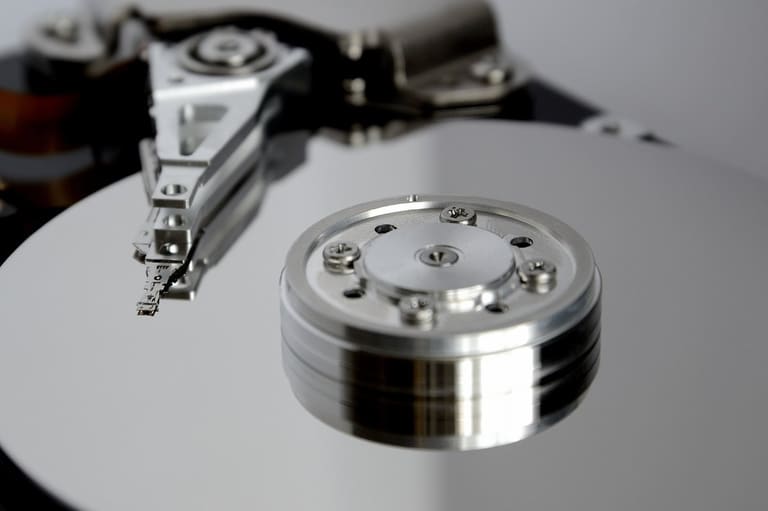
WordPress database ကို optimize ပြလို့ webspeed up, error risk down, SEO upgrade တို့ရပါတယ်။ DB ကို optimize မလုပ်ဘူးဆို info မရဲ database balloon ဖြစ်လာပြီး query နာနာ slow down, site slow, user experience down ဖြစ်နိုင်ပါတယ်။ DB optimize မှာ redundant record/table၊ orphaned data, spam comment တွေဖယ်ရှားခြင်း၊ index rebuild, table optimize process ကို စဉ်ဆက်မပြတ်လုပ်ပါ။
DB optimize မှာ အဓိကလေးပါ data capacity, query performance, spam, revision, orphan table တွေလက်နီးသွား optimize လုပ်ပါ။ Protection ကို increase/optimize database management tool သုံးပါ။
- Optimization Tips
- Regularly delete redundant data
- Clear spam/draft comments
- Remove unused plugin/themes
- Optimize database tables, rebuild indexes
- Check database index, optimize
- Use caching plugins
Optimization Tool တွေ Table တစ်ချပွား summary:
| Tool Name | Main Features | Usage |
|---|---|---|
| phpMyAdmin | Manual DB manage, query, table optimize | DB analysis, manual optimize |
| WP-Optimize | Auto cleanup, table optimize, cache | WordPress Site: easy optimization |
| Advanced Database Cleaner | Remove unused table, orphan, schedule | Deep DB cleanup/management |
| Optimize Database after Deleting Revisions | Clear revision, shrink DB size | Revision bloat removal |
DB optimize ဟာ one-time affair မဟုတ်ပါ။ Site grow, content အများပြား စာတင်နည်းမြန်မြန်လေးပါ bloat up ဖြစ်လို့ regular cleanup, optimize routine လုပ်ပါ။ Regular optimization = evergreen website performance.
Database Cleanup တွေအတွက် နည်းလမ်းများ
WordPress database cleanup ဆိုတာ website speed၊ operation ခိုင်မြဲမြဲ၊ security enhanced တို့လုပ်နိုင်ပါတယ်။ DB cleanup မှာ orphan table, spam/draft comment, unused plugin data ဆုတ်သင်မှုက site DB ကို lightweight, query လျင်မြန် အောင် ပြုလုပ်ပါတယ်။ Cleanup ကို backup ချပြီးမှလုပ်ပါ။
- Cleanup Steps
- Step 1: Backup database
- Step 2: Remove unused plugin/theme
- Step 3: Delete spam/pending comments
- Step 4: Delete old drafts/export revisions
- Step 5: Optimize DB table
- Step 6: Use database cleanup plugin if needed
Cleanup focus area & tool Table:
| Cleanup Area | Explanation | Recommended Tool/Method |
|---|---|---|
| Spam comment | Pending/spam comment | Manual (WP admin), Akismet plugin |
| Old draft/revision | Old draft, revision clutter | Manual, WP-Sweep plugin |
| Transient/Temporary Data | Arbitrary plugin/theme temporary data | Transient Cleaner, WP-Optimize plugin |
| DB Table | Unused/Not optimized table | phpMyAdmin, WP-Optimize plugin |
Cleanup plugin တွေ WP-Optimize, Advanced Database Cleaner, WP-Sweep တို့က spam/redundant table/old revision ကို auto identify သုံးပြီး delete/remove optimize လုပ်နိုင်ပါတယ်။ Regular cleanup website upspeed/uptime/security အတည်လုပ်ပေးပါတယ်။
အရမ်းတွေ့သော Database Error များနှင့် အဖြေများ
WordPress database error တော်တော်များများဟာ inexperience, accidental mistakes, incorrect procedure တွေကြောင့် အများဆုံး pop up ဖြစ်ပါတယ်။ Regular maintenance, troubleshooting knowledge တို့ရှည်ရှည်တန်တန်ထားတာ Website health ကြီးအတည်ဖြစ်စေပါတယ်။
Table တစ်ချပွားမှာ Common error & solution summary:
| Error | Possible Causes | Solution |
|---|---|---|
| Database Connection Error | Wrong DB credentials, server issue, corrupted wp-config.php | Check wp-config.php, check server status, confirm DB server as running |
| Missing Table Error | Table deleted/corrupted, wrong DB prefix | Restore from backup, check DB prefix, reinstall WordPress |
| Access Denied Error | DB user permission not enough | Grant permissions (SELECT, INSERT, UPDATE, DELETE, CREATE, DROP, ALTER) |
| Too Many Connections Error | Concurrent connections, server resource lacking | Increase connection count, optimize, disable persistent connection |
Database error ဘယ်လိုဖြစ်နေလည်း၊ backup routine, regular maintenance, strong password, update, security precautions လုပ်ထားပါ။ နောက်ထပ်ပြဿနာရှိရင် troubleshooting steps တစ်ခုချင်း apply လုပ်ပါ။
- Common Mistakes
- Incorrect DB credentials in wp-config.php
- No backup before major change
- Running outdated WordPress/plugin/theme
- Neglecting DB optimization
- No security plugin/weak password
- Buggy developer code/plugin/theme
Backup routines ကို regular, tested backup policy သုံးပါ။ Backup ရှိတဲ့ website နောက်ထပ် data restore/fix ကိုမြန်မြန်လုပ်နိုင်မှာပါ။
Error ဖြစ်စဉ်များအတွက် Resource များ
WordPress database error troubleshoot/repair လုပ်ဖို့ resources အတော်များပါတယ်။ Official docs, forums, developer blogs, phpMyAdmin, hosting support - user knowledge ထောင့်ဆင့်လဲလှည့်ပါတယ်။
| Resource Type | Description | Pros |
|---|---|---|
| Official WordPress Documentation | Handbook/guides on wordpress.org | Trusted info, step-by-step process, best practice |
| WP Support Forums | User discussion, solution exchange | Real case feedback, rapid solution, different perspective |
| Expert Blog/Website | Deep-dive content, guides, knowledge share | Best tips, advanced troubleshooting, tailored fixes |
| DB Management Tool (phpMyAdmin) | Structure/query/edit/backup database | DB structure analyze/edit/backup |
Paid/free plugin တွေ database error detection နှင့် auto repair ကိုသုံးနိုင်ပါတယ်။ Plugin select လုပ်တဲ့အခါ rating, review တွေကို ကိုယ်တိုင်ကြည့်ပါ။
Resource & Tips
- WordPress Codex: Official handbook
- WP Support Forums: Community Q&A
- Stack Overflow: Code Troubleshooting Q&A
- WP-CLI: Command-line manage tool
- phpMyAdmin: Database manage platform
- Hosting Support Team: Tech support backup
Database error troubleshooting မှာ panic မလုပ်နဲ့၊ systematic root cause analysis & fix နဲ့ problem ကို ဖြေရှင်းပါ။ Backup regular ထားပါ။ Database optimize/cleanup, caching, table management စနည်း - site speed, security, SEO boost ဖြစ်စေပါတယ်။
နိချိန် - Database Error ကိုဖြေရှင်းမည်
WordPress database error ဟာ site performance, reliability ကို အနှစ်မြှက်တောင်ထိခိုက်နိုင်ပါတယ်။ Troubleshooting method, backup, optimization, security measure ကို အကြောင်းပြတ်အောင် တစ်ဆင့်ချင်းလုပ်ပါ။
Practical Steps
- Backup First: Before repair/optimize always take fresh backup
- Enable Debug: Enable WP Debug mode for error trace
- Use Repair Tool: Repair DB using WordPress repair utility or phpMyAdmin
- Check Plugin/Theme: Disable recent plugin/theme to check for conflict
- DB Optimize: Remove unwanted tables/data
- Contact Hosting: If error persists, ask hosting support for server-level solutions
Common error table:
| Error Type | Possible Causes | Solution | Frequency |
|---|---|---|---|
| Database Connection Error | Bad credentials, server issue | Check wp-config.php, contact host | Often |
| Crashed Table | Plugin bug, server fail | Run DB repair, check plugin | အလယ်အလတ် |
| DB Space Low | Big files, too much data | Optimize, delete unwanted data | Rare |
| SQL Error | Bad query, plugin bug | Disable plugin, fix query | အလယ်အလတ် |
Database error solve လုပ်တဲ့ process က patience, backup, careful troubleshooting ကိုအပါအဝင်။ Regular backup, maintenance, update, knowledge တို့က site ကို lifetime stability, security ဖြစ်စေပါတယ်။ Error တစ်ခုပေါ်ရင် skill learning opportunity ဖြစ်တယ်။
Database management/optimization skill တိုးမြောက်တာက future error ကို rapid fix လုပ်နိုင်အောင် helpful ဖြစ်စေပါတယ်။ Site longevity & performance = routine maintenance.
အစုအပြုံ မေးခွန်းများ
WordPress site မှာတစ်ခြား database error ခါခါမရှိတတ်ဘူး။ အကြောင်းအရင်းတော်တော်များနဲ့ ဘယ်လိုလုပ်သင့်လဲ?
Database error တော်တော်များများဟာ wp-config.php user/password/host မမှန်ခြင်း၊ corrupted table, traffic overload, plugin bug, server issue တို့ကြောင့်။ wp-config.php credentials ကိုမူလစစ်ပါ။ phpMyAdmin OR WP admin panel မှ repair ကို initiate လုပ်ပါ။ Plugin conflict တွေ disable & test လုပ်ပါ။ Hosting support team ကိုပေးစားပါ။
Backup မလုပ်ပါက ဘာ risk တွေရှိနိုင်သလဲ? frequency အကြိမ်မျှ backup လုပ်သင့်လဲ?
Backup မလုပ်နဲ့ hack, server crash, accidental delete, update fail တို့နဲ႔ data loss ဖြစ်နိုင်ပါတယ်။ Content update မမြန်ပဲ backup frequency ကို weekly OR monthly လုပ်ပါ။ Frequently updated site မှာ daily backup လုပ်ပါ။
DB ကို optimize ပြလုပ်တာဘယ်လောက်ကိုအရေးကြီးလဲ? Performance အပေါ်ရဲ့ impact ကနေ ဘာဝင်ရောက်သလဲ?
DB optimize သည် site speed/response/SEO efficiency boost ဖြစ်စေပါတယ်။ Unwanted record/redundant table/spam/comment/revision တွေ cleanup မလုပ်ရင် DB size balloon up query slow down ဖြစ်တယ်။ Optimize လုပ်လျှင် query speed up, site loading speed up, visitor satisfaction up ဖြစ်ကြောင်းကိုနားလည်ထားပါ။
WordPress DB cleanup နည်းလမ်းလည်းရှိမှာလား? Plugin တော်တော်များများလည်းသုံးနိုင်ပါလား?
Manual cleanup (phpMyAdmin) OR plugin cleanup (WP-Optimize, Advanced Database Cleaner, Database Cleaner, WP-Sweep) တို့တော့ spam/delete revision/temporary data ကို auto detect/delete optimize လုပ်နိုင်ပါတယ်။ Manual cleanup မှာ wrong table delete မသင့်ရင် issue ဖြစ်နိုင်သော်လည်း plugin user-friendly ဖြစ်ပြီး auto cleanup လုပ်ပေးနိုင်ပါတယ်။
DB error troubleshoot လုပ်ဖို့ မေးမြန်းနိုင်သော resource, forum, website တွေရှိသလား?
WP official forum (wordpress.org), Stack Overflow, WPBeginner, Kinsta Blog တွေမှာ troubleshooting guide, Q&A, solution available. Hosting support ကလည်း help လုပ်နိုင်ပါတယ်။
Sitem မှာ "Error establishing a database connection" ဖေါ်ပြတယ်? ဘာနဲ့ ဖေါ်ပြအားလုံးဖြေရှင်းမလဟာ?
"Error establishing a database connection" ဆိုသည်မှာ DB connect လုပ်မပြတ်ဘူး။ wp-config.php credentials check, DB server status check, plugin/theme conflict check, repair table OR restore from backup လုပ်ပါ။ Hosting support team ကိုဆိုပေးပါ။
DB error ကို prevent/fix လုပ်ဖို့ best practice တွေလည်းရှိသလား?
Backup routine ထားပါ။ Strong password သုံး၊ WordPress/plugin/theme update၊ security pluginဆိုပါ။ Two-factor authentication enable လုပ်ပါ။ DB optimize routine သွားပါ။
phpMyAdmin ဆိုတာဘာလဲ? DB error troubleshoot လုပ်ဖို့ ဘယ်လို role ပါသလဲ?
phpMyAdmin ဟာ MySQL DB manage tool ဖြစ်သည်။ Table view/repair/backup/optimize runနိုင်သည်။ DB status, table crash, DB corruption error troubleshoot/run repair/backup all in one ဖြည့်ပေးနိုင်ပါတယ်။