 Afrikaans
 Azərbaycan
 Bosanski
 Čeština
 Dansk
Dansk Deutsch
 English
 Español
 Filipino
 Français
 Hrvatski
 Indonesia
 Italiano
 Magyar
 Melayu
 Nederlands
 Norsk
Norsk Oʻzbek
 Polski
 Português
 Română
 Slovenčina
 Slovenščina
 Suomi
Suomi Svenska
 Tiếng Việt
 Türkçe
 Ελληνικά
 Беларуская
 Български
 Русский
 Српски
 Українська
 עברית
עברית اردو
اردو العربية
 پښتو
پښتو فارسی
فارسی አማርኛ
አማርኛ मराठी
मराठी বাংলা
বাংলা தமிழ்
தமிழ் ไทย
ไทย မြန်မာ
 한국어
한국어 中文
中文 日本語
日本語

Web Hosting ဝန်ဆောင်မှုအတွက် စတိုင် တည်ဆောက်ခြင်းသည် တစ်ခုတည်းသောမော်ကွန်းအဖြစ် မိမိရဲ႕ brand identity ကို သေချာဖော်ပြနိုင်စေပြီး ယှဉ်ပြိုင်မှုအခန်းကဏ္ဍတွင် စွမ်းအားမြှုပ်သိုင်းမှုရရှိစေပါသည်။ ဒီ Blog သည် Web Hosting အတွက် စတိုင် ဗီလီဖိုင်းလုပ်နည်း၊ ဒီဇိုင်းစနစ် တည်ဆောက်နည်းများကို တင်ပြထားပြီး၊ စတိုင် ဗီလီဖိုင်း၏ အရေးပါမှု၊ မူလ ဒီဇိုင်းအချက်အလက်များ၊ သုံးသူအပေါ် ဦးတည်တဲ့နည်းလမ်း၊ အသုံးလိုတဲ့ UX ထောက်ပံ့ပေးမှု၊ နောက်ပြီး စတိုင် ထားနည်း၊ အသုံးလိုတဲ့အရောင်ရွေးချယ်မှု, ဝဘ် hosting industry ထဲမှာ စတိုင်ကို ထိထိရောက်ရောက် ဆန့်ကျင်ပြီး သင့်ခံစားမှုကို ထောက်ပံ့နိုင်ဖို့ နည်းလမ်းတွေကို ရှင်းလင်းသွားမှာပါ။ သင့် hosting brand ကို နှီးစပ်စပ် တည်ဆောက်နိုင်အောင် ဒီလမ်းညွှန်က အမြန်ပိုင်းအတွက် ဒါးနှင့်ရေးသားထားပါတယ်။
Web Hosting စတိုင် ဗီလီဖိုင်း၏ အရေးပါမှု
စတိုင် ဗီလီဖိုင်းဆိုတာ သင့် Web Hosting brand, ဝဘ်ဆိုဒ်အတွင်းမှာ logo၊ typography၊ color palette၊ content tone အသုံးပြုမှုများကို အဓိပ္ပါယ်အနေနဲ့ တစ်ကမ္ဘာလုံးအတည်ဖြစ်အောင် တစ်ခုတည်းသော visual language နှင့် တည်ဆောက်ပေးရာ တန်ဖိုးရှိတဲ့ tools တစ်ခုဖြစ်ပါတယ်။ Web Hosting စတိုင် ဗီလီဖိုင်းရေးသားခြင်းသည် လှပသံဖန်တွေ မဟုတ်ပါဘူး၊ တကယ် brand awareness မြှင့်တင်နိုင်တဲ့ professional image တည်ဆောက်ထောက်ပံ့မှုလည်းဖြစ်ပါတယ်။
- Web Hosting စတိုင် ဗီလီဖိုင်း၏ အားသာချက်များ
- Brand Identity နာမည်ကြီးမှု့တည်ဆောက်
- ဒီဇိုင်းနှင့် development အချိန်ကုန်သက်သာစေ
- Team တစ်လျှောက်တူတူ နားလည်မှုဖြစ်စေ
- တစ်ခုတည်းသော brand အနုမြူနှင့် အမြတ်တခွင် ဆောင်ကျော်ခြင်း
- Professional ပြလောက် မျက်နှာ / image တည်ဆောက်
- ကုန်ကျစရိတ်လျှော့ချ (repeat design error မဖန်တီးသေးဘူး)
တစ်ခုတည်းသော visual identity က brand ကို ယုံကြည်မှုစိတ်ရှိလာစေပါတယ်။ Web Hosting စတိုင် ဗီလီဖိုင်းကနေ ဝဘ်ဆိုဒ်၊ Facebook page၊ marketing material၊ customer emails တို့အပြင် ပေါင်းသင်းမူတိုင်းမှာ brand အမြတ်တစ်ခုတည်းကိုု ပေးနိုင်ပါတယ်။ ဒါ့ကြောင့် brand loyalty, customer satisfaction တို့ တိုးတက်လာပါမယ်။
| ပစ္စည်းအမည် | ဖော်ပြချက် | နမူနာ |
|---|---|---|
| Logo အသုံးပြုမှု | Logo ပါဒါင်း၊ အရောင်၊ တည်နေရာ ပေါ်က rules | Logo မိမိဆိုဒ်မှာ 50px အထက်သာ အသုံးပြုသင့်ပြီး, မြေပြင်အဖြစ်အလေးသော background ရှိဖို့လို |
| Typography | Heading, body text, caption တွေအတွက် font members | Heading တွေအတွက် Roboto Bold၊ body text က Open Sans Regular |
| Color palette | Brand primary & secondary color နှင့် ဘယ်နေရာတွင်အသုံးပြုမလဲ | Primary – #007bff (blue), secondary – #6c757d (gray) |
| လှပပုံစံ | Photo / Illustration ဆို တက်တက် style နဲ့ tone | Natural light-based photos နှင့် warm tone သုံးသင့်ပါသည် |
Web Hosting industry ထဲသို့မဟုတ် team ပေါ်လွှတားနေသူအသစ်တွေအတွက် ဗီလီဖိုင်းဖြစ်ပါတယ်။ Brand ရဲ့ principle နဲ့ rules ကို တိုးတက်စေပြီး design/development error မဖြစ်စေအောင် လျှာလျှာ ရေးခြင်း၊ သူ့ထံ သုံးစွဲသူ data သိလာခြင်းကတော့ အချိန်၊ ကုန်ကျစရိတ်တော့ တိတိကျကျ Save ဖြစ်ပါတယ်။
Web Hosting စတိုင် ဗီလီဖိုင်းသည် living document ဖြစ်ပါတယ်။ Web Hosting ကိုအသုံးပြုတဲ့ market, user တိုးတက်လာသည်နှင့်အမျှ ဒီဇိုင်းဧ။ ဗီလီဖိုင်းလည်း update တိုးတက်ထားသင့်ပါသည်။ ဒီနည်းလမ်းအရ brand သင့်စတိုင်ကို industry မှာ ထက်သက်ပြိုင်တင်နိုင်ပါတယ်။
စတိုင် ဗီလီဖိုင်းနှင့် ဒီဇိုင်းစနစ် တည်ဆောက်ခြင်း
Web Hosting industry တစ်လျှောက် ပေါင်းသင်းပြီး အဆင့်မြှင့်တင်အသုံးပြုထားတဲ့ design system ဆိုတာ reusable component, style guide နှင့် core design principles ကိုစုပေါင်းပြီး တစ်ခုတည်းသော brand identity ဟန်ထောက်ပေးတဲ့ toolkit တစ်ခု ဖြစ်ပါတယ်။ ဒီဇိုင်းစနစ်က design, development process တွေကို စိတ်ပေါင်းတစ်ခုတည်းအနေနှင့် အမြန်ဆုံး, အစွမ်းထက် မှာ ကူညီနိုင်ပါတယ်။
Web Hosting design system သည် visual element သာမက မဟုတ်ဘဲ interaction pattern, accessibility standards, content strategy တို့ပါဝင်ပါတယ်။ system တစ်ခုဖြစ်လျှင် user ရှိသော်လည်း platform, device ဘက် အကန့်အသတ်မရှိတဲ့ unified experience ကို ပေးနိုင်ပါတယ်။ Team collaboration, user satisfaction နှင့် development process အမြန်ဆုံးဖြစ်လာပါမယ်။
| စနစ် element | ဖော်ပြချက် | အကျိုးပြုမှု |
|---|---|---|
| Component Library | Reusable design elements (buttons, form fields, etc) | Design consistency, development speed |
| Style Guide | Color palette, typography, logo usage visual standards | Brand identity, visual consistency |
| Design Principles | Core design decision guidelines | Consistent UX, purposeful strategy |
| Documentation | How to use the design system | Team knowledge sharing, adaptation |
ဝဘ် hosting brand ပြိုင်ဖက်တွေထက် လက်တလော အောင်မြင်ဖို့ style guide + design system သုံးခြင်းသည် cost effective ဖြစ်ပြီး သင့် brand တိုးတက်လာသည်နှင့် deprecation မဖြစ်စေနဲ့ constant update လုပ်ဖို့ လိုပါတယ်။
Design System တည်ဆောက်နည်း အဆင့်များ
- Needs Analysis: Web Hosting project သို့ brand ကို အရင်ဆုံးဖွင့်ပေးပါ။
- Style Guide Create: Brand identity ကို reflect အောင် color, typography, logo usage ပြထားပါ။
- Component Library Build: Reusable design components တွေ library တည်ဆောက်ပါ။
- Documentation: Design system ကို အသုံးပြုနည်း detail documentation ဖြင့် team နှစ်သက်သွားပါ။
- Testing & Improvement: System ကို စမ်းသပ်ပြီး feedback များနောက် ဦးတည်ပြင်ဆင်ပါ။
- Training & Adaptation: Team member များကို style guide/system သုံးပညာပေးပြီး တစ်တန်းတည်းသုံးနိုင်အောင် လှူအပ်ပါ။
Web Hosting design system ဆိုတာ tools တင်မဟုတ်ပါဘူး။ Company culture တစ်ခုလည်းဖြစ်ပြီး team မြန်စာပေးတတ်တဲ့ mindset ဦးတည်နည်းတွေ update လုပ်ပေးပါတယ်။
ဒီဇိုင်းအခြေခံအချက်များ
အကြောင်းအရာတစ်ခုကို Web Hosting style ဖြင့် ပြသမယ်ဆိုရင် aesthetics ကိုသာမက functionality, UX တစ်ခါတစ်လျှောက် ဦးစားပေးပါ။ Web Hosting စတိုင်တည်ဆောက်ရန် design basics တွေ အတော်ဆုံးလိုအပ်ပါတယ်။ Line, shape, color, texture, typography, spacing, balance သည် Web Hosting design ၏ အောင်မြင်မှုအတွက် steer လုပ်ပေးပါတယ်။
စတိုင်တည်ဆောက်သောအခါ Line – direction/ separation, Color – brand identity, Typography – readability, Space – room for content တွေ attention ယူဖို့ အရေးကြီးပါတယ်။
| Design Element | ဖော်ပြချက် | အရေးပါမှု |
|---|---|---|
| Line | Connection between two points | Direction, separation, highlight |
| Shape | Two-dimensional space | Identification, symbolism |
| Color | Light frequency | Emotional impact, brand representation |
| Texture | Surface feel | Depth, realism |
Balance, contrast, hierarchy, rhythm ကြောင့် visual weight, user guidance, information order ကို Stable ဖြစ်စေပါသည်။ Web Hosting brand အတွက် design basics ကြီးကိုတစ်စုတကွတည်း့ ဖြင့် တည်ဆောက်ပါ။
Web Hosting အတွက် Design Basics
- Line (Direction, separator)
- Shape (Recognition)
- Color (Brand, emotion)
- Texture (Depth)
- Typography (Readability)
- Spacing (Emphasis)
- Balance (Stable visual)
လှပတတ်မှ၊ user needs ကိုဖြည့်စွမ်းနိုင်ဖို့ပါတာ။ Hosting market သူလည်း UX, solutions, brand value များနဲ့ တစ်တင်းတည်း stable ဖြစ်စေရန် အရေးကြီးပါတယ်။
အရောင်နှင့် ခန္တောင်
အရောင်နှင့် ဒွင်း texture သည် တစ်ကြောင်းဆန့် Web Hosting sites ကို emotional သေချာစေပါတယ်။ Color theory ဖြင့် web hosting brand tone ကို fit အောင် ဆွဲနိုင်ပါတယ်။ Hosting brand အတွက် texture က depth, realistic experience တွေ user ရသစေသည်။
ပုံသဏ္ဥာန်နှင့် လုပ်ဆောင်ချက်
ပုံသဏ္ဥာန် (form) သည် visual look ဖြစ်သည်။ Function ဆိုတော့ hosting site ရဲ့ main purpose, usage များကို ပြသပါသည်။ Web hosting design မှာ သင့်နိုင်ဆုံးပုံစံ + function ကို balance ဖြစ်အောင် တည်ဆောက်ရမည်။ Effective hosting style တွေသည် လိုအပ်သော UX, fidelity, loyalty မှာ သွားတယ်။
သုံးသူအပေါ် ဦးတည်ရေးနည်းလမ်း
Web Hosting များစတိုင်တစ်ခုတည်ဆောက်မယ်ဆို target audience – user profile ကိုရည်ညွှန်မှသာ effectiveness ရရှိပါမယ်။ Audience age, gender, interests, education, incomes များရှိအောင် အထူးကြိုးစားပါ။
Target audience analysis လုပ်ပြီးနောက် Web Hosting brand, site design, tone, marketing channel တွေရောက်ရှိဖို့ သုံးသူနဲ့ပုဖြစ်သွားစေပါတယ်။ သုံးသူတိုင်းအတွက် survey, interview, market research, social media analysis ကို ကျင်မြောပေးပါ။
Audience Analysis လုပ်နည်း
- Market Research: Hosting market trends, demographic/psychographic analysis
- Survey: User needs, expectation collection
- Social Media Analysis: Platform behaviors, preference check
- Competitor Analysis: Rival user group, strategy investigate
- Persona Create: Typical hosting user profile – student, business, webmaster, developer
- Feedback Collection: Design quality/ UX ကို regular feedback မေးပါ
Audience targeting သည် hosting site / service ကို sales & loyalty တက်စေသည်။ Youth tech-savvy audience သွားနိုင်တဲ့ digital marketing channel, traditional audience သွားနိုင်တဲ့ offline channel တွေသုံးပါ။
| Audience Segment | Demographic | Needs/Expectations |
|---|---|---|
| Young Adults (18-25) | College students, new grad, tech enthusiast | Modern, innovative, budget hosting, social integration |
| Professionals (26-40) | Working, career-oriented | Elegant, functional, quality hosting, time-saving |
| Families (35-55) | Homeowner, parent | Safe, durable, practical site, kids-friendly features |
| Seniors (60+) | Retired, comfort-seeker | Easy to use, accessible hosting, reliable security |
Audience profile တွေသည် hosting industry တစ်လျှောက် တိုးတက်နိုင်သည်။ Trends, tech change, social behavior affect user interests ပါသည်။ Regular market research, real user feedback ကို update လုပ်ပြီး hosting style ကို နေ့စဉ်လက်တွေ့ပြုလုပ်ပါ။
ဒီဇိုင်းအတွင်း သုံးစွဲသူ တုံ့ပြန်မှု
User Experience (UX) ဆိုတာ hosting site/service ကို user တွေဘဝအတွင်းအားဖြင့် interaction, feeling, response ကို မေးမြန်းတာပါ။ Web Hosting style creation ပြုလုပ်တဲ့အခါ, UX-focused design တည်ဆောက်ပါ။
UX က hosting site/document အသုံးပြုသူအပေါ်နှင့် interaction, usability, accessibility, interface, information architecture များကို နှစ်သက်ကြည့်ရှုသည်။
| UX Element | ဖော်ပြချက် | အချက်အလက် တိုးတက်နည်း |
|---|---|---|
| Usability | How users easily use it | UI simplify, clear instruction |
| Accessibility | Ability for all users with any ability | Alt text, color contrast, keyboard navigation |
| Satisfaction | User feels pleasure using | Attractive design, feedback, personalization |
| Efficiency | Speed to goal | Search optimization, fast loading, reduce steps |
UX တိုးတက်အနန့်အဆုံး
- Usability – easy UI
- Accessibility – everyone friendly hosting
- Performance – speed
- Information Architecture – organized content
- Visual Design – beautiful, usable interface
- Trustworthiness – reliable hosting
UX-oriented design မှာ real user testing, feedback collection လုပ်ပါ။ Hosting brand ကို UX-driven ဖြစ်အောင် optimize လုပ်ပါ။
Navigation
Web Hosting site navigation structure သည်သုံးစွဲသူကို လမ်းပေါ်လမ်းခွဲအတိအကျ ပြသပါ။ Intuitive, consistent navigation site တည်ဆောက်ဖို့, UX ဘက် လာဝတ်ထားပါ။
ပုံရိပ်
Visuals တွေဟာ hosting site design အတွက် core ပါ။ Identity ထောက်ပံ့ရန် relevant, high-quality images & illustrations တွေသုံးပါ။ Hosting style guide အတိုင်း image selection လုပ်ရန် user expectation ဖြည့်စွမ်းပြီး UX ကို helping ဖြစ်ပါတယ်။
အကြောင်းအရာ
Content က hosting site/content attraction ရဲ့ heart ပါ။ Clear, engaging, truthful content တည်ဆောက်ပါ။ Hosting style guide Tone ကိုနှစ်သက်မယ်လို့, heading, paragraph, list တွေအလှတမံ Content readability တိုးတက်စေပါသည်။
ကောင်းတဲ့ design, hosting site တွေကို aesthetic တင်ရုံပဲမဟုတ်ဘူး — သူ့ကို real user တွေဘဝလွယ်ကူစေဖို့လည်း ပါ။
Web Hosting စတိုင် ဖန်တီးနည်းများ
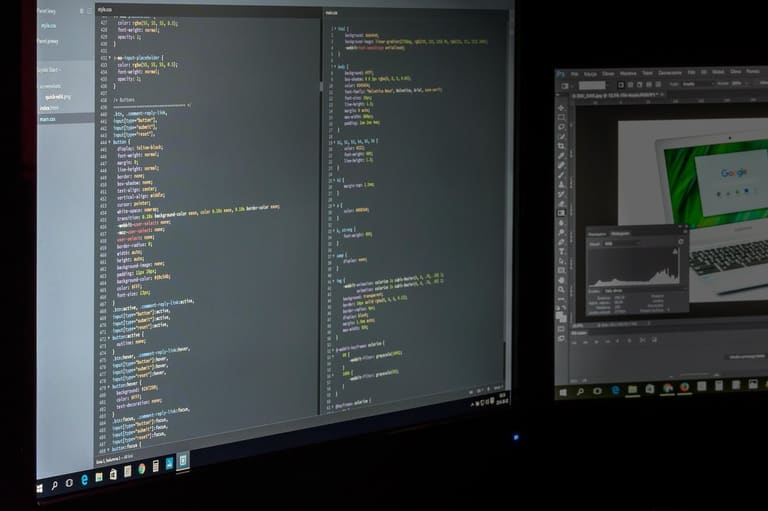
Web Hosting site/brand ကို စတိုင်တစ်ခု လှပလျှင် identity, user experience, brand awareness တိုးတက်လာနိုင်စေပါသည်။ Style-building မှာ color palette, typographyများ, visual elements, page layout များ refer လုပ်ပါ။ Content သည် brand story ကိုပြောနေသတ္တမူ/ဖော်ပြမှုနှင့် audience interaction ခေါ်ယူမှာ ပါ။
Effective style guide production မှာ design team မှာတစ်လျှောက် standard follow ဖြစ်အောင် idea share တင်ပါ။ Brand identity ကို fork ဖြစ်အောင် design process ကို reduce error, improved speed ဖြစ်စေပါသည်။
| Core Element | ဖော်ပြချက် | အရေးပါမှု |
|---|---|---|
| Color palette | Core & accent colors | Identity, emotional tie |
| Typography | Fonts assign – heading, body, etc | Readability, tone reflect |
| Visual element | Logo, icons, photos, illustrations | Brand message, memorable design |
| Page Layout | Grid system, spacing, content structure | Enhanced UX, info accessibility |
Web Hosting style-building process မှာ accessibility considerations – color contrast, font size, alt text သိထားပါ။ Wide user group သို့ inclusive hosting style တည်ဆောက်ရန် accessibility factor ပြည့်စုံထားပါ။
- Color palette select – Brand tone-align, emotion-throwing colors
- Typography choose – Identity-fit, legible fonts
- Visual language create – Consistent icons/photos/illustrations
- Page layout standard set – Organized grids, spacing alignment
- Accessibility first – Contrast, size, alt text
- Brand voice-tone – Unified written/visual tone
Web Hosting brand style ကို regular review, update ဖြစ်အောင် ပြီးပြည့်စုံထားပါ။ Trend, feedback အသစ်များတွင် style ကို optimize လုပ်နိုင်ကောင်းကောင်းဖြစ်သည့် brand life cycle တစ်လျှောက် effectiveness ရရှိပါမယ်။
စတိုင်ရွေးချယ်မှုနှင့် ဒီဇိုင်း
Color သည် hosting site design တွေအတွက် emotional impact တိုးတက်စေသည်။ Hosting style-building process မှာ color selection – brand identity အတွက် values, product features, target user preference နှင့် align ဖြစ်အောင် select လုပ်ပါ။ Color theory နဲ့ psychological effects တွေသိပါ။
Color palette သည် aesthetic + functional ဖြစ်အောင် တစ်လျှောက် contrast စောင့်ကြည့်ထားပါ။ Web Hosting industry user များ diverse ဖြစ်ကြမလားဆိုပြီး cultural meaning နှင့် align ဖြစ်အောင် color assign လုပ်ပါ။
| Color | Psychology | Use Case |
|---|---|---|
| Red | Energy, passion, urge | Food, sports, emergency |
| Blue | Trust, calm, professionalism | Finance, Tech, Health |
| Green | Nature, health, renewal | Environmental, Food, Health |
| Yellow | Joy, optimism, energy | Entertainment, kids, food |
Color harmony က visual beauty အတွက် key ပါ။ Complementary, contrasting color palettes တည်ဆောက်ပြီး brand memorability တိုးတက်စေပါတယ်။ Overuse of colors hosting site ကို clutter ဖြစ်စေသည်။ Hosting site design တစ်လျှောက် narrow palette ဖြစ်အောင် keep လုပ်ပါ။
- Monochrome – tone variations ဦးတည့် site
- Analogous – neighborhood colors natural harmony
- Complementary – opposition colors energetic effect
- Triadic – Three evenly spaced vibrant palette
- Tetradic – dual-complementary rich palette
Color psychology ကို hosting site design process မှာ prioritise လုပ်ပါ။ Brand unique identity ရရှိတဲ့ competitive hosting style ကို select လုပ်ပါ။
သက်တောင့် သက်သာတိုင်းအရောင်များ
Warm colors (red, orange, yellow) သည် hosting site design တွေမှာ energy, attraction, excitement တိုးတက်အောင် use လုပ်နိုင်ပါတယ်။ Overuse of warm tones hosting site ေတြကို overwhelming ဖြစ်စေသည်။ Balance + harmony သည် hosting style-build process မှာလည်းအရေးကြီးပါသည်။
အေးမြအရောင်များ
Cool colors (blue, green, purple) သည် hosting industry design တွေမှာ trust, calmness, professionalism ကို highlight လုပ်ပါတယ်။ Especially finance, tech, healthcare hosting brand များမှာ reliability, quality build လုပ်မယ်ဆိုပြီး color selection မှာ priority ပါ။ Hosting site design မှာ color effect core ဖြစ်ပါတယ်။
စတိုင်အသုံးပြုမှု နမူနာများ
Web Hosting style-building process မှာ best practice, successful brands/industry sample ကို ခေါင်းဆောင်ပါ။ Design element, color, typography, user engagement, branding approach ကို refer လုပ်ကောင်းဖြစ်ပါသည်။
Industry leading brands/hosting providers style-building concept တွေမှာ identity, UX, memorability, loyalty ကိုဖြည့်စွမ်းပြီး, effective communication, trust-building ဖြစ်သည်။
- Nike: Bold color, dynamic typography, empowering energetic style
- Apple: Minimalist design, user-friendly interface, stylish tech appeal
- Coca-Cola: Retro visual, vibrant palette, nostalgia feeling
- Starbucks: Natural tone, relaxing imagery, cozy atmosphere
- Airbnb: Warm photo, inviting copy, trust-enhancing style
| Brand | Industry | Core Style | Target User |
|---|---|---|---|
| Nike | Sports Wear | Dynamic, bold, energetic | Athletes, active lifestyle |
| Apple | Tech | Minimal, stylish, user-focused | Tech lover, design-centric user |
| Coca-Cola | Beverage | Retro, fun, friendly | Youth, family, all ages |
| IKEA | Furniture | Functional, modern, simple | Home owner, budget seeker |
Web Hosting market style-building process သည် learning, experimentation။ Effective hosting brand identity ရဖို့ reference များကို apply လုပ်ပါ။
စတိုင် ဗီလီဖိုင်းက ဘာလဲ – ဒီဇိုင်းအောင်မြင်ရန် အကြံပြုချက်များ
Successful hosting design သည် aesthetics alone မဟုတ်ပါ။ Web Hosting style guide effectiveness အတွက် target user identification, brand identity reflection, UX enhancement နှင့် information accessibility တပ်ဆင်ပါ။
Design process တွေမှာ target user need ကို priority ဖြစ်အောင် pmarket research, feedback collection, analysis ပြုလုပ်ပါ။ Hosting design ဟာ accessible, readable, usable ဖြစ်နေသင့်ပါ။
| Design Element | ဖော်ပြချက် | Importance |
|---|---|---|
| Target Audience Analysis | User need/expectation identification | High |
| Brand Identity | Brand values, personality reflection | High |
| UX | Easy interaction design | High |
| Accessibility | User friendly for all | အလယ်အလတ် |
Hosting design သည် beautiful + functional + easy-to-use ဖြစ်သင့်ပါတယ်။ Navigation, content, interface တွေမှာ accessible, user-friendly ဖြစ်အောင် style guide မှာ policy တစ်ခုတည်း ဖြစ်အောင် တည်ဆောက်ပါ။
- Audience analysis – hosting style targeting
- Brand identity – hosting design reflecting brand values
- UX prioritization – intuitive, easy hosting design
- Color/typography – readable, identity-fitting design
- Visual hierarchy – user attention, information guide
- Feedback/testing – real user testing, feedback-driven update
Hosting brand style သည် always flexible, updatable ဖြစ်အောင် style guide ကို New trends နှင့် user update ဖြစ်အောင် maintain လုပ်ပါ။
အနုတ်သမားနှင့် လုပ်ဆောင်မှု အဆင့်များ
Web Hosting style guide/design system ဘယ်လိုတည်ဆောက်မယ်ဆို tutorial ကို detailed ပြထားပါသည်။ Audience analysis, design element selection, color selection, UX enhancement, testing process, brand strengthening တို့ဖြင့် hosting site/brand style guide ကိုတည်ဆောက်ပါ။
| Step | ဖော်ပြချက် | Importance |
|---|---|---|
| Audience Analysis | Need/expectation identification | High |
| Design Element Define | Color, typography, visual elements | High |
| Style Guide Creation | Write comprehensive design guide | High |
| Testing & Feedback | Usability test, feedback collection | အလယ်အလတ် |
Web Hosting style creation တည်ဆောက်ခြင်း သည် brand strengthening, UX enhancement, consistency alignment နဲ့ပတ်သက်ပါတယ်။
Action Steps
- Audience analysis, need identification
- Identity-reflecting color palette selection
- Readable, identity-fitting typography choice
- Visual element usage standardization (icon, image, video)
- Share style guide to design team
- Regular style guide update & improvement
Hosting style guide/design system always improvement process ဖြစ်ပါတယ်။ User feedback, market trends ကို continuous update လုပ်ပါ။
Brand design decision တွေသည် essential – beautiful look, functional, usable, accessible တပ်ဆင်ထားပါ။
မေးခွန်းများ မကျန်မပါ
Web Hosting style guide တည်ဆောက်ခြင်းက brand image ကိုဘယ်လိုအကျိုးသက်ရောက်စေသလဲ?
Hosting style guide သည် brand consistency, professionalism ကိုတိုးတက်လာစေပါသည်။ Brand identity ကို user အတည်ပြုနိုင်စေပြီး သုံးစွဲသူရဲ့ trust နဲ့ memorability ကိုမြှင့်တင်ပါတယ်။
Design system ၏ elements များကို mutual interaction ဖြစ်စေသလား?
Design system သည် style guide, reusable component, design pattern, code asset တွေပေါင်းစပ်ပြီး design process, development process ကို accelerate/standardize တတ်တဲ့ efficiency enhance တစ်ခုဖြစ်ပါတယ်။ Element တစ်ခု update လုပ်မယ်ဆို system တစ်လျှောက် effect ဖြစ်နိုင်ပါတယ်။
Good hosting design မှာ UX ရဲ့ role အများကြီးရုံးတယ်။ UX တိုးတက်ဖို့အစီအစဉ်များတင်ပြပါ။
UX enhancement မှာ user research, user testing, feedback collection, UX-first design process, hosting site clearly understandable/usable ဖြစ်အောင် design policy တည်ဆောက်ပါ။
Audience targeting တဲ့အခါ ဘာတွေကြည့်ရမယ်။ Hosting site design process အတွက် influence ဖြစ်စေပါသလား?
Audience targeting မှာ demographic info, interests, user behavior, needs, expectation များတာWeb Hosting site design ဖြစ်စေပါတော့။ Youth မှာ modern/dynamic hosting, Elder မှာ readable/simple hosting design ကိုဆုံးဖြတ်ပါ။
Color selection hosting site design မှာ psychological effect ရှိပါသလား။
Color psychological effect သည် hosting design၏ key တစ်ခုပဲ။ Blue သည် trust, peace, red သည် energy, excitement၊ Hosting site color selection မှာ brand value, user preference, competitor analysis ကိုပေါင်းစပ်ပြီး အခြား brandများထက် uniqueness ရရှိအောင် select လုပ်ပါ။
Hosting style guide/brand identity ဖန်တီးတဲ့အခါ ဘာကို prioritize လုပ်နည်း၊ ဘယ် tools သုံးမလဲ?
Hosting style creation process မှာ brand identity reflect ဖြစ်အောင် prioritize လုပ်ပါ။ Adobe Creative Suite (Photoshop, Illustrator, InDesign), Sketch, Figma, Canva tools ကို style-building, mockup/code Asset များအတွက် အသုံးပြုနိုင်ပါတယ်။
Successful hosting design ၏ features, measurement criteria, evaluation method တွေဘယ်လိုလဲ?
Success hosting design သည် user-friendly, beautiful, functional, purpose-fit ဖြစ်တယ်။ Evaluation process – user testing, A/B testing, conversion rate, feedback, brand awareness, sales uplift ကို metric အနေနဲ့သုံးနိုင်ပါတယ်။
Web Hosting style guide/Digital design system update အရေးတယ်နည်း၊ management process?
Hosting style guide/system များ periodical update လုပ်ပါ။ Team review, user feedback, new tech trends follower ဖြစ်ပါ။ Documentation, team sharing, version control အတွက် regular management ကို implement လုပ်နိုင်ပါတယ်။