 Afrikaans
 Azərbaycan
 Bosanski
 Čeština
 Dansk
Dansk Deutsch
 English
 Español
 Filipino
 Français
 Hrvatski
 Indonesia
 Italiano
 Magyar
 Melayu
 Nederlands
 Norsk
Norsk Oʻzbek
 Polski
 Português
 Română
 Slovenčina
 Slovenščina
 Suomi
Suomi Svenska
 Tiếng Việt
 Türkçe
 Ελληνικά
 Беларуская
 Български
 Русский
 Српски
 Українська
 עברית
עברית اردو
اردو العربية
 پښتو
پښتو فارسی
فارسی አማርኛ
አማርኛ मराठी
मराठी বাংলা
বাংলা தமிழ்
தமிழ் ไทย
ไทย မြန်မာ
 한국어
한국어 中文
中文 日本語
日本語

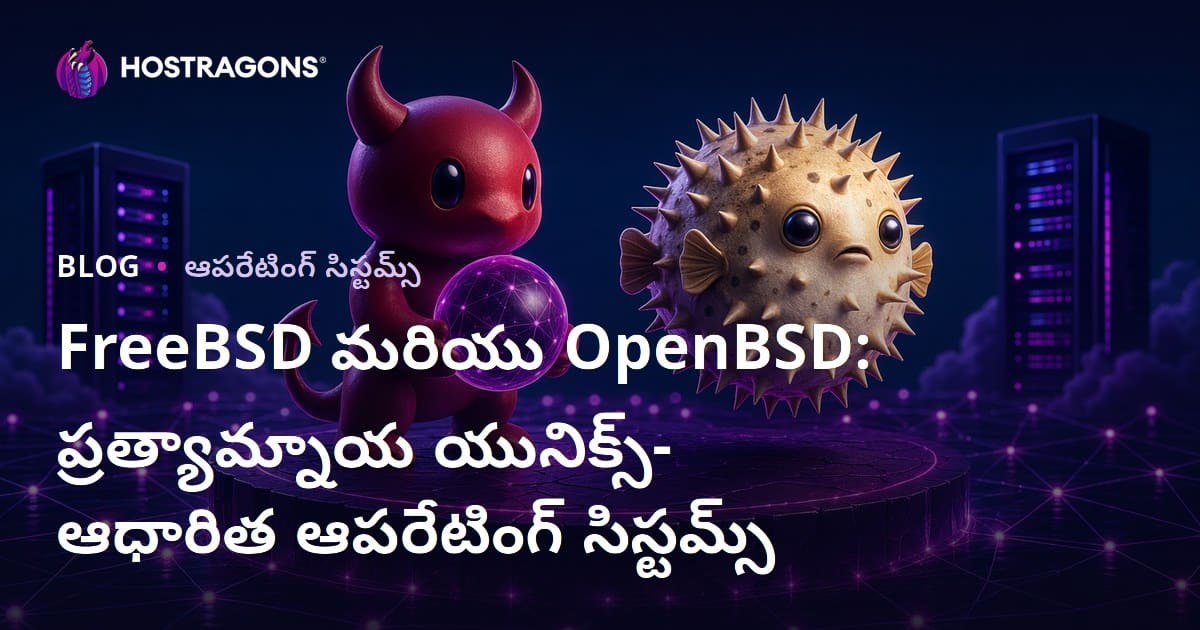
ఈ బ్లాగు వ్యాసం FreeBSD మరియు OpenBSD అనే రెండు ప్రముఖ Unix ఆధారిత, ఓపెన్ సోర్స్ ఓపరేటింగ్ సిస్టమ్లను విస్తృతంగా విశ్లేషిస్తుంది. ఈ వ్యవస్థల ఏమిటి, Unix ప్రపంచంలో వీటి ఉత్పత్తి, ఆరోగ్యమైన తేడాల గురించి సమగ్రంగా వివరించబడింది. సిస్టమ్ అవసరాల నుండి OpenBSD సెక్యూరిటీ శక్తిని, FreeBSD పనితీరులోని ప్రత్యేకతల వరకు ఎన్నాళ్ళ ఎన్నో అంశాలు పరిశీలిస్తాం. ట్రస్ట్ కలిగించే మిత్లను కూడా త్రెడ్డు చేసి, దారి మారిన అభిప్రాయాలను సరిచేస్తాం. చివరగా, ఉపయోగదారులు గురించి మీ డెమాండ్ను బట్టి ఏ విధమైన BSD సరిపడుతుందో సమ్మతి ఇస్తుంది.
FreeBSD మరియు OpenBSD అంటే ఏమిటి? కీలకమైన శాఖలు
FreeBSD మరియు OpenBSD అనేవి Unix ఫ్యామిలీలోని, బర్క్లీ BSD నుండి పుట్టిన ఓపెన్ సోర్స్ OSలే. వీటిలో సెక్యూరిటీ, స్టెబిలిటీ, ప్రాసెస్ల గరిష్ఠ ఉపయోగం – ఇవే ప్రధాన లక్షణాలు. సర్వర్లు నుండి పొందిక మ్యాచు/ఎంబెడెడ్ అప్లికేషన్ల వరకు బాగా ఆధారపడే OSలు. ఇప్పుడు వీటి మూలాలను చూద్దాం:
FreeBSD వాడితే పనితీరు, స్కేలబిలిటీ అవసరమయ్యే చోట చాలా చక్కగా నడుస్తుంది. యునివర్సల్ హార్డ్వేర్ సపోర్ట్, దాదాపు ఏదైనా రోల్ను కవర్ చేయగల ఫీచర్ సెట్ మూలంగా – web servers, database servers, gateways వంటి వాటికి బాగా ఉపయోగపడుతుంది. ఓపెన్ సోర్స్ కావటం వల్ల, సొంత అవసరాలకు ఖచ్చితంగా మోడిఫై చేసుకోగలడం ముఖ్య అదాన్నియా.
- Kernel: ఇది OS హృదయం; హార్డ్వేర్ – సాఫ్ట్వేర్ సంబంధాన్ని తేలికుగా నిర్వహిస్తుంది.
- Shell: కమాండ్ లైన్ ద్వారా యూజర్ UIను అందించే ఇంటర్ఫేస్.
- Package Management: సాఫ్ట్వేర్ ఇన్స్టాల్/అప్డేట్/రిమూవ్ సులభంగా చేయించే వ్యవస్థ.
- Ports System: సాఫ్ట్వేర్ను సోర్స్ కోడ్ నుండి కంపైల్ చేస్తూ సెటప్ చేయడం కోసం.
- Firewall: నెట్వర్క్ ట్రాఫిక్ను ఫిల్టర్ చేసి, అనధికార యాక్సెస్ను నిరోధించేది.
- File System: డేటా స్టోరేజ్/ఆర్గనైజేషన్. FreeBSD UFS, ZFS వంటి FSలకు మద్దతిస్తుంది.
OpenBSD ప్రధానంగా సెక్యూరిటీకు ప్రాధాన్యం ఇస్తుంది. By default secure philosophy కలిగి, అన్ని లేయర్లలో టఫ్ policies, code audits, cryptographic tools మరిన్ని వాడుతుంది. సిగ్నిఫికెంట్ సెక్యూరిటీ అవసరాల ప్రాజెక్టులకు ఇది ఉత్తమం.
Unix అభిప్రాయాన్ని (modular approach, బ్యారింకు simplicity) ఇవి పూర్తిగా ఎమ్యూలేట్ చేస్తాయి. అవివందనసమా, community active development/సపోర్ట్తో – మీకు కాస్త unique, custom OS solution నిర్దేశిస్తాయి.
Unix ఆధారిత OSల చరిత్ర
Unix ఆధునిక OSల ఫౌండేషన్! 1960s చివరలో Bell Labsలో ప్రారంభమై, అనేక భారతీయ, విద్యాసంబంధిత వరుసగా పుట్టిన SQLఅనూ, Unix ప్లాట్ఫామ్ను మెరుగైన բազմաթիվ వెర్షన్లు ఉద్భవించాయి. FreeBSD, OpenBSD కూడా ఈ చెక్సెడు ఆనవాళ్లే. Unix లో స్వచ్ఛంగా నిర్మించబడిన tools philosophy, స్వయంగా పెద్ద సంక్లిష్ట వ్యవస్థను కొన్ని చిన్న modules కలయికగా నిర్మించడమే. ఈ మార్గం, ప్రస్తుత వెబ్ dev, sysadmin practicesకి శిలాబంధగా మారింది.
Unix evolutionలో AT&T policies, commercialization pivotal రోల్. మొదట రెండు నిముషాలు (free), తరువాత paid licencing వల్ల BSD emerged, ఆరోపణగా, ఓపెన్ సోర్స్ Unix alternative. క్యాంపస్లలో, రీసెర్చ్లో జాతీయపంక్తి!
- చరిత్ర కాలప్రమేయం
- 1969: Bell Labsలో Unix conception
- 1970s: BSD అప్గ్రేడ్ & popularization
- 1980s: Commercial Unix variants
- 1990s: FreeBSD, OpenBSD birth
- Today: Community driven growth
FreeBSD, OpenBSD BSD legacy వివరించటంతో, నేటి వరకు active development జాగ్రత్తగా అమలు అవుతుంది. స్టెబిలిటీ, సెక్యూరిటీ, performance – దాదాపు అన్ని ఆమోదించిన గుణాలు. community మద్దతుతో, customization చేయగలగడం కారణంగా – servers, firewall, embedded devices వంటి విస్తృత usage ఉంటోంది.
| Actor/System | వివరణ | పరిణామం |
|---|---|---|
| Bell Labs | Unix యొక్క జన్మ స్థానం | ఈ రంగానికి వేరు దిశలో ఉత్సాహమిచ్చింది. |
| Berkeley Software Distribution (BSD) | Open-source Unix variant | FreeBSD & OpenBSD foundation |
| Richard Stallman | GNU Project founder | Open-source ఉద్యమం leader |
| Linus Torvalds | Linux Kernel creator | OS మార్గదర్శక వ్యక్తి |
Unix philosophy ప్రస్తుతం OSలలో, development practicelలో influenceకి exemplar. FreeBSD, OpenBSD మారం యాత్రలో, అనునిత్య నూతన, శక్తిశాలిగా solutionsను అందిస్తూ నడుస్తున్నాయి.
FreeBSD vs OpenBSD తేడాలు
FreeBSD, OpenBSD రెండూ Unix familyలో, అదే timeలో రెండు philosophiesను ఫాలో అవుతాయి – కానీ target audience, goals, architecture లో సమర్థమైన తేడాలు. FreeBSD performance, flexibilityపై ప్రధానంగా orient అయితే, OpenBSD absolute security, portability మీద వినియోగదారు number పని చేస్తుంది.
అత్యంత స్పష్టమైన హెచ్చు తక్కువ తాత్పర్య – security posture: OpenBSD strict, proactive code audit, cryptography, dense security principles; FreeBSD performance-నీ sacrifice చేయకుండా మనదేశొ security నేల స్థిరంగా అమలు చేస్తుంది.
| లక్షణం | FreeBSD | OpenBSD |
|---|---|---|
| ధ్యానం | Performance, Flexibility | Security, Portability |
| Security approach | Performance loss కాకుండా secం implement | Default safe & strict |
| కెర్నెల్ | Big, feature rich | Lesser, simpler codebase |
| Package | Ports, binary pkgs | Pure packaged |
OpenBSD kernel చాల స్లిమ్, coded for minimality; FreeBSD అటు పుష్కలంగా ఫీచర్లు. ఉభయంగా, OpenBSD smaller attack surface, fewer bugs; FreeBSD wider toolset, advanced deployment scenarios.
ఉపయోగించే ప్రాంతాలు
FreeBSD – high performance server apps, network appliances, embedded platformsకి అప్రతిభేదంగా వాడబడుతుంది. ISPలు, Web hosting, large data centers – stability, scalability ఎక్కువగా చూడాలి. ZFS file system supportతో storage solutions కూడా top-notch.
పనితీరు మిళితం
Performance eye– FreeBSD vs OpenBSD కొంతటిగా marginతో ఉంది. FreeBSD – network speed, filesystem throughput, response timeలో generally OpenBSD నీ ముందు హోరు. Aggressive performance tuning, broad hardware support ఇక్కడ lead.
- Comparative బింబాలు
- FreeBSD: Quick, versatile sports car లా.
- OpenBSD: Armored, robust tank లా.
- FreeBSD: ఎక్కడైనా విస్తృత పనిట్లైన్ అందించే workstation లా.
- OpenBSD: వార్ యజమానా సురక్షిత బ్యాక్లో essential tools మాత్రమే, అటు reliability మీదను compromise కాదు.
- FreeBSD: Express train – speed, tuneability focus.
- OpenBSD: Security Coach – reliability, heavy-duty defense focus.
OpenBSD performanceను గణనీయంగా తక్కువగా చెప్పడం పొరపాటు. ఐతే security centric design కొంత tradeoff ఉంటే, stability–safeguard infra applicationsకు ఎప్పుడూ choice అవుతుంది. VPN servers, firewalls, secure network infra అయితే OpenBSD అంటే answer.
SecURITY IS A PROCESS, ఎన్నటికీ PRODUCT కాదు!
FreeBSD & OpenBSD కోసం సిస్టమ్ అవసరాలు
FreeBSD/OpenBSD – ప్రస్తుత హార్డ్వేర్లో బాగా ఫంక్షన్ అయ్యే, flexible OSలు. Minimum మరియు recommended requirements ఉన్నప్పటికీ, usage scenario చూస్తే customization అవసరం. Hardware ఎంపికలోని ప్రయోజనం–performance balance కోసం, మీ demand మొత్తం కారణమవుతుంది.
ఇక్కడ చార్ట్ ద్వారా min/rec hardware సూచిస్తాం. Use-case లో server workload భారీ అంటే, more RAM, processor తో rec config ఎంచుకోండి.
| Component | Minimum | Recommended | వివరణ |
|---|---|---|---|
| Processor | Pentium III class | Intel Core i5 parity | Higher CPU = Better perf |
| రామ్ | 512 MB | 4GB+ | Stability & workload |
| డిస్క్ | 5 GB | 20 GB+ | OS + Apps storage |
| Network card | Ethernet | Gigabit Ethernet | Network connectivity |
FreeBSD/OpenBSD seadup, run కోసం core requirements:
- Hardware Checklist
- x86/AMD64/ARM supported CPU
- 512MB+ RAM (వినియోగాత్ర ప్రతిసారి 4GB+)
- 5 GB HDD (20GB+ suggested)
- Working network (Ethernet/Wi-Fi)
- Boot media (USB/DVD etc.)
- Monitor/GPU (Install time optional, debuggingకి ఉపయోగం)
VMware, VirtualBox, QEMU లో virtual deploy చేయొచ్చు. Virtualization hardware constraints relax చేస్తుంది – especially learning/dev వర్క్షాప్కు. Real hardware compatibilityకోసం ముందుగానే VMలో టెస్ట్ చేయడం advisable; physical setupలో issues పలితంగా తలరావొచ్చు.
OpenBSD సెక్యూరిటీ శక్తులు
OpenBSD – మీ ఒక్కమాటలో “security-first” OS. FreeBSD లాంటి OSలతో పోలిస్తే, OpenBSD developers proactive bug finding, code audit – core నుంచి user tools వరకూ ప్రతి layerలో security implement చేస్తారు.
OpenBSD philosophy – simple codebase, easy auditing. Complex logic చేతి దగ్గర చేయరు, auditability, flaw eliminationకి తహతహ పడతారు. ఈ విధానాన్ని support చేసే features:
- Core Security Techలు
- Continuous auditing bugs & vuls
- Careful syscall, API inspection
- Memory protection (W^X etc)
- Default cryptography enable
- Periodic patches/release
- Privilege separation, dropping
OpenBSDలో only tech, not community transparency. Anyone source inspect, bug report, fix push – speed of resolution! Critical server, firewall, backup infra వంటి sensitive usageకోసం OpenBSD top choice. Security-minded sysadmins, FreeBSD/OpenBSD మధ్య దిద్దుబాటు tech priorities బట్టి system opt చేయాలి.
FreeBSD పనితీరు ప్రయోజనాలు

FreeBSD – network server, heavy traffic, performance critical workloadsకు tuning చేసిన OS. Kernel-level tuning, advanced memory అవసరాలకు – web servers, DBs, storage infra ఈ OSను దాచుగా అభినందిస్తారు.
- Performance highlights
- Advanced kernel tuning, ongoing optimisation
- Efficient memory scheduling
- ZFS support for integrity & speed
- High network stack throughput
- Wide hardware driver base
ZFS file system – FreeBSD స్థాయి integrity, pooling, snapshot, dynamic striping, caching అన్నదంతో massive datasetsకి unrivalled performance ఇవుతుంది.
| Feature | FreeBSD | Other OS |
|---|---|---|
| Kernel Tuning | Excellent | Variable |
| Memory | Efficient | Standard |
| FS | ZFS available | Various |
| Net perf | Superb | Good |
Network side – TCP/IP stack tuning, high-throughput/correctness నాకు మద్దతిచ్చేది; CDN, gaming servers, web infra వంటి performance-critical workloads siin FreeBSD unmatched. Hardware driver bouquetతో compatibility wide.
Performance పై ఇద్దరి ముగింపు – enterprise infra, devs less hardware with more throughput కవర్ చేయొచ్చు. Energy efficient, resource-opt కథల్లో FreeBSD ante workload champion.
FreeBSD & OpenBSDపై అపోహలు
FreeBSD/OpenBSD – respected OSలు, కాని marketలో ఇరుకు అపోహలు. ఈ misconceptions iron out చేయాలి.
Bigger myth – FreeBSD/OpenBSD user unfriendly, install/process complex. Actually – new releases UI/tools/Docs వంటి సులభత, graphical fronts, CLI tools అందుబాటులో ఉన్నాయి.
Myths List
- పర్కీ సేవలు మాత్రమే: Servers కాకుండా desktop, embedded devicesకి మరింత ఉపయోగపడతాయి.
- Too complex to use: Docs, tools కొత్తవాళ్లకూ easy learning curve.
- Limited software: Extensive repo, Linux compatibility layer తో more apps run చేయొచ్చు.
- కమీ hardware support: Wide platform support, growing drivers pool.
- Security weaker: OpenBSD – security focused, regular audits, tight implementations.
Another myth – software support ఇప్పుడు పదివంతం; Linux layerతో Ubuntu fave tools కూడా run. Thus, user-friendly, customisable but adequately secure!
| Feature | Myth | Fact |
|---|---|---|
| Usability | Too hard | Tools/docs simplify |
| Software | Limited | Plenty apps, Linux layer |
| Hardware | Restricted | Broad support |
| Security | Weak | Strong design, audit |
Some presume “Server only” – in fact, FreeBSD/OpenBSD desktops, embedded, even console gaming OS alternativeగా check అయినవి. Flexibility, modularity keys; properly informed users maximize these OS advantages.
OpenBSDలో నెట్వర్క్ మేనేజ్మెంట్ పాయింట్స్
OpenBSD – security centric, network managementలో robust tools. BSD sys infra అధికంగా చూపిస్తుంది. Interface setup, IP assigning, routing, firewall ruless వేయడం – నెట్వర్క్ reliability/securityకి విత్తనం.
నమూనా నెట్ప్రణాళిక
Interface config – /etc/hostname.if (if=interface name, eg: hostname.em0), IP/netmask, DHCP, static ఒక్కడున config అంటుంది.
Most used OpenBSD net commands:
| Command | Purpose | Example |
|---|---|---|
ifconfig |
Configure/view interfaces | ifconfig em0 192.168.1.10 netmask 255.255.255.0 |
route |
Gateway/routes setup | route add default 192.168.1.1 |
ping |
Test connectivity | ping google.com |
netstat |
Show stats | netstat -an |
Firewall PF pf.conf రూల్ సెటప్, traffic control, security safeguard కు గణనీయమైన నిర్దేశితం. Proper setup – network hacks చాల ఎత్తుగా నింపుతుంది.
- Network config steps
- Interface detect: em0, en1 etc
- IP/netmask assign
- Default gateway set
- DNS configure (
/etc/resolv.conf) - PF firewall rules (
pf.conf), tune - Test and verify connections
OpenBSD నెట్వర్క్ మేనేజ్మెంట్ ఆసక్తికర, just need proper planning/execution. Security, reliability keys!
FreeBSD & OpenBSD వినియోగదారు అపేక్షలు
User expectations – FreeBSD/OpenBSD యొక్క unique features, motiveల మీద pivot. Performance, security, stability, customization keys. ఈ విశ్లేషణ user angleను OS potentialతో సమమైపుచేస్తుంది.
FreeBSD users – high performance, stability మెట్లు. Servers, compute intense workloads, rich hardware, kernel tuning – demand ఉంది. Comprehensive docs, vibrant community suppor ద్వారా clarity వస్తుంది.
| Expectation | FreeBSD | OpenBSD |
|---|---|---|
| Performance | High | Secure tuned |
| Security | Good features | Ultimate policy |
| Stability | Long runtime | Reliable, safe |
| Customization | Wide | Limited |
OpenBSD users expect – uncompromised security, heavy auditing, transparency, bugfixes. Hardware support not max; but trustworthy code, community, reliability keys. Security priorityపై OpenBSD dominates.
- Apeshalu summary
- High speed, reliable ops (FreeBSD)
- Top security (OpenBSD)
- Rich hardware compatibility (FreeBSD)
- Active docs/community (both)
- Deep customization (FreeBSD)
User needs: project goals, tech level, priorities. FreeBSD – tuning, flexibility loversకు; OpenBSD – uncompromised security huntersకు. Both OS–Unix platform benefits, usage strategy!
నిర్ణయం: మీరు ఏ BSD ఎంచుకోవాలి?
FreeBSD/OpenBSD ఎంచుకోడానికి – needs, expectations, use-case must be clear. Security centric olsun, performance, customization centric olsun – proper assessment అంతా. Below check వినియోగం decision-makingకు helpful.
| Criterion | FreeBSD | OpenBSD |
|---|---|---|
| Focus | Performance, flexibility, hardware | Security, clean code |
| Use areas | Servers, embedded, desktops | Firewalls, routers, secure servers |
| Pkg mgmt | Ports, binaries | pure packager |
| HW support | Broad | Limited (secure focus) |
- Selection tips
These OSs are evolving. Your project needs, personal admin skill crucial. Trial–compare–understand: best way to decide! Custom fit OS → long success!
FreeBSD/OpenBSD – both reliable OS. Decision: project, user preference, sysadmin skill. Trial, comparison – find best fit.
అడిగే ప్రశ్నలు
FreeBSD & OpenBSD unique లక్షణాలు ఏమిటి?
FreeBSD/OpenBSD – open-source Unix OSలు. విలక్షణత: security, stability లే focus; servers, firewall infraకు fit. Integrated kernel/tools – modular, robust architecture.
FreeBSD ఏ user/projectలకు best fit?
High performance server apps, virtualization, embedded platforms – FreeBSD select. Broad hardware, tuned performance, robust community support key factors.
OpenBSD security centricity daily usageలో ప్రయోజనాలు?
OpenBSD – system vulns minimized; default services off; quick patch response. Malware hacksకు extra safeguard!
FreeBSD/OpenBSD hardware requirements?
Legacy PCలు కూడా setup చేయొచ్చు; best perf, latest CPU, more RAM advisable. Check official website for exact cases.
OpenBSD 'default safe' approach అంటే?
Out-of-box robust config: unnecessary services off, code audits, W^X type protection active. Effortless secure launch!
FreeBSD 'Jails' ఉపయోజనం? OpenBSDలో equivalent feature ఉందా?
'Jails'–sandboxing tech; resource/file isolation; security breach één subset effect only. OpenBSD chroot, pledge, unveil – basic sandbox, but FreeBSD Jails more comprehensive.
FreeBSD/OpenBSD communities/support గురించి?
FreeBSD community wide, docs/forums/ecosystem huge. OpenBSD community smaller, but skilled, man pages exemplary. Both వేర్వేరుగా yellow beginners.
FreeBSD↔OpenBSD switch అమ్మేటప్పుడు ఏ భూమి?
High performance, broad HW needed – FreeBSD go. Ultra secure, critical data infra – OpenBSD switch. Specific HW/support/feature – which OS supports best, switch there.