 Afrikaans
 Azərbaycan
 Bosanski
 Čeština
 Dansk
Dansk Deutsch
 English
 Español
 Filipino
 Français
 Hrvatski
 Indonesia
 Italiano
 Magyar
 Melayu
 Nederlands
 Norsk
Norsk Oʻzbek
 Polski
 Português
 Română
 Slovenčina
 Slovenščina
 Suomi
Suomi Svenska
 Tiếng Việt
 Türkçe
 Ελληνικά
 Беларуская
 Български
 Русский
 Српски
 Українська
 עברית
עברית اردو
اردو العربية
 پښتو
پښتو فارسی
فارسی አማርኛ
አማርኛ मराठी
मराठी বাংলা
বাংলা தமிழ்
தமிழ் ไทย
ไทย မြန်မာ
 한국어
한국어 中文
中文 日本語
日本語

இன்றைய இணைய உலகில், ஈமெயில் தொடர்புக்கான இரண்டு முக்கிய வழிகள் எடுக்கும் இடம் பெரிதாகியுள்ளது: Webmail மற்றும் Desktop e-mail client. Webmail, இணைய உலாவி வழியாக எளிதாக Anywhere-இல் இலவசமாக பயன்படுத்திக் கொள்ள அனுமதிக்கிறது, ஆனால் Desktop client ஒரு கணினியில் நிறுவப்படும் செயலியில் வாடிக்கையாளருக்கு மேலும் advanced control மற்றும் offline மூலம் சந்திக்க கிடைக்கிறது. இந்த பதிவில், Webmail-இன் எளுமையையும், அணுகுநிலையையும், பாதுகாப்புப் பிரச்சனைகளையும்; Desktop client-இன் திறன்கள், மறைவு, offline support, customization போன்றவற்றையும் விமர்சனமாக ஆய்வு செய்யப்படுகிறது. முக்கியமாக, உங்கள் தேவையைப் பொறுத்து எந்த client உங்களுக்கு பொருந்தும் என்பதைத் தேர்வு செய்யும் போது கவனிக்க வேண்டிய பாதுகாப்பு கேள்விகள், பயன்பாட்டு பழக்கங்கள் மற்றும் தேவைகள் வலியுறுத்தப்படுகின்றன. முடிவாக, இரண்டும் தாங்கிய பலவீனங்கள்/வலுவுகள் உள்ளன என்பதை விளக்குகிறோம்; தேர்வு உங்கள் தனிப்பட்ட நிலைகளுக்கு ஏற்பவே மாற வேண்டும்.
Webmail மற்றும் Desktop E-mail Client என்றால் என்ன?
இணையத்துக்குள், ஈமெயில் தொடர்புகள் மிக முக்கிய தொழிற்கருவியாக உள்ளது. தொழில்சாதனையில் இருந்தும், தனிப்பட்ட வாழ்க்கையிலும், நோட்டு பற்றாக்குறை பட்டிக் கொண்ட இடத்தில் இந்த ஈமெயில் முறைகள் Webmail மற்றும் Desktop e-mail clients என பிரிகிறது. இவை இரண்டும் ஏதேனும் வகையில் பலவீனங்கள்/வலுவுகள் உள்ளன. இப்போது இரண்டும் என்ன என்ற முழுவிவரம்:
webmail என்பது உங்கள் ஈமெயில்களை இணைய உலாவி வழியாக, எந்த சாதனமும் கூட, எந்த program உற்று வேண்டாம் நேரடியாக அணுகும் வகை சேவை. Gmail, Yahoo Mail, Outlook.com ஆகியவை நம் சந்தையில் பொதுவாக உள்ள உதாரணங்கள். Send/receive/edit/store ஈமெயில்கள், spam filter, auto backup ஆகியவற்றை server-படைடுத்து வழங்குகிறது.
- Webmail vs Desktop E-mail Client - முக்கிய வேறுபாடுகள்
- அணுகல்: Webmail, இணையத்தில் எந்தவொரு device-இனுடைய browser பயன்படுத்தி connect செய்யக்கூடியது, Desktop client-க்கு நிறுவல் செய்யப்பட்ட ஒரு device தேவை.
- நிறுவல்: Webmail-க்கு நிறுவல் தேவையில்லை, Desktop client-க்கு install/configuration தேவை.
- ஸ்தலபிடிப்பு: Webmail cloud server-இல் store செய்யும். Desktop client local or server-ல் store செய்யும்.
- Offline Support: Desktop client, download செய்த email-கள் offline-ல் access செய்யலாம், Webmail பொதுவாக online தேவை.
- அனுப்பில் பெரும்பது: Desktop client-க்கு customization அதிகம், Webmail UI மட்டுமே சில விருப்பங்கள்.
மறுபுறம், Desktop e-mail clients என்பது உங்கள் computer அல்லது smartphone-ல் install செய்யும் செயலிகள். Microsoft Outlook, Mozilla Thunderbird, Apple Mail போன்றவற்றும், Offline access, advanced options, customization-ஐ தரும். உங்கள் எண்ணங்களுக்கு மிகற்பொருந்தும் வகையில் இரண்டும் ஏதேனும் பலவீனங்கள் உள்ளன.
| அம்சம் | webmail | Desktop E-mail Client |
|---|---|---|
| அணுகல் | இணையம் உள்ளவிடம் கிடைக்கும் | நிறுவல் device பிணைப்பு |
| நிறுவல் | தேவை இல்லை | தேவைப்படும் |
| Offline access | பொதுவாக internet தேவை | Offline செயல்பாடு கிடைக்கும் |
| Customisation | குறைவு | அதிகம் |
இந்த பதிவில் webmail மற்றும் Desktop client-இன் வலுவும் பலவீனமும், உங்கள் தேவைக்கு எது மிகப் பொருந்தும் என்பதையும், ஆராய்கிறோம்.
Webmail இன் பல சிறப்புகள்
Webmail vs பார்வையில், Webmail சேவைகள் பல முக்கிய சன்மானங்களை வழங்குகிறது. பயன் எளிதாக, எந்த சாதனத்திலும் anytime access, குறைபாடு செலவு—all-round solution. Mobile, Tablet, Laptop போன்றவை அதிகமாக பயன்படுத்துவோர்களுக்கு Webmail, போர் நேரம் அனைவரையும் ஈமெயில் பெற simple option.
- Webmail வலுவுகள்
- Anywhere access: எந்த device-இல் ஆனாலும் (internet browser இருப்பது போதும்).
- Install/Setup தேவையில்லை: browser-பணியமெய்யில், login=ready.
- Multi-device support: ஒரு கணக்கில் பல device-இல் Access.
- Auto backup: E-mail-க்கு server-யில் backup, data loss குறைவு.
- Low/zero cost: பல Webmail சேவைகள் இலவசமாக அல்லது குறைந்த மொதுக்கானதில் subscription
- Spam Filter: unwanted mail-களுக்கு smartly filter
Webmail-இன் மற்றொரு முக்கிய சன்மானம் சேவை provider server-level security maintenance கொண்டது. இது உங்கள் data-வை பாதுகாப்பதற்கான burden-ஐ provider-க்கு விடுகிறது.
| அம்சம் | webmail | Desktop E-mail Client |
|---|---|---|
| அணுகல் | Anywhere, internet-required | Installation device only |
| Install | தேவை இல்லை | தேவை |
| பதிவேற்பு | Automatic (server backup) | manual/local backup |
| மொதுக்கானம் | Free or cheap mostly | Some premium clients paid |
Webmail providers, பாதுகாப்பு மற்றும் spam filtering-இல் தீவிரம்; பிரச்சினையாகவும் phishing, malware, suspicious mail-ஐ ஒருங்கினைப்பு செய்து பாதுகாப்பு வழங்குகின்றனர். பயனாளர் அதேபோல, password பற்றில் விழிப்புணர்ச்சி, suspicious links-க்கு click செய்யாமல் இருப்பது முக்கியம்.
Webmail interfaces பொதுவாக user-friendly இருக்கும், e-mails archive/search/delete/send simple-ஆன செயல்பாடுகள்—all-in-one, individuals, businesses அனிக்கும் ஈமெயில்களுக்காக விரும்பும் தீர்வு.
Desktop E-mail Client இன் கூடுதல் சன்மானங்கள்
Desktop email clients என்பது program install செய்து local-ல your mail accounts் connect செய்யும் method. Webmail vs comparison-இல், Desktop client-க்கு பல advanced features இருப்பதால், professional, high-volume email users-க்கு மிகப் பொருந்தும் வாய்ப்பு.
Desktop e-mail clients-இன் big advantage, offline access. Internet இல்லாதபோது, முன்னதாக download செய்யப்பட்ட mail-கள் archive-ல் keep; read/reply local-ல் செயல். Webmail-இல் இது சாத்தியமில்லை (except for some advanced PWA/extension).
Desktop client-க்குக் கீழ்க்காணும் பிரிவுகள் உண்டு:
- Offline Access: Internet இல்லாமல் e-mail open/read/reply
- Advanced organisation: Folders/filters/archiving
- Security: Local storage என்பதால், data privacy அதிகம்
- Integration: Calendar, contacts போன்ற தனிப்பட்ட tools connect
- Fast access: Local data so quick navigation/search
- Customisation: UI/UX tweak freely according to your needs
Desktop client-க்கு advanced features plenty: Automatic replies, Rules/filters, Bulk management, Priority inbox, மென்பொருள் integration, etc.
Security-wise, local storage என்பதால் provider-இன் general flaw பக்கம் கவனத்துடன் இருக்க வேண்டும்; ஆனால் personal system security (OS updates, antivirus) இயற்றவேண்டும். Compare பண்ணும் பணி கீழே:
| அம்சம் | webmail | Desktop E-mail Client |
|---|---|---|
| Access method | Browser/any device | Installation device only |
| Offline | Mostly not available | Possible |
| Storage | Server (cloud) | Local device |
| Security | Provider responsibility | User’s responsibility |
| Customization | Limited | Advanced |
Webmail-இன் பலவீனங்கள்
Webmail vs எழுதும்போது, Webmail-இன் convenience-க்கு இருக்கின்ற சில major drawbacks-உடன் வருவது முக்கியமாக பார்க்க வேண்டும். குறிப்பாக, Internet dependency, storage limits மற்றும் security risks, privacy doubts போன்ற பிரச்சனைகள் for mission-critical/professional users-க்கு முக்கியமாகும்.
Internet connection இல்லாமல் e-mail access/send முடியாது—even draft-ஐ save cannot be sent. Traveling, rural area-ல் அல்லது poor connection-இல் இந்த என்றி வழிமுறையில் இடர். Storage-ம் server-side restriction (free accounts mostly low limit) காரணமாக, old mails erase/swap/upgrade துணை தேவைப்படும்.
- Webmail drawbacks
- Internet need: e-mail access/send-க்கு constant connection இரண்டும் தேவை
- Storage limit: free plan-க்கு limit, paid கணக்கு shifting
- Security pitfalls: phishing, password leaks, hijack risk comparatively higher
- Privacy worry: providers sometimes data sharing/marketing (read terms before trusting)
- Customization: Desktop client-ஐ விட control குறைவு
Security-wise, Webmail-க்கு provider-level protection; ஆனால் phishing/suspicious links/security exploits-க்கு user-level attention மிகவும் தேவையானது. Strong passwords, two-factor authentication இல்லாமல் மிகவும் ஆபத்தானது.
| Drawback | Details | Possible solution |
|---|---|---|
| Internet dependency | Email read/send needs live connection | Offline extensions, mobile data plans |
| Storage limit | Free account mail volume cap | Paid upgrade/regular archive |
| Security risk | Susceptible to phishing/malware | Strong passwords, 2FA, awareness |
| Privacy worry | Provider may share/use data for ads | Choose privacy-first provider |
Provider’s data usage rules must be checked—for sensitive uses, pick privacy-respecting Webmail or encrypt emails before sending!
Desktop E-mail Clients இன் பலவீனங்கள்
Webmail vs பார்வையில், Desktop client-ஆனuserக்கு mobile access மோசமா இருக்கும்; install, configure, maintain அதிகம் complication. Device damage, lost, virus attack—all risk local data. Some premium software paid. Backup importance big.
- Desktop drawbacks
- Access just in installed device—not everywhere.
- Manual backup required—risk if device fails.
- Cost—premium clients subscription needed.
- Update—regular software upgrade must.
- Device dependency—damage/loss = mail loss
Detailed view:
| Drawback | Detail | Solution |
|---|---|---|
| Access limit | Installed device only | Cloud sync/webmail alternate |
| Data loss risk | If device broken, mail lost | Regular backup, cloud storage |
| Cost | Some advanced features/clients paid | Free/open-source alternatives |
| Maintain/Update | Must regularly update software | Enable auto-update/reminders |
Security-wise, desktop clients to be updated, antivirus installed to prevent malware in mail attachments. Otherwise, phishing links, virus mail attachments, etc., bring major risk.
Choice: Desktop clients great for power users; but portability, cost, safety—careful decision needed.
Webmail vs Desktop Client: உங்கள் தேவைக்கு எது?
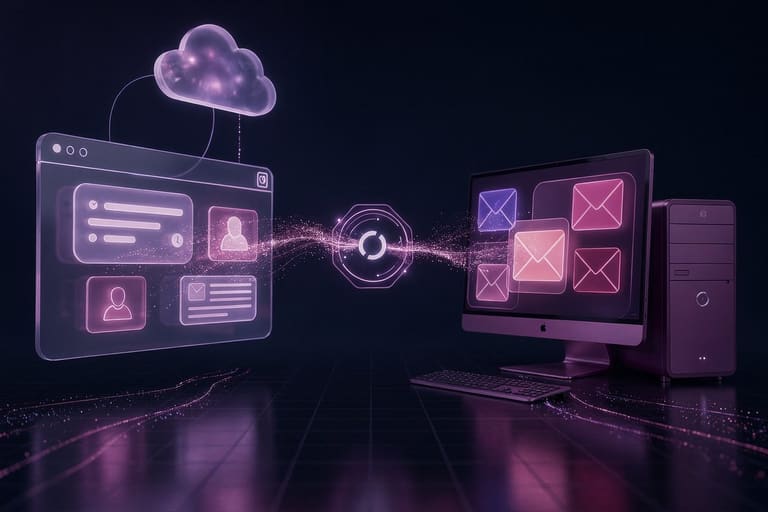
Ultimate question: Webmail or Desktop client—decision based on your pattern, need, security, convenience, cost. Each approach has own trade-offs. Let’s compare key factors!
| அம்சம் | webmail | Desktop E-mail Client |
|---|---|---|
| Access | Internet-enabled device anywhere | Installed device only |
| Storage | Cloud (often with limits) | Local/cloud more flexible |
| Security | Provider’s protection | User config & software |
| Offline support | Mostly not possible | Possible |
Main considerations: If you’re always moving, use multiple devices, need simple access—Webmail is the way. If you require large storage, offline access, advanced features—Desktop client best.
- முக்கிய அம்சங்கள் ஒப்பீடு
- Accessibility/portability
- Storage size/manageability
- Offline usage
- Security/privacy
- User-friendliness/interface
- Budget/cost
அணுகல்
webmail service-க்கு internet என்றால் device-இல்லா access, frequent travel/remote work-க்கு மிகம் நல்லது. Desktop client install device/but offline operation for bulk archive.
செயல்திறன்
webmail speed relies on your internet/provider server speed. Desktop client usually faster for search/browse as local storage. Heavy archive or bulk search best for desktop client.
பாதுகாப்பு
Both webmail எளுமையுடன் முடிவாக security risks குறிப்பு. Webmail-ல் provider-level security, but strong password/two factor a must. Desktop client, full user responsibility: OS update, antivirus, regular backup, suspicious mail avoid.
Ultimately, personal factor important! Test both, choose what fits your life!
E-mail Client தேர்வு செய்ய வேண்டிய முக்கிய அம்சங்கள்
எந்த E-mail client உங்களுக்கு மிகப் பொருத்தம், productivity, security, convenience—all key factors. Webmail vs Desktop client—decision should factor actual requirements, features, ease, budget.
Features-வழியாய்—calendar integration, search, multi-account, offline, UI simplicity—all important. Interface not simple = time waste, efficiency drop.
| அம்சம் | webmail | Desktop client |
|---|---|---|
| Accessibility | Anywhere, any device | Installed device only |
| Offline access | Mostly limited | Mostly possible |
| Security | Provider-dependent | User control more |
| Customization | Limited | Advanced |
Security: encryption, 2FA, password strength, spam filter, all must be checked. Last but not least, cost: free vs paid upgrades. Try demo/trial before commit!
Some quick tips:
- Identify core needs: Make a list before choosing.
- User reviews: Read real user experience.
- Try free trial/demo: Test different clients.
- Security check: Ensure password, 2FA support.
- Integration: Compatibility with your apps (calendar, contacts etc).
- Budget fit: Compare cost benefits.
webmail vs desktop, ultimate selection—personal needs, priorities matter most!
Webmail vs Desktop E-mail Clients-பாதுகாப்பு
Email security: critical for everyone. Webmail vs Desktop: each has unique advantages/risks. Let’s detail security best practices!
Webmail mostly provider maintains security: SSL/TLS encryption, server spam filtering, malware detection—but user password, security settings crucial.
- Security features list
- SSL/TLS encryption: Protects during transit.
- 2FA: Adds extra protective layer
- Spam filter: Blocks unwanted mails
- Malware scan: Blocks virus
- Session control: Manage login/logout properly
Desktop client, full user control: Local storage, password, antivirus, firewall—all to be maintained. Protection is only as strong as your awareness!
| Security feature | webmail | Desktop client |
|---|---|---|
| Encryption | Provider-based | User configurable |
| Spam filters | Auto provider filter | User setting |
| Malware defense | Server scan | Antivirus required |
| 2FA | Mostly available | User-enabled |
Problem: Webmail—server hacks/phishing; Desktop client—virus/local breach. Both: strong passwords, regular updates, cautious mail handling.
E-mail Client பயன்படுத்தும் சிறந்த முறைகள்
Any email method: good practices = effective workflow/security! Inbox clutter, spam, lost mail—all avoidable with these steps:
Regular inbox cleaning, unsubscribing unwanted mail, key mails in folders. Avoid unnecessary CC, focus only on relevant mail.
| Best practice | Explanation | Benefit |
|---|---|---|
| Inbox clean | Delete/unsubscribe junk | Manageable inbox |
| Category folders | Sort important mail | Fast search/access |
| Strong passwords | Unique/complex passwords | Added security |
| 2FA | Extra layer | Unauthorized entry blocked |
Email security: Strong/unique password, 2FA, avoid suspicious links/attachments, update software, antivirus installed. All must!
Compose mail briefly, subject clearly, use professional language—gets faster response, cleaner communication.
- Tips & Tricks
- Use strong passwords: Never re-use, combine letters/numbers
- Enable 2FA: Block unauthorized entry
- Avoid suspicious links: Click only trusted mails
- Regular inbox cleaning: Remove old/junk, unsubscribe
- Folder organization: Sort mails for easy access
- Proofread: Grammar/spelling for professional impression
Webmail vs Desktop Client: முடிவுகள்
webmail vs desktop preference: totally based on your needs, habits, priorities. Webmail—easy access, low-maintenance; desktop—more control, advanced features. Decision: consider usage, security, key must-have features.
| அம்சம் | webmail | Desktop client |
|---|---|---|
| Anywhere access | Yes | No (only device installed) |
| Features | Basic | Advanced (calendar, tasks etc.) |
| Security | Provider’s care | User config |
| Offline | No | Yes |
If you travel often/need multiple device access—Webmail best. If you need advanced features, offline, customization—Desktop client top choice.
- Key points & Action
- Decide based on need/habit
- Compare pros/cons
- Security: set all options
- Update e-mail app regularly
- Maintain antivirus, backup
Remember: Best email client is what fits YOU! Try both; secure with strong password/2FA/regular backup. Your workflow, your rules!
No matter which you pick, email security: strong passwords, suspicious mails avoid, 2FA must-do. Protect mails and your identity!
அடிக்கடி கேட்கப்படும் கேள்விகள்
Webmail மற்றும் Desktop client-இன் பெரும்பான்மையான வேறுபாடு என்ன?
Webmail browser-இல் login பண்ணி, any device/easy access; Desktop client install வேண்டும்—only that device-இல் access முடியும்.
Webmail எப்போது பயன்பாடு ஏற்றது?
Multi-device access, frequent travel, easy use (install தேவையில்லை, tech know-how important இல்லை): Webmail best!
Desktop client-இன் key advantages என்ன?
Advanced features: offline, bulk search, custom folder/rule, more filters; security-wise, local storage safer, more control.
Webmail அபாயங்கள் என்ன?
Security breaches—password hack, phishing, provider server issue—access block risk.
Desktop client-இன் அபாயங்கள்?
Install/configure complex; device damage = mail loss (backup life-saver). Regular update, antivirus, backup needed.
Email client தேர்வில் கவனிக்க வேண்டியவை?
Need-based: travel = webmail; advanced features/security = desktop. Ease, security, customization, budget—compare before decide.
Webmail vs desktop security-wise எப்படி?
Webmail: password strength/provider security key; Desktop client: OS update, software update, antivirus must. Both: strong passwords, 2FA, regular backup.
Email பாதுகாப்பு என்ன செய்தால் அதிகரிக்கும்?
Unique strong password, 2FA, suspicious links(skip), unknown attachments avoid, update, antivirus install, regular backup—all must.