 Afrikaans
 Azərbaycan
 Bosanski
 Čeština
 Dansk
Dansk Deutsch
 English
 Español
 Filipino
 Français
 Hrvatski
 Indonesia
 Italiano
 Magyar
 Melayu
 Nederlands
 Norsk
Norsk Oʻzbek
 Polski
 Português
 Română
 Slovenčina
 Slovenščina
 Suomi
Suomi Svenska
 Tiếng Việt
 Türkçe
 Ελληνικά
 Беларуская
 Български
 Русский
 Српски
 Українська
 עברית
עברית اردو
اردو العربية
 پښتو
پښتو فارسی
فارسی አማርኛ
አማርኛ मराठी
मराठी বাংলা
বাংলা தமிழ்
தமிழ் ไทย
ไทย မြန်မာ
 한국어
한국어 中文
中文 日本語
日本語

ஒரே ஹோஸ்டிங் கணக்கில் பல வலைத்தளங்களை நிர்வகித்தல், செலவு சுருங்கும் மற்றும் மேலாண்மை எளிமை போன்ற பல நன்மைகளை வழங்குகிறது. இந்த வலைதள பதிவில், ஒரே ஹோஸ்டிங் கணக்கில் பல தளங்களை இயக்கும் அடிப்படைத் தலைப்புகளும், தொலைநோக்கு வழிகளும் விரிவாக விவரிக்கப்படுகின்றன. பல டொமைன் நிர்வகிப்பின் பலன்கள் மற்றும் பாதிப்புகளை சமீபத்தில் பார்வையிடுவதோடு, உங்கள் இலக்கு பார்வையாளர்களை புரிந்து, ஈடுகொள்ளும் வகையில் தளங்களை ஒழுங்குபடுத்துவதில் முக்கியத்துவம் கொடுக்கப்படுகிறது. வலைத்தள செயல்திறனை உயர்த்தும், பாதுகாப்பை வலுப்படுத்தும், மற்றும் SEO உத்திகள் அறிமுகப்படுத்தும் நடைமுறைகள் வழங்கப்படுகின்றன. ஈரான பல தளங்களை இயக்கும் போது கவனிக்க வேண்டியவற்றின் தொகுப்பாக, ஒரே ஹோஸ்டிங் மூலம் பல தளங்களைக் கூடுதல் விளைவாக நடத்தும் வழிகள் ஒன்றாக வழங்கப்படுகிறது. சரியான வழிகாட்டிகளுடன், ஒரே ஹோஸ்டிங் கணக்கில் பல வலைத்தளங்களை சிறப்பாக நிர்வகிப்பது சாத்தியம்.
ஒரே ஹோஸ்டிங் கணக்கில் பல தளங்களை நிர்வகிப்பதின் நன்மைகள்
ஒரே ஹோஸ்டிங் கணக்கில் பல வலைத்தளங்களை நிர்வகிப்பது, தமிழில் தொழில்துறை வளர்ச்சி அல்லது புதியதாய் தளமாற்றம் செய்யும் மாதிரியானவர்கள் மிகவும் தேவைப்படும் சேமிப்பு வழி. இதன் மூலம் ஒரே ஹோஸ்டிங் திட்டத்தில் பல டொமைன் மற்றும் தளங்களை ஒற்றுமையாக இயக்கலாம். ஒரே ஹோஸ்டிங் பல தள நிர்வகிப்பு, உங்கள் ஆதாரங்களை திறமையாக பயன்படுத்தும் அழகிய வழி; செலவை குறைக்கும், மேலாண்மை சிம்பிளாகும், ஆனால் பாதிப்புகளும் உள்ளன.
முக்கிய நன்மைகளில் ஒன்று செலவு சுருக்கல் தான். தனித்து நடைக்கும் ஹோஸ்டிங் கணக்குகளை விட, ஒரே ஹோஸ்டிங்கில் பல தளங்களை வைத்து, முழு ஹோஸ்டிங் செலவுகளை குறைக்கலாம். சிறு நிறுவனங்கள், தொடக்கம் செய்யும் அட்டகாசிகள் சீனமாக இது ஓர் செல்வாக்கு. மேலும, ஒரே பானலில் அனைத்து தளங்களையும் மிகவும் போக்காக நிர்வகிக்க முடியும்; நேரம், செயல்பாடு, தொழில்நுட்ப சவால்கள் அனைத்தும் குறைக்கப்படும்.
- ஒரே ஹோஸ்டிங் பயன்பாட்டின் நன்மைகள்
- செலவு சுருக்கல்: பல ஹோஸ்டிங் கட்டணத்தை விட ஒன்றில் மேலாண்மை செய்யவும், சேமிக்கவும்.
- மைய நிர்வாகம்: அனைத்து தளங்களுக்கு ஒரே பானலில் மேலாண்மை.
- ஆதார இடம் பகிர்வு: server resource-கள் (disk space, bandwidth) தளங்களுக்கு மாறிக்கப்பும்.
- இலகு செயல்படுத்தல்: புதிய தளங்களை விரைவாக live செய்யவும்.
- தொழில்துறை தடையல்லாத உதவி: technical support-ஐ ஒரே குழு மூலம் பெறவும்.
இருப்பினும், ஒரே ஹோஸ்டிங் பல தள நிர்வகிப்பில் கவனிக்க வேண்டிய சிக்கல்கள் உள்ளன. குறிப்பாக பாதுகாப்பு மற்றும் செயல்நிர்வாகம் முக்கியமானது. ஒரு தளத்தில் ஏற்படும் பாதுகாப்பு இடர், மற்ற தளங்களையும் பாதிக்கலாம். அதுபோல, ஒரு தளத்தின் அதிக resource-நுகர்வு மற்ற தளங்களின் சேவை மிக பிரச்சனையாகும். எனவே, பாதுகாப்பு நடைமுறைகளை பலப்படுத்தவும், usage-ஐ உடனடியாக பார்க்கவும்.
| நன்மை | பாதிப்பு | பாதுகாப்பு/பரிசோதனை |
|---|---|---|
| செலவு சுருக்கல் | பாதுகாப்பு ஆபத்து | Firewall-ஐ பயன்படுத்தவும், Malware Scan-ஐ நடைமுறைப்படுத்தவும். |
| மைய நிர்வாகம் | செயல்திறன் சவால்கள் | Resource Usage-ஐ frequent-ஆக பரிசோதிக்கவும், optimise செய்யவும். |
| இலகு செயல்படுத்தல் | resources share impact | CDN பயன்படுத்தி static content-ஐ சரீரமாகப் பகிரவும். |
| தொழில்நுட்ப அவசியம் | ஆதார தடடு | Email-ஐ கையாளும் போது spam-ஐ கட்டுப்படுத்த வேண்டியது. |
ஒரே ஹோஸ்டிங் பில்ட் multi-site management செய்யும்போது, ஒவ்வொரு தளத்திற்கும் resource allocate செய்ய முக்கியம். High traffic-இல் கிடைக்கும் தளங்களுக்கு தொடர்ந்து அதிக resource-ஐ ஒதுக்கீடு தேதிெய்யவேண்டும். மேலும, backup, security update-ஐ நடைமுறைப்படுத்தல் அவசியம்.
ஒரே ஹோஸ்டிங் மூலம் பல தளங்களை நிர்வகிக்கும் அடிப்படைகள் மற்றும் குறிப்புகள்
ஒரே ஹோஸ்டிங்கில் பல தளங்களை நிர்வகிப்பது, உங்கள் resource-ஐ திறமையாக பயன்படுத்த கடினமல்ல. ஆனால் வெற்றிகரமான நிர்வாகம் செய்ய, சில அடிப்படைகள் மற்றும் சிகிவு குறிப்புகளைக் கவனிக்கவேண்டும். முதலில், ஒவ்வொரு தளத்திலும் தனித்துயிரை அறிந்து அதன் resource-விருப்பம் plan செய்ய வேண்டும். பல traffic-பேரில் resource-allocation balancing முக்கிய.
| அடிப்படை | விளக்கம் | சரியான நடைமுறை |
|---|---|---|
| Resource Management | Hosting resource (CPU, RAM, storage) இடம் பங்கிடுதல். | Site resource limit-ஐ custom-ஆக set செய்யவும், ஒருங்கினையாக பார்வையிடவும். |
| Security | Sites-arasi vulnerabilities-ஐ தடுக்கும். | Firewall, Malware scan போன்ற சூடான பாதுகாப்பு நடைமுறைகளை ஆக்கச்செய்யவும். |
| Performance Monitoring | Site operations, speed, usability-ஐ வழக்கமாக பரிசோதிக்கவும். | Google Analytics, PageSpeed tools மூலம் test செய்யவும். |
| பதிவேற்பு | தரவுகாப்பு உறுதி செய்யவும். | Automatic backup systems-ஐ பயன்படுத்தியும், offsite backup-ஐ நடைமுறைப்படுத்தியும். |
இரண்டாவது, security-ஐ சிறந்த முறையில் கொண்டு செல்லவும். ஒரே ஹோஸ்டிங் பல site-களில் vulnerability ஒரே இடத்தில் வந்து கொள்கிறது. Regular security scan, strong password, site-wise user management ஆகியவை கட்டுப்பாடாக நடைமுறைப்படுத்தல் அவசியம்.
- நடவடிக்கைகள்
- Every site-க்கு தனிப்பட்ட directory அமைக்கவும்.
- Firewall, malware scanner-ஐ active-ஆகே நிர்வகிக்கவும்.
- Backup-ஐ frequent-ஆக நடத்துங்கள்.
- Resource usage-ஐ monitor செய்யவும், optimisation செய்யவும்.
- Recent software version-ஐ maintain செய்யவும்.
- SSL certificates-ஐ துப்பாக சேர்க்கவும்.
Performance optimisation-இல் கவனம் செய்யவும். ஒரே ஹோஸ்டிங் multi-site இரைல், server overload வரும். Image optimise, caching, unwanted plugins remove, CDN implementation-ஐ கொண்ட site speed-ஐ நிலையிலும் செய்யவும்.
Maintenance & Monitoring ஆயிலொரு முக்கியம். Performance, security, usability ஒவ்வொரு தளத்திலும் continue-ஆக பார்க்க, updates check, backup verify, server log analysis-ஐ ஒவ்வொரு தளத்திலும் செய்வது உங்கள் hosting experience-ஐ sustained-ஆக மாற்றும்.
பல தள நிர்வாகம் செய்யும் முறைகள்
ஒரே ஹோஸ்டிங்கில் பல தளங்களின் resource-utilisation, hosting expense-ஐ குறைக்கும் சிறந்த வழி. ஆனால், வெற்றி பெறும் multi-site management இனில் சரியான management tools மற்றும் system-ஐ பயன்படுத்த வேண்டியது அவசியம். இந்த பகுதியில், மிகவும் பயன்படும் முறைகள் எவை, அவற்றின் இயக்கம் மற்றும் limitation-கள் என்ன என்பதை காணலாம்.
Small business-கள், individual bloggers-க்கு மிகப் பயன்படுவது multi-site-இல் centralized management, technical complication குறைவு. ஆனால், security-இல் சந்தித்தால், resource allocation balance-க்குப் முக்கிய கவனம் தேவை.
| முறை | நன்மைகள் | பாதிப்புகள் |
|---|---|---|
| cPanel நிர்வாகம் | Easy setup, user-friendly interface | Resource share risks, security concerns |
| WordPress Multisite | Centralized dashboard, flexibility | Install complication, performance drops |
| Sub-directory/Domain | Simple, cost-effective | SEO limitation, branding deficiency |
| Cloud Hosting | High performance, scalable | High cost, technical know-how needed |
Strategically செய்தால், multi-site management-இல் best utilisation கிடைக்கும். வாயிலாக, உங்கள் resource distribution-ஐ site-wise analyse செய்து, hosting plan-ஐ நுட்பமாக select செய்தால், performance-ஐ sustained-ஆக பெறலாம்.
முறை 1: cPanel மூலம் நிர்வகிப்பு
cPanel என்பது hosting management-இல் பிரபலமான control panel. cPanel ஆல், ஒவ்வொரு website-க்கு தனித்த directory, database, email accounts, security settings அனைத்தையும் smart-ஆக handle செய்யலாம். குறைந்த tech skill உள்ளவர்களுக்கு cPanel Multi-site operation-ஐ தொடங்குவது மிகவும் அசாத்தியம்.
முறை 2: WordPress Multisite அமைப்பு
WordPress Multisite சிறப்பு என்பதால், single WordPress install-இல் பல தளங்களை ஒரே dashboard-இல் operation செய்யலாம். content similarities, same purpose-அக உள்ள site-களுக்குப் பிரிய default panel, theme & plugin management. ஆனால் setup சில tech complication இருக்கும், resource usage-ஐ திட்டமிட வேண்டியது முக்கியம்.
தள தேவையை கண்டறிந்து, resource distribution-ஐ கொண்டு, உங்கள் skill-உம் site-பலனும் பார்க்க வேண்டியது முக்கியம். Right method-ஐவ், frequent maintenance-ஆக operation செய்வதை கண்டுபிடித்து site-யில் இருக்கும் success-ஐ உறுதி செய்யுங்கள்.
- முறை வேறுபாடுகள்
- Cost: cPanel mostly low-cost; cloud hosting high-cost.
- Usability: cPanel, WordPress Multisite user-friendly.
- Performance: Cloud hosting high-volume sites-க்கு best.
- Security: All methods security measure essential, cloud safer.
- Scalability: Cloud hosting-ne effortless scaling.
- Admin Ease: WordPress Multisite single-dashboard for all sites.
WordPress platform-இல் multisite special support, but careful resource allocation required. Otherwise, performance drop வரும்; resource scaling, upgrade அவசியம்.
பல டொமைன் நிர்வகிப்பின் நன்மைகள் மற்றும் சவால்கள்
ஒரே ஹோஸ்டிங் account-இல் பல domain-அக இயக்கம் உங்கள் நிறைச் சேமிக்கலாம். ஆனால், இன்று-நாளைப் பரிசீலனை செய்ய, இவர் தேவைகள், risks எவ்வாறு செல்வாக்கான் என்பது கவனிக்கவேண்டும். ஒரே ஹோஸ்டிங் multi-site-இல், small business & individual users-க்கு start-இல் பெரிய plus, but long-term-இல் performance & security constraints வரும்.
முக்கியப்படுகிறது cost-saving. Multiple domain-க்கு single hosting bill; beginners-க்கு this solid advantage. Tech-skill low-ஆக management simple, all-sites single panel.
| விஷயம் | நன்மைகள் | சவால்கள் |
|---|---|---|
| Cost | Low overall hosting cost | Resource usage high-ஆகும் போது price rises |
| Management | Single panel-based control | One technical issue, all sites affected |
| செயல்திறன் | Small site-கு enough performance | High traffic-ல் lagging, slow-down possible |
| Security | Basic security availability | One site breach, all sites risk exposure |
Downside: Security risk, performance issues, resource-sharing-இல் scale limits. ஒரு நுண்ணிய safe site-க்கும், பயனுள்ள site-க்கும் resource allocation imbalance, scaling trouble.
வீச்சும் சற்றும்
- வீச்சு:
- Low hosting cost: Multiple site single plan-இல்.
- Easy management: all-sites centralized control.
- Low technical barrier: beginner-friendly.
- சற்று:
- Security risk: One site breach, all risk.
- Performance impact: High traffic site others slow-down.
- Resource cap: Disk, bandwidth, CPU shared with all.
- SEO downside: same-IP sites competitive disadvantage.
ஒரே ஹோஸ்டிங் multi-domain management starter users-க்கு fine, sites growth-இல் security, performance-இக்கு dedicated hosting future-இல் தவிர்க்க வேண்டதும், தேவையான பங்கேற்பும் ஊக்கவேண்டும்.
இலக்கு பார்வையாளரை அறிந்து ஒழுங்குபடுத்துதல்
ஒரே ஹோஸ்டிங் multi-site management-இல், உங்கள் தளங்கள்: audience-ஐ individually analyse செய்யவும். Site visitors diverse-ஆக interest, age, requirement; so, one-fit-all approach தவிர்த்து, site-by-site targeting success-key. Audience understanding: content creation, marketing, UX-optimisation-க்கு வழிகாட்டும்.
Audience identification: polls, feedback, analytics, social monitoring. Obtain demographic, behaviour, interest, competitor research; adapt content, design, feature.
- Kitlenை அறியும் பணி
- Demographic: age, gender, location.
- Interest analysis: user concern identification.
- Behaviour: site navigation, content consumption, time-spent.
- Feedback: polls, comment, social feedbacks.
- Competition scan: competitor audience analysis.
Audience insight-ஐ வைத்து each-site optimise செய்க. Youth audience-க்கு trendy design, social content; mature/elderly-க்கு traditional informative approach. Optimisation, site performance & user satisfaction-ஐ முன்னிலைப்படுத்தும்.
| Target Type | Content Strategy | Design Solution |
|---|---|---|
| 18-25 Young | Social, visuals, trending topics | Modern, dynamic, mobile friendly |
| 35-45 Professional | Case study, news, informative | Professional, trustful, easy navigation |
| Senior (65+) | Guide, health, hobby | Simple, accessible, large font |
| Student | Learning resource, exam, career tips | Interactive, fun, edu-motivation |
Audience research continuous. Data collection, re-analysis, optimisation-இல் consistency must. ஒரே ஹோஸ்டிங் multi-site-இல், audience segmentation-இல் success-key.
தள செயல்திறன் அதிகரிக்க குறிப்புகள்
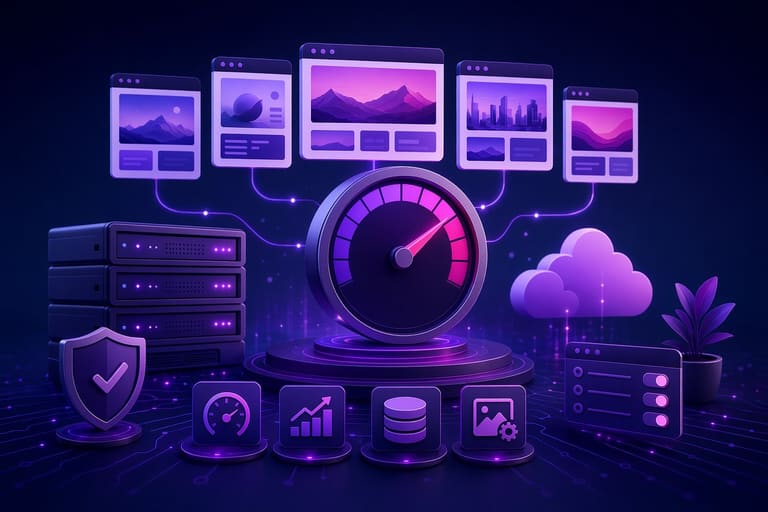
ஒரே ஹோஸ்டிங் multi-site-இல், resource-utilisation efficiency-இல் speed drop தள்ளும். Site-by-site optimisation: faster experience, higher search ranking, improved engagement.
Hosting resource (CPU, RAM, bandwidth)-ஐ resource meter-இல் check பண்ணவும்; frequent limit reach-ஆனா plan upgrade செய்துது, optimisation mandatory. Unneeded plugins/themes disable செய்வது site speed-க்கு immediate boost.
- Site Speed Tips
- Image optimise: compress, resize, right format.
- Browser cache enable செய்யவும்.
- CDN-இல் content distribute.
- Remove unwanted plugins/themes.
- Database cleanup & optimisation.
- Minify JS/CSS heavy files.
- Hosting server location target-audience-centric select செய்யவும்.
Database optimise: prune unused tables, clean stale data, indexing enhance; query response improve; backup-அவன் regular maintain.
| Optimise Area | Desc | Tools / Suggestions |
|---|---|---|
| Image | Reduce size, ideal format | TinyPNG, ImageOptim, WebP |
| Caching | Browser/server cache enable | W3 Total Cache, WP Rocket, Redis |
| Database | Purge unwanted, index-upgrade | phpMyAdmin, WP-Optimize |
| சி.டி.என் | Distributed content, fast load | Cloudflare, MaxCDN |
Frequent speed test, performance analysis: PageSpeed Insights, GTmetrix, Pingdom. Early bottleneck detection & fix delivers consistent user-experience.
பாதுகாப்பு நடைமுறைகள்
ஒரே ஹோஸ்டிங் multi-site-இல், cost-saving-ஐ மட்டுமல்ல security risk too. Single-host breach: all-sites risk. Dedicated precautions site-by-site deploy செய்ய வேண்டும்; data safety, uptime assurance.
Hosting provider security features, policies: Firewall, malware protection, DDoS care, backup policy assessment essential. Emergency action plan (incident response) provider-ஐ clarify பண்ணவும்.
| Security Action | Desc | Importance |
|---|---|---|
| Strong Passwords | Unique, complex passwords per site/account | High |
| Update Software | WordPress, themes/plugins latest versions | High |
| Security Plugins | Firewall, malware scanner plugins | நடுத்தரம் |
| பதிவேற்பு | Regular safe backup for each site/account | High |
Site-wise security layers: unique user accounts & permission; plugin-driven security enhancement. WordPress security plugins: vulnerability scan, malware kill, hack block.
Security Steps
- Strong Passwords: Unique, frequent change.
- 2FA: Enable wherever possible.
- Update All Software: WordPress, themes/plugins.
- Security Plugins: Firewall, malware scanner.
- Frequent Backup: Remote safe store.
- HTTPS: All-sites enable SSL/TLS.
Breach response plan: hosting-provider immediate contact, infected-site offline, vulnerabilities patch, backup restore, post-incident security audit & reinforce. Security continuous process!
SEO-க்கு பல தள நிர்வாகம் செய்யும் போது கவனிக்க வேண்டியவை
ஒரே ஹோஸ்டிங் multi-site-இல் SEO-specific key aspects. Each site: unique, valuable content, keyword-rich, technical SEO sound. Inter-site competition-ஐ தவிர்த்து, niche zone-இல் dominance.
Common SEO issue: duplicate content. Multiple sites-இல் same/similar content Google penalty risk. Each site original content, link building natural & value-add மாதிரி நடத்தை அவசியம்.
- SEO Tips
- Unique, valuable content for each site.
- Keyword research & site-specific keyword usage.
- On-page SEO: title, meta, url optimisation.
- Mobile responsive, speed-up optimise.
- Individual social/media promo.
- Strategic backlink build.
வலைத்தள SEO பைங்கன் metric-கள், tracking dashboard-என பல எளிய நூல்கள் தளந்தசிவும்.
| Metric | Desc | Goal |
|---|---|---|
| Organic Traffic | Search-engine driven site visitors | Consistent growth |
| Bounce Rate | Quick site exit percentage | Keep low |
| Page Views | Pages per visitor session | Keep high |
| Keyword Rank | Search-engine keyword position | First page |
Each-site technical SEO: robots.txt, sitemap, canonical tags correct-ஆக build. Successful multi-site SEO = site-wise perfection.
வெற்றி பெற பல தள நிர்வாக முன்னோட்டங்கள்
ஒரே ஹோஸ்டிங் multi-site-இல், consistent optimisation, performance tracking, user-experience enhancement key. Content, strategy, security, SEO site-by-site customised அற்று, cumulative success receive.
| Recommendation | Desc | Importance |
|---|---|---|
| பதிவேற்பு | Each-site frequent safe backup | Prevent data loss |
| Security Scan | Frequent security audit | Defend cyber attack |
| Performance Monitor | Speed and load-time audit | Enhance user-experience |
| Content Optimise | Audience-focused content production | SEO rank increase |
Site-specific strategy. E-commerce vs Blog: SEO, marketing plan, security differ. Site security independent audit critical.
Success Support Tips
- Centralised panel: multi-site admin ease.
- Firewall, SSL: All-sites protected.
- Up-to-date software: Periodic update mandatory.
- SEO research: Keyword/site-specific content optimisation.
- Mobile-friendly: All-sites device-responsive.
- Analytics: Traffic/user behaviour tracking, strategy tune.
Market trends,fresh tech adaptation, user feedback->continuous optimisation = success. Resource utilisation vigilance, plan upgrade per need essential.
ஒரே ஹோஸ்டிங் multi-site-இல், resource monitoring vital; overload performance ruin. Usage optimise, plan upgrade timely.
முடிவுகள்: வெற்றி பெற்ற பல தள நிர்வகிப்பு காட்டிகள்
ஒரே ஹோஸ்டிங் multi-site management-இல், right tools, clear strategy, site-wise need-assessment, resource allocation நீடித்து success-ஐ அகற்றுவது சாத்தியம். Though-sites same-hosting but unique identity, audience, optimisation must.
Site-by-site performance audit, speed, SEO optimisation: user-experience, search-rank boost. Especially speed, mobile responsiveness push rank-up.
Key Action Steps
- Site-wise unique, strong passwords.
- Security software/plugin update.
- Frequent backup.
- Analytics tools-இல் performance watch.
- Custom SEO plan per site.
Security compromise dangerous. Firewall, malware protection, periodic security review critical.
| Step | Desc | Ranking |
|---|---|---|
| Planning | Site-specific strategy, audience, keyword targeting | High |
| Optimisation | Speed, mobile/SEO optimisation | High |
| Security | Strong password, security plugin, backup | Critical |
| Monitoring | Performance continuous tracking | நடுத்தரம் |
ஒரே ஹோஸ்டிங் multi-site process: learning, adaptation. Emerging tech/trends track, upgrade. Patience, experimentation = long-term success.
அடிக்கடி கேட்கப்படும் கேள்விகள்
ஒரே ஹோஸ்டிங் கணக்கில் பல தள போடுதல் செலவில் என்ன பலன்?
Multi-site single hosting save huge cost. Separate site-wise hosting fee avoid; bulk plan single payment; beginners, small projects-க்கு big boon.
Performance drop avoid செய்வதற்கான multi-site optimisation?
Site speed optimise theme, compress images, avoid unnecessary plugins, enable caching; traffic spike-இல் hosting plan upgrade consider.
ஒரே ஹோஸ்டிங் இரைல் பல topic site SEO பாகுபாடு?
Same-IP multi-topic website risk: Google spam flag possibility. Topic-wise clustering, unrelated site interlinkavoid, each-site unique content essential.
Security risk, reduction methods multi-site hosting?
Multi-site hosting security: One site breach, all risk. Strong passwords, periodic update (software), firewall, malware scan, frequent backup = risk mitigation.
CPU, RAM usage balancing tips multi-site same hosting?
cPanel/Plesk usage meter, site-wise resource-watch; heavy usage site optimise/scale; hosting-provider consult, plan upgrade resource equality.
SSL certificate necessity multi-site hosting?
Yes—each-site SSL needed; visitor trust, data encryption. Otherwise browser “not secure” issue, brand trust loss.
Multi-domain hosting panel selection?
cPanel, Plesk—best multi-domain management tools; domain addition, email, database, file management easy, modern UI facility.
One site heavy traffic, other site impact, solution strategies?
High-traffic site overload, others slow/fail. Frequent monitoring, plan pre-upgrade, CDN use—performance balancing.