 Afrikaans
 Azərbaycan
 Bosanski
 Čeština
 Dansk
Dansk Deutsch
 English
 Español
 Filipino
 Français
 Hrvatski
 Indonesia
 Italiano
 Magyar
 Melayu
 Nederlands
 Norsk
Norsk Oʻzbek
 Polski
 Português
 Română
 Slovenčina
 Slovenščina
 Suomi
Suomi Svenska
 Tiếng Việt
 Türkçe
 Ελληνικά
 Беларуская
 Български
 Русский
 Српски
 Українська
 עברית
עברית اردو
اردو العربية
 پښتو
پښتو فارسی
فارسی አማርኛ
አማርኛ मराठी
मराठी বাংলা
বাংলা தமிழ்
தமிழ் ไทย
ไทย မြန်မာ
 한국어
한국어 中文
中文 日本語
日本語

இந்த ப்ளாக் பதிவு, இணையதள டவுன்டைம் (இணையதள அணுக முடியாத நிலை) நிகழ்வர்கள், காரணங்கள் மற்றும் தீர்வுகளைக் குறித்துப் திறம்பட விளக்குகிறது. சர்வர் கோளாறுகள், நெட்வொர்க் தடைகள், செயல்திறன் சிக்கல்கள் போன்ற முக்கியமான சிக்கல்கள் ஆராயப்பட்டுள்ளன. கட்டுப்பாடான பராமரிப்பு கால அட்டவணை மற்றும் இணையதள கண்காணிப்பு கருவிகள் பற்றி முக்கியத்துவம் போதிக்கப்படுகிறது. பயனாளர் அனுபவம் மற்றும் இணையதள ஒத்திசைவு மேம்பட வேண்டிய திறமையான பதில்கள், கவலைகளைக் குறைக்கும் கையேடு வழங்கப்பட்டுள்ளது. இணையதளத்தாரர்களுக்கான நிலையான பரிந்துரைகள், டவுன்டைம் குறைக்கும் நடைமுறைகள், பாதுகாப்பு மற்றும் டேட்டா இனங்காணல் பிரச்சனைகள் ஆகியவற்றுடன், தொழில்நுட்ப ஆலோசனை வழங்குகின்றது.
இணையதள டவுன்டைம் ஏற்படுவது எதனால்?
இணையதள டவுன்டைம், அதாவது இணையதளத்தின் அணுக இணைய முடியாத நிலை, வியாபாரத்தார்களுக்கு பெரும் பாதிப்பு ஏற்படுக்கும். வாடிக்கையாளர் இழப்பு, வருவாய் களைவுதல் மற்றும் பிராண்ட் நம்பிக்கை இடர் – இவை அனைத்தும் டவுன்டைம் நாள்வளராக தடுக்கும் முடிவுகள். எனவே இணையதளத்தாரர்கள் டவுன்டைம் காரணங்களை நன்கு புரிந்து, முறையாக செதுக்கும் பாதுகாப்பு நடவடிக்கைகள் அவசியம். டவுன்டைம் பல்வேறு காரணங்கள் காரணமாக ஏற்பட்டுவிடலாம்; சில நேரங்களில் தொழில்நுட்பக் காரணங்கள், சில நேரம் மனித பிழை, வெளியிடரடி, இயற்கை காரணங்கள் ஆகியவை காரணமாகலாம்.
இணையதள இயங்கும் வகையில் உள்ள பல்வேறு பகுதிகளும் – சர்வர், நெட்வொர்க், செயல்நெறி, தரவுதளங்கள் – முறையாக இணைந்து செயல்படும். இதில் எந்த ஓர் துறை தானாகை பிரச்சனைக்கிறாயில், இணையதளத்தின் முழு பயனாளியும் அல்லது ஒரு பகுதியில் அவ்விரிதல் நிகழலாம். இந்த காரணங்களினால், அனைத்துப் பகுதிகளையும் தளத்தாரர்கள் முறையான உணர்வுடன் கண்காணிக்க வேண்டும்.
- இணையதள டவுன்டைம் காரணங்கள்
- சர்வர் கோளாறுகள்: hardware/software காரண ஏதாவது crash, boot failure.
- நெட்வொர்க் தடைகள்: ISP தொழில்நுட்ப மோசினம், backbone failure, router down.
- வெரிய traffic: எதிர்பாராமள தனித்தீவிர பிரச்சனை; sudden viral hits overload.
- பாதுகாப்பு ஆட்கள்: malicious attack, DDoS, hacking, suspensions.
- செயல்நெறி பிழைகள்: code bug, plugin incompatibility, CMS crash.
- தரவுதள(Database) படிகள்: database corruption/error, unreachable DB.
மேலும் இயற்கை (புவியாளர் – earthquake, flood, fire), மின்வெட்டு, மனித பிழை (wrong admin config, inadvertent code push, unchecked vulnerability) ஆகியவை அடிக்கடி டவுன்டைம் தரும். ஆகவே இணையதள வர்த்தக நடவடிக்கைகளை நன்கு திட்டமிட்டு, தொழில்நுட்பம் மற்றும் செயல்முறை பாதுகாப்புகளை செய்து வைத்திருக்கவும் வேண்டும்.
| டவுன்டைம் காரணம் | முடிவுகள் | பாதுகாப்பு/திருத்த |
|---|---|---|
| சர்வர் கோளாறு | முழு இணையதள அணுக முடியாத நிலை, data loss | hardware maintenance, failover servers, cloud deployments |
| நெட்வொர்க் தடையிலே | அணுகதல் குறைவு அல்லது total disconnect | multiple ISPs, fallback lines, hot standby ISP |
| Traffic overload | server overload, slow response | load balancer, CDN, web server tuning |
| பாதுகாப்பு சிக்கல் | data breach, hijack | firewall, periodical security scans, patching |
இணையதள டவுன்டைம் இருப்பதற்கான காரணங்கள் நுட்பமும், ஆன்டும் நேரும் – சாதாரண பயனாளியின் அனுபவம் மோசமாகும். மாறாக protection எடுப்பது – failover, backup, patching, monitoring, security, emergency response planning – அனைத்தும் சிறந்தது. இவையும், பாதிப்புகள் குறையும்; முன்னேற்பட்டு நடவடிக்கை போட்டால் பிரச்சனைகளின் செலவு மற்றும் தடைகள் குறையும்.
முக்கியமான சர்வர் கோளாறுகள் மற்றும் தீர்வு பாடங்கள்
எப்படி பல இணையதல் படிகள் – கவலைதரம் என்னவென்றால், பொரியாத சர்வர்-கோளாறு நேர்ந்தால், அது விற்பனை மற்றும் நம்பிக்கை மீது உடனடி தாக்கு தரும். ஸ்டேபிள் சர்வர், பயனாளர் experience இப்படி lower activity என்பவற்றுக்கு காரணம் hardware, software, overload, even rare issues. பிரச்சனை பெற்றால், real-time diagnosis மற்றும் proper remediation அவசியம், இல்லையேல் பாதிப்புகள் பெரிதாக வாய்ப்பு.
| கோளாறு வகை | சாத்தியமான காரணங்கள் | தீர்வு |
|---|---|---|
| Hardware failure | SSD/NVMe/HDD failure, RAM error, PSU, CPU | component replacement, spare usage |
| Software bug | OS error, CMS crash, DB corruption | restart, update & patch, restore from backup |
| Overload attack | sudden visitor spike, DDoS, low resource allocation | resources scaling, security, cache, CDN |
| நெட்வொர்க் பிரச்சனை | DNS misconfig, router failure, ISP downtime | DNS check, device restart, escalation to ISP |
கோளாறுகள் எதிர்பாரா நேரத்தில் நிகழும் போது – proactive maintenance, backup, disaster plan ready இருக்க வேண்டும். emergency checklist, alert, monitoring ஆனா troubleshooting expedited.
மூலம் ஒரு கோளாறு: hardware அடிப்படை பிரச்சனைகள்
Physical server failures: storage (SSD/NVMe/HDD), RAM, CPU, PSUs – hardware aging or incidents cause data loss/crash. Hardware periodic check: SMART status, ECC RAM error logs, redundant PSU, hot swap disks, preventive replacement logically reduce chance of full downtime.
சர்வர் கோளாறு தீர்வு படிகள்
- பிரச்சனையின் காரணம் கண்டறியுங்கள்: error log, status monitor, control panel diagnosis
- பிரச்சனை பகிர்ந்த பகுதியை தனிசைப்படுத்துங்கள்: isolate faulty, prevent cascading failures
- Backup instant put in service: faster failover, less downtime
- Hardware/software test: replace suspected faulty, clean reboot
- Update, patch: OS, CMS, plugins latest security patches
- Monitoring system recheck: server/website monitoring tools alert working properly
செயல்நெறி பிழைகள்
Software errors – bad code, compatibility issues, database crash, plugin bug – can destabilize the whole site or admin portal. Lessons: regularly update, scan for vulnerabilities, audit logs, rollback feature-in-case, using trusted extensions. Analyze error logs frequently for outliers.
Proactive approach: prevention, backup, monitoring தான் அமைதியான uptime பெறும் சாவி.
நெட்வொர்க் தடைகள்: காரணங்கள் மற்றும் தாக்கம்
Network outages, large scale or locational, serious barrier; from hardware defects to software issues, to hacking or natural disasters. Data center power loss, backbone issues, DDoS attacks, regional disasters – site unreachable, sales loss, dissatisfied visitors, SEO fall.
Understanding causes: hardware failure (switch, router, server), software crash, hacking/DDoS, disaster, ISP issues – targeted disaster recovery and redundancy needed.
- வருவாய் இழப்பு: E-commerce instant lost sales
- வாடிக்கையாளரின் நம்பிக்கையின்மை: unable to access, drop-offs
- பிராண்ட் கழிவு: repeated downtime = negative reputation
- Search ranking drop: Google/SERP penalize offline sites
- Internal team productivity loss: staff can’t access intranet
Network outage types and impacts:
| காரணம் | விளக்கம் | நடத்தும் முக்கியத்துவம் |
|---|---|---|
| Hardware faults | Router, switch, server crash | Site partial/total offline, data loss risk |
| Software errors | OS, web server, CMS | Unexpected shutdown, wrong data processing |
| Siber attack | DDoS, malware, hacking | Unreachable site, stolen data |
| Natural disaster | Earthquake, flood, fire | Datacenter damage – full outage |
Regular maintenance, backup, security, emergency response, monitoring – all essential. Outage not merely a technical issue, but also business and relationship impact.
Prevention – redundancy, monitoring, security, multi-location hosting, emergency plan – is the root for resilience.
இணையதள பராமரிப்பு கால அட்டவணை: சிறந்த நடைமுறை
Maintenance schedule is the heartbeat that keeps a site healthy. Regularly service prevents unseen security flaw, improves performance, guarantees best user-experience and zero downtime. E-commerce sites (high traffic) need frequent checks; business sites (low update) moderate maintenance.
| பராமரிப்பு வகை | விளக்கம் | அடிக்கடி |
|---|---|---|
| Security sweep | Detect vulnerabilities and patch | Weekly/Monthly |
| Software update | CMS, plugins, themes update | Monthly |
| Database optimize | Improve speed, reduce overhead | Monthly/Quarterly |
| பதிவேற்பு | Regular complete data, file backup | Daily/Weekly |
Prefer maintenance in low-traffic window; backup before major upgrades; rollback plan ready.
- Backup: Full site, DB backup
- Update: CMS/plugins/themes latest
- Security scan: run for vulnerabilities
- Performance test: speed, latency checks
- DB optimize: run optimizations
- Link check: fix broken links
- Content review: all content current/accurate
Scheduled maintenance = less downtime, better SEO, happier users.
இணையதள நிலையான கண்காணிப்பு கருவிகள்
Monitoring tools – keeps site safe, alerts for downtime (UptimeRobot, Pingdom, New Relic, Datadog). Identify issues before they escalate; reduce revenue loss. Receives instant notification – fast fix. Granular stats: uptime, load speed, server health.
| Tool Name | Features | Pricing |
|---|---|---|
| UptimeRobot | Free, email/SMS alerts, geo monitoring | Free basic, paid starts $7 |
| Pingdom | Advanced analysis, real user monitoring, transaction monitoring | Free trial, paid from $10 |
| New Relic | APM, infra monitoring, log management | Free plan, price based feature |
| Datadog | Server, network, app monitoring | Free trial, paid from $15/host/month |
- UptimeRobot
- Pingdom
- New Relic
- Datadog
- Site24x7
- Uptrends
Right tool: depends on budget, site type, resource; basic or advanced analytics. Regularly analyze monitor results, review logs, solve recurring issues. Best results: not just setup, but regular response and improvement plan.
செயல்திறன் சிக்கல்கள்: அறிகுறிகள் மற்றும் கனிதல்
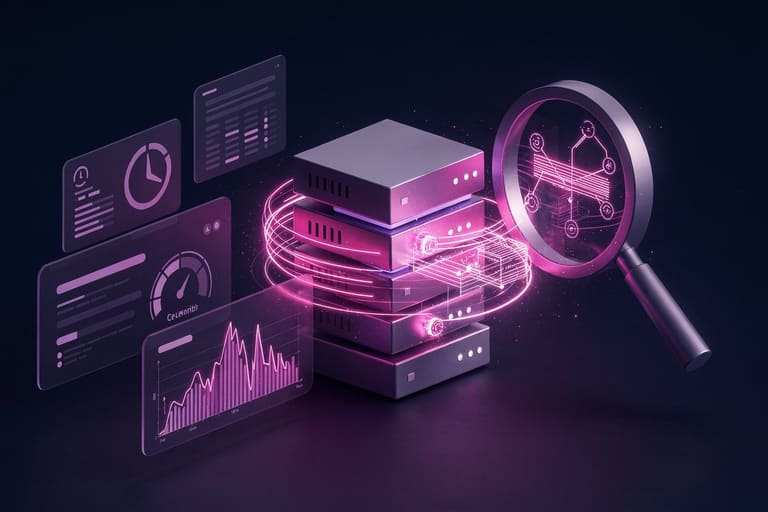
Performance problems: slow loading, error pages, user drop-offs – cost business dearly. Early diagnosis is key. How? Watch for symptoms; review logs; check hardware/software; use test tools.
| சிக்கல் | காரணம் | நுட்ப தீர்வு |
|---|---|---|
| Slow load | Heavy images, poor code, server load | Server tune, image compress, code optimize |
| Error pages (404,500) | Broken links, server bug, missing files | Link check, server log, file restore |
| High bounce | Poor UX, slow speed, irrelevant content | UX improve, speed tune, content curate |
| Low conversion | Slow checkout, trust lack, complex menu | Checkout optimize, trust badges, UI upgrade |
Diagnosis – systematic approach. Areas: check lag, check error logs, analyze network, optimize code. Use performance test tools: Google PageSpeed Insights, GTmetrix.
தாமதம் குறித்த பிரச்சனைகள்
Lag: server compute bottleneck, slow DB query, network delay. For interactive elements (forms, popups, checkout), delays kill UX. Remedies: optimize server, tune queries, use CDN.
- Performance Troubleshooting Steps
- CPU/memory monitoring
- DB query profiling
- Latency test
- Page speed tools (Google PageSpeed Insights, GTmetrix)
- Browser devtools for bottlenecks
- User feedback loops
பதில் நேரம் குறித்த சிக்கல்கள்
Response time: slow server, code bug, misconfiguration, peak traffic – all increases time taken for each user action. Remedies: server hardware upgrade (CPU/SSD/NVMe), patch code, tune server configs, optimize caching, leverage CDN.
Continuous monitoring and improvement ensures success.
பயனாளர் அனுபவம் மற்றும் இணையதள ஒத்திசைவு
Cross-device compatibility: mobile, tablet, desktop, browsers, OS – seamless UX builds reputation. Better UX means more visits, lower bounce, higher conversion, solid brand.
Quick load, smooth navigation, responsive design, accessibility (screen reader/alt text/contrast/etc), get feedback, test repeatedly.
- Better UX
- Increased traffic
- High conversion
- Low bounce rate
- SEO boost
- Brand trust
Not mobile friendly? Large group get annoyed, leave! Responsive-first is core.
| ஒத்திசைவு சிக்கல் | முடிவு | திருத்தம் |
|---|---|---|
| Non-mobile | High bounce, SEO drop | Responsive design, mobile-first tune |
| Browser compatibility | Layout issues, broken features | Cross-browser test, standards-based code |
| Slow load | Bad UX, SEO penalty | Optimize images, cache, CDN use |
| Accessibility | Exclude disabled, legal risk | WCAG follow, alt tags, ARIA attributes |
Test often, take real user feedback, iterate. Compatibility builds loyal base.
இணையதள பக்கவழி திட்டங்கள்
Backup is lifeline: hardware crash, software error, hacking, natural disaster – always ready. Backup frequency – daily for e-commerce, weekly/monthly for relatively static sites. Backup methods: full, partial, incremental, cloud. Store backups both locally and remote/cloud (eg: Amazon S3, Google Drive, Dropbox). Test restore regularly.
- Backup plan: frequency, method, location
- DB backup: full database
- File backup: themes, plugins, media
- Test restore: verify backups work
- Automate backup: plugins, scripts for regular job
- Multi-location: store in both local and cloud
Backup restore testing is mandatory! Automation avoids human error, covers regular interval gaps.
| Backup type | விளக்கம் | வலுவுகள் |
|---|---|---|
| Full backup | All data/files in one snapshot | Easy recovery, fully covered |
| Partial backup | Specific files/tables selected | Fast, less storage |
| Incremental backup | Since last backup only changed data | Fastest, minimum space |
| Cloud backup | Remote server/drive stores | Accessible, safe from local disaster |
Review backup plan often; as site grows, scale backup frequency and storage accordingly; backup always up-to-date.
இணையதளத்தாரர்கள் தெரிந்தால் – நுட்பபரிந்துரைகள்
வியாபாரனாக, uptime utmost; monitoring, regular maintenance, backup, security, prompt troubleshooting makes you reliable.
Security: regular malware scans, patching (CMS/plugins/themes), strong passwords, SSL/TLS, privacy policy, GDPR compliance, SiteLock/Cloudflare where reasonable.
- Backup periodically; multi-location for disaster
- Update CMS/plugins/themes often
- Firewall/security plugin, malware scan
- Performance monitor with analytics tools
- Mobile compatibility, device/browsers test
- User feedback: constant improvement loop
Proactive monitoring avoids revenue loss, down-time. Continuous improvement = loyal userbase.
Emergency plan ready: who to call, what to do, stepwise cheat sheet – faster recovery, less impact, brand trust preserved.
முடிவு: இணையதள மேம்பாட்டுப் படிகள்
Performance upgrade, uptime boost, better UX, higher SEO – sustained vigilance required; downtime minimization best achieved with combined approach: monitoring, backup, proactive patching, compatibility, user feedback, and analytics. Below are core steps:
| Tool/metric | விளக்கம் | பயன்பாடு |
|---|---|---|
| Uptime monitor | Percentage online tracked | Identify downtime, react quickly |
| Google Analytics | Visitors, pageviews, bounce, conversion | UX improvement, optimization |
| Page load speed (Google PageSpeed Insights, GTmetrix) | Speed, suggestions, bottleneck details | Performance boost, SEO |
| Server logs | Error and performance diagnosis | Security, troubleshooting |
- Backup routine: test, multi-location
- Security update: patch, plugins, scan
- Performance optimize: image compress, CDN, cache setup, minimal plugin
- Mobile-friendly: responsive design, device test
- SEO: keyword research, meta tags, internal linking
- User feedback: continuous tweak based on real reviews
Constant improvement and periodic reviews – key to thriving website.
அடிக்கடி கேள்விகள்
என் இணையதளம் அடிக்கடி அணுக முடியாதிருக்க காரணம் என்ன?
Down-timing reasons: server issue, network barrier, code bug, insufficient resource, hacking, attack, traffic spike – root cause investigation essential.
Server crash-க்கு உடனடி திருத்தம் எப்படி?
Instant backup activation, failover switch, quick restore, hosting support contact. Frequent backup, rapid troubleshooting plan.
Network outages-site impact எவ்வாறு குறைக்கலாம்?
Use CDN – faster, geo load, reduces outage effects, improves latency.
Maintenance schedule என்ன?
Weekly for security scan, monthly for update. During maintenance, upgrade CMS, DB optimize, scan vulnerabilities, clear unused files & media, speed test, compatibility check.
Monitor tools எந்தவை?
Google Analytics, UptimeRobot, Pingdom, New Relic, Datadog – all track traffic, uptime, errors, speed, performance.
Performance troubleshooting எப்படி?
Analyze page speed, fix slow pages: image optimize, code compress, cache, DB tune, check hosting plan & CDN.
Mobile UX optimise படி எப்படி?
Responsive design, Google Mobile friendly test, device check, menu/button sizing, speed optimize.
Backup strategy – எவ்வாறு உருவாக்குவது?
Automated, regular, store local + cloud (Google Drive, Dropbox, Amazon S3), restore test, schedule (daily, weekly, monthly) for disaster recovery.