 Afrikaans
 Azərbaycan
 Bosanski
 Čeština
 Dansk
Dansk Deutsch
 English
 Español
 Filipino
 Français
 Hrvatski
 Indonesia
 Italiano
 Magyar
 Melayu
 Nederlands
 Norsk
Norsk Oʻzbek
 Polski
 Português
 Română
 Slovenčina
 Slovenščina
 Suomi
Suomi Svenska
 Tiếng Việt
 Türkçe
 Ελληνικά
 Беларуская
 Български
 Русский
 Српски
 Українська
 עברית
עברית اردو
اردو العربية
 پښتو
پښتو فارسی
فارسی አማርኛ
አማርኛ मराठी
मराठी বাংলা
বাংলা தமிழ்
தமிழ் ไทย
ไทย မြန်မာ
 한국어
한국어 中文
中文 日本語
日本語

இந்த வலைப்பதிவில் கட்டுரை, இணையதளங்களை பாதுகாப்பாக்க வழியாய் cPanel AutoSSL மூலமாக Let’s Encrypt SSL சான்றிதழ் அமைப்பிற்கான தமிழில் விரிவான எளிய செய்முறை வழிகாட்டி ஆகும். இது cPanel AutoSSL என்பதேன், அவன் முக்கியத்துவம், SSL/TLS வீர்யம், HTTPS பாதுகாப்பும், Let’s Encrypt சான்றிதழ் அமைப்புக் கட்டளைகள், Post-setup பராமரிப்பு, AutoSSL பிழை/திருத்தத் தீர்வுகள், மாற்று சான்றிதழ் வழங்குநர்களின் சிறப்புகள், HTTPS பயன்முறை வளர்ச்சி, cPanel AutoSSL செயலுட்ப மற்றும் தனிப்பயன் Server வாயிலாகச் சுருக்கமான முன்னோக்கியல் வரை தமிழில் உரை வழங்குகிறது. இந்த வழிகாட்டியினை பயன்படுத்தி உங்கள் இணையதளத்தை HTTPS வாசிப்புப் பாதுகாப்பில் மிகச்சொல்லும், Google ரசிகையை அதிகரிக்கவும் முடியும்.
cPanel AutoSSL என்பது என்ன? ஏன் அவன் முக்கியது?
cPanel AutoSSL என்பது cPanel hosting மற்றும் control panel-வழியாகவே SSL/TLS சான்றிதழ்களை(domain பாதுகாப்பு) தானாக install/renew செய்யும் வசதி. SSL/TLS சான்றிதழ்கள் user browser ↔ web site இடையிலான தகவல்களை encrypt செய்யும் என்று data leak/security issues-ஐ தடுக்கும். cPanel AutoSSL, user-கு எந்த technical coding/detail knowledge இல்லாமல் SSL/TLS சான்றிதழ் install செய்ய முடியும் என்று web owner-க்கு மிகப்பெரிய சுலபம் தருகிறது.
இணையம் பயனாளர்கள் – “இந்த site பாதுகாப்பாக இருக்கிறதா?” என்பதை browser address bar lock symbol, HTTPS மூலம் பார்ப்பார்கள். SSL/TLS யில்லாத site-கள் ‘டேங்கரசானதுபோல’ browser-ல் warning banner காட்டப்படும், இது trust-இயிலும், Google/SEO ratings-ல் கேடு-அதிகரிக்கவும், visitor-களை இழக்கவும் முதன்மையான காரணம். cPanel AutoSSL – site-யில் SSL/TLS நிரந்தரமாக valid, up-to-date-ஆக இருக்க உறுதி செய்யும், அதனால் user விசாரிப்பும், SEO-level-வும் உயரும்.
- cPanel AutoSSL பயன்கள்
- மிக எளிமை: பெற்று install/renew SSL/TLS சான்றிதழ்களுக்கு technicalவும், manual command line-வும் தேவையில்லை.
- Automatic renewal: SSL/TLS expiration days-க்கு முன்னரே system thana automatic renew பண்ணும்.
- Free/Low-cost: Let’s Encrypt போல் Open CA SSL/TLS-ஐ mostly no additional charge-இயே setup செய்யும்.
- Trust boost: user/public browser-க்கு HTTPS lock-visible-ஆகின்றது, விஸ்வாசம், conversion-rate அதிகரிக்கும்.
- SEO uplift: Google மற்றும் search-engines security-factor-ஐ rank-ஆக்குவார்கள். HTTPS site-க்கு preference காணப்படுகிறார்கள்.
SSL/TLS சான்றிதழ் வகைகளை ஒப்பிடும் நிழல்கள்:
| வகை | Verification Level | பயன்பாடு | மதிப்பு |
|---|---|---|---|
| Domain Validated (DV) | Domain Ownership | Blog, personal-sites | Free (Let’s Encrypt) or Low-cost |
| Organization Validated (OV) | Company-verified | Business, SMB | மிதமானது |
| Extended Validation (EV) | Deep Company validation | E-Commerce, Finance | High |
| Wildcard SSL | One-cert → unlimited subdomains | Large-companies/complex-sites | Moderate-High |
cPanel AutoSSL in shared hosting-வுக்கு மிகப்பெரிய சுலபம். Manual SSL/TLS install/renew-ஐ system thana பாத்து பண்ணுவதால் site owner-time save. Let’s Encrypt, ZeroSSL போன்ற free certificate-க்களுடன் automatic integration, நீடித்த low-maintenance/zero-cost.
cPanel AutoSSL, site-யை “HTTPS” பாதுகாப்பில் வைப்பது மட்டுமல்ல; உங்களுக்கான user-trust, Google-ranking, conversion-rate எல்லாம் for long-term growth சராசரி மேல்கொண்டு வருகிறது.
SSL/TLS சான்றிதழ் அமைப்பில் கட்டளைகள்
cPanel AutoSSL-ஐ பயன்படுத்தி Let’s Encrypt SSL/TLS சான்றிதழ் install செய்யும் process மிகவும் சுலபமாகும். DNS மற்றும் domain pointing cPanel க்கு சீராக இருக்குமா? (A/CNAME record) என்று முதல் step verify செய்யவேண்டும்.
AutoSSL-ன் automation-க்கு domain-validity, DNS pointing, cPanel account-து எல்லாம் flawless-ஆ இருக்க வேண்டும். Wrong DNS, Invalid domain, AutoSSL disabled - இவை எல்லாம் SSL fail/error-க்கு காரணமாகும். கீழே பிழை/திருத்தங்கள் quick reference கண்டெடுக்கவும்:
| பிரச்சனை | விளக்கம் | திருத்தம்/கூறுகள் |
|---|---|---|
| Domain Validation Error | DNS mis-config/pointing not correct | DNS-records update, domain right server-க்கு point செய்யவும். |
| AutoSSL Disabled | cPanel-ல் AutoSSL off/disabled | AutoSSL enable, or hosting provider-க்கு support கேளவும். |
| Server Incompatibility | Server configuration AutoSSL-க்கு mismatch | Hosting-provider-க்கு ticket raise/compatibility validate செய்யவும். |
| Certificate creation limit reached | Let’s Encrypt limit hit (rate-limit) | Try after few hours or consider alternate certificate (ZeroSSL/Comodo). |
SSL/TLS சான்றிதழ் install/renew process Tamil step-by-step: SSL/TLS அமைப்பு – செயல்முறை
- cPanel-க்கு login செய்யவும்.
- Security பகுதியில் “SSL/TLS Status” அல்லது “AutoSSL” ஐ கிளிக் செய்யவும்.
- “Run AutoSSL” button-ஐ click பண்ணவும்.
- cPanel system thana auto-scan பண்ணி certificate-உம் install செய்யும்.
- Completion-க்கு “success” message வரும்.
- HTTPS-இயாக site திறந்து பார்வையிட்டு certificate correct-ஆ install ஆகி இருக்கமா?
SSL/TLS setup நடந்து முடிந்ததும் site-bar HTTPS-lock-symbol காட்டும், bounce-rate குறைக்க, SEO-ranking உயர்த்தும். Regular validity/renewal-ஐ பார்வையிட்டு நீங்கள் peace of mind-அுடன் அமைதியாக இருக்கலாம்.
Let’s Encrypt என்பது என்ன? எப்படி வேலை செய்கிறது?
cPanel AutoSSL-க்கு integration-இயே Let’s Encrypt (Open CA) SSL/TLS certificate-ஐ Open-source, completely free-ஆ வழங்கும் provider ஆகும். Let’s Encrypt வாராக HTTPS widespread-ஆ Internet-க்கு கொண்டு வந்த CA Provider-ஆகும். ISRG (Internet Security Research Group) management-ல், transparent, trustworthy process-உம் open community support-இயும்!
Let’s Encrypt installation process, cPanel AutoSSL-உம் ACME protocol-ஐத் பயன்படுத்தும் (Automated Certificate Management Environment). Domain-க்கு challenge/validation/check-ஐ Let’s Encrypt server send பண்ணும்; cPanel AutoSSL integration-ன் மூலம் that challenge solved → SSL/TLS certificate-ஐ issue பண்ணும்.
| பணி | Let’s Encrypt | Paid SSL Provider |
|---|---|---|
| மதிப்பு | Free | Paid |
| Install | Automatic (AutoSSL) | Manual/Sometimes semi-automatic |
| Validity Period | 90 days | 1-2 Years |
| Renew | Automatic | Manual |
- Let’s Encrypt சிறப்புகள்
- இரன்றாவது Open-source CA; fully free
- Automatic install/renewal (cPanel-AutoSSL -> ACME protocol)
- HTTPS enablement – no technical intervention required
- Broad support: shared hosting, VPS, custom servers
- Modern encryption standards
Short validity (90 days) மட்டும், cPanel AutoSSL continuous renewal பண்ணும். Technical burden இல்லை, certificate expiry/renew manage-பண்ண cPanel system தான் handle செய்யும்.
cPanel AutoSSL அமைப்பு நன்மைகள்
Manual SSL/TLS install/update process-யும், certificate-key management-யும், browser compatibility test-யும் IT support-க்கு வேளாகும். cPanel AutoSSL all-in-one integration மூலம் அந்தச் சிக்கனை, technical load-ஐ, subscription burden-ஐ முற்றிலும் cPanel-க்கு shift செய்யும்.
AutoSSL முதன்மையில் Let’s Encrypt integration-ஐ default-ஆ வழங்கும், subscription/renewal-ஐ system thana handle செய்யும். Certificate expiry, Google ranking drop, user-trust-loss எல்லாம் prevent பண்ணும்.
- cPanel AutoSSL பயன்கள் (நிறைவாக்கு)
- Install process விரைவில் – no manual steps
- SSL/TLS சான்றிதழ் – zero price/free
- Automatic certificate renewal – no expiry/forget risk
- No technical/manual intervention required
- Continuous security; Google SEO தொழில்நுட்பம் support
- User trust, conversion rate, business growth
| Feature | Description | Advantage |
|---|---|---|
| Automatic Setup | One-click SSL/TLS install in cPanel | Time-saving; No IT support needed |
| Free Certificate | Let’s Encrypt integration | Cost-saving; Free maintenance |
| Auto Renewal | Hands-free renewal | No expiry/failure headaches |
| Security | Site HTTPS-ஆ encrypt | User data protection/Google rank advance |
cPanel AutoSSL → SEO, Google-ranking direct boost. HTTPS lock symbol → site-trust/visitor conversion grow. Google prefers security-enabled sites. Thus, AutoSSL = business growth/brand trust.
அமைப்புக்குப் பிறகு கவனிக்க வேண்டியது
SSL/TLS setup முடிந்ததும், HTTPS lock-icon, browser green address-bar checking, Mixed-content errors (HTTP resources in HTTPS page), certificate validity-period review, all critical. சரியான SSL/TLS-ஐ site-யில் only HTTPS-இயாக resource-கள் serve செய்ய வேண்டும் – HTTP பகுதி loading browser ‘mixed-content’ alert-களாக warning காட்டும்.
| Area | Explanation | Example |
|---|---|---|
| HTTPS access | Site HTTPS உியிராக உறுப்படகிறதா? | https://yourdomain.com |
| Mixed-content | HTTP image/scripts/styling–HTTPS resource-ஆக மாற்ற | img src="https://yourdomain.com/logo.jpg" |
| Certificate validity | SSL/TLS expiry date; auto-renew must ON | cPanel > SSL/TLS Status check |
| Redirects | HTTP → HTTPSருக்கு redirect enabled | .htaccess – Force HTTPS rule |
- Post-install பராமரிப்பு Checklist
- HTTPS browser-ல site கருவி சரிபார்க்கவும்
- Internal links all HTTPS (relative/absolute)
- Mixed-content fix (HTTP resource HTTPS-ஆக மாற்ற)
- SSL/TLS validity periodic check
- HTTP request redirect to HTTPS (.htaccess க்கு)
- Speed & Performance testing
Let’s Encrypt validity (90 days) மூலம் auto-renew; auto-renewal failure, expiry risk periodic checking செய்ய வேண்டும்.
cPanel AutoSSL பிழை தீர்வு
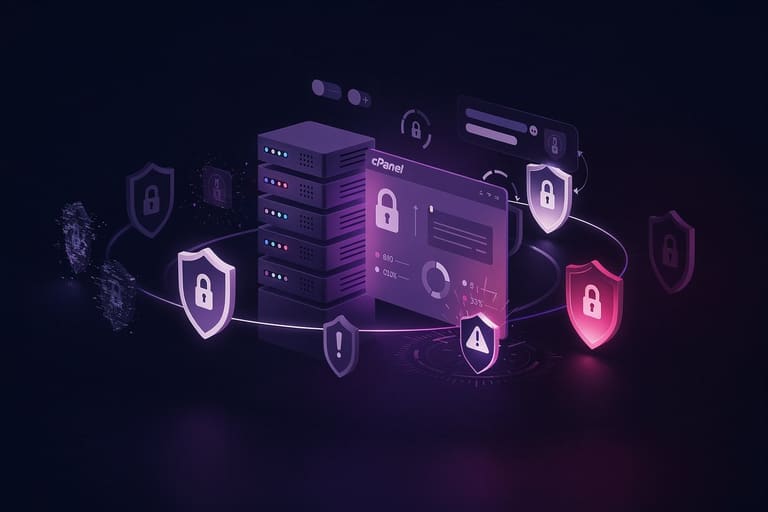
cPanel AutoSSL, errors/failures: DNS records wrong, domain pointing miss, server problem, AutoSSL disabled, Let’s Encrypt rate-limit – எல்லாம் frequent issues. cPanel log files / SSL/TLS error message-ஐ அனுமதிப்பது, analyse செய்வது critical.
| Error Code | Description | Solution |
|---|---|---|
| DNS_PROBE_FINISHED_NXDOMAIN | Domain resolve ஆகவில்லை | DNS-records update/domain pointing verify |
| TIMEOUT | Server access timeout | Firewall/network/server connectivity review |
| RATE_LIMIT_EXCEEDED | Let’s Encrypt rate-limit | Wait & retry or alternate certificate |
| INVALID_DOMAIN | Invalid domain-name | Domain spelling/validity review |
cPanel updated-ஆ இருக்க வேண்டும்; outdated software → AutoSSL error chances அதிகம். Persistent error-க்கு always hosting provider-க்கு support contact advisable.
பிழை தீர்விற்கு பயனுகள்
- DNS-pointing: domain correct server-க்கு point பாரவும்.
- Firewall unblock: Let’s Encrypt access block-ம் செய்யாது firewall config பார்க்கவும்.
- cPanel license validity: License expiry-க்கு AutoSSL disabled ஆகும்.
- .htaccess structure: யிஸ்வய்யயப பிழைகள்/redirect-off – AutoSSL fail-க்கு காரணமாகும்.
- Certificate renew-errors: SSL/TLS expiry fail-முன்னே renewal, system-monitor.
- Module compatibility: cPanel module incompatibility – AutoSSL integration disable ஆகும்.
AutoSSL பிழை தீர்வில் patience & systematic analyse critical; error-message-ஐ period-ically monitor செய்யவும்.
மாற்று சான்றிதழ் வழங்குநர்கள்
AutoSSL = Let’s Encrypt integration free-ஆ வழங்கும். Paid SSL providers: Sectigo (Comodo), DigiCert, GlobalSign, Thawte – enterprise, e-commerce, multi-domain, wildcard, OV/EV-level certificates-க்கு suitability தரும்.
| Provider | Validation | Certificate types | Extra Features |
|---|---|---|---|
| Sectigo (Comodo) | DV, OV, EV | Single/Multi-domain, Wildcard | Low-cost/broad browser compatibility |
| DigiCert | DV, OV, EV | Single/Multi-domain, Wildcard | Enterprise & high-security |
| GlobalSign | DV, OV, EV | Single/Multi-domain, Wildcard | IoT security solutions |
| Thawte | DV, OV | Single/Multi-domain | Entry-level & brand-trust |
SSL/TLS wildcard, EV validation, full support & warranty, customer service-paid certificate தானாக Let’s Encrypt limitations-ஐ cover செய்யும். Choice-இயும், site needs-ஆகும், business-model-இயும் தீர்மானிக்கவும்.
cPanel AutoSSL – Let’s Encrypt free-ஆகு, paid SSL enterprise organisation-க்கு status warranty, higher validation, customer-trust, business credibility-க்கு நன்மைகள் தரும்.
HTTPS பயன்பாடு வளர்ச்சி
Internet security விருத்தியால், HTTPS adoption world-wide exponential growth-ஐ பதிவு செய்யிறது. Let’s Encrypt, AutoSSL seamless integration user-port/SMB-க்கு widespread protection-நோக்கிச் சென்றது. Google ranking, GDPR compliance, customer-trust ஆகியவ நாட்டும் HTTPS-இயே default standard-ஆக உள்ளது.
| Year | HTTPS Adoption Rate | Growth (%) |
|---|---|---|
| 2015 | 20% | – |
| 2018 | 70% | 250% |
| 2021 | 85% | 21.4% |
| 2024 (Prediction) | 95% | 11.8% |
- HTTPS Adoption Drivers
- SEO – Google HTTPS ranking
- User trust – Data encryption/browser lock symbol
- Personal/financial data security
- GDPR & privacy regulation mandatory
cPanel AutoSSL, Let’s Encrypt integration HTTPS widespread adoption-க்கு major enabling agent; Small business, individual sites, blogger sector, enterprise IT security-க்கு convenience, cost-cutting, growth advantage.
cPanel AutoSSL பயனால் பயன்கள்
| Tip | Description | Importance |
|---|---|---|
| DNS validation | DNS record correct-ஆக்கு; SSL install-fail avoid. | High |
| Domain validation | Ownership strictly cPanel verify செய்யும் | High |
| cPanel updates | Latest cPanel version updates critical | நடுத்தரம் |
| Module compatibility | cPanel modules/plugin conflict → AutoSSL fail | நடுத்தரம் |
- AutoSSL User Tips
- WHOIS domain info valid, up-to-date
- cPanel email contact active
- robots.txt/site-configuration Let’s Encrypt challenge access restrict செய்யாதே!
- CDN compatibility – SSL/TLS, certificate integration validate
- Mixed-content (HTTP resource) avoid
Log files, certificate expiry/renewal periodic check, manual intervention, advanced settings, firewall/module compatibility – அனைத்தும் secure-மாக HTTPS integrity, speed, uptime-க்கு உதவும்.
Custom infrastructure-க்கு, cPanel setting deviation/security policy conflict-க்கு hosting provider-ல் support request advisable.
தனிப்பயன் Server & முன்னோக்கியல்
cPanel AutoSSL, Let’s Encrypt integration SMB, Enterprise, Blogger-க்கு SSL/TLS certificate manage/renew-க்கு cost-cutting, technical-burden-light, rocket-speed convenience. Manual certificate-key handling, expiry tracking, renewals – எல்லாம் cPanel-க்கு போ delegate, site-Owner business value, time-saved, user-trust-up.
HTTPS widespread adoption, SEO-growth, user data-safe, Google/Privacy-regulations-கு compliance; cPanel AutoSSL, Let’s Encrypt integration, future-proof cloud/server/infrastructure security standards நிகர் இல்லாதோன்-ஆக உள்ளது.
| Feature | cPanel AutoSSL | Traditional SSL | Let’s Encrypt |
|---|---|---|---|
| Cost | Free (with cPanel) | Paid | Free |
| Setup | Automatic | Manual | Semi-automatic |
| Renew | Automatic | Manual | Script/Manual |
| Validity | 3 months | 1-2 years | 3 months |
- மைந்தடம் Steps
- cPanel AutoSSL working status periodic check
- Certificate renewal timing, expiry monitoring
- SSL/TLS error log files review
- SSL certificate HTTPS-status verification
- Site HTTPS-இயாக full-access confirmation
- Security protocol version update
AutoSSL, Let’s Encrypt use-ஸ்தானம், internet security, business success, visitor trust, Google-rank, uptime/availability-க்கு future-proof strategic advantage தரும்.
எழுக்கமான கேள்விகள்
cPanel AutoSSL என்றால் என்ன? இது site owner-க்கு ஏன் அவ்வளவு முக்கியம்?
cPanel AutoSSL, cPanel-ல் SSL/TLS certificate-ஐ fully automatic install/renew செய்யும். HTTPS protocol-enable → data encryption, Google-ranking, visitor trust, business credibility எல்லாம் அதிகமாகும்.
cPanel AutoSSL-Let’s Encrypt-ஐ கொண்டு site HTTPS-ஆ security பாதுகாக்க, செயல்முறை எது?
cPanel-ல் login, SSL/TLS Status உள்ள AutoSSL enabled உள்ளதா verify, SSL certificate install/renew தானாக system செய்கிறது. Any issue-யில் hosting-provider-க்கு support ticket raise செய்யவும். cPanel-யும் certificate management-ஐ 100% handle செய்யும்.
Let’s Encrypt paid SSL certificate provider-கள் விட என்ன advantage?
Let’s Encrypt – entirely free, automated, modern encryption, cPanel-AutoSSL integration, manual management burden இல்லை, periodic renewal risk இல்லை.
cPanel AutoSSL SSL/TLS நிறுவிய பிறகு என்ன பார்வையிட வேண்டும்?
HTTPS lock symbol, SSL/TLS browser certificate validity test, mixed-content errors(HTTP resource HTTPS page-ல்), site HTTPS access; SSL/TLS monitor tools-ஐ periodic check செய்யவும்.
cPanel AutoSSL SSL/TLS install-ல் பிழை வரும் போது, tract/debug எப்படி?
DNS mis-config, AutoSSL disable, certificate install errors fix; DNS pointing, record validity, cPanel status; log analysis, hosting-provider-க்கு support ticket, error-message careful review தர வேண்டும்.
Let’s Encrypt தவிர paid SSL/TLS providers மாணவர்களுக்கு செஞ்சமா?
Sectigo (Comodo), DigiCert, GlobalSign, Thawte paid providers; SSL/TLS warranty, EV validation, customer support, wildcard/multi-domain certificates-ன் business needs-க்கு suitability. Let’s Encrypt limitation-ம் overcome செய்யும்.
HTTPS adoption statistics? AutoSSL, Let’s Encrypt integration impact?
2024-யில் HTTPS adoption 95%-கு . Let’s Encrypt/cPanel AutoSSL widespread ease/automation-ஐ கொண்டது; SEO-rank, visitor trust, privacy compliance எல்லாம் accelerate ஆகி இருக்கின்றது.
cPanel AutoSSL best-practices? SSL/TLS renewal-ஐ optimize செய்ய எப்படி?
cPanel latest version update, DNS valid, SSL/TLS expiry periodic-check, manual intervention, log files review, SSL/TLS validity, CDN integration SSL/TLS compatibility check.