 Afrikaans
 Azərbaycan
 Bosanski
 Čeština
 Dansk
Dansk Deutsch
 English
 Español
 Filipino
 Français
 Hrvatski
 Indonesia
 Italiano
 Magyar
 Melayu
 Nederlands
 Norsk
Norsk Oʻzbek
 Polski
 Português
 Română
 Slovenčina
 Slovenščina
 Suomi
Suomi Svenska
 Tiếng Việt
 Türkçe
 Ελληνικά
 Беларуская
 Български
 Русский
 Српски
 Українська
 עברית
עברית اردو
اردو العربية
 پښتو
پښتو فارسی
فارسی አማርኛ
አማርኛ मराठी
मराठी বাংলা
বাংলা தமிழ்
தமிழ் ไทย
ไทย မြန်မာ
 한국어
한국어 中文
中文 日本語
日本語

இந்த வலைப்பதிவு, நிறுவங்களின் சர்வர் அமைப்பு தீர்வு தேர்வில் மிகவும் முக்கியமான முழுமையான செலவு (Total Cost of Ownership – TCO) ஆய்வை அடிப்படையாக கொண்டு, Windows Server மற்றும் Linux Server ஆகியது எப்படி விளக்கம் பெறும் என்பதை பார்க்கிறது. முதலில் இரண்டு வகையான சர்வர் சூழல்களின் அடிப்படைப் பரிசீலனை, பிறகு Windows Server, Linux Server ஆகியதின் செலவு கூறுகள் – இலவசமா, Lisans, hardware, மேம்பாடு மற்றும் சீரமைப்பு செலவு – ஆகியவற்றை விரிவாக விளக்குகிறது. செலவு கணிப்பு அடிகளை சுருக்கமாக கூறி, எந்த சர்வர் உங்கள் வணிக தேவைகளை சிறப்பாக அடைக்கும் என்பதை ஆய்வு செய்ய உதவுகிறது. Linux server தேர்வுக்கான முதன்மை 5 காரணங்களை, Windows Server பலன்களையும் பதிவு செய்கிறது. முடிவாக, செலவு ஆய்வு அவசியம் மற்றும் நிறுவனங்கள் யோசித்து, தெரிந்து ஒரு தீர்வை எடுத்துக் கொள்ள வேண்டும் என்பதை எடுத்துரைக்கிறது.
Windows Server மற்றும் Linux Server என்றால் என்ன?
உட்பொது இடைமுகப்புகள்
...விண்டோஸ் சர்வர் என்பது Microsoft உருவாக்கிய ஓர் சர்வர் இயக்கம். இது நிறுவனங்களுக்கு தள சேவைகள், தரவு சேமிப்பு, application hosting ஆகியவற்றுக்காக பயன்படுத்தப்படுகிறது. Active Directory, user-friendly GUI, Microsoft ecosystem சார் உள்ளடக்கங்கள் இவரது பலமாக இருப்பதால், .NET, SQL Server, Exchange போன்ற Microsoft software-வாடிக்கையாளர்களுக்கு சிறந்ததாக இருக்கிறது.
Linux Server – open-source Linux kernel அடிப்படையில் பல distribution (Ubuntu, CentOS, Debian முதலியவை) வடிவத்தில் கிடைக்கிறது. செல்வாக்கான stableness, best security, customisation – இவரது அவசியம். மலிவு மற்றும் free license-கள் அதிகமாக இருப்பதால், நிறைய hosting, cloud, big data நிறுவங்களின் பரிசீலனைக்கு முக்கியமாக இருக்கிறது.
முதன்மை வேறுபாடுகள்
- License: Windows Server paid license-உடனும், Linux Server-இலவச license மற்றும் open source சட்டப்பிரிவாகவும். (Red Hat, SUSE போன்ற உருவாக்கிச் distributions fee வைத்திருக்கலாம்.)
- Open Source: Linux முழுவதும் open-source. OS kernel, server apps, dev tools – customization அரியப் பெற்றது. Windows Server-இல் proprietary code, customization தடை, updates Microsoft மூலம் மட்டுமே.
- Security: இரண்டும் update support-உடன் இருக்கிறது. Linux usual-ஆக security vulnerabilities இல் rapid patches, lesser attack target. Windows Server larger user-base, slower patching cycles.
- Hardware: Linux server minimal hardware-இல் run செய்ய முடியும். Windows Server ஆக அதிக RAM, CPU, SSD மூலம் efficient-ஆக run செய்ய வேண்டும்.
- Ease of Use: Windows Server-இல் beginner friendly graphical user interface, cPanel or Plesk controls; Linux distributions வந்து mostly command-line orientation, technical knowledge தேவை.
Server platform Select செய்யும் போது, Total Cost of Ownership (TCO) – முழுமையான செலவு – மட்டுமல்லாமல் hardware, software, staff, cloud/bandwidth, maintenance, energy, downtime – எல்லா வகையும் கணிக்க வேண்டும். Windows Server vs Linux server TCO ஒப்பீடு விமர்சனம் critical decision ஆகும்.
Windows Server மற்றும் Linux Server ஒப்பீடு
| அம்சம் | விண்டோஸ் சர்வர் | Linux சேவையகம் |
|---|---|---|
| License Cost | Paid/Annual Fee | Mostly Free (Distribution-based) |
| Usage Simplicity | Easy (GUI) | Intermediate (Command-line) |
| Security | High (Regular Updates) | High (Open Source, Rapid Patch) |
| Hardware Demand | Moderate-High | Low-Moderate |
இரண்டு platform-களும் stability, scalability வழங்க காரணம்; true value lies in long-term ownership costs rather than initial price. Platform முதலில் பயனாளர்களின் business landscape, budget, and technical expertise பார்த்து சீராக select செய்ய வேண்டும்.
Total Cost of Ownership – முழுமையான செலவு என்றால் என்ன?
Total Cost of Ownership (TCO), hardware, software, installation, staff, maintenance, energy, upgrades – எல்லாவித செலவும் சேர்ந்து செல்லும் நிதி மதிப்பாகும். ஒரே server system select செய்யும் போது, ஒரு Windows Server instance, Linux Server instance – ஆகியவற்றிற்கு TCO குறித்து பட்டறிவுடன் ஆராய வேண்டும்.
Real TCO calculation enables accurate budget estimates. Sometimes, low upfront price for server, more long-term management, security, upgrade expense, unforeseen downtime – makes “cheap solution” actually expensive. Server platform select செய்யும் போது, hardware and license cost மட்டும் இல்லாமல், all lifecycle expenses and risks in account – smart business approach!
| செலவு வகை | விண்டோஸ் சர்வர் | Linux சேவையகம் |
|---|---|---|
| License fees | Server License, CAL (Client Access License) | Mostly Free (Distribution-based) |
| Hardware expense | Standard Server Hardware (Similar) | Standard Server Hardware (Similar) |
| Operation expense | Energy, Cooling | Energy, Cooling (Usually Lower) |
| Maintenance/Support | Microsoft or Third-party | Community or Commercial Support |
True TCO analysis includes not only direct expense but indirect cost like staff training, downtime, security threat mitigation, disaster recovery, scaling needs. All possible future risk and growth plans should also be reviewed.
செலவு கூறுகள் (Major Cost Components):
- Hardware expense
- Software license fees
- Installation/Integration
- Training
- Maintenance/Support
- Energy/Cooling
- Downtime/Failure
Server platform select செய்யும்போது, TCO analysis is crucial. Long-term operational value more important than initial purchase price – for business sustainability!
Windows Server – செலவு கூறுகள் அணுகல்
Windows Server-உடன் இயங்கும் செலவு, licensing, hardware requirement, maintenance, management, and energy – விழாக்கள். Server license pricing differs on edition (Standard, Datacenter), number of cores, Client Access License count – each factor can escalate or minimize business expense.
Microsoft server license model அல்லது core-based license – all system needs and business size determines the ultimate bill. In addition, user/device CALs (Client Access License) must be acquired for each client or device accessing the server. Staff cost such as system administrator, external service contract – also vital factor.
| Expense Category | Details | Approx. Annual Cost |
|---|---|---|
| License | Windows Server license, CAL | ₹500 – ₹10,000+ (requirements based) |
| Hardware | Server, Storage, Networking | ₹2,000 – ₹50,000+ (hardware based) |
| Electricity | Server power consumption | ₹200 – ₹2,000 (usage based) |
| Management/Maintenance | Sysadmin salary, maintenance contracts | ₹1,000 – ₹20,000+ (workload based) |
Maintenance/management includes: patching, updates, monitoring, performance, troubleshooting – requires skilled staff. Sysadmin salary, external expert consultation/outsourcing – increases OPEX. Energy consumption – server optimization, efficient configuration can lower expense.
Linux Server செலவு கூறுகள் – முழுமை விளக்கம்
Linux server solution-க்கான expense, upfront installation plus long-term staff, technical support, commercial distribution licensing, hardware, customization, and application compatibility. Most Linux-distributions (Ubuntu, CentOS) free/open source. However, commercial variants (Red Hat Enterprise, SUSE Linux Enterprise) – subscription/support fee applicable.
Linux installation/maintenance needs deep command-line skills; thus, competent sysadmin or outside consultant – additional cost. Distribution determines whether support/community forum or paid 24x7 technical help (Red Hat, for example) is available.
Linux-இல் proprietary app compatibility, migration from Windows ecosystem – performance penalty, higher configuration cost possible. Custom solution, virtualization for apps not natively compatible.
முக்கிய செலவு கூறுகள்:
- Hardware (server, storage, networking)
- OS license (for select commercial Linux distributions)
- Management/Maintenance cost
- Security software and updates
- Energy, Cooling
- Backup, Disaster Recovery Solutions
- Consultant/Technical support service
Linux server expense breakdown (distribution/sample):
| Expense Category | Description | Approx. Annual Cost |
|---|---|---|
| Hardware | Server, Storage, Network | ₹1,000 – ₹10,000+ |
| Operating System | License fee/subscription (some distros) | ₹0 – ₹1,000+ |
| System Management | Staff salary/outsourcing | ₹5,000 – ₹50,000+ |
| Security | Security software, firewall, monitoring | ₹500 – ₹5,000+ |
Linux server expense changes based on distribution, hardware scaling, custom implementation, staff skill, and security policy. Right planning brings optimal cost and full utilization.
Windows Server vs Linux Server: செலவு ஒப்பீடு
Server select செய்யும் போது, TCO – upfront plus recurring expense – must be examined. Windows Server & Linux Server – each has specific strengths/weaknesses. Choice depends on need, technical knowledge, security policy, business apps, scalability.
விண்டோஸ் சர்வர் – paid commercial platform, license fee per edition/user, hardware demand, easier GUI, Microsoft-compliant applications. Staff need – less technical, more intuitive. But higher upfront investment.
| Expense Category | விண்டோஸ் சர்வர் | Linux சேவையகம் |
|---|---|---|
| License Fee | Usually High | Mostly Free (Distribution-based) |
| Hardware Cost | Moderate-High | Low-Moderate |
| App Compatibility | Best for Microsoft ecosystem | Wide (Open Source) |
| Maintenance/Management | Moderate (GUI) | Moderate-High (CLI expertise) |
Linux Server – mostly free/open, reduces upfront cost but requires expertise for setup, security, maintenance. Some apps (Windows-centric) demand extra compatibility/emulation layer – cost may rise. Otherwise, highly flexible, customizable, performs well for hosting, automation, devops. Scales up cost-effectively for business with technical team.
செலவு கணிப்பு நடவடிக்கைகள் – எப்படி?
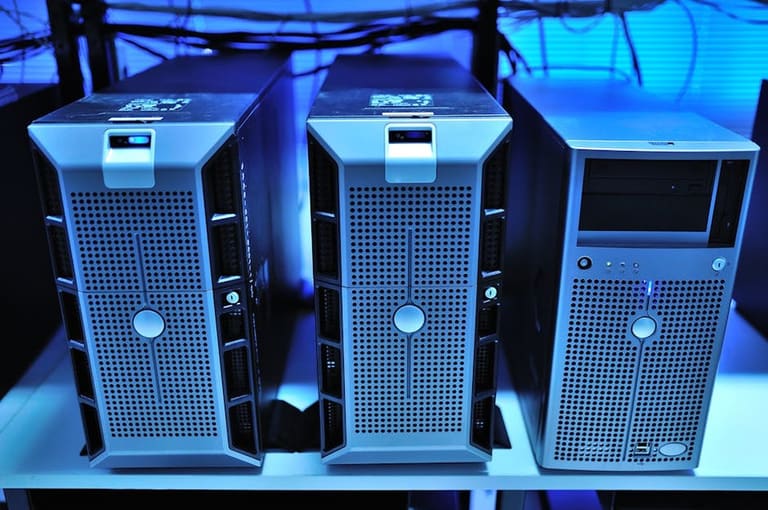
Server platform select செய்யும் போது, TCO – long-term expense – is more meaningful. Both Windows Server and Linux server require deep budgeting, not just initial setup price. Best server choice matches budget, organizational need, scalability – without exceeding capacity. Below steps detail systematic cost calculation.
Consider platform pros/cons: Windows Server high upfront license fee but easy maintenance, broad app support, GUI; Linux free/open-source but needs technical skill, higher management cost for some complex use cases.
Windows Server & Linux Server – expense summary table:
| Expense Category | விண்டோஸ் சர்வர் | Linux சேவையகம் |
|---|---|---|
| License | High | Low/Free |
| Hardware | மிதமானது | மிதமானது |
| Other Software | மிதமானது | Low/Free |
| Management/Main | Low/Moderate | Moderate/High |
To forecast TCO accurately, follow the steps below (adapt as per scenario):
செலவு கணிப்பு நடவடிக்கைகள்:
- Business need analysis – required apps, user count, scale, performance demand.
- Hardware pricing – server, storage, network components.
- Software expense – OS, DB, security tools licensing.
- Maintenance/management cost – sysadmin salary, technical support, training.
- Energy and cooling expense – server consumption, cooling system cost.
- Downtime expense – lost productivity and revenue during outages.
*Cloud solutions (AWS, Azure, Google Cloud, etc) offer pay-as-you-go flexibility; lowers initial investment, ideal for startups and SMEs.
ஆரம்பம் – தேவையறிதல்
Initial analysis determines long-term cost. Workload nature, growth plans, staff technical skill, business continuity – must be considered before server platform select. Wrong choice leads to explosion in maintenance, budget, operational risk.
Right server selection – not just IT decision but strategic long-term investment. Accurate cost calculation + risk review = business resilience.
எந்த Server உங்கள் சீரான தேவைக்கு?
Choosing server platform impacts long-term productivity and business process. Windows Server and Linux Server – each with unique pros/cons. Business requirement, technical skill, budget must be carefully assessed for perfect decision.
Usage scenario – which server platform best fits?
| Scenario | விண்டோஸ் சர்வர் | Linux சேவையகம் |
|---|---|---|
| .NET application | Recommended | Supported (Mono) |
| Web Hosting (PHP, Python, Ruby) | Supported | Recommended |
| DB (SQL Server) | Recommended | Supported (MySQL, PostgreSQL) |
| File/Print server | Recommended | Supported (Samba) |
| Custom Apps | Depends | Depends |
Platform ecosystem matters: Windows Server integrates fully with Microsoft world – Office, Exchange, Active Directory, MSSQL. Linux server offers broad open-source app pool, vast tools, flexibility, community support.
Security approach also varies. Windows – rigid security, regular updates, proprietary tools. Linux – flexible, wide custom policy design possible. Choose as per risk tolerance.
Windows Server பலன்கள்
Windows Server – seamless Microsoft ecosystem, GUI ease, wide software support. .NET apps, SQL Server, Active Directory integration – beneficial for Microsoft-heavy businesses. Centralized user management, security policy enforcement – ideal for enterprise.
Linux Server பலன்கள்
Linux Server – Open source, cost-effective, flexible, customizable, broad community support. Popular for web hosting, cloud, big data, automation. Top security reputation, distribution choice, high stability.
Final platform choice – needs budget check, staff skill audit, application compatibility review, long-term business target alignment.
Linux Server தேர்வுக்கான 5 முக்கிய காரணங்கள்
Linux server Windows Server-க்கு மாற்றாகும் போது, open source benefit, security, flexibility, performance, cost-efficiency – outcome. Many businesses and developers prefer Linux server for these advantages; let's see why:
Open source nature – free to use, customize, distribute. Active developer community ensures regular bug fixes, security patches, distribution growth. Flexible, stable OS – risk minimization.
| அம்சம் | பலன்கள் | குறை |
|---|---|---|
| Cost | Free/Low license | Paid support possible |
| Security | Rapid patches, open source transparency | Misconfiguration, security risk |
| Customization | Extreme flexibility | Requires technical skill |
| செயல்திறன் | Minimal hardware needed | App compatibility sometimes limited |
Biggest Linux server advantage – tweak as per need, install only required components, optimize resources. Performance high, cost low.
Why choose Linux server?
- Cost-effective: No or low license.
- Security: Continuous patching, community-driven bug fix.
- Flexibility: Custom build for precise business/app need.
- Performance: Low resource, maximum efficiency.
- Stability: Proven reliability, minimal downtime.
Security – open source means vulnerability disclosed and patched quick, community support broad, trusted for critical business infra.
முக்கிய விளக்கங்கள் – எது சிறந்தது?
Windows Server or Linux Server – final selection depends on business need, technical skill, application landscape, scale. Each platform's strength/weakness must be weighed.
Linux server – low upfront cost as open source, but needs technical management. Windows Server – higher initial cost, easier GUI, less technical requirement, possibly lower long-term management expense.
| Criteria | விண்டோஸ் சர்வர் | Linux சேவையகம் |
|---|---|---|
| Upfront cost | Higher | Lower |
| Licensing | Paid | Mostly free |
| Ease of admin | Easy (GUI) | Technical skill (CLI) |
| App compatibility | Microsoft products | Open source wide support |
Sysadmin skill, staff training needs, app landscape – crucial. Team skilled in Windows Server – choose that; Linux-proficient team – choose Linux Server. App compatibility, migration, security must be reviewed.
Security is critical – both platforms secure if maintained properly, but each has unique vulnerability. Staff skill, available tools, rapid patching should be planned.
சிறந்த பின்வரும் படிக்க:
- Business target, need, and app list – fully analyze.
- Compare all costs: upfront, license, management, maintenance.
- Audit staff skill, training level.
- App compatibility check – test if needed.
- Security risk review, backup plans.
- Pilot project for both platforms if unsure.
Full platform analysis and TCO calculation – necessary for business resilience and optimal resource utilization!
முடிவு: Windows Server செலவு ஆய்வு அவசியம்
Full comparison shows Windows Server & Linux Server TCO – multifaceted. Focusing on upfront price alone is misleading. Hardware, license, management, energy, downtime, security mitigation – all impact.
| Criteria | விண்டோஸ் சர்வர் | Linux சேவையகம் |
|---|---|---|
| Initial investment | High (license) | Mostly free, distro-dependent |
| Recurring/op-ex | License renewals, hardware | Low license, flexible hardware |
| Maintenance/admin | Easy GUI, needs expertise | CLI, more skill-dependent |
| Security | Continuous patch/update | Open-source, community-secured |
Windows Server – higher upfront, user-friendly, many enterprise apps, attractive for Microsoft centric. License plus hardware – TCO may rise. Linux Server – low/free, flexible, open source, scalable for evolving needs – needs deep sysadmin skill, some app compatibility challenge.
Business action steps:
- Assess unique business/software need.
- Calculate platform TCO – direct/indirect cost.
- Hardware, software, staff, downtime – all cost components.
- Test virtual machines and trial OS for proof.
- Choose balance of price, performance, security for business need.
Final platform choice relies on unique requirement and vision. Platform strengths, weaknesses to be considered; cost analysis directs informed decision, avoids surprise expense.
Self research, pilot test, consult experts for future-proof server infrastructure selection!
Right server solution = key investment. Business-centric decision optimizes cost, maximizes performance.
கேட்கப்பட்ட கேள்விகள்
Total Cost of Ownership-இன் (TCO) கணிப்பில் எந்த expense கூறுகள் விடப்பட முடியாது?
TCO – hardware pricing, software licensing, installation/integration, energy/cooling, maintenance, staff training/salary, security software/tools, downtime expense – comprehensive list, each point must be audited.
Windows Server license models – என்பவை & எந்த model சிறந்தது?
Windows Server license – core-based, Server+CAL (Client Access License). Core-based – physical core count, Server+CAL – server-license + per-user/device CAL. Selection depends on core count vs user base; many users – core-based usually cheaper.
Linux server expense advantage – எப்படி கிடைக்கிறது?
Linux server – open source, no OS license needed, minimal hardware required. Community software, broad documentation, free support – reduces total expense. Proprietary support possible, if needed.
Windows Server vs Linux Server – security expense எப்படி வெவ்வேறு?
Both need firewall, antimalware, patching, access control. Windows – proprietary security, paid tools. Linux – open source firewalls, regular patching, custom policy; security cost depends on risk level and staff expertise.
Cloud server solutions (AWS, Azure, Google Cloud) – TCO impact?
Cloud – eliminates hardware cost, pay-as-you-go, flexible scaling. However, recurring usage/bandwidth/backup/security fee accumulates; long-term, TCO may increase – plan based on future scalability and risk profile.
Server selection – performance criteria – expense impact?
Higher-performance server = increased hardware, energy, cooling expense. Low-performance server – workflow bottleneck, lost productivity. Exact business need must be audited for best price/performance ratio.
Windows Server – Linux Server comparison; எந்த setting-இல் Windows Server upper hand?
Windows Server shines in Microsoft-integrated infra (AD, .NET, Exchange); GUI ease, broad business app, centralized management, easier staff onboarding. But license/hardware/base expense higher – decision needs cost review.
Infrastructure scalability – long-term TCO?
Easy scalability reduces unnecessary hardware investment, auto-adapts to rising workload – long-term cost saving. Vertical (add resources) and horizontal (add servers) scaling flexibility is vital! Cloud infra suits dynamic scale.