 Afrikaans
 Azərbaycan
 Bosanski
 Čeština
 Dansk
Dansk Deutsch
 English
 Español
 Filipino
 Français
 Hrvatski
 Indonesia
 Italiano
 Magyar
 Melayu
 Nederlands
 Norsk
Norsk Oʻzbek
 Polski
 Português
 Română
 Slovenčina
 Slovenščina
 Suomi
Suomi Svenska
 Tiếng Việt
 Türkçe
 Ελληνικά
 Беларуская
 Български
 Русский
 Српски
 Українська
 עברית
עברית اردو
اردو العربية
 پښتو
پښتو فارسی
فارسی አማርኛ
አማርኛ मराठी
मराठी বাংলা
বাংলা தமிழ்
தமிழ் ไทย
ไทย မြန်မာ
 한국어
한국어 中文
中文 日本語
日本語

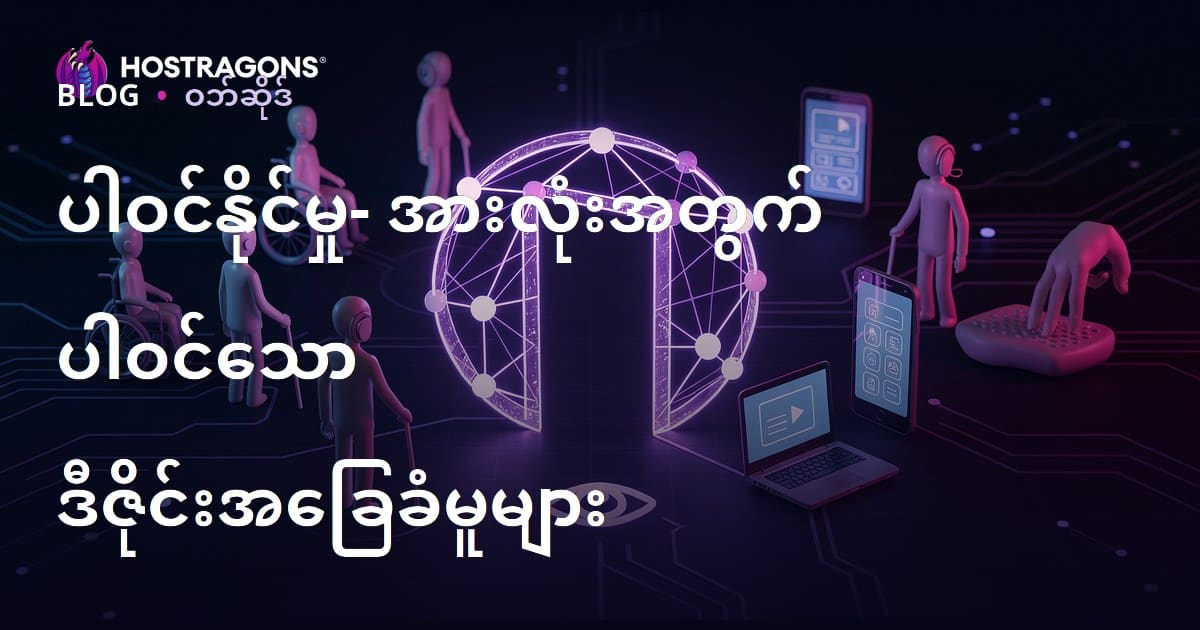
ဒီ blog ရဲ့အကြောင်းအရာက လူတိုင်း အသုံးပြုနိုင်စေရန် ပေါင်းစည်းမှုအတွက် ဖန်တီးမှုပုံစံများ၊ မူလည်နည်းလမ်းတွေ၊ design တွေရဲ့ အခြေခံစည်းကမၻာတွေကို တက်ကြွပြောပြထားပါတယ်။ တကယ်ဆို accessibility ဆိုတာ ဘာလဲ၊ inclusive design ရဲ့ အဓိပ္ပာယ်နဲ့ အရေးကြီးမှုတွေကို ရှင်းလင်းတင်ပြထားပါတယ်။ ဘယ်သူများအတွက် ငါတို့က အသုံးပြုနိုင်မှု အေရာင်မြှင့်ထားသလဲ၊ Accessibility Certificate (သက်သေခံလက်မှတ်များ) တို့ ဘာလဲ၊ ဘာကြောင့် အရေးကြီးသလဲ ဆိုတာလည်း ခွဲခြမ်းဆုံးဖြတ်ပါတယ်။ Digital content၊ Physical space တွေမှာ ဒီဖန်တီးမှုရှိအောင် ဘယ်လိုလုပ်ရမလဲဆိုတဲ့ လက်တွေ့နည်းလမ်းတွေ၊ မကြားလေ့ရှိတဲ့ accessibility error တွေကို ဘယ်လိုတားကြပ်မလဲဆိုတာ guidance တွေပါလဲ။ Testing process တွေ၊ Design tools တွေ၊ Actions သဘောထားနဲ့ ဆိုင်းရပ်ချပေးသည့်မြန်မာရဲ့ အကြံဥာဏ်တွေကိုလည်း မြှင့်တင်ပြသပါတယ်။
အသုံးပြုနိုင်မှု (Accessibility) ဆိုတာ ဘာလဲ? ပေါင်းစည်းဖန်တီးမှုရဲ့ အခြေခံစည်းကမၻာ
အသုံးပြုနိုင်မှု (Accessibility) ဆိုတာ ဘေးကင်းလုံခြုံပြီး အသုံးပြုသူတွေအားလုံး၊ အထူးသဖြင့် စိတ်ပိုင်းဆိုင်ရာ၊ ကိုယ်ပိုင်းဆိုင်ရာ ချို့ယွင်းမှုရှိတဲ့သူတွေအပါအဝင် ဘယ်သူမျှမထားစွဲသမျှ အသုံးပြုနိုင်စေရန် ဆောင်ကြဉ်းပေးတဲ့ အနုပညာနည်း၊စဉ်းစားနည်းတစ်ခုပါ။ ဒီနည်းမှာ လုပ်ဆောင်မှုအတွက် တာဝန်ယူမှု၊ နိုင်ငံတကာတွင် လုပ်သင့်တဲ့ တာဝန်တစ်ခုအဖြစ်ယူရုံမက၊ စီးပွားရေးမှာလည်း strategy အနေနဲ့ သုံးနိုင်ပါတယ်။
ပေါင်းစည်းဖန်တီးမှု (Inclusive Design) ဆိုတာကတော့ သုံးနေသူတွေရဲ့ တွက်လောက်မှုအတွက် နည်းပညာ၊ product တွေ၊ service တွေ၊ environment တွေကို အသုံးပြုနိုင်စေတဲ့ဖန်တီးမှု process ပါ။ Inclusive design ကို concept တွေ အစစအရာစစမှာ စဉ်းစားရင်၊ ပြင်ဆင်နေရတဲ့အချိန် အလုပ်တွေရဲ့ အစပျိုးကလည်း user-friendly ဖြစ်လာစေပါတယ်။ ဒီစဉ်းစားနည်းက ချို့ယွင်းနေသူတွေလောက်သာမက၊ သက်ကြီးရွယ်အနည်းဆုံးသူ၊ မိထောင်၊ အခြားကျောင်းသူ၊ ခေတ်နဲ့တူမတူ ဘထွေးဘခင်တွေ့တဲ့ group တွေအပါအဝင် စောင့်ထားပါတယ်။
Digital အလုပ် (ဝဘ်ဆိုဒ်၊ app, online content) တွေမှာ accessibility ဆိုတာ ယုံကြည်တယ်။ Text တွေ readable ဖြစ်တဲ့အလားအလာ၊ visual အတွက် alt text ၊ keyboard navigation, screen reader compatible code တို့ ပါဝင်ပါတယ်။ Physical places တွေမှာ ramp, elevator, wide doors, lighting တို့က guide ဖြစ်ပါတယ်။
အဓိက သုံးစွဲနည်းများ
- သုံးနိုင်မှု - User interface တွေကို အသုံးပြုနိုင်အောင် ဗဟုသုတ အောင်မြင်ရေး
- အသိအမှတ်ပြုနိုင်မှု - User က မွတ်မြတ်နိုင်တဲ့ data/ UI component တွေပြုလုပ်
- နားလည်နိုင်မှု - UI, Content တွေ plain language နဲ့ arrangement လုပ်
- တင်းတပ်မှု - Content တွေ cross-platform technology နဲ့ compatible ဖြစ်သည့် design
- ထွက်သွားနိုင်မှု - User အဆင်ပြေသလို option, feature, preference တွေလုပ်ပေးနိုင်
Accessibility နဲ့ connection checklist တို့အတွက် စာရင်းတော့က မပြည့်စုံနိုင်ဘူး။ Regular feedback, Test, Audit, Iterative process တွေက လူတိုင်းအတွက် အသုံးပြုနိုင်မှုကို မြင့်ဖြစ်အောင် ဆောင်ကြဉ်းပေးပါတယ်။
| အသုံးပြုနိုင်မှုတောင် | ဥပမာ | အကျိုးအမြတ် |
|---|---|---|
| Web Accessibility | Alt text, keyboard navigation | Screen reader compatibility, SEO up |
| Physical Accessibility | Ramp, elevator | Mobility restrict person access |
| Communication Accessibility | Subtitle, Sign language translation | Hearing Impaired communication |
| Document Accessibility | Tagged PDF, accessible Word | Screen reader use, Smooth navigation |
ပေါင်းစည်းဖန်တီးမှု၏ အရေးပါမှု & အကျိုးအသုံး
အသုံးပြုနိုင်မှု: လူတိုင်းအတွက် design လုပ်ခြင်းဟာ ကိုယ်စားလှယ်တာဝန်ယူသလို စီးပွားရေးအနေအထားကနေပါ ကောင်းမွန်ပါတယ်။ Inclusive design ဆိုတာ လူတစ်စုတစ်ခုပဲမဟုတ်, မည်သူမဆို အသုံးပြုနိုင်စေဖို့ဒီဇိုင်းလုပ်ခြင်းပါ။ ဒါကြောင့် ချို့ယွင်းမှုရှိသူ၊ သက်ကြီး/လေးမြတ်သူ၊ ကလေး၊ ခန့်ခွဲမှုနည်းသူ၊ ဘာသာစကားမတူသူ၊ အမြန်ကာလပျက်ကွက်သူတွေအတွက်ပါ အကျိုးရှိပါတယ်။
ပေါင်းစည်းဖန်တီးမှုကို ထင်ရှားတာက user experience ကို upgrade ပြုလုပ်တဲ့အချိန် ဘာမဆို brand reputation ကိုလည်း တိုးတက်လာစေပါတယ်။ Accessible web site, app တစ်ခုသည် broad user reach ဖြစ်စေပြီး ကောင်းမွန်တဲ့ SEO result တွေထွက်ပါတယ်၊ legislation မူဘလော့တွေကိုနိုင်ပါတယ်။
ပေါင်းစည်းဖန်တီးမှုရဲ့ အကျိုးပေးမှုများ
- Broad access to all users
- Enhanced UX
- Brand Reputation Up
- Legislation Mandate Pass
- Innovation & Creativity Up
- Customer Loyalty & Satisfaction
Innovation ကို ဆောင်ကြဉ်းတယ်ဆိုတာ၊ User တွေအတွက် unique challenge တွေကို Solve လုပ်တာကြောင့် creative ဖြစ်လာပါတယ်။ အဲဒါပေါ်မူတည်ပြီး user group တွေအတွက်ကောင်းခဲ့ပြီး market မွာ advantage ရပါတယ်။
| Factor | Inclusive Design Effect | Result |
|---|---|---|
| User Access | Universal product usability | Wide audience coverage |
| Brand Impression | Ethical & Responsible image | Customer Trust, Loyalty |
| Legal Compliance | Accessibility standard compliance | Reduce legal risk |
| Innovation | Multi-solution for various needs | New product/service launch |
Inclusive design strategy က လိုအပ်ချက်သာမက, Opportunities လည်းပေးပါတယ်။ Accessibility ကို focus လုပ်ရင် experienceဘက်နဲ့ brand Myanmar market မှာ uplift လုပ်နိုင်ပါတယ်။
အသုံးပြုနိုင်မှု - ဘယ်သူများအတွက်?
အသုံးပြုနိုင်မှု: လူတိုင်းအတွက်ကြီးကြပ်မှု၊ design သာမက application, service, content တို့ကို မတစ်ဆိပ်မပြောရပေ။ User Segment ကိုမကြည့်ရင် decision-making တွေအတွက် accurate ဖြစ်တာပါ။ သင့်အတွက် လုပ်ထုံးကိုအသေးစိတ်ဖော်ပြမှာဖြစ်ပါတယ်။
Accessibility သုံးခြင်းသည် disabled person မစလို့မပြီး တဖန် သက်ကြီးရွယ်အရွယ်၊ ကိုယ်တွင်းနာ, temporary injury, pregnant person, အလုပ်ထိုးအတွေ့တွေ့ users တို့အတွက် ပါဝင်ပါတယ်။ Product, service, content တွေလည်း wide scope target ထပ်တိုးနိုင်ပါသည်။
Target Audience နမူနာများ
- Blind & Vision Impaired
- Deaf & Hearing Impaired
- Mobility Restrict
- Learning Difficulty
- Elderly
- Chronic Disease
အခြားပါဝင်အသုံးပြုမှု solution တွေက life သက်ထန်သက်သာပါမယ်။ ဥပမာ- Screen reader ကို blind person သုံးလို့ Web access တိုးတက်တယ်။ Subtitle video ကို deaf person နားလည်တယ်။ ဖန်တီးမှု user potential အတွက် ပါဝင်မှု တိုးတက်လာပါတယ်။
| Target Group | Challenges | Accessibility Solutions |
|---|---|---|
| Blind/ Vision Impaired | Can't access visual content, web navigation difficulty | Screen reader, alt text, keyboard navigation |
| Deaf/ Hearing Impaired | Can't hear, can't attend meetings | Subtitle, sign language, visual alerts |
| Mobility Impaired | Can't access locations, can't use interface | Slope, elevator, voice control, large touch screens |
| Learning Difficulty | Info overload, attention deficit | Simplified content, visual aid, step-by-step guide |
နောက်က အပိုင်းများမှာ target audience ခွဲခြမ်းသဖြင့်, လူတစ်စုတစ်စုအတွက် aanpassen solution တင်ပြပါမည်။
သက်ကြီးရွယ်အနည်းဆုံးသူများ
Myanmar တစ်ပြည်မလုံးတင်, Global Aging trend ရှိတာကြောင့် ဘယ် form မဆို Elder use case ကို စဉ်းစားရမယ်။ Vision, hearing, mobility decrease ဖြစ်တဲ့သူတွေအတွက် big font, clear interface, handheld tool, smart home devices, automation အထောက်အကူပြုနိုင်ပါတယ်။ ဒီအရာတွေက independent lifestyle ကို protection & enhancement ဖြစ်ပါတယ်။
ချို့ယွင်းမှုအမျိုးမျိုးရှိသူများ
Disabled user ထဲမှာ function ကွဲပြားမှုများရှိတယ်။ Vision impairment နဲ့ screen reader, voice command; hearing impairment နဲ့ subtitle, sign language; mobility restriction နဲ့ slope, elevator, interface size တွေ။ Web, app အတွက်လည်း access တိုးတက်ကို guarantee ဖြစ်လာပါတယ်။ သူတို့အတွက် Participant ဖြစ်လာပြီး independent & society member အဖြစ် တိုးတက်လာမယ်။
Accessibility သာမတစ်မ်လိုရမယ်၊ အလုပ်အပ်တာ၊ရိုးရာအတွေ့တွေလည်းပါသည်။
အသုံးပြုနိုင်မှု Certificate (ကနဦး၊ အရေးကြီးမှု၊ လုပ်ကြောင်း)
အသုံးပြုနိုင်မှု: လူတိုင်းအတွက်ထည့်သွင်းလို့ yoke အဖြစ်သာမက, legislation requirement ပါ။ Organization, web developer, business owner တွေအရေး accessibility certificate (WCAG, ADA, EN 301 549, ISO 9001) ကို သက်သေခံ ့့ရရန်လိုအပ်ပါတယ်။
Certificate အတွက် first benefit တော့ brand reputation တိုးတက်ခွင့်၊ Second- legal compliance တိုးခြင်း၊ Third- market reach တိုးတက်ခြင်း၊ Fourth- SEO upgrade အသုံးပြုနိုင်တဲ့ web site ဖြစ်ခြင်း။
| Certificate Type | Area | Primary Standard |
|---|---|---|
| WCAG Certificate | Web Site, Web App | WCAG 2.1 (A, AA, AAA) |
| ADA Compliance Certificate | Physical Space & Digital Platform (US) | Americans with Disabilities Act (ADA) |
| EN 301 549 Certificate | ICT (EU) | EN 301 549 |
| ISO 9001 (Accessibility Focused) | Quality Management System | ISO 9001:2015 |
Certificate process ကို အောက်ပါအဆင့်လိုက်လှုပ်ရှားပါ:
- Professional accessibility audit ရယူပါ
- Audit report defect တွေကို fix ပြုလုပ်ပါ
- Related standard (WCAG, ADA, etc) ကို alignment ပြုလုပ်ပါ
- Independent assessment/tester ရယူပါ
- Certificate apply (organization/third party)
- Review process သတိထားပါ
- Regular audit, update လုပ်ပါ
Certificate ရရှိပြီးသော်လည်း regular feedback, audit, improvement လုပ်ဖြစ်တယ်။ User feedback တွေကို care လုပ်ပြီး upgrade နှင့် fix ရပ်ဆိုင်း continually လုပ်ပါ။
Digital Content တွေမှာ အသုံးပြုနိုင်မှု ဘယ်လိုသတိထား?
Digital accessibility ကို Myanmar Internet community, apps, ebook, video, website တွေအတွက် critical ဖြစ်တယ်။ Disabled, elderly, foreigner, inexperienced user တွေအတွက် knowledge equality တိုးတက်စေပါတယ်။
Accessible content ဖြစ်စေရန် design, development, QA process တွေမှာ mid-way မတစ်ခုချင်းစဉ်းစားပါ။
- Clear language
- Proper contrast UI
- Full keyboard navigation
- Screen reader compatibility
- Media with Subtitle/Transcript
| Principle | Explanation | Sample |
|---|---|---|
| Perceptibility | Content readable by all | Alt text for images |
| Usability | Interface accessible by all | Keyboard navigation |
| Comprehensibility | Plain, easy-to-follow UI & content | Simple language |
| Robustness | Cross-browser/device compatibility | Valid HTML, CSS |
WCAG guideline တွေကို reference လုပ်ပါ။ Level A, AA, AAA အနေနဲ့ Myanmar market မှာ စဉ်းစားပါ။
Critical strategy
- Alt text for image
- Subtitle, transcript for media
- Keyboard navigation full support
- Proper color contrast ratio (AA standard)
- Form label for each input
- Header tag correct usage (H1-H3...)
- Predictable UI action
ဝဘ်ဆိုင်ရာ မြင်သာမှု (Visual) အတွက် အသုံးပြုနိုင်မှု
Visual content တွေဟာ Myanmar user တွေရဲ့ ဦးစားပေးသောလမ်းကြောင်းပါ။ ငါ Visual ကို alt text တက်ကြွပြောပါ။ Blind/ low-vision user တွေအတွက် alt text မှာ image content, data, meaning, contribute ၃ခုလုံးပါဝင်သင့်ပါတယ်။ Complex graphic, infographic တွေအတွက် more description, text summary ရေးပါ။
စာသားအတွက် အသုံးပြုနိုင်မှု
Text accessibility ဟာ readable, understandable, structured ဖြစ်ဖို့ sat-font, font-size, spacing, simple grammar, proper color contrast (AA ratio) စတာ တွေကြည့်ပါ။ Header, subheader, bullet point တွေပါ မပါဘူး။
Accessible design ဆိုတာ တစ်ခါတစ်လေ အနားထောင်ခြင်းမှာuser experience ပိုမြင့်ပါတယ်။
Physical Space အတွက် အသုံးပြုနိုင်မှု - အခြေခံစည်းကမၻာ

Myanmar မည်သည့်အဆောက်အဦးမဆို independent, safety အတွက် access ရစေဖို့ကို လိုအပ်ပါတယ်။ Disabled, elderly, pregnant, parenting, temporary injured စတာတွေနဲ့ပါ mobility restriction ကို support ပြုစေပါတယ်။
Physical accessibility ထဲတွင် ramp, elevator, wide door, slip flooring, accessible toilet, lighting, signage, braille, audio navigation ပါဝင်ပါတယ်။ Vision, hearing, mental impairment တွေအတွက် combine facility တစ်ခုစီထားပေးပါ။
| Area | Needs | Benefit |
|---|---|---|
| Entrance | Ramp, auto doors | Wheelchair, mobility restrict |
| In-House Navigation | Wide corridor, elevator, slip floor | Free movement for all |
| Toilet | Accessible cubicle, grab bars | Independent hygiene |
| Signage | Large font, color contrast, braille, audio | Blind/deaf navigation |
Physical space သည် disabled, elderly, pregnant, parent, injured person အတွက်ပါ benefit ဖြစ်စေပါတယ်။ Inclusive design principle ကို Myanmar architecture တွေက ကျုန်းကျော်ခြင်းအောင်တင်ပြပါ။
ဝင်ပေါက်၊ လမ်း/ကိုး၊ signage
Entrance, pathway design ဟာ first impression ပါ။ Ramp, elevator, wide, safe walkway, easy-to-open doors, slip-resistant flooring, proper lighting, signage, braille, audio navigation ပါဝင်ပါတယ်။
- Entrance with ramp/elevator
- Wide, safe walkway
- Auto door by sensor
- Slip-resistant flooring material
- Proper lighting
- Contrast signage
- Braille & audio navigation
Signage design မှာ font size မကြိုမစဉ်းစားလည်း readable ဖြစ်စေပါ။ Braille လှလှတောက်တောက်ကနဲသံမဘဲ vision impaired user တွေအတွက် independent navigation ဖြစ်အောင်။ Audio navigation က deaf/ blind user တွေအတွက် support ဖြစ်တယ်။
Accessibility သည် disabled user အတွက်သာမက လူတိုင်းအတွက်ပါ မြတ်စွမ်းသည့် ၊ Inclusive design သည် community quality ကို တိုးမြှင့်ပါတယ်။
အသုံးပြုနိုင်မှုအတွက် မလွဲမလား Error (မှားယွင်းခြင်းများ)
Myanmar market web/app/content ေတြမွာ error အများဆုံးဖြစ်တာဟာ disabled, elderly, foreigner user ကို usability restriction ဖြစ်လာပါတယ်။ Color Low Contrast, Missing Alt Text, Keyboard inaccessible, Wrong header, auto play media, Complex language preview error အများကျဆုံးပါ။
- Low color contrast
- Alt text missing
- Keyboard inaccessible UI element
- Wrong/ missing heading tag
- Auto play video can't pause
- Complex language, jargon
| Error Type | Description | Solution |
|---|---|---|
| Low Color Contrast | Text-background color ratio not sufficient | Meet WCAG standard (>=4.5:1) |
| Missing Alt Text | Image/content with no alt text | Proper meaningful alt text for all visuals |
| Keyboard Access Error | UI element not keyboard accessible | All interactive element must be keyboard-accessible |
| Form Label Error | Input field with no label | Proper label linked to all input fields |
Accessibility Test tool, user feedback, regular audit ကို Myanmar web developer, designer တွေအတွက် essential ဖြစ်ပါသည်။ WCAG guide, tool, user feedback တူရိယာက error ကို continuous fix လုပ်ဖို့ကြိုးစားပါ။
အသုံးပြုနိုင်မှု Test Process (Testing action)
Myanmar website, app, content များ user experience တိုးတက်အောင် Accessible Design principle ကို အကောင်အထည်ဖော်ရာတွင် Test process ပါဝင်ပါတယ်။
Testing type
| Type | Explanation | Advantage | Disadvantage |
|---|---|---|---|
| Auto Test | Software tool scanning | Fast, cost-efficient, wide scope | Detail, context miss possible |
| Manual test | Expert review step by step | Accurate, context-sensitive | Time, cost high |
| User test | Real user group feedback | Reality, usability feedback | Plan, implementation hard, cost high |
| Hybrid test | Combination above types | Broad scope, efficient | Extra process needed |
- Planning - Target to test, scope decide
- Tool Selection - Auto, manual, user tool selection
- Test Scenario - User journey idea build
- Test Execution - Tool run, manual test, feedback collect
- Analysis - Issue, priority, fix plan
- Correction - Fix, update, redesign
- Retest - Ensure accessibility improvement
Accessibility continuous process ဖြစ်တယ်။ Regular test နဲ့ improvement Myanmar market တိုးမယ်။
Accessibility Design Tools & Resources (Myanmar Recommended)
Accessible design principle Myanmar market အတွက် tool selection critical ဖြစ်ပါတယ်။ Design, development, QA stage နောက်မှတင်မလုပ်ပါ။
- Color contrast analyzer
- Screen reader test tool
- Accessibility audit auto/manual tool
- Keyboard accessibility test tool
- Writing/ grammar check tool
| Tool Name | Feature | Usage |
|---|---|---|
| WAVE | Auto test, WCAG compliance, visual report | Web, Web app Myanmar market |
| Axe DevTools | Dev tool integration, detail report, hybrid test | Web development, CI pipeline |
| Color Contrast Analyzer | Color contrast measurement, standard checking | Web & graphic design Myanmar market |
| JAWS | Screen reader, voice feedback, keyboard navigation | Web, document, application |
Tools နားလည်ပါ။ Empathy နဲ့ human-centric principle Myanmar designer နဲ့ developer အရေးကြီးပါတယ်။ Tool သုံးမှပေါ်လမ်းမလျှောက်ပါ, user feedback, continuous improvement လုပ်ပါ။
Inclusive Design - Action လုပ်ရန်, Myanmar Market အကြံပြုချက်
ဤဆောင်းပါးသည် Myanmar web, app, content design process တွေမှာ Accessibility & Inclusive Design principle ကို ရှင်းလင်းဖော်ပြထားပါတယ်။ Yoke Mandate မှပေါ်လမ်းမှ business advantage ဖြစ်ချင်သူတွေ ပါဝင်နိုင်ပါတယ်။ Inclusive design principle Myanmar market အတွက် user experience, brand reputation, broad audience reach တိုလည်း uplift မသည်။
Certificate, testing, practical error avoidance guidance တို့ကို ပြောပြထားပါတယ်။ Continuous improvement principle၊ testing process, right tool selection Myanmar developer တွေ တိုးတက်ရန်အတွက် resource ဖြစ်စေပါတယ်။
| Area | Principle | Sample |
|---|---|---|
| Web | Perceptibility | Image alt text |
| Web | Usability | Keyboard navigation |
| Physical | Comprehensibility | Clear signage |
| Physical | Robustness | Ramp for wheelchair |
Action Recommendation
- Learn/apply WCAG, ADA guideline
- Regular accessibility test
- User feedback collect & improve
- Accessible design training for team
- User group inclusiveness design process
- Tool/resource apply everyday
- Inclusive design as company culture
Accessible design principle Myanmar market အတွက် Opportunity ဖြစ်ပါတယ်။ Wider audience, experience upgrade, responsible citizenship ရဖို့ Inclusive design principle ကို follow လုပ်ပါ။
မေးမြန်းလေ့ရှိတဲ့ မေးခွန်းများ (FAQ)
Accessibility disabled user အတွက်သာမလား?
မဟုတ်ပါ။ Myanmar elderly, chronic disease, language barrier, temporary injury, foreigner, tech-naive user တွေအတွက်က user experience တိုးတက်လာမယ်။
Inclusive design principle ဘာလဲ၊ အလုပ်နဲ့ ဘယ်လို ဆောင်ရွက်သလဲ?
Equal use, flexibility, simple, intuitive, perceptible info, tolerance, low effort, proper space. Web alt text, ramp/elevator, multi-format content, accessible signage Myanmar market လမ်းညွန်တယ်။
Accessibility certificate Myanmar market အရေးသလဲ?
Web, app, product ရဲ့ universal usable, brand reputation, legal compliance, user trust တိုးတက်မှု Myanmar market တိုးနိုင်ပါတယ်။
Digital content accessible Myanmar market မှာ challenge တွေ ဘာလဲ?
Complex web design, coding error, missing alt text, color contrast, keyboard navigation missing. Guideline, regular test, training Myanmar developer, designer တွေအတွက် ပါဝင်ပြီးဆောင်းနည်းကောင်းတယ်။
Physical space accessibility principle Myanmar market ဘယ်လို?
Ramp, elevator, wide doorway, accessible toilet, braille, lighting, acoustic design. New & existing buildings Myanmar market ကို integrate လုပ်ပါ။
Web/app Myanmar market မှာ most error ဘာတွေဖြစ်လဲ, Solution?
Low contrast, missing alt text, input label error, keyboard access missing, autoplay media, header structure error. Guideline follow, test, feedback Myanmar market ပြည့်မလွဲအောင်လုပ်ပါ။
Accessibility test Myanmar market အရေးသလဲ၊ ဘယ်လိုလုပ်သလဲ၊ Method ဘာတွေသုံးသလဲ?
Accessible test method auto tool, manual review, user test Myanmar market critical ပါ။ Disabled user မရှိဘူးဆိုလည်း realistic feedback Myanmar market တိုးတက်ဖို့ plan, implementation, improvement လုပ်ပါ။
Tool/resource Myanmar market တို့ ဘယ်လိုနေရာမှာ သုံးလို့ သင့်လဲ?
WAVE, Axe, Lighthouse, Color contrast analyzer, keyboard navigation tester, screen reader simulator Myanmar developer, designer အတွက် accessible design Myanmar market တိုးတက်ပါစေ။