 Afrikaans
 Azərbaycan
 Bosanski
 Čeština
 Dansk
Dansk Deutsch
 English
 Español
 Filipino
 Français
 Hrvatski
 Indonesia
 Italiano
 Magyar
 Melayu
 Nederlands
 Norsk
Norsk Oʻzbek
 Polski
 Português
 Română
 Slovenčina
 Slovenščina
 Suomi
Suomi Svenska
 Tiếng Việt
 Türkçe
 Ελληνικά
 Беларуская
 Български
 Русский
 Српски
 Українська
 עברית
עברית اردو
اردو العربية
 پښتو
پښتو فارسی
فارسی አማርኛ
አማርኛ मराठी
मराठी বাংলা
বাংলা தமிழ்
தமிழ் ไทย
ไทย မြန်မာ
 한국어
한국어 中文
中文 日本語
日本語

အောင်မြင်သော ဝက်ဆိုဒ်တစ်ခု ရပ်တည်ဖို့ အရေးကြီးဆုံးသော အရာက စာမျက်နှာဖွင့်ချိန် အမြန်အောင် တစ်ချိန်ထဲ ကျွန်ုပ်တို့ optimize လုပ်နိုင်ဖြစ်တဲ့ နည်းလမ်းတွေပါ။ ဝက်ဆိုဒ် မြန်မြန် ဖွင့်စမ်းနိုင်မယ်ဆိုရင် ဧည့်သည်အတွေ့အကြုံကို ပိုမိုကောင်းမွန်စေပြီး Bounce Rate ကို လျော့နည်းစေသလို SEO အဆင့်ကို တိုးတက်စေနိုင်ပါတယ်။ ဒီအော်တာမှာ ဝက်ဆိုဒ်အရှိန် အရေးပါမှု၊ အကျိုးအမြတ်များ၊ အခြေခံမြန်တင်နည်းလမ်း၊ loading ကို သက်ပေါင်းသက်ထားတဲ့ အဖွဲ့အစည်းများ၊ image optimize နည်လမ်းများ၊ JavaScript/CSS performance boost နည်းလမ်းများ၊ caching/CDN အသုံးပြုခွင့် advantage၊ acceleration tools၊ site speed test tips & tools နှင့် အသုံးပြုသင့်သော key points တွေကို အသေးစိတ် လမ်းညွှန်ထားပါတယ်။ ဒီနည်းလမ်းတွေသုံးပြီး သင့်ဝက်ဆိုဒ် performance ကို တိုးမြှောက်နိုင်ပါတယ်။
အရှိန်မြန်မြှုပ်ရေးနည်းလမ်းများ: ဝက်ဆိုဒ်ဖွင့်ချိန် ဘာလင့် အရေးကြီးသလဲ?
ဝက်ဆိုဒ်ဖွင့်ချိန်က visitor တစ်ယောက်ရဲ့ first impression ကို ချက်ချင်း သက်ရောက်စေပါတယ်။ အမြန်ဖွင့်နိုင်တဲ့ဆိုဒ်တွေကို user တွေ ပိုကြိုက်တယ်၊ ဒါကြောင် user တွေ မစောင့်နိုင်လောက်အောင် ယှဉ်ပြိုင်နေကြဖို့ဖြစ်လာပါတယ်။ ဖွင့်ချိန်ကြာလှတာကြောင့် visitor တွေ မျက်ရှေ့မှာဆိုဒ်ပေါ်လာနိုင်မှန်း မစောင့်နိုင်ကြဘူး။ ကောင်းမယ်ဆိုရင် Bounce Rate တိုးလာမှာနဲ့ potential customer တွေကျဆုံးနိုင်ပါတယ်။
Performance ကို သက်ရောက်သူအချင်းချင်းရှိပါတယ်။ Server response time ၊ image size ၊ code optimize ၊ caching နဲ့ တခြား factors တွေ Speed ကိုရေးသာရှိပါတယ်။ ဒါကြောင့် အရှိန်မြှုပ်နည်းတွေ သုံးခြင်းက visitor happy ဖြစ်အောင် နဲ့ SEO နှင့် business result အတွက် အရေးကြီးပါတယ်။
- အရေးကြီးခြင်းများ
- User Experience: Site မြန်တဲ့အခါ visitors ပိုတည်ကြတယ်။
- SEO: Google တစ်ခုက site မြန်တော့ rank ပိုမြန်ပါတယ်။
- Conversion Rate: မြန်တဲ့ site တွေမှာ ပိုအောင်မြင်ပါတယ်။
- Mobile: ကြည့်ကြည့်ချိန် mobile device မှာ မြန်ရင် happy ဖြစ်တယ်။
- Competition: တခြားဆိုဒ်ထက် မြန်တဲ့ဆိုဒ်ကို မူလသည်ရှေးပေါ်တင်တယ်။
- Brand Image: မြန်မြန်ကြီးဆို ဒါက brand ကိုအကောင်းမြှင့်တင်ပါတယ်။
အောက်ဖော်ပြပါဇယားထဲမှာ loading time တစ်ယောက်တစ်ဖန် user experience တွေကို ပြထားပါတယ်။ ဒါတွေကိုကြည့်ပြီး အရှိန်မြှုပ်နည်းလမ်းတို့ ဘာလင့်အရေးကြီးတယ်ဆိုတာ ပိုနားလည်နိုင်ပါတယ်။
| Loading Time (seconds) | User Experience | Bounce Rate | Conversion Rate |
|---|---|---|---|
| 0-2 | Excellent | Low | High |
| 3-5 | Good | အလယ်အလတ် | အလယ်အလတ် |
| 6-10 | Acceptable | High | Low |
| 10+ | Poor | Very High | Very Low |
အရှိန်မြှုပ်နည်းတွေကို သုံးဖြစ်ခြင်းက ဝက်ဆိုဒ်အောင်မြင်ဖို့အတွက် core part ဖြစ်ပါတယ်။ User experience ၊ SEO ၊ Conversion တွေကို မြှင့်တင်ဖို့ loading optimize ဘယ်လိုလုပ်မလဲဆိုတာ ပိုမို အာရုံစိုက်သင့်ပါတယ်။
ဝက်ဆိုဒ်အရှိန်မြှင့်တင်ရရတဲ့အကျိုးအမြတ်တွေ
ဝက်ဆိုဒ် loading ကိုမြှင့်တင်ပေးရင် တကယ်အားဖြင့် user experience ကသာမက business အတွက်လည်း အရှိန်မြှုပ်နည်းတွေသုံးလျှင် အကျိုးအမြတ်ပါးလိုက်ပါတယ်။ မြန်တဲ့ဆိုဒ်မှာ customers ပိုကြာကြာ တည်နေရတယ်၊ ပိုအောက်လျင်လျင် ဧည့်သည်အရေးကြီးသည့် conversion တွေ ဖြစ်လာပါတယ်။ အထူးသဖြင့် e-commerce site တွေအတွက်တော့ ချက်ချင်း အရောင်းအမြတ်တိုးအောင်ပါ။
Search engine (Google တို့) ကလည်း site speed ကိုသဘာဝရုပ်မြင်နဲ့ SEO ဖြစ်အောင် evaluate လုပ်တယ်။ Site မြန်ရင် index ပိုကောင်းပြီး organic traffic ရလာနိုင်တယ်။ Mobile device မှာ မြန်ပြီး load တော်တော် ဧည့်သည် သဘောတူပါတယ်။
အကျိုးအမြတ်များ
- User Satisfaction
- Conversion Rate အတင်းတိုး
- SEO နဲ့ ranking ကိုမြှင့်တင်
- Bounce Rate ကိုလျော့နည်း
- Mobile-friendly အားပေးခြင်း
- Brand Image ပိုကောင်း
Site speed မြှင့်တင်ခြင်းက server resources ကိုလည်း စနစ်တကျအသုံးပြုနိုင်သလို hosting ခိုင်မာမှု့ တိုးတက်တယ်။ Heavy traffic ကိုကြုံရတဲ့အခါ servers overload မဖြစ်စေဘူး။
မြန်မြန်တဲ့ဆိုဒ်က brand ရဲ့နာမည်အသီးသန့် တိုးတယ်၊ competition မှာလည်း အသားပေးစေတယ်။ User တွေကလည်း ယုံကြည်မှုရလာပြီး Loyalty တိုးတိုးလာသလို အရှိန်မြှုပ်နည်းသုံးပြီး ရပါသောအကျိုးအမြတ်ကိုသာ ဖြစ်နိုင်ပါတယ်။
အမြန်မြှုပ်နည်းလမ်း: ပုံမှန်ကားလမ်းများ
Performance & experience တိုးတက်ဖို့ အရှိန်မြှုပ်နည်းတွေ များစွာရှိပါတယ်။ Loading optimize ပြုလုပ်ခြင်း visitor retention နဲ့ conversion တိုးတက်စေနိုင်ပါတယ်။ လွယ်လွယ်ဝယျ optimize လုပ်ယ့် steps တွေလည်း မိမိ site ကို မြှင့်တင်နိုင်ပါတယ်။
ပထမကြီးအနေနဲ့, site နောက်ခံခေါ်မှတ်အခြေအနေကိုသိဖို့လိုပါတယ်။ Loading measurement အတွက် tools (Google PageSpeed Insights, GTmetrix, WebPageTest) တွေကိုသုံးပြီး မလိုအပ်တဲ့ image, code, server response problem တွေကိုဖော်ထုတ်နိုင်ပါတယ်။
| Optimize Area | Explanation | Recommended Tools |
|---|---|---|
| Image Optimization | Image file size ကိုလျော့၊ format optimize | TinyPNG, ImageOptim |
| Code Optimization | CSS/JS ကို minify, combine | UglifyJS, CSSNano |
| Server Response | Server setting optimize, cache | Apache, Nginx |
| CDN | Content distribution network | Cloudflare, Amazon CloudFront |
ပြီးနောက်, image optimize, unnecessary code remove, caching enable နဲ့ mobile responsive သေချာစေပါ။
Optimization results ကိုပုံမှန် စစ်ဆေးနဲ့ Maintenance ပြုလုပ်ဖို့လည်း အရေးကြီးပါတယ်။ Site performance ကို analysis ပြုလုပ်ပြီး အရှိန်မြှုပ်နည်းရဲ့အကျိုးကို ပိုမိုမြင်နိုင်ပါတယ်။ Optimization ဟာ တကြိမ်တစ်ဆစ် မဟုတ်ပဲ maintenance မှာလည်း လိုအပ်ပါတယ်။
Step by Step လုပ်ရန်
- Site speed ကို analyze (Google PageSpeed Insights, GTmetrix).
- Large image တွေကို optimize (TinyPNG, ImageOptim).
- CSS/JS ကို minify & combine (UglifyJS, CSSNano).
- Browser caching enable.
- CDN အသုံးပြု (Cloudflare, Amazon CloudFront).
- Mobile optimize သေချာစစ်လုင်းပါ။
- Optimization effects ကို မိမိက regular check ရပါ။
ဝက်ဆိုဒ်ဖွင့်ချိန်ကို သက်ဆောင်သူများ
Site loading time လာရွေ့သည့်အရေးကြီးတဲ့ factors တွေက အရှိန်မြှုပ်နည်းတွေသုံးတဲ့အခါ သိထားရမည့် အရေးကြီးပါ။ Server response ကို image size, coding, caching, CDN စသည်ဖြင့် သက်ဆောင်မှုများရှိပါတယ်။ Optimize တဲ့ strategy ကို holistic approach သုံးသင့်ပါတယ်။
Loading ကို slow down လုပ်မယ့် factors တွေကို ပညာခြင်း optimize strategy ဖန်တီးနိုင်ပါ။ ဥပမာ server response ဆွမ်းသွားရင် optimize process တွေ effect မရနိုင်၊ large images ကလည်း bounce rate ဖြစ်နိုင်ပါတယ်။
| Factor | Explanation | Optimization Method |
|---|---|---|
| Server Response | Server request reply အမြန်ချိန် | Fast hosting, server optimization |
| Image Size | Image file size | Compress, proper format |
| JavaScript & CSS Files | Number & size of JS/CSS files | Minify, combine, optimize |
| Caching | Cached or not | Browser caching, use CDN |
အရေးကြီးဆုံး loading factors တွေကို အချိန်နှင့် regular optimize လုပ်ရပါမယ်။
Key Factors
- Server location & performance
- Large image files
- Unminified files (CSS, JS, HTML)
- Too many HTTP requests
- No caching
- Slow database queries
- No CDN used
Site speed boost လုပ်ဖို့ ဒီ factors တွေကို monitor ပြုလုပ်နဲ့ optimize strategy သုံးဖို့ အရေးကြီးပါ။
Server Performance
Server performance က site speed ကို directa impact ဖြစ်တယ်။ Hosting select လုပ်တယ်ဆို processor, RAM, storage quality ကို သေချာသုံးစရာပါ။
Caching Strategies
Caching ဆိုတာ popular content တွေ temporary မှာ browser သို့ CDN တွေထဲတွင် save လုပ်ပြီး server load ကိုလျော့ပြီး site speed မြှင်တင်နိုင်တယ်။ Tarayıcı caching, server-side caching, CDN caching အမျိုးမျိုး optimize လုပ်နိုင်တယ်။
Image Optimization
လွန်ပြီးသား image တွေကို reduce, proper format ပြန် save နှင့် compress လုပ်သင့်ပါတယ်။ Large image က loading ကိုကြန္လိပ်စေပြီ။ Image optimize လုပ်မှ site speed ကို တိုးတက်နိုင်ပါတယ်။
သင်ကြာမြန်သည့် အရှိန်မြှုပ်နည်းတွေ သုံးပြီး site speed နှင့် user experience ကို ကောင်းတင်နိုင်ပါတယ်။
Image Optimize လုပ်ပုံများ
Site speed boost အတွက် image optimize ပါ အရေးကြီးဆုံး step ပါ။ High resolution, large file size image တွေမှာ loading ကို ကြာတဲ့ bottleneck ဖြစ်ပါတယ်။ အရှိန်မြှုပ်နည်းတွေအနက် image optimize တွေပလွသုံးသင့်ပါတယ်။ Proper format save, compress, resize လုပ်ခြင်း SEO မှဲ့အောင်လည်း အားပေးမှာပါ။
Image optimize တွေမှာ ဘာ format, compression, dimension စနစ်များကို သတိထားနိုင်ပါတယ်။ ဥပမာ, JPEG format ကို photo များအတွက်နှင့် PNG ကို logo, graphics အတွက်၊ WebP သည် modern all-purpose format ဖြစ်ပါတယ်။ Proper tool နဲ့ compress လုပ်နိုင်တဲ့ TinyPNG, ImageOptim တို့ အကြံပြုပါတယ်။
Tips
- Proper format save လုပ် (JPEG, PNG, WebP)
- Compress tools သုံး (TinyPNG, ImageOptim)
- Proper dimensions
- Lazy loading enable
- Alt tag add
- CDN မှ image serve လုပ်
Image format တစ်ခုချင်းစီ၏ သုံးစွဲနိုင်မှုနှင့် အားသာချက်များကို အောက်မှာ ဖော်ပြထားပါတယ်။
| Image Format | Usage | Advantages |
|---|---|---|
| JPEG | Photos, complex graphics | Small file size, wide compatibility |
| PNG | Logo, graphics, transparent images | Lossless compression, transparency |
| WebP | All images | Best compression, modern standard |
| GIF | Animated images | Animation capable, simple graphics |
SEO အတွက်လည်း image alt text နဲ့ meaningful filename usage ကို သတိထားပါ။ Image optimization user experience ကို မြှင့်တင်သလို search visibility ကိုလည်း တိုးမြှောက်ပါတယ်။
JavaScript & CSS ဖိုင်မြန်တင်နည်း
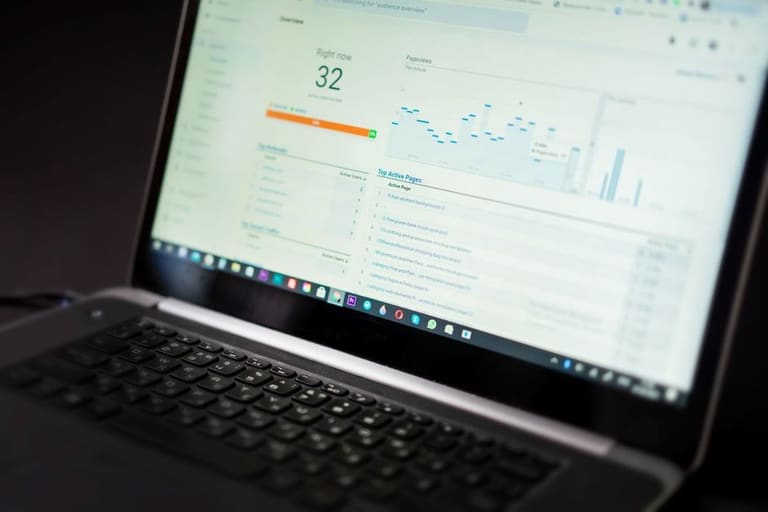
Site speed တိုးတက်စေဖို့ JS/CSS optimize ပါ must-have နည်းလမ်းပါ။ Efficient coding, unnecessary code remove, file compress နဲ့ loading time ပျော်နိုင်တဲ့ techniques တွေပါ။ အရှိန်မြှုပ်နည်းမှာ JS/CSS optimize ထည့်သွင်းသင့်တဲ့ pillar ဖြစ်ပါတယ်။
Minification (code clean), combination, Gzip compress ကိုပေါင်းသုံးရန် အထူး အားပေးပါတယ်။ Minify လုပ်ရင် unnecessary whitespace, comment remove ပြီး size လျှော့။ Combine လုပ်ရင် HTTP requests စရိတ်တိမ်းတယ်။ အောက်ပါဇယားတွင် optimize နဲ့ performance affect ကိုပြထားပါတယ်။
| Optimization Type | Explanation | Benefit |
|---|---|---|
| Minification | Remove whitespace & comments | 20-50% size reduction |
| Combine | Multi files merge into one | Less HTTP requests, faster load |
| Gzip compression | File compression for transfer | Up to 70% bandwidth reduce |
| Remove unused CSS | Clean up not-needed code | Less file size, faster render |
CSS sprite သုံးပြီး image requests လျှော့နိုင်တယ်၊ JS async/defer တွေသုံးရင် loading ကိုအဆင်ပြေပါတယ်။
- Unused JS/CSS code remove
- Minify JS/CSS files
- CSS sprite use
- Async/defer JS load
- CSS in head, JS in footer
- Inline critical CSS
JavaScript Optimization Tips
JavaScript optimize လုပ်ခြင်းက site performance ကိုပိုကောင်းစေပါတယ်။ Large JS files က loading time ရှည်စေတယ်၊ loop optimize, efficient algorithm, modular coding သုံးပါတယ်။
DOM manipulation ပြုလုပ်စဉ် aggregate update လုပ်ဘဲ ပြပြီး performance boost လုပ်ပါ။
Memory management ကိုပါ optimize လုပ်ပါ။ Unused variables remove, objects မလိုအပ်ဘဲ free လုပ်ပါ။ Memory leak တွေက app တော်တော် slow/unstable ဖြစ်စေနိုင်ပါတယ်။
Caching နှင့် CDN အသုံးပြုရန်အကြံပြုချက်
အရှိန်မြှုပ်နည်း technique တွေထဲမှာ caching & CDN သုံးတာ performance တိုးတက်စေတဲ့ best အကောင်းဆုံးနည်းလမ်းပါ။ Server load, loading time, user satisfaction တိုးတက်ပါတယ်။ Traffic ထန်တဲ့ site တွေမှာ must-have ဖြစ်ပါတယ်။
| Technique | Description | Advantage |
|---|---|---|
| Caching | Frequently accessed content temporary save | Server load down, fast load, less bandwidth |
| CDN | Content distribute across servers worldwide | Fast access, less latency, high traffic withstand |
| Caching + CDN | Combine both methods | Top performance, max user satisfaction, better SEO |
Caching တဖြစ်ပြီး images, CSS, JS etc. temporary မှာ browser/CDN ထဲမှာ save ဖြစ်ပါတယ်။ Repeat visitor တွေကို server request down, loading ပိုမြန်ပါတယ်။
Advantages
- Faster loading for users
- Server workload reduced
- Better user experience
- SEO ranking improved
- Lower hosting cost
CDN သုံးရင် worldwide users တွေရဲ့ nearest server မှ data serve ဖြစ်ပါတယ်။ Site global scale မှာလည်း loading speed မြှင့်တင်ပါတယ်။ Traffic sudden peak တွေမှာလည်း server crash မထင်ရနိုင်တဲ့ solution ဖြစ်ပါတယ်။
Caching + CDN ကို implement လုပ်ရင် အရှိန်မြှုပ်နည်းရဲ့ top-level effect တွေကို ပိုင်ရှင်နိုင်ပါတယ်။
Web Acceleration Tools
Site accelerate နည်းလမ်းတွေအတွက် tools များစွာရွေးချယ်နိုင်ပါတယ်။ အရှိန်မြှုပ်နည်း tool တွေအနေနဲ့ site weakness spot ကိုဖန်တီးပြောနနိုင်ပါတယ်။ Right tool ကို use လုပ်ရင် loading time မြှင့်တင် နဲ့ optimize effect ရနိုင်ပါတယ်။
Tools တစ်ချင်းချင်း analysis, image optimize, JS/CSS compress, server response monitor, caching tuning တွေကိုလည်း လုပ်ပါ။ Site speed ကို regular optimize တယ်ဆိုဖို့ အရေးကြီးပါတယ်။
Tools
- Google PageSpeed Insights
- GTmetrix
- WebPageTest
- Pingdom Site Speed Test
- Lighthouse (Chrome DevTools)
- YSlow
Common acceleration tool တွေအတွက် feature & benefit compare table ကို ဖောက်ဖြစ်ပါတယ်။
| Tool Name | Features | Advantage |
|---|---|---|
| Google PageSpeed Insights | Performance detail, tip, desktop/mobile test | Free, Google linked, in-depth report |
| GTmetrix | Load time, waterfall, video record | Detail metric, test location select |
| WebPageTest | Advanced option, multi-browser, real user sim | Customizable, open-source, detail analysis |
| Pingdom Site Speed Test | Easy UI, real time trend, performance alerts | Fast test, user friendly, trend report |
Tools သုံးတာပဲမဟုတ်ဘဲ Right configuration optimize ကိုပါ သိထားဖို့လိုပါတယ်။ Tools suggestion များနဲ့ structure/content အားအမြဲမြှင့်တင်ဖို့ အရေးကြီးပါတယ်။
Site Speed Testing Tips
အရှိန်မြှုပ်နည်း impact ကို measure လုပ်ဖို့ correct testing tool choice တော်တော် အရေးပါပါတယ်။ Page load, bottleneck spot, improvement chance တွေကို identify လုပ်နိုင်ပါတယ်။ SEO boost, user experience optimize နဲ့ သေချာတည်တင်မှု့ result တွေကို ရနိုင်ပါတယ်။
| Tool Name | Features | Cost |
|---|---|---|
| Google PageSpeed Insights | Speed analytics, tips, desktop/mobile analysis | Free |
| GTmetrix | Detail report, load time, waterfall chart | Free/Paid |
| WebPageTest | Advanced test, multi-browser/location, video | Free |
| Pingdom Site Speed Test | Easy usage, global location, history stats | Free/Paid |
Testing methodology ကို consistency ထားပါ။ Timeslot, location, browser variation တွေစစ်။ Mobile/desktop separate analysis ပြုလုပ်ပါ။
- Choose proper tool
- Choose target test server
- Popular browsers (Chrome, Firefox, Safari) use
- Test in low-traffic hours
- Repeat test, average result
- Mobile device test
- Analyze result, identify improvement
Speed test လုပ်ပြီး result ကို optimize direction ဖြစ်အောင်အားစိုက်ပါ။ Regular tracking နဲ့ result monitor ပြုလုပ်ပါ။
Result interpret ပြုလုပ်တဲ့အခါ loading time နဲ့တင်တချ်လို့မလုပ်ဘူး၊ TTFB (first byte) ၊ Time to Interactive ၊ Visually Complete metric တွေကိုပါ optimize ပြုလုပ်ဖို့ အရေးကြီးပါတယ်။ အဲ့ဒါတွေ optimize ပြုလုပ်မှ ပိုကြာ user experience ကို ရနိုင်ပါတယ်။
Accelaration Technique ထည့်သွင်းရုအချက်
အရှိန်မြှုပ်နည်းတွေမသုံးခင် core parts တွေကို သေချာစဉ်းစားပါ။ Optimization နဲ့ site performance တိုးတက်မယ် ဆိုတယ်၊ but site functionality/appearance affect မလုပ်သင့်ပါ။ Major changes မလုပ်မချဉ် sit backup ဖို့ extremely အရေးကြီးပါတယ်။
| Attention Area | Description | Action |
|---|---|---|
| Image Optimization | Large image loading slow | Compress, proper format (WebP), lazy load |
| JavaScript/CSS | Unoptimized code negative effect | Minify, combine, clean, async load |
| Caching | No caching increases server load | Enable browser/server caching (Redis, Memcached) |
| CDN usage | No CDN slows global visitors | Popular CDN (Cloudflare, Akamai) for static files |
Optimization error တွေကြောင့် site usability နဲ့ SEO ကို down ဖြစ်နိုင်ပါတယ်။ Over-optimize လုပ်တာက bad experience ဖြစ်နိုင်ပါတယ်။ Optimize effect ကို test အမြဲပြု ပြီး device/browser variation ကိုပါ တစ်မယ်သာ စစ်ပါ။
ဘောက်ချက်များ
- Backup: Changemaking မှာ backup must-doပါ။
- Test environment: Live site change မလုပ်ခင် trial/testing လုပ်ပါ။
- Performance tracking: Effect ကို regular monitor & analyze လုပ်ပါ။
- Plugin compatibility: Plugin/theme selection မှာ speed affected မလုပ်ဘူးဆိုသည့် compatible items သုံးပါ။
- Mobile Optimization: Mobile device loading ကောင်းကြောင်းမှန် မစစ်နဲ့မရပါ။
- User Experience: Speed boost နဲ့ user experience အားသုံးသင့်ပါ။
အရှိန်မြှုပ်နည်းဟာ စနစ်တကျရုံသာမက user-centric approach ပါ။ User expectation တွေ align ဖြစ်ဖို့ optimize လုပ်ပါ။ Prefetch technique မဲ့ page switch မြန်တင် နဲ့ popular page pre-cache လုပ်တယ်ဆို bounce/minimize ဖြစ်နိုင်ပါတယ်။
Optimize တဲ့နည်းလမ်းတွေကို concept ကို နားလည်ပြီး constant improvement ပြုလုပ်ဖို့ လိုပါ။ Web technology တက်တက်လာတယ်ဆိုတော့ latest technique တွေကို industry community/updates မှာ လေ့လာထားပါ။
အမေးများ
ဝက်ဆိုဒ် loading ကြာတဲ့အခါ ဘာလင့် issue တွေဖြစ်နိုင်သလဲ?
Load time ကြာသည်မှာ user experience ကိုကြာသည်။ Bounce ဖန်တောင်းမျှမာ Conversion down ဖြစ်တာ၊ SEO degrade ဖြစ်သည့် အကြောင်းများ များစွာရှိနိုင်ပါတယ်။ Brand reputation တော်တော့် ကွေ့လွှားနိုင်တယ်။
Page speed optimize လုပ်ရင် SEO performance ဘယ်လာအကျိုးသက်ရောက်သလဲ?
Search engines တွေက မြန် site ကို user friendly ဖြစ်တာကြောင့် prefer တယ်။ Loading မြန်တော့ organic traffic, ranking ကိုတိုးစေပါတယ်။
Site speed boost လုပ်ဖို့ ဘယ်အဆင့်တွေ လုပ်ဆောင်ရမလဲ?
Image compress, JS/CSS minify & combine, browser caching enable, CDN use, server optimize, unnecessary plugins/scripts remove
Loading time afectar factors ဘယ်လေးလဲ?
Large images, unoptimized code (JS/CSS), slow server response, too many HTTP requests, no caching, no CDN
Images optimize လုပ်တဲ့အခါ format quality ဘယ်လေးသုံးသင့်သလဲ?
JPEG = photos, PNG = graphics, WebP = both, responsiveness, compress level တင်ပြောသယ်။
JS/CSS speed boost သုံးလည်း ဘယ် techniques ကောင်းသလဲ?
Minify/combine, compress, async loading, remove unused code, inline critical CSS
Caching/CDN သုံးခြင်း website ကို ဘာပိုတော့အကျိုးပေးသလဲ?
Caching က content ကို locally/browser/server မှာ store ပြီးဘာလုင် loading time minimize ဖြစ်တယ်။ CDN တစ်ခုက global server distribute လုပ်ပြီး loading time accelerate ဖြစ်ပါတယ်။
Site speed test/analysis tool တွေ ဘယ်လေးသုံးနိုင်သလဲ နှင့် data ကိုါာဘယ်လို meaningfully သုံးသလဲ?
Google PageSpeed Insights, GTmetrix, WebPageTest best tools ပါ။ Data result ပြန်လည် interpret ပြုလုပ်ပြီး major weakness ကို fix optimize ပြုလုပ်ပါ။