 Afrikaans
 Azərbaycan
 Bosanski
 Čeština
 Dansk
Dansk Deutsch
 English
 Español
 Filipino
 Français
 Hrvatski
 Indonesia
 Italiano
 Magyar
 Melayu
 Nederlands
 Norsk
Norsk Oʻzbek
 Polski
 Português
 Română
 Slovenčina
 Slovenščina
 Suomi
Suomi Svenska
 Tiếng Việt
 Türkçe
 Ελληνικά
 Беларуская
 Български
 Русский
 Српски
 Українська
 עברית
עברית اردو
اردو العربية
 پښتو
پښتو فارسی
فارسی አማርኛ
አማርኛ मराठी
मराठी বাংলা
বাংলা தமிழ்
தமிழ் ไทย
ไทย မြန်မာ
 한국어
한국어 中文
中文 日本語
日本語

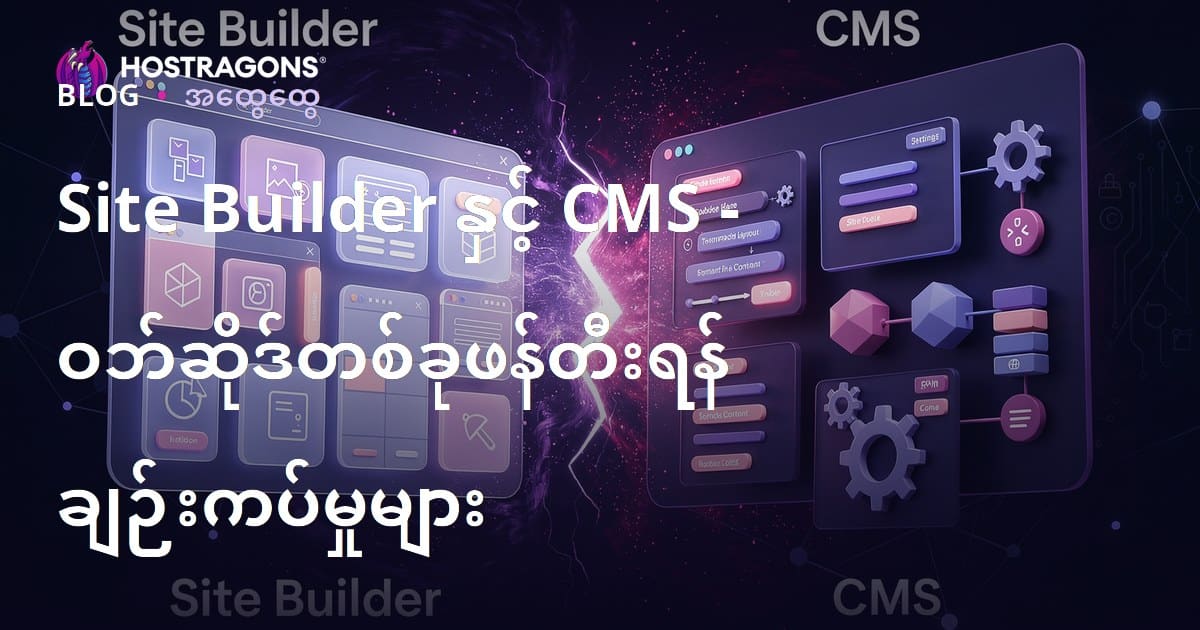
တစ်ခါတစ်လေ ဝဘ်ဆိုဒ်တည်ဆောက်ချင်သူများအတွက် အဓိကနည်းလမ်းနှစ်မျိုးရှိပါတယ် — Site Builder နှင့် CMS (အကြောင်းအရာစနစ်ကျဉ်းစည်းခြင်းစနစ် Content Management System) များ။ ဤဘလော့ပို့စ်မှာ Site Builder နဲ့ CMS ကို မြန်မာလိုနည်းနာထားသွားမှာဖြစ်ပြီး၊ နောက်ဆုံးအဆင့်မှာ ဘယ်နည်းလမ်းက သင့်လိုအပ်ချက်နဲ့ကိုက်ညီသလဲဆိုတာ ရှင်းပြဖို့ ကြိုးပမ်းထားပါတယ်။ Site Builder တွေက၊ drag-and-drop နည်းလမ်းနဲ့ ကိုးဒ်မသိခင်လည်း ဝဘ်ဆိုဒ်တည်ဆောက်နိုင်တဲ့အတွက် မြန်မြန်စွာ အသုံးပြုနိုင်တယ်။ CMS က ပို customizable ဖြစ်တဲ့အတွက် အကြောင်းအရာတွေကို စိတ်ကြိုက်ထိန်းချုပ်နိုင်ပါတယ်။ အချို့ Site Builder ရွေးချယ်တဲ့အခါက user interface, သုံးရလွယ်ကူမှု, design စိတ်ကြိုက်ပြင်ဆင်နိုင်မှု, ဘတ်ဂျက်စနစ်၊ ပိုကောင်းတဲ့ SEO settings နဲ့ ကိုက်ညီမှုအထိ သေချာစဉ်းစားဖို့ တိုက်တွန်းပါတယ်။ သင့်ဝဘ်ဆိုဒ်ရည်မှန်းချက်နဲ့ လိုအပ်ချက်အပေါ်မူတည်ပြီးနည်းလမ်းမှ မိမိကြိုက်ထဲမှ ကောင်းစွာဆုံးဖြတ်နိုင်ပါသည်။
ဝဘ်ဆိုဒ်တည်ဆောက်ခြင်းနည်းလမ်းနှစ်မျိုး
ဝဘ်ဆိုဒ်တည်ဆောက်ချင်သူများအတွက် နည်းလမ်းနှစ်မျိုး — Site Builder (drag-and-drop style တည်ဆောက် platform) နဲ့ CMS (Content Management System) များ — ရှိပါတယ်။ Site Builder တွေက ဘယ်သူမဆို ကိုယ်တိုင် code မသိဘဲ နားလည်လွယ်အောင် UI ကြီးနဲ့တည်ဆောက်လို့ရတယ်။ CMS တွေက နည်းနည်းခြားနားတဲ့အစီအစဉ်တွေနဲ့ ပိုမြှုပ်ပြီး design နဲ့အကြောင်းအရာကို စိတ်ကြိုက်ပြင်ဆင်လိုသူတွေမှာ ကောင်းပါတယ်။
Site Builder တွေက အသုံးပြုသူတွေက code သဘောကြီးမခံရဘူး။ Template အမျိုးမျိုးနဲ့ UI သုံးလွယ်ပြီး လျင်မြန်အောင်တည်ဆောက်စေတယ်။ ဒါပေမယ့် ဒီအလျင်အမြန်နဲ့အလွယ်တော်ဆွေးမြို့နိုင်တဲ့ template စနစ်တွေက ခေါင်းကြီးအကျွန်မစိတ်ကူး design & feature ချဲ့ပြီးလုပ်ချင်တဲ့သူတွေနဲ့ ကျွန်းဘာမုန်းချစ်တဲ့သူတွေမသုံးတာလေး။ ဝဘ်ဆိုဒ်တည်ဆောက်တဲ့အခါ သင့်လိုအပ်ချက်နဲ့ ကိုက်ညီမှုကို မျှဝေသုံးသပ်ပါ။
| Feature | Site Builder | စီအမ်အက်စ် |
|---|---|---|
| Ease of Use | ပိုလွယ် | နည်းနာပြု |
| Customization | အနည်း | အရမ်းဆုံး |
| Cost | ပိုသင့်တင့် | အမျိုးမျိုး |
| Flexibility | နည်း | အရမ်း |
CMS တွေကတော့ content management အပေါ်ရော SEO rating တောင်တင်ဖို့ ပိုကောင်းတဲ့ theme နဲ့ plugin တွေက abundantly option တစ်ရှည်။ WordPress, Joomla, Drupal ကမြန်မာလူသုံးအများဆုံး CMS ပဲ။ CMS ကိုသုံးဖိုအတွက် technical knowledge, code ကိုနားလည်ရတယ်။ မဟုတ်ရင် developer တစ်ယောက် ငှားရဖို့လိုတယ်။
- Site Builder နဲ့ CMS ၏ အားသာချက်များ
- Site Builder: မြန်မြန် ဖွင့်နိုင်၊ လွယ်ကူစွာ အသုံးပြုနိုင်
- Site Builder: Coding မလိုအပ်
- Site Builder: စျေးနှုန်းသက်သာ
- CMS: Customization အမြင့်ဆုံး
- CMS: Theme နဲ့ Plugin နေရာမှာရွေးနိုင်စွမ်း
- CMS: SEO များတင်လို့အထောက်အက
Site Builder နဲ့ CMS ကိုရွေးချယ်ဖို့ web site အသုံးအပြုသဘော, technical knowledge နဲ့ ဘတ်ဂျတ်ကို သေချာပြီးလေ့လာပါ။ လျှင်မြန်စွာ web site တည်ဆောက်ဖို့အတွက် Site Builder ကတော့အတွက်မြန်မာလူအများဆုံးရွေးချယ်နေလို့ရတယ်။ သို့မဟုတ်၊ own brand, special feature တွေလိုရင် CMS ကို သုံးတာက အတွက်သင့်တင့်ပါတယ်။
Site Builder ဆိုတာဘာလဲ? အနိုင်-အကြွင်း
Site Builder ဆိုတာ Drag-and-drop နဲ့ code မသိရင်း ဝဘ်ဆိုဒ်တည်ဆောက်နိုင်တဲ့ tool ဖြစ်ပါတယ်။ ဘူတာအမည်၊ hosting, template, design အပြင် တစ်ခါတစ်လေ domain နဲ့ဝဘ် hosting ပါ ပါတယ်။ အယုံအမယ်ပါပဲ ကိုယ်တိုင်သုံးပြီး professional website ဖြစ်အောင်တည်ဆောက်နိုင်တယ်။
Site Builder ကို mostly လုပ်ရေးလုပ်ကိုင်သူအသေးစား SME, ကလေးငယ် project ပိုစတာတော်, personal blog owner တွေအတွက် တောင်မှသာ user တစ်ယောက်တည်းချပ်တင်သော်လည်း သုံးစရာတောင်နည်းပါတယ်။ Template နှင့် module user friendly ဖြစ်နေတာကြောင့် web site တည်ဆောက်တဲ့အချိန်ပိုမြန်ပါတယ်။ Time/Cost saving ဖြစ်တဲ့အတွက် အခြားဖောင်ထုတ်မှုမှာ ထပ်တန့်အတွက် အထောက်အက ဖြစ်တယ်။
| Feature | Site Builder | Traditional Web Development |
|---|---|---|
| Technical Knowledge | နည်းစနစ်မလို (coding မလို) | လို (HTML, CSS, JavaScript, etc.) |
| Cost | နည်း | မြင့် (Developer Fees, Hosting, etc.) |
| Time | လျင်မြန် | ရွေးချယ်မှုများ |
| Customization | အနည်း နည်း | အမြင့် |
Site Builder ကိုဖွင့်တဲ့အခါ တစ်ချက်ချက် advantages တွေရှိပါတယ် —
- Site Builder အသုံးပြုဖောက် အားသာချက်
- Easy to use: Drag-and-drop UI နဲ့ code မတိုက်အသည်ခံရလို့ မြန်မာလူအများဆုံးနားလည်လွယ်တယ်။
- Quick setup: Ready-made template module များ၊ web site ကိုအချိန်သိချင်လသလိုဘသာတည်ဆောက်နိုင်ပါသည်။
- Cost effective: Hosting, domain သွင်းနိုင်တဲ့အတွက် အထူး package အနေနဲ့လည်း ဈေးနှုန်းသက်သာတယ်။
- Mobile Friendly Design: Responsive template တော်တော်နဲ့ မည်သည့် device မှမဟုတ်အဆင်ပြေတယ်။
- SEO Friendly: Basic SEO settings တွေ site builder ထဲမှာ built-in ဖြစ်ပါတယ်။
Site Builder ရဲ့ limitation ကစိတ်အားတက် feature/section တွေလည်း restricted ဖြစ်နေတယ်။ brand identity, special workflow တွေပိုလိုအပ်လားဆိုရင် သေချာစဉ်းစားပြီးပဲ ရွေးချယ်သုံးသင့်ပါတယ်။
အသုံးပြုလွယ်ကူမှု
Site Builder သုံးတဲ့အခါ အရမ်းရိုးရှင်းပါတယ်။ Coding, server setup ထပ်မလုပ်ရ၊ GUI ကို drag-and-drop ဖြစ်နေတာကြောင့် မြန်မာလူအများဆုံး အနားလည်တတ်ပြီး လွယ်လွယ်ကူကူ design လုပ်နိုင်ပါတယ်။
အလျင်အမြန်တည်ဆောက်နိုင်မှု
Traditional web development နဲ့ညီလမ်းမဟုတ်တဲ့ကြောင့် အသုံးပြုသူတွေက web site ကို မကုန်ခါနဲ့တည်ဆောက်ထုတ်နိုင်ပါတယ်။ လုပ်ရခက်တဲ့ project တွေမှာပဲ။
Site Builder က web site တည်ဆောက်လှုပ်ရှားမှုကို ဖြောင့်ဖြောင့်ချဲ့ချားပေးပါတယ်။ အပြည်ပြည်ကြီး လူတစ်စုအတွက်, SME, freelancer တွေအရေးကောင်းပါတယ်။
CMS ဆိုတာဘာလဲ? အဓိကလက္ခဏာနဲ့အသုံးပြုနိုင်မှု
Site Builder နဲ့ချိန်ညှိမယ်ဆိုရင် CMS (Content Management System) က web site အကြောင်းအရာ မြှုပ်ကြီးထောက်ပြီနဲ့ theme တွေ, plugin တွေက မှန်ကန်စွာ ထည့်နိုင်ပါတယ်။ Technical knowledge အကျွေးသည်မှာ code မသိရင်လည်း GUI ကြီးအဖြာဖြာ ဖြစ်နေတာကြောင့် သုံးနိုင်ပါတယ်။ CMS တွေက database များကို backend ဦးညွှန်ပြီး web site စနစ်အလုပ်အလုပ်လုပ်ပေးပါတယ်။
CMS က user management, content editing, theme & plugin support, SEO tools, security features, e-commerce integration သုံးအဖြာဖြာပါဝင်ပါတယ်။ Web site အကြောင်းအရာနှစ်လိုအထားက ရိုးရှင်းမှုကပြီး Custom လုပ်ချင်တဲ့အတွက် မဆိုးပါဘူး။
CMS ၏ အဓိက Features
- User management: Content author, editor, admin role ခွဲထားနိုင်တယ်။
- Content editing: Text, image, video, pdf တစ်ခုချင်းစီ upload/edit လုပ်နိုင်
- Theme/plugin support: Market သိသလို template, function ကို install လုပ်နိုင်
- SEO Optimization: Meta tag, URL rewrite, head title အစရှိသဖြင့် SEO tool အမျိုးမျိုး
- Security features: SSL, security patch, backup tool, anti-malware
CMS တွေကို personal blog, educational site, ecommerce site, news portal, corporation site တောင်တော်တာ။ Popular CMS တွေက WordPress, Joomla, Drupal ဖြစ်ပါတယ်။ Community ဆွဲနေလက်ကောင်းပါတယ်။
| CMS Platform | Usage | Highlight |
|---|---|---|
| WordPress | Blog, company web site, ecommerce | User friendly, theme/plugin abundance, SEO support |
| Joomla | Corporate, news portal, magazine | Flexible, advanced user management, multilingual |
| Drupal | Complex web system, government, school | Security, scalability, customization |
| Wix | SME web site, personal blog, portfolio | Easy UI, drag-and-drop, SEO tool |
CMS ရွေးချယ်ချိန်မှာ web site ရဲ့ purpose, technical knowledge, long-term planning, community support ကိုသုံးသပ်ပြီးရွေးပါ။ သုံးလွယ်တာရှိရင် မြန်မာလူအများဆုံး CMS ကိုသုံးလို့ရတယ်။ feature-rich, custom, scalable ဖြစ်တာဖြစ်ရင် advanced CMS ကိုရွေးပါ။
စီအမ်အက်စ် က အကြောင်းအရာစနစ်ကို advanced ေတြ main hall တီထွင်မယ်ဆို site potential လုံးဝချောင်လိုတယ်။
Site Builderနဲ့ CMS ကြားမှာ ဘာကွာခြားသလဲ?
Web site တည်ဆောက်အခါ Site Builder နဲ့ CMS ကြားမှာ technical knowledge, customization, flexibility, cost, future planning တောင်တော်တာ။ project အမျိုးအစား, target audience, vision စီမံမှုကို သိ အတည်ပြုချင်ရင် မိမိစဉ်းစားပြီးရွေးချယ်ပါ။
| Feature | Site Builder | စီအမ်အက်စ် |
|---|---|---|
| Ease of Use | Drag & Drop user interface | Technical skill required, learning curve |
| Customization | Limited | Theme, plugin, custom code |
| Flexibility | Low, template-based | Scalable, customizable |
| Cost | Lower | Higher (plugin/theme/shop/module etc.) |
Site Builder တွေ UI လွယ်လမ်းမှာတော့ beginner, SME, freelancer တွေအတွက်အကောင်းသုံးတာ။ code မသုံးပဲ ဖန်တီးနိုင်ပါတယ်။ CMS တွေကတော့ developer, advanced user, brand identity လုပ်ဖို့အတွက် Customization အမြင့်ဆုံးပဲ။
- သတိထားရမယ့် point များ
- Project complexity
- Technical skill & experience
- Budget
- Long-term planning
- Growth potential of web site
- Customization needs
Complex web site များ Content, user, SEO optimize, e-commerce, community builder မြှော်လင့်ပါတယ်။ SME သုံးတယ်ဆိုရင် Site Builder ကတာရှည်နဲ့မြန်ပါတယ်။ မှန်ကန်ရမယ်ဆိုလိုအပ်ချက်တွေကိုစီမံပေါင်းသပ်ပြီးရွေးပါ။
အသုံးပြုသူအတွေ့အကြုံ
Site Builder UI က user-friendly မှာ drag-and-drop, template, beginner ကလည်း ဘယ် software မသုံးကြည့်ဖူးသိမဖြစ်ပါတယ်။ Small business, freelancer, personal blog owner တွေအတွက်ကတော့ Site Builder ဟာ အလုံးစုံစနစ်ထဲဝင်ပါတယ်။
စိတ်ကြိုက်ပြင်ဆင်နိုင်မှု
CMS ကဒါကွာတယ် — Theme, plugin, code snippet, template edit တယ်ဆို customize လုပ်နိုင်ပါတယ်။ logo/brand/feature တစ်ချက်ချက်အကြောင်းအရာပြင်တယ်ဆို CMS တွေကသိသလို control လုပ်နိုင်တယ်။
Site Builder ရွေးချယ်တဲ့အခါ သတိထားစရာ
Site Builder platform တစ်ခုရွေးတယ်ဆိုရင် ကိုယ်တိုင်သုံးနိုင်ရေး, feature, flexibility, template, SEO performance, pricing, customer support, scalable plan ကိုသုံးသပ်ပါ။
| Criteria | Description | Importance |
|---|---|---|
| Ease of Use | UI အလြယ်အတူ navigation နဲ့ instruction | High |
| Features & flexibility | Available features & customizing options | High |
| Template Options | Template quality, industry suitability | အလယ်အလတ် |
| SEO Options | SEO tools, meta tag, URL, sitemap, robots.txt etc. | High |
| Pricing | Monthly/yearly/feature cost | High |
| Support | Support channels, response time | အလယ်အလတ် |
Site Builder ရွေးချယ်ချိန်မှာ step by step အားလိုအပ်ချက်ကိုတွင်စဥ်းစားပါ။ trial/free version, user review, UI မလွယ်လမ်းတော့ tests လုပ်ပါ။ feature, SEO, pricing, support စစ်ဆေးပြီးတော့ long-term goal ကိုတွင်ရွေးပါ။
- Site Builder ရွေးချယ်သုံးစွဲနည်းလမ်း
- Website လိုအပ်ချက်, feature ရရှိနိုင်မှု
- Market research, user review
- UI test, demo version
- Feature/Customization စစ်ဆေးတယ်
- SEO compatibility test
- Pricing/Support ဆွဲထားသုံးကြည့်မယ်
Site Builder ကို SEO friendly ဖြစ်စေဖို့ meta-tag, sitemap, robots.txt, mobile responsive ဖြစ်ပြီး user-friendly design ကိုစပ်စစ်ပါ။ လုပ်ငန်းအတွက်တစ်ခုကီအတည်ပြုချင်ရင် long-term planning, customer support, scalability ကိုလည်းစောင့်ကြည့်ပါ။
Site Builder platform တစ်ခုသည် ကိုယ့်အတွက် feature, ease-of-use, update, scalable နှင့် tightly fit ဖြစ်စေဖို့ ပြေးနိုင်အောင်မြင်တယ်။
CMS ရွေးချယ်တဲ့အခါ သတိထားစရာနဲ့လိုအပ်ချက်များ

Site Builder သုံးတာထက် CMS သုံးတာက ယနေ့မှာ enterprise, scalable, brand identity, SEO, e-commerce, multisite support ပိုလိုအပ်တဲ့ project တွေအတွက် fit ဖြစ်တယ်။ ဒီတော့ CMS ရွေးချယ်တဲ့အခါ technical skill, budget, security, scalability, integration & active community support ကိုမှ့သစ်ကြည့်ပါ။
CMS ရွေးချယ်နည်းလမ်းများ
- Required features: E-commerce, forum, multilingual, SEO tool, analytics, integration
- Budget: Plugin/theme/license/server hosting/expert developer
- Technical skill: Setup, manage, customize knowledge
- Scalability: Future content, traffic, business expansion
- Security: SSL, anti-malware, backup/plugin support
- Community support: Active forum, update, FAQ/help desk
CMS ရွေးချယ်တာက Strategy decisions ဖြစ်တာအတွက် web site performance, security, SEO, mobile/device compatibility, long-term planning အတည်းဖက်ပေးတယ်။ technical skill မရှိရင် သိသိုလို့ to developer/consultant with ကိုလုပ်ပါ။
စိတ်ကြိုက်လိုအပ်ချက်
Brand, business content, workflow များဖြစ်ရင် CMS က code, plugin, theme customizable ဖြစ်တော့ Special e-commerce platform, WooCommerce, Shopify ကိုသုံးရှာပါ။ Blogging/news portal brand identity setup တွေရယ် WordPress, Drupal to fit ဖြစ်ပါတယ်။
CMS ရွေးချယ်တာက web site တည်ဆောက်မှုအတွက် step one ဖြစ်ပြီကို project need, long-term vision ကိုသက်သေခံပြီးတစ်ချက်ချက်းရွေးပါ။
Site Builder နဲ့ CMS ၏ အားသာချက်/အားနည်းချက်
Site Builder နဲ့ CMS တိုင်းလေးကို အကောင်း-အဆိုးတို့ fit ဖြစ်စေပါတယ်။ Site Builder က beginner, SME အတွက်လျင်မြန်၊ drag-and-drop ဖြစ်နေတာကြောင့် coding မသုံးသမျှ web site တည်ဆောက်နိုင်တယ်။ limitation တွေက design/code/SEO/expand feature restriction ပါတယ်။
- Site Builder - CMS အားသာချက်/အားနည်းချက်
- Site Builder တိုးချဲ့: Easy setup, quick launch, no code required
- Site Builder အားနည်းချက်: Custom/advanced design limitation, SEO restriction, scalability shortage
- CMS တိုးချဲ့: Highly customizable, plugin/theme, advanced SEO control
- CMS အားနည်းချက်: Technical skill required, complex setup & security risk
- Common: Web site, content publishing, design
CMS သုံးတာက professional/business/brand identity တည်ဆောက်မှုအတွက် advanced theme, plugin, feature တွေရယ်၊ update, security, backup, expansion, analytic တစ်ခုလုံး control နဲ့လည်း အထောက်အကပါတယ်။
| Feature | Site Builder | စီအမ်အက်စ် |
|---|---|---|
| Ease of Use | High | အလယ်အလတ် |
| Customization | Low | High |
| SEO | Basic | Advanced |
| Cost | Low to Medium | Medium to High |
Site Builder & CMS ရွေးချယ်တဲ့အခါ project, technical skill, budget, long-term vision နဲ့ရွေးပါ။ Quick/simple web site မတည်လို့ Site Builder က fit ဖြစ်ပါတယ်။ Brand, design, scalability, content, SEO ပိုလိုအပ်ရင် CMS ကိုသုံးပါ။
Site Builder နဲ့ ဝဘ်ဆိုဒ်အောင်မြင်အောင် တည်ဆောက်ဖို့အကြံပြုချက်
Site Builder နဲ့ web site တည်ဆောက်တဲ့အခါ project goal ကို clear ဖွင့်ပါ။ Target audience, business aim, analytic ကိုသေချာဖိုလေးဖြစ်ပါတယ်။ Design, content, branding, SEO/business direction တစ်ခုလုံး plan လုပ်ပါ။
Site Builder template, design, color palette, font, mobile optimization, SEO meta tag — user experience, branding, responsive ဖြစ်ဖို့လွယ်ကူစွာ customize လုပ်ပါ။
| Tips | Details | Importance |
|---|---|---|
| Target Audience | Project/brand direction ဖွင့်တယ် | High |
| Mobile Responsiveness | Device compatibility တစ်သွယ်သွယ် | High |
| SEO Optimization | Keyword research, meta tag & head title | အလယ်အလတ် |
| Content Update | Fresh content, news, resource add | အလယ်အလတ် |
- Site Builder Success Key
- Clear goal
- User-friendly design
- SEO-optimized
- High-quality content
- Social media integration
- Analytics tracking/continuous improvement
SEO optimize မှာ keyword, meta tag, sitemap, robots.txt, responsive design, site speed priority ကိုဂရုစိုက်ပါ။ Google Analytics, Facebook Pixel နဲ႕ visitor behaviour လေ့လာၿပီး web site continuous update လုပ်ပါ။
အကြောင်းအရာထိန်းချုပ်မှုနဲ့ Theme အသုံးပြုခြင်း
Content management မှာ blog post, product description, video, infographic သုံးပြီး website ကို fresh/content-rich ဖြစ်အောင်အမြဲ update လုပ်ပါ။ Content calendar တည်ဆောက်ပြီး scheduled post, promotion, product launch အလုပ်လုပ်ပါ။
Google Analytics, Facebook Pixel နဲ႕ visitor analytics, bounce rate, session tracking များကို continuous measure လုပ်ပြီး improvement strategy ပေးပါ။
CMS နဲ့အကြောင်းအရာကို ထိထိရောက်ရောက် စီမံနည်းလမ်း
CMS (Content Management System) က web site content creation, editing, publishing, management ကို feature-rich, scalable, SEO advanced ဖြစ်စေပါတယ်။ Content type ကို audience interest, keyword research ထောက်ထားပြီး SEO maximize လုပ်ပါ။ SEO optimization, quality content, URL structure, meta description, rich media, analytics tracking, content calendar တစ်ခုချင်းစီနဲ့ web site continuous grow ဖြစ်ပါတယ်။
| Tool | Main Feature | Use Case |
|---|---|---|
| WordPress | Theme/plugin abundance, user-friendly UI | Blog, corporate, e-commerce |
| Joomla | Advanced role, multilingual, customization | Big website, social network |
| Drupal | Security, scalable, flexibility | Government, education, big scale |
| Contentful | API-based, multi-channel content | Mobile App, IoT, SPA |
Content calendar စီမံတဲ့အချိန်မှာ special date, trend, campaign, promotion တွေကို Scheduled posting ကနေ web site ကို continuous update ဖြစ်ပါတယ်။ Content format ကို video, text, infographic, animation, blog post, product description, social sharing နဲ့ audience engagement တိုးဖို plan ပါ။
အကြောင်းအရာတည်ဆောက် အချိန်ဇယား
Content calendar planning က special campaign, special day, seasonal trend, product launch သုံးပြီး scheduled post, update, promotion တစ်ခုချင်းစီနဲ့ continuous engagement ဖြစ်ပါတယ်။
- Effective Content Management Steps
- Keyword research
- SEO optimization
- High-quality content
- Media-rich content (image, video, infographic)
- Internal linking
- Social media sharing
Visitor analytics, content performance, bounce rate, session metric, continuous analysis နဲ့ improvement strategy plan တစ်ခုချင်းစီနဲ့ web site performance တိုးလာစေပါတယ်။
Content is king, distribution is queen and rules the kingdom!
Site Builder, CMS ကိုရွေးချယ်တဲ့အခါအသုံးနှင့်အကြံပြုချက်
Site Builder/CMS ကိုရွေးချယ်တဲ့အခါ project size, technical knowledge, feature, customization, scalability, budget, long-term vision ကိုရွေးချယ်ပါ။ SME/quick/simple web site တည်မယ်ဆို Site Builder fit ဖြစ်ပါတယ်။ Advanced brand content, scalable, SEO-rich, e-commerce feature-rich web site တည်မယ်ဆို CMS သုံးပြီး developer, plugin/theme နဲ့ code customize လုပ်ပါ။
Technical knowledge ကြိုတင်ဝင်ရင် Site Builder UI drag-and-drop ျဖစ္ပါလို့ code မသုံးရဘူး။ CMS platform တွေက template abundance, plugin/theme, export/import, SEO advanced, security, analytics, scalable လုပ်နိုင်ပါတယ်။
| Criteria | Site Builder | စီအမ်အက်စ် |
|---|---|---|
| Ease of Use | Very High | Medium (learning curve) |
| Customization | Low | High |
| Cost | Lower | Plugin/theme/server costly |
| Scalability | Low | High |
Site Builder/CMS ကိုရွေးချယ်တဲ့အခါ web site goal, technical knowledge, budget, scalability, content publish, SEO compatibility ကို prioritize လုပ်ပါ။ Short term/simple web site တည်မယ်ဆို Site Builder နှင့် Long term scalable web site တည်မယ်ဆို CMS platform ကိုသရုပ်ပြပါ။
- Successful Website Steps
- Goal setting
- Platform choosing (Site Builder/CMS)
- User-friendly design
- SEO optimization
- Mobile responsiveness
- Content update
Web site launch ကတည်ပြီးနဲ့ continuous improvement, visit analysis, user feedback, content update, SEO upgrade, analytic tracking က web site success ဖြစ်လာပါတယ်။ Site Builder သုံးထား/ CMS သုံးထားကမဆို project goal, user experience, content, SEO/analytics/branding ချဲ့နှင့် web site potential တိုးတက်လာပါတယ်။
မေးလေ့ရှိတဲ့မေးခွန်းများ
Web site တည်ဖို့ ကိုယ့်အတွက် ဘယ် platform အားဖြင့် fit လဲ?
Site Builder/simple web site မလို့ ရွေးပါ။ Content/feature-rich, advanced, scalable, long-term management project လုပ်မယ်ဆို CMS platform ကိုရွေးပါ။
Site Builder အသုံးပြုချိန် အားသာချက်ကဘာလဲ?
Drag-and-drop နဲ့ လွယ်လမ်း၊ code မသုံးရ၊ သက်သာတဲ့ package pricing ပါတယ်။
CMS အသုံးပြုချိန် အားနည်းချက်/မျိုးကဘာလဲ?
Setup time, learning curve, security, hosting/domain/self manage cost ထပ်တန့်ပေါ်လာပါတယ်။
SEO ပိုကောင်းတဲ့ platform ဆို Site Builder/CMS ဘယ်လောက်?
CMS platform တွေက advanced SEO tool, meta tag, head title, sitemap, robots.txt optimization တစ်ခုလုံးလေ့လာနိုင်တယ်။ Site Builder မှတော်တော် meta tag optimization ပါလို့ Restriction နည်းနည်းတွတယ္။
E-Commerce တည်မယ်ဆို Site Builder/CMS အတည်ပေါ်လယ်?
WooCommerce/Shopify/WordPress plugin တစ်ခုချင်းစီ CMS platform တွေ e-commerce feature-rich, scalable ဖြစ်ပါတယ်။ SME/simple shop မလို့ Site Builder သုံးပါ။ Large inventory, full management တို့မှာ CMS ကိုရွေးပါ။
Site Builder ကိုတာရွေးချယ်တဲ့အခါ ဘာတွေစိစစ်လို့ရလဲ?
Template, feature, SEO compatibility, mobile responsiveness, pricing, support, scalability ကိုသေချာစစ်ပါ။
CMS ကိုရွေးတဲ့အခါ ဘာတွေလေ့လာလို့ရလဲ?
User-friendliness, scalability, customization option, security, SEO features, plugin/theme abundance, community support ကိုပြန်စစ်ပါ။ WordPress, Joomla, Drupal တီထွင်စွယ်ကြီး platform များအမှာတံ Buffer လုပ်ပါ။
Web site ကို Site Builder မှ CMS သို့ CMS မှ Site Builder သို့ သွားလို့ရလား?
Data export/import, theme/layout setup, SEO settings migrate, domain/server switching အစရှိသဖြင့် technical migrate လုပ်နိုင်ပါတယ်။ ဘယ် platform မဆို developer consultation ကထောက်လှမ်းမှုရှိတယ်။