 Afrikaans
 Azərbaycan
 Bosanski
 Čeština
 Dansk
Dansk Deutsch
 English
 Español
 Filipino
 Français
 Hrvatski
 Indonesia
 Italiano
 Magyar
 Melayu
 Nederlands
 Norsk
Norsk Oʻzbek
 Polski
 Português
 Română
 Slovenčina
 Slovenščina
 Suomi
Suomi Svenska
 Tiếng Việt
 Türkçe
 Ελληνικά
 Беларуская
 Български
 Русский
 Српски
 Українська
 עברית
עברית اردو
اردو العربية
 پښتو
پښتو فارسی
فارسی አማርኛ
አማርኛ मराठी
मराठी বাংলা
বাংলা தமிழ்
தமிழ் ไทย
ไทย မြန်မာ
 한국어
한국어 中文
中文 日本語
日本語

မိုဘိုင်းကမ္ဘာမှာ သင့်အနေနဲ့ ရင်းနှီးမြှုပ်နှံဖို့အတွက် အရေးကြီးဆုံးဆုံးဖြတ်ချက်က ဘာလဲ။ မိုဘိုင်းဝက်ဘ်ဆိုက်တစ်ခု တည်ဆောက်မလား၊ ဒါမှမဟုတ် မိုဘိုင်းအပ်ပလီကေးရှင်း (Mobile App) တစ်ခုဖန်တီးမလား။ ဒီဘလော့ပြောကြားချက်မှာ မိုဘိုင်းဝက်ဘ်ဆိုက်နဲ့ မိုဘိုင်းအပ်ပလီကေးရှင်းတွေကို အသေးစိတ် ပြီးပြည့်စုံအနုပညာနဲ့ ရှာဖွေဖော်ပြပေးထားပါတယ်။ မိုဘိုင်းဝက်ဘ်ဆိုက်အကျိုးအမြတ်များ (လွယ်လင်မြန်စွာ ရရှိနိုင်မှု၊ တည်ဆောက်မှုသက်သာသောငွေကုန်ထုတ်ကြေး) နဲ့ မိုဘိုင်းအပ်ပလီကေးရှင်း၏ ဆွဲဆောင်မှု (သီးသန့်အသုံးပြုလူအတွေ့အကြုံ၊ offline မှာလည်း သုံးနိုင်ခြင်း) တို့ကိုပါ ပြသထားပါသည်။ နှစ်မျိုးကြားအခြေခံခြားနားချက်များ၊ အပ်ပလီကေးရှင်းဖွံ့ဖြိုးရေးအဆင့်များ၊ နောက်ထပ် မိုဘိုင်းဝက်ဘ်ဆိုက်တွေအတွက် အကောင်းဆုံးအနုပညာ/နည်းလမ်းများကိုလည်း နှိုင်းယှဉ်ပြသထားပါတယ်။ ငွေကုန်အတွေး, အသုံးပြုသူအတွေ့အကြုံ, SEO နဲ့ Performance ကို optimize လုပ်ဖို့ နည်းလမ်းများအပါအဝင်၊ သင့်ဘလော့သို့မဟုတ်လုပ်ငန်းအတွက် သင့်တင်စားဖို့ မည်သည့်နည်းလမ်းနဲ့ရွေးချယ်သင့်သလဲဆိုတာ step-by-step လမ်းညွှန်ကို ရယူနိုင်မှာပါ။
မိုဘိုင်းဝက်ဘ်ဆိုက်နဲ့ မိုဘိုင်းအပ်ပလီကေးရှင်း ဆိုတာဘာလဲ?
ယနေ့ခေတ်မှာ မိုဘိုင်းဖုန်းနဲ့ tablet တွေသည် web site အသုံးပြုကျင့်သုံးမှုသက်သာမြန်မြန်ပြောင်းလဲလာသည်။ Desktop မင်း pin ရလာတဲ့အစား Mobile device တွေမှာ အပြည့်အစုံ web နဲ့ internet access လုပ်ကြသည်။ ဒီချိန်မှာ မိုဘိုင်းဝက်ဘ်ဆိုက်နဲ့ မိုဘိုင်းအပ်ပလီကေးရှင်း ဆိုတဲ့ နှစ်မျိုးမင်း pinကောင်းစာထနိုင်တယ်။ ဘယ် Platform မှာဘယ်လို အားသာချက်ရှိမလဲ၊ ဘယ်လို structure, function, တုန်ပြန်မှု ထုတ်မလဲ ဆိုတာက တကယ်လို့ အရှုံးနဲ့ International အနုပညာလည်းပါဝင်ပါတယ်။
မိုဘိုင်းဝက်ဘ်ဆိုက် ဆိုသည်မှာ၊ desktop web site တစ်ခုကို mobile device တွေမှာ display ပြသနိုင်အောင် responsive design နဲ့ develop လုပ်ထားတာကို ဆိုပါတယ္။ Mobile device အတုက dat browser သုံးပြီး access လုပ်နိုင်သည်။ အပ်ပလီကေးရှင်းတွေကတော့ ကိုယ်ပိုင် OS (iOS, Android စသည်) တွေအတွက် develop လုပ်ပြီး App Store, Google Play စတဲ့ application စျေးကွက်မှ download လုပ်ရသည်။
မိုဘိုင်းအရင်းအမြစ်နဲ့ အနုပညာကုန်ကြေး နည်းပညာပေါင်းစည်း များ
- Responsive Design: Web site တစ်ခုမှာ Screen size မတူတဲ့ device မှာ auto fit ဖြစ်နိုင်ဖို့ layout design နှင့် CSS technique အသုံးပြုခြင်း။
- Native App: iOS, Android စတဲ့ OS တစ်ခုအတွက် သီးသန့် develop လုပ်တဲ့ application ဖြစ်သည်။
- Hybrid App: Web technology (HTML/CSS/JavaScript) သုံးပြီး တခြား Native app style နဲ့ တည်းဖြတ်နိုင်သော application။
- Web App: Browser ဖြစ်တဲ့ platform နဲ့ user ကို app-like experience ပေးနိုင်သော ဝက်ဘ်ဆိုက်။
- API (Application Programming Interface): System တွေ၊ app တွေ က အပြန်အလှန် data/feature အလှူဖလှယ် looser ဖြစ်စေတဲ့ စနစ်။
ဤအချက်များအပြင် ဘယ် Platform မှာ ဘယ်လို အားသာချက်၊ မရှိသောချက်၊ accessibility, development cost, performance, user experience တို့လို အရာတွေပေါ် လည်း မင့် pin တွဲတမ်းတဲ့အတွက် သင့်ရွေးချယ်မှုအတွက် တကယ်အရေးကြီးလည်းပါ။ နောက်ပါတို့ စာရင်းမှာ mobile web site နဲ့ app တို့ရဲ့ အဓိက ခြားနားချက်များကို တစ်ဆိုဒ်နှိုင်းယှဉ် table နဲ့ ဆွေးနွေးဖြေကြားထားပါတယ်။
| ဖွဲ့စည်းမှု | Mobile Web Site | Mobile Application |
|---|---|---|
| အသုံးချလွယ်လင်မြန်မှု | Browser တစ်ခုနဲ့ ချက်ချင်း accessနိုင် | App Store မှာ download နဲ့ installation လုပ်ရမည် |
| တည်ဆောက်မှုကုန်ကြေး | ပုံမှန်အားဖြင့် သက်သာသောငွေကုန်ထုတ်ကြေး | တည်ဆောက်မှုကုန်ကျစရိတ်မြင့် |
| နောက်ဆုံး update | Server သတ်မှတ် update အပေါ် မှာ user အချိန်မရွေး တစ်ပြိုင်နက်ရရှိ | User download နဲ့ manual update လုပ်ဖို့လို |
| Performance | App မှာနှင့် နှိုင်းယှဉ်ဖို့ ပုံမှန် yarr performance နည်း | Device Hardware ကို အသုံးပြုနိုင်သဖြင့် performance မြင့် |
ဒီနေရာမှာတော့ သင့်လုပ်ငန်းအကြီးအကျယ်၊ ရင်းနှီးမြှုပ်နှံမှု ငွေကြေး၊ သုံးစွဲသူများပေါ် မူတည်ပြီး mobile web site တစ်ခုနဲ့ mobile app တစ်ခု ဘယ် Platform မှာ ရင်းနှီးမြှုပ်နှံသင့်သလဲဆိုတာ တွဲစဉ်တွေးအကြံမဲ့နိုင်ပါတယ်။
မိုဘိုင်းဝက်ဘ်ဆိုက်တွေရဲ့ အားသာချက်များ
မိုဘိုင်းဝက်ဘ်ဆိုက် တွေက လုပ်ငန်းရှင်တွေရဲ့ အခန်းပေါ်သုံးစွဲသူတွေရဲ့အတွက် အရေးကြီး advantage ကိုပေးနိုင်ပါတယ်။ အရေးပါဆုံးကတော့ OS ခွဲခြားချက် မရှိဘဲ device မည်သည်မဆို access လို့ရပြီး၊ သုံးစွဲသူများ အထွေထွေကို ချက်ချင်းကြိုဆိုနိုင်ပါတယ်။ အနည်းငယ်စီးပွားရေးလုပ်ငန်းများ၊ KSMIs တွေရဲ့ အတွက် budget-friendly solution လည်းဖြစ်ပါတယ်။
မိုဘိုင်းဝက်ဘ်ဆိုက်ရဲ့ အကျိုးအမြတ်များ
- အသုံးပြုသူအများဆုံးရနိုင်သော platform: Device OS ခွဲခြားချက်မရှိ၊ မည်သူမဆို သုံးနိုင်
- တည်ဆောက်မှုကုန်ကျစရိတ် သက်သာအဆင့်
- Download required မရှိ၊ browser တစ်ခုနဲ့ ချက်ချင်း access လုပ်နိုင်
- SEO Optimize ဖြစ်နိုင်ခြင်း
- Update လွယ်ကူခြင်း: Server update လုပ်ရုံနဲ့ အချိန်မရွေး user မှာ apply ဖြစ်နိုင်
SEO (Search Engine Optimization) ကို ယမ့်ကလည်း web site တွေကို Google, Bing, တို့မှာ organic traffic ရနိုင်၊ ရှာဖွေမှုတွင် ပထမဖြစ်နိုင်သော်လည်း အရေးကြီးပါတယ်။ Mobile web site တွေက app download & install လုပ်ရန်မလိုလည်း user experience ကိုမြှင့်တင်ပေးသည်။
| ဖွဲ့စည်းမှု | Mobile Web Site | Mobile Application |
|---|---|---|
| ပေါ်ပေါက်အဆင့် | Browser မှ ချက်ချင်း access | Download နဲ့ installation လုပ်ရမည် |
| ကုန်ကျစရိတ် | သက်သာ | မြင့် |
| Update | Server မှ update လုပ်ရုံ | User ကို manual update လုပ်ရမယ် |
| SEO | Search engineမှာ indexingလုပ်နိုင် | Search engine မှာ indexing မလုပ်နိုင် |
Content မြန်မြန် update လုပ်လိုသော၊ budget နည်းပါးသော small business owner တွေဆီကို mobile web site က အားသာချက်ရှိပါတယ်။ Responsive design နဲ့ screen size မတူတဲ့ device တွေမှာ experience ပေးနိုင်သည်။
mobile web site တွေက ဝယ်သုံးသူအများဆုံးရနိုင်, သက်သာသောငွေးကုန်ထုတ်ကြေး, SEO optimize, အချိန်မရွေး access လုပ်နိုင်ဂုဏ်းသက္ကာရှိပေါ့။
မိုဘိုင်းအပ်ပလီကေးရှင်းတစ်ခုရဲ့ ဆွဲဆောင်မှု:
ဒီနေ့က mobile app တွေက လူတို့ရဲ့လက်ထဲဝင်လိုက်တဲ့မြန်မြန်အမေးဖြစ်လာတဲ့အတွက် အကျိုးအမြတ်လည်းပါ။ Personalize experience, faster access, richer feature များကြောင့် user တွေက brand, service တွေနဲ့ direct connect ချက်ချင်းစေတယ်။
ဒီတစ်ခုပေါ် Popularity နှလုံးပေါ် အားသာချက်များကို table တစ်ခုနဲ့ ဖော်ပြထားပါတယ်:
| ဖွဲ့စည်းမှု | Mobile Application | Mobile Web Site |
|---|---|---|
| Speed | မြန် | နိမ့် |
| Personalization | မြင့် | နိမ့် |
| Offline access | အနည်းငယ်သာ offline | Offline access မရနိုင် |
| Notifications | Push notification လွယ်လင်မြန် | Notifications မရှိ |
Mobile app သုံးခြင်း advantage
- User Experience: UI/UX အမြန်မြန် smooth ခဲ့ပေးနိုင်
- Brand Loyalty: User တစ်ဦးတစ်ယောက်နဲ့ engagement မြင့်တင်စေ
- Data Analysis: User behavior ဖေါ်ထုတ်လို့ marketing strategy မင်း pin အဆုံးဖြတ်နိုင်
- Offline Access: Internet connection မရှိလည်း certain content မည်သို့ access လုပ်နိုင်
- Device Feature Access: Camera, GPS, microphone တို့ကို တစ်ခါတည်း အသုံးပြုနိုင်
- Instant Notifications: Promotions, update, calendar reminder etc... ကို ချက်ချင်း push ပေးနိုင်
Personalize ဖြစ်သူ ဖြစ်ရင်း၊ app ကိုင်းအရ user ကို specific feature, content ပြပေးနိုင်သည်။ Security angle မှာလည်း app store publish လုပ်တဲ့အခါ security scan လုပ်ရင် user နှုတ်ယူချက် (feedback) မင်း pinတိုးတက်နိုင်ပါတယ်။
မိုဘိုင်း web site နဲ့ application ကြား ခြားနားချက် (နှိုင်းယှဉ်)
Mobile web နဲ့ app တို့ကို device တစ်ခုနဲ့ လူတွေကို access လုပ်နိုင်သော်လည်း technical, feature, target နဲ့ user experience တို့ပေါ်မှာအာရာခံချက်များရှိ။ Mobile web site တွေက HTML, CSS, JavaScript နဲ့ browser-based, app တွေက OS-specific, app store-based ဖြစ်ပါတယ်။
| Feature | Mobile Web Site | Mobile Application |
|---|---|---|
| Access | Browser ချက်ချင်း | App store download & install |
| Development | HTML/CSS/JavaScript technologies | Native (Swift, Java/Kotlin), Cross-platform tool |
| Update | Server update အပေါ် auto apply | User manual update |
| Performance | Browser performance အပေါ်မူတည် | Device hardware access, faster UX |
- Access: Web site တာ device browser တစ်ခုနဲ့ ချက်ချင်း access, appက OS-specific app store မှသာ။
- Performance: App တွေက hardware access, fast UX, web site တွေက browser performance မှ်တည်။
- Update: Web site auto update possible, appတွေက manual update လုပ်ရမယ်။
- Cost: Web site တည်ဆောက်မှုတန်ဖိုး နိမ့်, app တွေက platform-specific, high cost ဖြစ်တယ်။
အသုံးချယောလွယ်လင်မြန်မှု
Mobile web site တွေက device browser တစ်ခုလုံး access ချပေးနေရင် user တစ်ယောက် app download ခုံမဲ ထင်လှုပ်ရှားစရာမလိုဘူး။ link, QR code ဖြင့် တစ်နေရာမှာတည်း web site ကို access လုပ်နိုင်တယ်။ Wide reach, fast onboarding မင် pin advantage ပါ။
Performance တိုက် ဆိုင်ညှိ
App တွေက device hardware ကို အသုံးပြုနိုင်တဲ့အတွက် loading speed, graphics, UX smooth ဖြစ်ပါတယ်။ လူသုံးအများဆုံး device game, video, heavy data process တွေအတွက် native performance ကအရေးကြီးတယ်။
မိုဘိုင်း app ဖွံ့ဖြိုးရေးအဆင့်များ
Mobile app တစ်ခုဖြစ်လာဖို့ planning ၊ development, testing, launch တို့ပါဝင်တယ်။ နည်းပညာ (technical), market, feedback-oriented strategic planning လုပ်မယ်ဆိုရင် success rate မြင့်တာပါ။
| Metric | အကြောင်းဖော်ပြချက် | အာရုံစိုက် |
|---|---|---|
| CAC (Customer acquisition cost) | User အသစ်ဖန်တီးရန် ကုန်ကျစရိတ် | Low CAC |
| LTV (Lifetime Value) | တစ် user app မှာ revenue total | High LTV |
| Conversion rate | App feature used ratio | High Conversion |
| Retention rate | App သုံးဖို့ user ratio | High Retention |
App develop ဖို့ နည်းလမ်းစုမှာ strategic planning, user feedback, market research, continuous improvement အစိစစ်ပါ။
- Idea & Market Research: App concept တည်ဆောက်၊ market ကကြိုခံချက်တွေကြည့်
- Planning & Strategy: Objective, audience, feature, timeline
- Design & Prototype: UI/UX, wireframe, model concepts
- Development: Coding & functional integration
- Testing: Devices, OS, bug fixing
- Launch: App Store, Google Play နဲ့ publish
- Marketing: Promotion, user acquisition campaigns
Development ခလုတ် digital, technical, feedback-based direction ကို မအတောင်းအဖြေတင်အမြဲတမ်း optimize လုပ်သည့် မိုဘိုင်း app developer အနေနဲ့ အသင့်တော်ဆုံး ဖြစ်စေတယ်။
မိုဘိုင်းဝက်ဘ်ဆိုက်တွေအတွက် အကောင်းဆုံး application အမျိုးအစားများ
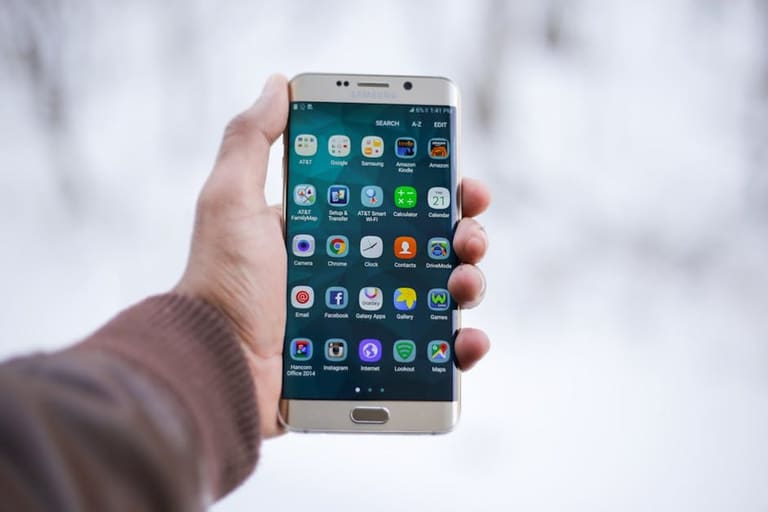
Mobile web site တွေမှာ site speed, UX, advanced feature တို့အတွက် application technology ကိုအသုံးပြုနိုင်တယ်။
- AMP: Google မှ support, mobile site loading speed မြှင့်တင်တယ်။
- PWA: Web site ကို app-like offline, push notification, home screen add ပေးတယ်။
- Responsive Design: Screen size, device မှာ optimize ဖြစ်စေတယ်။
Image optimization, caching, CDN နဲ့ lazy loading တို့က mobile web site performance တိုးတက်နွှန်တောက်စေတယ်။ CDN ကို content nearest server မှစာလှောင်မှု cache optimize လုပ်ခြင်း။
| Application Type | Description | Advantages |
|---|---|---|
| AMP | Mobile site loading optimization (open source) | Fast load, improved UX, SEO boost |
| PWA | Modern web app offline support & push notification | Offline, push notification, speed up |
| responsive ဒီဇိုင်း | Multi-screen device fit design | Consistent UX, lower development cost |
| CDN | Custom content serving system | Fast load, performance boost, security |
Mobile web site တွေအတွက် AMP, PWA, responsive design, CDN တွေကို proper combination နဲ့ experience, speed, optimization တင်းကြပ်ဖြစ်နိုင်စေပါတယ်။
Mobile Application & Web Site development cost comparison
မိုဘိုင်း strategy မိမိလုပ်ငန်းအတွက် ဖန်တီးမယ့် platform ကို ရင်းနှီးမြှုပ်နှံမှုအတွက် most important factor နောက်ဆုံးမှာ စဉ်းစားသင့်တာက development cost ပါ။ Project မှာ complexity, feature, development process မျှအာရုံစိုက်ရမယ်။
| Feature | Mobile Web Site Cost | Mobile Application Cost |
|---|---|---|
| Development | Usually lower | Higher |
| Maintenance | Low maintenance | High (Update, platform compatibility) |
| Marketing | SEO, Content marketing focus | App Store Optimization, User campaigns |
| Scalability | Flexible, easy | Platform limited |
- Project complexity
- Design quality/UX
- Platform number (iOS/Android/web)
- Development team skill/location
- Ongoing support cost
Mobile web site cost က small business နှင့် budget အနည်းငယ်ရှိသူတွေအတွက် အသင့်တော်ဆုံး platform ဖြစ်နိုင်တယ်။ Appကတော့ ပြိုင်ဆိုင်မှုမြင့်သော large enterprise နှင့် complex project များအတွက် ဖြစ်နိုင်ပါတယ်။
အသုံးပြုသူအတွေ့အကြုံ: Web or App?
UX က platform ရွေးချယ်မှုမှာ အရေးကြီး factor ဖြစ်ပါတယ်။ Site load speed, easy navigation, intuitive layout, personalization, security စသော item များကို user များအတွက် တိုးတက်မြှင့်တင်ဖို့ဖန်တီးရမယ်။
- Speed
- Navigation
- Intuitive interface
- Personalization
- Accessibility (disable support)
- Security/privacy
| Feature | Mobile Web Site | Mobile Application |
|---|---|---|
| Speed | Internet-based, variable | Fast, offline possible |
| Accessibility | Any device/browser | Installed device only |
| Personalization | Limited | High (notification/settings) |
| Feature | Browser limitations | Full device features |
Mobile web siteကို၊ quick info access, wide reach ပေးနိုင်သည့် ကျယ်ပြန့် UX platform ဖြစ်နိုင်ပေမယ့် appတွေက personal, high level UX, device feature ကိုဖြည့်စွမ်းပေးနိုင်ပါတယ်။
Mobile Web Optimization အတွက် အကြံဥာဏ်များ
Mobile device တွေက ပိုပြီး web လမ်းကြောင်းထွက်လာတဲ့အတွက် site optimization ကလည်း critical ဖြစ်ပါတယ်။ Responsive design, image optimization, code cleaning, caching, CDN, SEO optimization တို့က loading speed, UX, rank တွေကို တိုးတက်ပေးနိုင်ပါတယ်။
| Optimization Area | Description | Recommended Techniques |
|---|---|---|
| Image Optimization | Reduce file size, proper format | Compression, WebP, lazy loading |
| Code Optimization | HTML/CSS/JS cleaning | Remove unused code, minify, combine files |
| Caching | Store temporary data | Browser cache, CDN, page cache |
| Mobile Compatibility | Multi-screen support | Responsive design, viewport meta, touch screen optimization |
- Duyarlı Design (Responsive)
- Image optimization
- Code optimization
- Mobile-first indexing (Google)
- Easy navigation, search
- Touch screen design
လေ့လာဖို့ Google Analytics, performance monitoring tool တွေနဲ့ metric tracking လုပ်ဖို့အရေးကြီးတယ်။
နောက်ဆုံးဆုံးဖြတ်ချက်: Mobile web နဲ့ application ချုပ်မယ်
Mobile web site vs mobile application ရှေးချယ်မှုသည် လုပ်ငန်း၏ပင်ကိုင်တိုင်, demand, budget, audience တာသည်အပေါ် မူတည်ပါတယ်။ Platform နှစ်ခုတွဲပေါ်မှာ advantages/disadvantages ရှိပါတယ်။
| Criteria | Mobile Web Site | Mobile Application |
|---|---|---|
| Cost | Lower | High |
| Accessibility | All devices | OS-specific |
| User Experience | Internet dep, limited features | Fast, personalization |
| Update | Server-sided | User download/update manually |
- Audience demand research
- Budget/resource planning
- Competitor analysis
- Feature understand
- User feedback
- Dual platform consideration
mobile web site က fast reach၊ budget-friendly ၊ စနစ်တစ်ခုမှာ wide coverage ဖြစ်နိုင်တယ်။ Appတွေက personalization, device feature, brand loyalty ကို maximize လုပ်နိုင်ပါတယ်။ sometimes၊ dual platform ကို လုပ်ဖို့ strategic ဖြစ်နိုင်ပါတယ်။
မေးမြန်းကြတဲ့စကားများ (FAQ)
Mobile web site vs mobile app — ဘယ်ဟာ အသင့်တော်ဆုံး?
Target user, budget, feature, audience အပေါ်လွှမ်းမိုးပါတယ်။ Extensive reach & quick info access လုပ်ချင်ရင် web site, personalization features, device integration (camera/GPS/etc) လုပ်ချင်ရင် appကရိုက်ခတ်တယ်။
Mobile web site advantage တွေအတွက် ဘာကိုစဉ်းစားသင့်လဲ?
Accessible platform, low cost development, quick update, SEO optimization, wide audience reach advantage တွေရှိပါတယ်။ SEO ကျွမ်းကျင်ဖို့ search engine rank ကို optimize လုပ်ဖို့လည်း သင့်တော်ပါတယ်။
Mobile application advantage ဘာတွေရှိလဲ?
Personalized user experience, offline access, push notification, device hardware access, brand engagement, customer loyalty, marketing integration တို့ပါဝင်ပါတယ်။
Technical difference (web/app)
Web site — browser-based (HTML/CSS/JS), app — native/cross-platform coding (Swift/Java/Kotlin/Flutter etc), browser limitation & indexing SEO, app store publishing နှင့် device feature access technical distinction ဖြစ်ပါတယ်။
App development process?
Idea/market research, feature planning, design, coding, testing, launch, promotion, maintenance ကအခြေခံအဆင့်များပါ။ User feedback, UX, performance optimization တွေအရေးတော်ပါ။
Web site application type — ဘယ် site အတွက် ဘယ်နည်း?
Responsive design — all screen/device၊ AMP — speed, SEO optimize၊ PWA — offline & notification၊ CDN — performance, security boost အတွက် ဖြစ်ပါတယ်။ E-commerce site အတွက် navigation, speed, analytics; blog site အတွက် readable, shareable, mobile optimization အရေးကြီးပါတယ်။
Development cost — ဘာမှာကွာခြားလဲ?
App development cost ဟာ web site development cost ထက်မြင့်ပါတယ်။ Platform-specific coding, app store publish, maintenance, update, testing, UX semuanya include cost higher ဖြစ်ပါတယ်။ Cross platform development တွေက cost minimize ကောင်းစေပါတယ်။
Mobile web optimization လုပ်နိုင်ဖို့ ဘာလုပ္သင့်လဲ?
Responsive design, image compression, code optimization, lazy loading, caching/CDN, SEO optimization, smooth navigation, user-friendly button, touch screen experience သုံးရတဲ့ technique တွေပါ။