 Afrikaans
 Azərbaycan
 Bosanski
 Čeština
 Dansk
Dansk Deutsch
 English
 Español
 Filipino
 Français
 Hrvatski
 Indonesia
 Italiano
 Magyar
 Melayu
 Nederlands
 Norsk
Norsk Oʻzbek
 Polski
 Português
 Română
 Slovenčina
 Slovenščina
 Suomi
Suomi Svenska
 Tiếng Việt
 Türkçe
 Ελληνικά
 Беларуская
 Български
 Русский
 Српски
 Українська
 עברית
עברית اردو
اردو العربية
 پښتو
پښتو فارسی
فارسی አማርኛ
አማርኛ मराठी
मराठी বাংলা
বাংলা தமிழ்
தமிழ் ไทย
ไทย မြန်မာ
 한국어
한국어 中文
中文 日本語
日本語

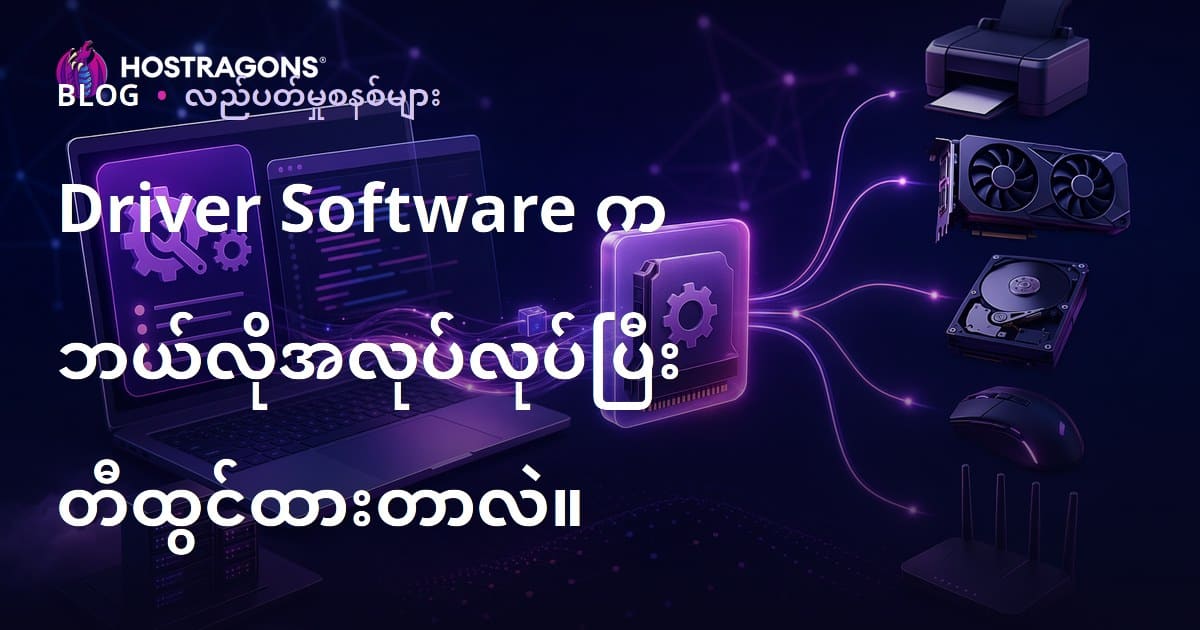
ဒီဘလော့ဂ်အရင်းအမြစ်မှာ Driver software များအကြောင်းကို ပေါ်ပြူလာ မြန်မာလိုရှာသော စာသားဖြင့် နိဒါန်းအပြည့်ပြည့်နှင့်တင်ပြထားပါတယ်။ မူလအခြေခံအကြောင်းအရာမှစတင်ပြီး Driver software များ၏ အရေးပါမှု၊ အကျိုးကျေးဇူးများကို အနုပညာနည်းဖြင့်ဖော်ပြထားပါတယ်။ အလုပ်လုပ်ပုံနည်းလမ်း၊ မတူညီသော Driver software များနှင့် အသုံးပြုနိုင်သောအရာများ၊ ဈေးကွက်တွင် သုံးဆောင်မှု နည်းလမ်းများ၊ ပြုပြင်တိုးတက်နည်းလမ်းကို လွယ်ကူသော လမ်းညွှန်များဖြင့် လမ်းညွှန်ထားပါတယ်။ ထို့အပြင် Driver software များတွင် တွေ့နိုင်သော ပုံမှန် အားနည်းချက်များနှင့် စနစ်တစ်လျှောက် အားပြင်းသုံးသပ် နည်းလမ်းများပါ နောက်ပိုင်းတွင် ဆွေးနွေးထားပါတယ်။ Driver software နှင့်ဆက်စပ်စသည့် မျိုးစုံအကောင်းဆုံး လုပ်ထုံးလုပ်နည်းများ၊ များသောအနာဂတ် အသုံးဝင်မှုများကို ပြည့်စုံအနုပညာနည်းလမ်းဖြင့်ဖော်ပြထားပါသည်။
Driver Software ဆိုတာဘာလဲ? အခြေခံအချက်များ
Driver software ဆိုတာ – ကြီးမားသော computer hardware နဲ့ တပ်ဆင်ထားတဲ့ device များကို Operating System နဲ့ သေချာချေးဆက်လေ့လာစေဖို့အတွက် အသုံးပြုတဲ့ အရေးပါ software ဖြစ်ပါတယ်။ OS နဲ့ hardware များအကြား အညွှန်းနိုင်သည့် Translator တစ်ခုလိုပါပဲ။ တပ်ဆင်ထားသည့် hardware ၏ special feature တွေကို OS မှာ အသိပေးနိုင်တဲ့အတွက် အသုံးပြုသူတွေ အဆင်ပြေစွာ သုံးနိုင်ပါတယ်။ ဥပမာ – printer တစ်လုံးကို ကြိုတင် အထိုက်တန် driver မရှိတော်မူ Operating System က printer ကို မသိ၊ print လုပ်ခွင့် မပေးနိုင်ပါဘူး။
Driver software များသည် external device တွေနဲ့ပဲ မဟုတ်ဘူး။ Internal hardware တွေ – graphics card ၊ sound card ၊ network adapter ၊ motherboard chipset (chipset အပါအဝင်) တွေအသုံးအဆောင်မှာလည်း သေချာ driver မရှိတော် မပြည့်စုံနှင့် မလူသည့်လုပ်စဉ်မျိုးတွေဆိုင်နိုင်ပါတယ်။ Driver software တွေက hardware ၏ အရေးပါ potential ကိုဖော်ပြပေးနိုင်လို့ အသုံးပြုသူတွေ အခြေနေကောင်းစွာ သုံးနိုင်ပါတယ်။
| Hardware Component | Driver Software ၏ အလုပ် | သက်ဆိုင်သော ပြဿနာ |
|---|---|---|
| Graphics Card | Graphic process နှင့် Display output ကို စီမံဆောင်ရွက် | Performance down, graphic error, game crash |
| Sound Card | Audio input/output ကို စနစ်တကျ control | Audio မထွက်၊ ဆူညံသံ၊ Microphone မအလုပ်လုပ် |
| Network Adapter | Internet connection ကို ကြည့်ရှုစီမံ | Connection drop, speed down, no internet access |
| Printer | Document/image ကို print | Printing error, wrong output, printer not detected |
Driver software ၏ အဓိက လုပ်ဆောင်ချက်များ
- Hardware ကို OS မှာ မှတ်တမ်းဂရုတစ်ရပ်သိမ်းစေခြင်း
- Hardware နှင့် OS အကြား Communication ကို လုပ်
- Hardware ၏ special features & capability ကို အသုံးပြုဘိုလ
- Hardware Performance ကို Optimize
- Hardware Error ကို ဖြေရှင်း၊ system stability ပိုမိုတိုးတက်စေခြင်း
Driver software များကို hardware ကျော်စီးလေးများ develop နဲ့တင်ရတယ်။ အသုံးသုံးရာ OS update တွေနဲ့ အတူ Version အသစ် release လုပ်တတ်တယ်။ တစ်ခါတစ်လေ ယနေ့ကောင် hardware များကို install လုပ်တော့ အားလုံး new driver ကို vendor site မှာ download သွား install လုပ်ဖို့ လိုအပ်တတ်တယ်။ အသုံးပြုမှ သေချာသုံးရနိုင်မှာ driver software version latest ဖြစ်ဖို့ အရေးကြီးပါတယ်။
Driver Software ၏ အရေးပါမှုနှင့် အကျိုးကျေးဇူးများ
Driver software ကို OS နဲ့ hardware များအကြား တွေ့ဆုံစေတဲ့ အရေးပါတဲ့ software တစ်မျိုးလို့ သတ်မှတ်လို့ရပါတယ်။ Hardware တစ်ခုတစ်ခု alig OS နဲ့ correct update ပြုလုပ်ပြီး driver software မရှိတော့ OS မှာပြီးဆုံး correct work များမဖြစ်နိုင်ပါဘူး။ OS နဲ့ဖက် hardware တစ်ခု device မခွင့်မပြတ် မလုပ်နိုင်ဘူး။
နောက်ထပ် အရေးပါမှုက hardware ၏ special ability ကို ပြည့်စုံပါစေဖို့ driver software အကြောင်း မရှိမဖြစ်။ ဥပမာ graphic card က high resolution game & advanced design application တွေ ပြုလုပ်နိုင်ဖို့ ကြိုတင် update driver ကို install လုပ်သင့်တယ်။ Printer feature တွေ၊ sound card high quality audio၊ network card fast connection တွေအတွက်လည်း driver ကို ချက်ချင်း update လုပ်သင့်ပါတယ်။
- Driver software လုပ်ပိုင်ခွင့်များ
- Hardware တစ်ခုကို correct, efficient လုပ်ဆောင်မှုမျိုးအစဉ်အဆက်
- Hardware potential maximum တွင် အသုံးချနိုင်
- System stability နှင့် reliability ကိုတိုးတက်စေ
- Latest hardware features တွေကိုသုံးနိုင်စေ
- Game & graphic application performance maximize
- Hardware compatibility issues ကို ဖြေရှင်း
အောက်ပါထဲမှာ hardware တွေနဲ့ driver software မရှိဘူးဆိုရင် မိမိတွေ့နိုင်တဲ့ typical problems များကို ဇယားဖြင့်လွယ်ကူစွာ ဖော်ပြသည်။
| Hardware | Driver Role | မရှိဘူးဆိုရင် ကြုံရနိုင်သော ပြဿနာ |
|---|---|---|
| Graphics Card | Display management, graphic optimize | Low resolution, graphics error, performance downgrade |
| Sound Card | Audio input/output, sound effect | Audio ကားရဲံ့, quality down, microphone error |
| Printer | Correct, quick printing | Printing error, formatting error, printer not detected |
| Network Card | Internet/network connection management | No internet, slow speed, network problems |
Driver software များတင် install မှ ဦးတည်း computer သွ တစနစ်များရဲ့ healthiness, performance ကို ယုံကြည်စိတ်ချရတဲ့အရာပါ။ Latest version သုံး၍ hardware activities များ၊ OS performance များ Upgrade ဖြစ်စေပါတယ်။ Regular update နှင့် correct management ကို အထူးလေးထားသင့်ပါတယ်။
Driver Software အလုပ်လုပ်ပုံ နည်းပညာ
Driver software က hardware နှင့် OS အကြား စွမ်းထက်သော Communication medium တစ်ခုဖြစ်ပါတယ်။ Hardware တစ်ခု သုံးလို့ OS မှာလုပ်ရေအာင္ driver software က မလိုလားအပ်တဲ့ language ပြောင်းပြန်လုပ်ပေးပါတယ်။
Driver software အလုပ်လုပ်ပုံသည် OS မှ hardware ကို အသုံးလုပ်ဖို့ command တစ်ခုကို ပြောင်းပြန်တင်ပေးပါတယ်။ OS မှတင်တော် hardware ကို command တစ်မျိုးပြသနိုင်မှာမဟုတ်ဘူး။ Driver software က OS command များကို hardware နားလည်နိုင်တဲ့ format ကို ဖြေရှင်းလို့ဘဲတောင် hardware function တွေနဲ့ ချိန်ညှတ်နိုင်ပါတယ်။ Hardware output များကိုလည်း OS နားလည်နိုင်တဲ့ format ပြန်ပြောင်းပြီးသာ အဆင်ပြေစှနစ်တကျ အသုံးပြုနိုင်ပါတယ်။
| Component | အကြောင်း | လုပ်ပိုင်ခွင့် |
|---|---|---|
| Operating System | Computer ၏ အခြေခံ software | Hardware ဆီ communication စတင်စေ |
| Driver Software | Hardware vendor develop | OS နှင့် hardware အကြား translateလုပ် |
| Hardware | Physical device (e.g. printer, graphic card) | Driver software command ကိုျဖေရှင်း |
| Application Software | End user apps | Hardware သုံးဖို့ OS request ပြုလုပ် |
Driver software မရှိရင် OS မှ hardware utilization မလုပ်နိုင်ပါတယ်။ e.g. printer driver software မရှိရင် print command မပိုစစ်နိုင်ဘူး။ အဆင်ပြေစွနစ်တကျ ယူနဲ့သင့်သူ system stability တိုးတက်စေပါတယ်။ Update new version သုံးလို့ performance, system errors များဖြေရှင်းနိုင်ပါတယ်။
Driver Software ၏ အခြေခံအစိတ်အပိုင်းများ
Driver software အတွက် အခြေခံ file တွေ – configuration files, DLL (dynamic link library), info files တွေပါဝင်ပါတယ်။ Configuration files မှာ driver software ၏ settings နယ်ပယ် ဖြေရှင်းသည့်အချက်။ DLL တို့မှာ driver သုံး function segment code အဝင်အထွက်ပါ။ Info files မှာ OS မှ hardware ကို translation metadata ပေးပါတယ်။
Data ပြောင်းပြန် နည်းလမ်း
Data communication process တစ်ခုမှာ OS မှ hardware ကို request data ပေးလိုက်တယ်။ Driver software က hardware နားလည်နိုင်တဲ့ format ပြောင်းပေးပြီး hardware ဆီကို ဖြေလွှတ်တယ်။ Hardware ၏ process ကို ပြီးလျင် driver ကို feedback ပေးတယ်။ Driver software မှ OS နားလည်နိုင်တဲ့ format ဖျော်ပြီး OS ဆီပြန်တင်တယ်။ ယင်းစနစ်သည် hardware နှင့် OS အကြား ဆက်သွယ်မှု uninterrupted ဖြစ်စေသည်။
Right driver software မသုံးတာ system crash, error, performance down, unstable တွေအခြေအနေကို ဖြစ်စေနိုင်ပါတယ်။
ဖော်ပြပါ နာရီနည်း process list:
- OS မှ hardware application request တင်ပေး
- Driver software ဝင်ပေါ် (OS မှ request ကို hardware driver စနစ်ယှဉ်)
- Data format conversion (Driver မှ hardware သုံး format ပြောင်း)
- Hardware ၏ operation (Driver command process)
- Hardware မှ result feedback
- Driver format conversion (again) (Hardware output ကို OS format ပြောင်း)
- OS မှ system/application reply ပြုလုပ်
Driver software လုပ်ငန်းစဉ်မှာ hardware နှင့် OS communication bridge ဖြစ်စေပါတယ်။ Proper configuration, update driver software သုံးစွဲမှုက OS ၏ optimization, stability ပိုရှည်လျားစေပါတယ်။
Driver Software နှင့် သိသင့်သော အချက်များ
Driver software များသည် OS နှင့် hardware တစ်ခုလိုအပ်သော ချိတ်ဆက်မှုကို မှန်ကန်စွာ drive ပေးစေနိုင်ပါတယ်။ Hardware correct work & OS integration မှာ right driver မရှိရင်း system resource တွေ ကိုယ်ရပ်ကွက်ပေါ်တာ optimize လုပ်စေပါတယ်။
Driver software များ vendor hardware တွေနဲ့ရဲ့ download section တွင်ရရှိနိုင်ပါတယ်။ Windows Update လုပ်လို့ စနစ်အတိုင်း မူလအတိုင်း load/upgrade ဖြည့်ပြီး hardware ပေါ်မှာ install လုပ်မှု manual လုပ်ရန်ပါလိုအပ်နိုင်ပါတယ်။ Particularly ကို hardware new install, performance error တွေလည်း driver update လုပ်ပေးသင့်ပါတယ်။
| Driver Software | Vendor | အကြောင်း |
|---|---|---|
| Graphics Card Driver | NVIDIA, AMD, Intel | Performance & compatibility optimize |
| Sound Card Driver | Realtek, Creative | Correctly audio input/output |
| Network Card Driver | Intel, Broadcom | Stable internet/network connection |
| Printer Driver | HP, Canon, Epson | Printer communication & correct print |
System stability၊ performance enhancement အတွက် driver software အသုံးစွဲမှု၊ update အားကို မသာမဖြစ်လှတ်မလိုအပ်ပါ။ Wrong driver software install – hardware fail, system crash, down performance issue တွေဖြစ်ဆိုးအောင်အနတုံမှာ download ကို vendor site မှ သေချေအောက်ခြေကြည့်ပါ။
- Driver software နှင့် အရေးပါအချက်များ
- Always download from official vendor website
- OS နှင့် driver software regular update
- Hardware compatibility correct driver အသုံး
- Install လုပ်ဖို့အချိန် system restore point create လုပ်
- Update လုပ်ပြီး performance check
Driver software regular backup လုပ်ထိုက်ပါတယ်။ Sudden problem ရှိလျှင် backup driver file တွေနဲ့ rapid restore ဖြေဖြစ်နိုင်သည်။ Driver software correct management တွေလည်း system health, efficiency တိုးတက်စေပါသည်။
Driver Software မျိုးစုံဖြစ်ပေါ်မှု နှင့် အသုံးပြုနယ်ပယ်များ
Driver software များဟာ hardware & software အကြား communication channel တစ်ခုဖြစ်ပါတယ်။ Hardware တစ်ခုချင်းစီ OS အတူတကွ လုပ်ငန်းကောင်းစွာသုံးနောင် သီးသန့် driver တစ်ခုလိုအပ်ပါတယ်။ Device မိတ်ဆက် OS မှာ hardware potential ပြည့်ပြည့်အသုံးခံနိုင်စေဖို့ driver တစ်ခု install လုပ်ပေးရန်လိုအပ်တယ်။ ဥပမာ printer အတောင် driver software install လုပ်မှ printing ပါရမီ အစွမ်းဆုံး။
Driver software များကို အသုံးစွဲမှုနှင့် function အလိုက်မ်မတူညီတဲ့ type တွေရှိပါတယ်။ Graphics card driver – game & graphic performance, sound card driver – audio control, network card driver – Internet connection, USB driver – external device recognition ... တစ်ခုချင်းအဖန် hardware specific feature ကို OSနှင့် communication advance လုပ်နိုင်စေရန် tailor ပြုလုပ်ထားပါတယ်။
| Driver Type | Use Case | Main Function |
|---|---|---|
| Graphics Card Driver | Gaming, Graphic Design, Video Editing | Graphics performance optimize, display quality upgrade |
| Sound Card Driver | Music, Recording, Video call | Audio control & enhancement |
| Network Card Driver | Internet, LAN connection | Communication channel, data transfer management |
| USB Driver | External drives, printer, camera | USB device recognition & data transfer manage |
Driver software update – performance, security ကြိုတင်ဆောင်ရွက်ဖို့ regular checking & upgrade လုပ်ပေးသင့်ပါတယ်။ Updated driver မှနောက်ဆုံးနည်းပညာ feature ပြောင်းလဲမှုများထပ်ပေါေအောင် မရှိမဖြစ် check လုပ်ပါ။
Hardware Driver မျိုး
Hardware driver တွေက hardware components & OS communication နည်းလမ်း တစ်ခုဖြစ်ပါတယ်။ OS မှ hardware recognition, usage correct perform ကို driver install မရှိခဲ့ရလျှင် incomplete, unstable ဖြစ်နိုင်ပါတယ်။ Printer , scanner, etc. ကို OS မှ hardware driver install လုပ်မှ optimal performance ရနိုင်တယ်။
- Driver software types
- Graphics Card Driver
- Sound Card Driver
- Network Adapter Driver
- Printer Driver
- Motherboard Driver
- USB Driver
Device Driver မျိုး
Device driver တွေက device တစ်ခုချင်းကို OS နဲ့ communication ယုံကြည်စွန့်တတ်လိုက်ပါတယ်။ e.g. webcam, gamepad, etc. ၏ unique feature & capability တွေပေါ်မူတည် device driver install တင်ရန်လိုအပ်ပါတယ်။ Vendor မှ device driver files provide လုပ်တတ်ပြီး OS မှ auto detect နှင်း manual install နှစ်ခုလည်းဖြည့်ပေးနိုင်တယ်။
Correct driver software သုံးရခြင်းသည် system stability optimization ရသတည်း။ Wrong or outdated driver – compatibility, performance issue ဖြစ်နိုင်ပါတယ်။
Driver Software များ Update နည်းလမ်း

Driver software များ update – hardwareအသုံးပြုစနစ် & system စစ်မှန်ယုံကြည်မှုအတွက် critical အရာပါ။ Outdated driver – error, hardware failure, performance down ဖြစ်နိုင်တယ်။ User experience အပြည့်စုံတွင် update တော့ပါ။ ဒီအပိုင်းမှာ driver software update တင်လုပ်နည်းလမ်းကို ပေါ်တင်ပြထားပါတယ်။
Driver update အတွက် Windows Update အဘဲ OS tool တွေ၊ vendor tool တွေ သုံးနိုင်ပါတယ်။ Windows Update တို့မှ auto update တင်နိုင်သော်လည်း တစ်ခါတစ်လေ manual intervention လုပ်ရနိုင်တယ်။ Particularly graphics, sound, network driver တွေ update regular လုပ်သင့်တယ်။
Driver update method ကို device type အလိုက်ရဲ့ table one:
| Hardware Type | Update Method | Recommended Frequency |
|---|---|---|
| Graphics Card | Vendor Software (NVIDIA GeForce Experience, AMD Radeon Software), Device Manager | New game/software release မှတစ်ကြိမ် |
| Sound Card | Vendor website or Device Manager | When need/new feature upgrade |
| Network Adapter | Device Manager or vendor website | Connection issue/security patch up |
| Printer | Vendor Software or OS settings | Error/new feature need |
Update process တင် right version download လုပ်တာ အရေးကြီးတယ်။ Wrong driver install – compatibility issue ဖြစ်နိုင်တယ်။ OS version/version number correct check & vendor site မှ သေချာဖြစ်သော driver file download လုပ်ပါ။
Driver Software Update ခြင်းနည်းလမ်း
- Device identity ကိုရယူ Device Manager မှ hardware detail check
- Vendor site ကိုသွား
- Correct driver download Model & OS version match driver install
- Latest driver install Downloaded driver execute & install instruction follow
- PC restart Installation finish after
Update တင်ပြီးသည့်အခါ system instability ဖြစ်နိုင်တယ်။ လက်ရှိ issue ဖြစ်လျှင် old driver rollback or vendor contact ပြုလုပ်ပါ။ Security fixes, performance enhancement, compatibility solution အတွက် regular driver update တားမပါဘူး။
Driver Software များနှင့် ကြုံတွေ့ရသော အားနည်းချက်များ
Driver software သုံး error – hardware & OS communication down၊ system performance down၊ instability ကို ဖြစ်နိုင်တယ်။ User များအနေနဲ့ frequently ရင်ဆိုင်ဖို့ knowledge လုပ်ရှည်နိုင်ချက်ရရန် အရေးမပါဘူး။ Wrong driver version, outdated driver, compatibility issue တွေကြောင် driver error ဖြစ်ပါတယ်။
ကိုယ်တိုင် load correct driver download လုပ်မှာမဟုတ်ရင် hardware fail/crash, system stability down ဖြစ်နိုင်တယ်။ Vendor site download မှ download correct version ကို install လုပ်တာဖြစ်ပါ။
- Driver software error များ
- Wrong driver version install
- Outdated driver install
- Incorrect driver install process
- Driver conflict
- Hardware failure (driver error)
- Incomplete driver uninstall
Update failure ကို မပြုလုပ်တာ – performance, security, compatibility down ဖြစ်နိုင်ပါတယ်။ Vendor side regular version publish လုပ်တဲ့ new feature, bug fix, compatibility issue ကို missed ဖြစ်နိုင်တယ်။ Regular update တင်ပြီး security, performance fault တွေကောင်းကောင်းနည်းပြလာမယ်။
| Error Type | Possible Cause | Solution |
|---|---|---|
| Blue Screen (BSOD) | Driver conflict, incompatible driver | Update driver, check hardware compatibility |
| Hardware does not work | Outdated/wrong driver, hardware error | Install latest driver, test hardware |
| Performance down | Old driver, insufficient resources | Update driver, system optimize |
| Driver conflict | Multiple driver access same resources | Remove or update conflicting driver |
Incorrectly installed driver – file missing, interruption, wrong configuration... totally remove/reinstall process အလုပ်လုပ်မှုကြီး။ Vendor instruction follow – correct configuration process follow. Proper driver management တင် system stability, performance enhancement ရနိုင်ပါတယ်။
Driver Software များအတွက် အကောင်းဆုံး လုပ်ထုံးလုပ်နည်းများ
Driver software သုံး developer၊ user အတွက် correct practice သုံးရင် stability, optimize, troubleshooting facilitation ရနိုင်တယ်။ Code quality, testing, security enforcement advance practice နဲ့ hardware/software compatibility check သုံးဖို့ critical ဖြစ်ပါတယ်။
Performance, reliability့ကောင်းစေဖို့ developer – coding standard follow, regular code review conduct; user – upgraded driver, security patch, configuration process simple & user-friendly ဖြစ်ဖို့အစဉ်မပြတ် update ကြပ်မတော်လိုပါတယ်။
- Driver software tip
- Coding standard follow & review
- Multiplatform/multihardware test
- Security scan & vulnerability fix regular
- User feedback collect, continuous improvement
- Regular update & security patch
- Simple setup/uninstallation
Performance monitoring tool သုံး analysis – bottleneck ရှာဖွေရန် developer/user အတွက် valuable info တင်ပိုမို optimize မြှင့့်နိုင်တယ်။
| Best Practice | Description | Benefit |
|---|---|---|
| Coding standards | Follow coding standard, regular code review | Readable, easy maintenance, less bug |
| Comprehensive test | Performance, compatibility test (multiplatform/hardware) | Early bug/compatibility issue detection |
| Security scan | Regular vulnerability scan & fix | Secure system, malware protection |
| Performance analysis | Monitor analyse, optimize | Bottleneck fix, performance boost |
Driver software သုံး version latest, regular upgrade – security update, compatibility, feature enhance အတွက် အရေးပါပါတယ်။ Update conduct user experience, stability optimize လုပ်နိုင်ပါတယ်။
Driver Software ၏ Performance အနုညာညာသုံးသပ်ခြင်း
Driver software performance analysis – hardware-OS communication capacity, speed, stability တိုင်းတာဖို့ အသုံးပြုပါတယ်။ System-wide efficiency နဲ့ bottleneck နာရီတောင်းဖော်ပြ။ Code quality, compatibility, resource usage, hardware interaction – performance tool detect ခေါ်ပြသဆို device optimizeလုပ်စေနိုင်ပါတယ်။
| Metric | Description | Measure unit |
|---|---|---|
| CPU usage | Driver software use CPU capacity | Percent (%) |
| Memory usage | Driver memory consume | MB |
| Latency | Command process time | ms |
| Data transfer speed | Transfer throughput | MB/s |
Strategy – updated driver, compatibility fix, resource manage၊ code quality, test regular – performance တိုးတက်ရန် အရေးပါပါတယ်။
- Different driver software – performance impact
- Graphics card driver – game performance
- Sound card driver – audio quality, latency
- Network card driver – internet speed/stability
- Printer driver – print speed/quality
- Storage driver – read/write speed
Driver software performance analysis ခုချိန်ခဏ မဟုတ်ဘူး regular monitor, system change, upgrade new hardware/install software... performance analyse အမြင်တိုးတက်နိုင်ပါတယ်။
Driver Software – အမြစ်နှင့် အနာဂတ် အလေးထားချက်များ
Driver software များသည် hardware utilization, device correct operation, user experience optimize အတွက် integral part ဖြစ်ပါတယ်။ Technology rapid change နှင့်အတူ driver software architecture သဘာဝတိုးတက်နေသည်။ နောက်ထပ် development များအတွက် artificial intelligence, machine learning ဆက်လက် အသုံးပြုလျက်ရှိနေတယ်။ Future direction နဲ့ advantage များပေါ်ဖော်ပြထားပါတယ်။
Driver software လောလောဆယ် development, new hardware/OS update၊ user need upgradeမှာ driver software workflow ၏ continuous improvement/network maintain ဖြစ်ပါတယ်။ AI/ML integration နဲ့ hardware performance auto optimize၊ energy consumption down၊ error detection faster ဖြစ်လာနိုင်ပါတယ်။
- Key driver software practice
- Keep up-to-date: driver software regular update – system performance/security boost
- Download from trusted/vendor only
- Compatibility check: OS/hardware match driver
- Back-up: driver update pre-backup always
- Testing: new driver install after system test
Smart, compatible, secure future – driver software နှင့် Cloud-based driver, auto update, remote management, user-friendly interface, open-source projects, collaboration improvement, innovation creativity ... all driver software become important segment of technology.
| Development Area | Future innovation | Advantage |
|---|---|---|
| AI integrated | Performance auto optimize, error detect | Better performance, energy save |
| Cloud-based management | Auto update, remote access/control | Easy use, centralized management |
| Open-source development | Collaboration, rapid innovation | Creative, customizable solution |
| Security improvement | Advanced protocol, malware protection | Secure/trust system |
Driver software – modern computer indispensable part ဖြစ်လာသည်။ Technology continuous change driver software innovation, improvement, regular update – performance, security optimize ဖို့ critical ဖြစ်လာသည်။ User တို့ hardware/software best optimize, maximum utilization ဖို့ driver software regular update, correct install များကို အထူးအလေးထားပါ။
မေးခွန်းအများဆုံး တွေ့ကြုံရသော
Driver software များအကြောင်း regular update ရှိတတ်တဲ့အကြောင်းမလဲ? update လုပ်တဲ့အချက်အလက်အတွက် ဘာနာသမျှ?
Driver software များသည် hardware performance optimize, new feature support, security vulnerability fix အတွက် regular update publish တာပါ။ System stability, user experience boost, hardware OS communication accurate improvement တဲ့အတွက် update broker ဖြစ်ပါတယ်။
Wrong driver software install လုပ်မိလျှင် အကျိုးဆိုးက ဘာဆိ?
Wrong driver install – system unstable, hardware failure, OS crash ဖြစ်နိုင်တယ်။ Vendor site or OS recommended source သုံလို့ correct driver install လုပ်ပါ။
Driver software performance affect ကြောင်းကိုဘယ်လိုမှန်းယူနိုင်မလဲ? Performance boost ကို ဘာနည်းလမ်းသုံးနိုင်?
Hardware high activity – gaming, heavy application time system performance observe ပြုလုပ်ပါ။ FPS drop, stuttering, graphics error ရှိရင် driver issue ဖြစ်နိုင်တယ်။ Latest driver install, hardware requirement match check advice မိပါ။
Universal driver software ဆိုတာဘာလဲ၊ ဘယ်နှစ်ခါသုံးနိုင်လဲ?
Universal driver software တွေက multiple hardware model/brand support general driver ဖြစ်ပါတယ်။ Specific driver မရှိရင် basic feature enable အတွက်သာ လုပ်တတ်တယ်။ Special driver performance ထက် downgrade ဖြစ်နိုင်တယ်။
Driver software rollback ဆိုတာ ဘယ်လို procedureလုပ်သင့်လဲ၊ ဘယ်အချိန်မှာသုံးသင့်လဲ?
Rollback ဆိုတာ installed driver version old version revert ပြုပြုလုပ်ပါ။ Update after system unstable error issue တက်ရင် rollback အနုပညာပါ။ သစ် driver version change error ထက် old version correct work ကို revertလုပ်နိုင်တယ်။
Driver development process မှာ ဘယ် programming language, tools တွေသူများသုံးလဲ?
Driver development process မှာ mostly C, C++ ကုန်းသုံးတတ္တယ်။ Tools မှ compiler, debugger, SDK, test tool များချိတ်ဆက်ပါ။
Game လုပ်နေချိန် driver software error တက်ရင် special troubleshooting method မလဲ?
Graphics card vendor (NVIDIA, AMD, Intel) site မှ optimized gaming driver download၊ install လုပ်ပါ။ Game setting down၊ old driver rollback try ဖြစ်နိုင်သည်။
Driver software future – AI, ML integration ဘယ်လောက် ·မျှ innovation ပြုလုပ်နိုင်လဲ?
AI, ML integration driver software future မှာ auto optimize performance, error detect faster, system continuous improvement, adaptation to user behavior ဖြစ်လာနိုင်တယ်။ User-friendly driver, innovative customized solution နဲ့ဆို future များမှာ leading role ဖြစ်လာမယ်။