 Afrikaans
 Azərbaycan
 Bosanski
 Čeština
 Dansk
Dansk Deutsch
 English
 Español
 Filipino
 Français
 Hrvatski
 Indonesia
 Italiano
 Magyar
 Melayu
 Nederlands
 Norsk
Norsk Oʻzbek
 Polski
 Português
 Română
 Slovenčina
 Slovenščina
 Suomi
Suomi Svenska
 Tiếng Việt
 Türkçe
 Ελληνικά
 Беларуская
 Български
 Русский
 Српски
 Українська
 עברית
עברית اردو
اردو العربية
 پښتو
پښتو فارسی
فارسی አማርኛ
አማርኛ मराठी
मराठी বাংলা
বাংলা தமிழ்
தமிழ் ไทย
ไทย မြန်မာ
 한국어
한국어 中文
中文 日本語
日本語

ယနေ့ခေတ်မှာ အီးမေးလ်ဆက်သွယ်ရေးဆိုတာ မရှိမဖြစ်အရေးပါသည့် နည်းပညာတစ်ခုဖြစ်လာပါပြီ။ လုပ်ငန်းသုံးပဲဖြစ်စေ၊ ကိုယ်ပိုင်သုံးပဲဖြစ်စေ—အီးမေးလ်တွေက အချက်အလက်များအပြန်အလှန််ကူးလူးရာမှာ အဓိကအခန်းကဏ္ဍယူပေးပါတယ်။ ဒီမှာ မိမိရဲ့ အီးမေးလ်တွေကို သုံးစွဲဖို့ အဓိကနည်းလမ်းနှစ်ခုရှိပါတယ် — webmail service တွေ၊ နဲ့ desktop (သို့မဟုတ် ကွန်ပျူတာပေါ်ကို install လုပ်ရတဲ့) e-mail client တွေ။ နည်းလမ်းနှစ်ခုပြားလုံးမှာ သူတို့ရဲ့ အားသာချက်နဲ့ အားနည်းချက်တွေ အမျိုးမျိုးရှိပါတယ်။ ဒါကြောင့် အကယ်၍ ရှေးခယျိန်မှန်အောင် လုပ်ချင်တယ်ဆိုရင် ရွေးချယ်မှုပြဿနာတွေကို နားလည်ဖို့ အရေးကြီးပါသည်။
Webmail နဲ့ Desktop E-mail Client အဓိပ္ပါယ်
အီးမေးလ်က အလုပ်မှာပဲဆိုပါစေ ကိုယ်ပိုင်သုံးစွဲမှုမှာပဲဆိုပါစေ နည်းပညာအမြင့်္ဆုံးသုံးစွဲမှု့အနေနဲ့ လူတိုင်း ခေတ်နဲ့အတူအီးမေးလ်ကို သုံးနေတာမလွှ့မရှားပါ။ ဒီမှာ သုံးစွဲသူအများဆုံးနည်းလမ်းနှစ်ခုဖြစ်တဲ့ webmail နဲ desktop email client တို့ သူတို့၏ ထူးခြားချက်တွေကိုဖော်ပြပေးပါမည်။
webmail ဆိုတာ ကိုယ်ပိုင်သီးသန့် app/software တစ်ခုထပ် install လုပ်ရန် အရန်မလိုဘဲ Web browser မှတဆင့်အီးမေးလ်လက်ခံပို့နိုင်တဲ့ service ဖြစ်သည်။ အင်တာနက်ရှိသော နေရာအနေနဲ့ device မတူမျှ (ဖုန်း၊ tablet၊ PC) တွင်တောင် ဝင်နိုင်ပါတယ်။ အသေအထွေအနေနဲ့ Gmail, Yahoo Mail, Outlook.com တို့က webmail service တွေဖြစ်ပါတယ်။ သုံးစွဲသူတွေ အီးမေးလ်ပို့/လက်ခံ/စာရင်းပြောင်း/ရေးသား/ဖျက် စတာတွေ လွယ်ကူပြုလုပ်နိုင်ပါတယ်။
- Webmail နဲ့ Desktop Client တို့ ကြား အဖွဲ့ဝင်ကွာခြားချက်များ
- ဝင်ရောက်နိုင်မှု: Webmail ဟာ နေရပ်/စက်ကိုမရွေး သုံးနိုင်သည့် device မျိုးစုံမှ internet ဝင်ရောက်နိုင်သည်။ Desktop client ကတော့ သီးသန့် install လုပ်ထားတဲ့ device ကိုသာ
ခိုင်မာအားထားရပါမယ်။ - အခြေခံထည့်သွင်း: Webmail သုံးဖို့ setup/installation လုံးဝမလိုပါ။ Desktop client တွေသည် install/setup လုပ်ရန်နှင့်၊ Account ပေါင်းများစွာ configure လုပ်ရပါမယ်။
- သိမ်းဆည်းခြင်း: Webmail တွေမှာ cloud storage သုံးတာများ၊ Desktop client တွေက local storage သို့ server-based storage ပေါ်မူတည်ပြီး သိမ်းနိုင်ပါတယ်။
- Offline သုံးနိုင်မှု: Desktop client သည် e-mail စာတွေ offline နောက်တစ်ခါ access လုပ်နိုင်ခြင်းဖြစ်သည်၊ webmail တွေက internet connection မရှိလျှင် access လုပ်လို့မရပါ။
- ထုံးစံပြုပြင်: Desktop client တွေပါ customization options တွေခပ်သိမ်းထားနေရတာများ၊ webmail ဟာ UI သာ ခပ်လေးရှိတာလေး။
Desktop e-mail client တွေကတော့ ကိုယ့် computer, tablet, mobile device တို့မှာ install လုပ်ပေးရတဲ့ software တွေပါ။ Microsoft Outlook, Mozilla Thunderbird, Apple Mail စတဲ့ app တွေပါ။ Offline access/ advanced customization options တွေနဲ့ user အတွက် စိတ်လူညှင်းပေါ်မူတည်ပြီး အထောက်အကူပြုနိုင်ပါတယ်။
| အင်္ဂါræ | webmail | Desktop E-mail Client |
|---|---|---|
| ဝင်ရောက်နိုင်မှု | တစ်နေရာ့နေရာမှ ဝင်နိုင် | install လုပ်ထားတဲ့ device နဲ့ပဲ ဝင်နိုင် |
| အခြေခံထည့်သွင်း | မလိုအပ် | လိုအပ် |
| Offline သုံးနိုင်မှု | အမြန်အမြန် internet မရှိ မရ | offline e-mails access နိုင်သည် |
| Customization | နည်းနည်းသာ | option များစွာ |
ဤအောက်တွင် webmail နဲ့ desktop client ၏ အားသာချက်/အားနည်းချက်များ အသေးစိတ်ရှင်းပြပါမည်။ သုံးစွဲသူတစ်ဦးချင်းစီအတွက် မသောက်မသာနောက်ဆုံးဆုံးဖြတ်ရဲရှင်းတမ်းပေးနိုင်ဖို့ ရည်ရွယ်ပါသည်။
Webmail သုံးစွဲခြင်း၏ အားသာချက်
Webmail vs ယှဉ်ကြည့်လျှင် webmail ကို သုံးစွဲခြင်းမှာ အဓိက အားသာချက်များစွာရှိပါတယ်။ သုံးရလွယ်ကူမှု၊ ဝင်ရောက်နိုင်မှု၊ free/low-cost subscription စနစ်များသည် လူအများအတွက် webmail ကို မယူမထားယူစေရန် ဆွဲဆောင်မှုဖြစ်သည်။ အထူးသဖြင့် စာအုပ်အင်တာနက် ခေတ်မရှိဘဲ တိတ်တိတ်လေး ကမ္ဘာပေါ် လှည်.သွားလာသူတွေအတွက် webmail သုံး၍ e-mail ချက်ချင်းမောက်ကပြီးလုပ်လိုက်နိုင်လို့ ကောင်းပါတယ်။
- Webmail အားသာချက်များ
- တည်နေရာ မရွေး ဝင်နိုင် — ဘယ် device မှ internet ပါလိုက်တင် e-mail ကို access နိုင်တယ်
- installation မလိုမု — software ထပ်ထည့်စရာမလိုပဲ browser မှတစ်ဆင့် e-mail login လုပ်နိုင်တယ်
- device မရွေးရှိ — computer, tablet, smartphone မျိုးစုံ မြန်မြန်မလေး login လုပ်နိုင်တယ်
- auto backup — server ရှိမှ သိမ်းထားတာကြောင့် accident/data loss တွေ တားနိုင်တယ်
- အောင်မြင်တိုးတက်မှု — free plan/low-cost subscription များ
- Spam filter — spam mail ကာကွယ်နိုင်
Webmail သည် setup နှင့် maintenance လွယ်ကူသည်။ Installer လုပ်ဖို့, configuration အကုန်လုံး ကို browser မှတစ်ဆင့် anonymous access လုပ်လို့ရပါတယ်။ Hosting provider က security patch/ server maintenance ကို ကိုယ်စားပြုလုပ်ပေးမှာစိုးမနှင်.
| အင်္ဂါရပ် | webmail | Desktop E-mail Client |
|---|---|---|
| ဝင်ရောက်နိုင်မှု | တည်နေရာမရွေး လွယ်လင်တင် | install လုပ်ထားတဲ့ device မှပဲ |
| အခြေခံထည့်သွင်း | မလိုအပ် | လိုအပ် |
| backup | automatic backup (server) | manual/local backup |
| ကျသင့်ငွေ | Free/low-cost | တချို့ပေါ်တင် စျေးနု ကိုပေး |
webmail များမှာ security အားသာချက်တွေဖြစ်ပါတယ်။ Provider မှ security protocol, spam filter, virus scan, phishing attack ကာကွယ်ခြင်းတွေ သုံးစွဲသူအတွက် ကာကွယ်နိုင်ပါတယ်။ သို့သော် သုံးစွဲသူပိုင် password/2FA များကို configure လုပ်မှာ လဲအရေးကြီးပါပဲ။
တချို့ webmail တွေမှာ user-friendly interface နဲ့ e-mail search/filter လုပ်နိုင်တာများအတွက် business သုံး၊တစ်ကိုယ်ရေသုံးအနေနဲ့ ရောချင်း e-mail ကိုယ်တိုင် handle လုပ်သုံးလို့ အရမ်းမှန်ကန်ပါတယ်။
Desktop E-mail Client သုံးစွဲခြင်း၏ အကျိုးအမြတ်
Desktop E-mail client တွေက တိုက်ရိုက် computer/device မှ e-mail access လုပ်တဲ့ program တွေဖြစ်ပါတယ်။ Webmail vs ကိုယှဉ်လှုပ်မယ်ဆို desktop client တစ်ခုလုံးက များသောအားသာချက်နေရာတွေရှိပါတယ်။ အထူးသဖြင့် professional/business သုံးဖို့ e-mail traffic များဆို desktop client သုံးက အလုပ်ပိုထိရရှိနိုင်ပါတယ်။
desktop client တွေ offline access လုပ်နိုင်သည်။ Online မရှိဘဲ ကိုယ့် e-mail ကို device မှ ခေါ်ထုတ်နိုင်၊ စာရေပေးပို့နိုင်ပါတယ်။ Network မရှိလို့ e-mail အမြန်သုံးမယ်ဆို desktop client က အထောက်အကူဖြစ်သွားပါလိမ့်မယ်။
- Offline Access: Internet မရှိလည်း e-mail access နိုင်
- Organization: e-mail တွေ folder/label/filter စနစ်နဲ့ စီစဥ်နိုင်ပါတယ်။
- Security: e-mail data local တွင် စနစ်ထုပ်ထားမူကြောင့် သယ်ယူစနစ်ပိုကောင်းတယ်
- Integration: calendar/address book/other productivity apps များနှင့် sync လုပ်နိုင်
- Quick access: e-mail archive/bulk e-mails တွေကို ရေမြန်ကြီး access လုပ်နိုင်
- Customization: interface & feature များကို ကိုယ်လိုချင်တဲ့အတိုင်း tune လုပ်လို့ရတယ်
desktop client တွေမှာ advanced features များရှိပါတယ်။ e-mail filter/automatic reply/configurable workflow/calendar/devices integration and more. အလုပ် efficiency တိုးတဲ့ tools တွေလိုပါက desktop client က တောင့်တင်းရှင်း။
gsecurity aspect မှာက desktop client မှာ device local data ကို control လုပ်ညာပေးပါတယ်။ ကွန်ပျူတာ security/OS patch/antivirus ကို configure လုပ်ခြင်းတို့မှ e-mail data ကို မိမိသည်ဒုတိထိန်းသိမ်းနိုင်ပါတယ်။
| Feature | webmail | Desktop E-mail Client |
|---|---|---|
| Access | Any device/browser | Only installed device |
| Offline Access | Limited/None | Possible/Offline fully supported |
| Storage | Server/cloud | Local device |
| Security | Provider controlled | User controlled |
| Customization | Limited | Highly customizable |
Webmail ၏ အားနည်းချက်များ
Webmail vs ယှဉ်တွဲရာမှာ webmail သုံးစွဲမှု၏ အစဉ်အလာ အားနည်းချက်တွေရှိပါတယ်။ အထူးသဖြင့် security, storage, internet dependency များအတွက် error, risk ဖြစ်နိုင်ပါတယ်။
webmail ၏ အလေးအနက်သော အားနည်းချက်က internet connectivity မရှိလျှင် အီးမေးလ် access/generate/ archive လုပ္ဖို့ မရနိုင်ပါ။ ကြုံသောဆန္ဒတွေလည်း webmail ဖြစ်သော storage limitation များကို upgrade/ archive/ cleanup မလုပ်နိုင်လျှင် e-mail တွေနဲ့တာနည်းလိုလုပ်ရပါမယ်။
- Internet Dependency: e-mail access/send လုပ်ဖို့ network လုံးဝလိုအပ်သည်
- Storage limits: free account များတွင် storage limit တားတဲ့အတွက် upgrade လုပ်ဖို့ fee ပေးရတယ်
- Security Risk: phishing/ malicious attacks/ password breach လုပ်ပေါ်နိုင်
- Privacy: email provider သည် user data ကို marketing/ third-party usage ပြုလုပ်နိုင်
- Customization: desktop client နှီ၍ ကိုယ့်စိတ်အတိုင်း tune မလုပ်နိုင်
Webmail security aspect မှာ provider dependent ဖြစ်တာကြောင့် user own security arrangement (strong password/2FA) VERY IMPORTANT ဖြစ်ပါတယ်။ Phishing attacks against user, intentional negligence/ password leak/ access control ပေါ်မှာ အညာပါမယ်။
| အားနည်းချက် | ရှင်းလင်းချက် | ဖြေရှင်းနည်း |
|---|---|---|
| Internet Dependency | always need network | Offline tool/ mobile data ထည့်သုံး |
| Storage Limit | Free သူများ storage ချို့တဲ့၊ fee upgrade လုပ် | Archive old mails/ buy storage |
| Security Issues | phishing/ malware/ social engineering attack အလွန်နှစ်လူ | Strong password/ 2FA/ user awareness |
| Privacy Concerns | provider က user data ကို open use, share တတ် | privacy-focused provider/ review policy |
privacy policy ဝန်းကျင်ကိုလည်း webmail provider တစ်ခုချင်းစီအနေနဲ့ marketing/ data share/ analysis စတာတွေအတွက် အကြားမခဲမတွေလုပ္နိုင်ပါ။ ကိုယ့လိုပါက privacy-focused webmail provider ကိုသုံးလိုက်ပါ။
Desktop E-mail Client ၏ အားနည်းချက်များ
Webmail vs ယှဉ်ကြည့်ရင်း desktop client ၏ ထုတ်ကုန်အားနည်းချက်များကိုလည်း သွားဘူးတိုင်ပင်ခန့်နည်းမြင်ပါသည်။ Desktop client မှာ mobility/ accessibility/ cost/ software maintenance/ backup issues တွက်ကြေဖို့လိုပါတယ်။
desktop client တွေက premium client တွေအတွက် subscription fee/ upgrade fee များပါဝင်နိုင်ပါတယ်။ Computer/device failure/ lost/ stolen အသို့တစ်စိတ် e-mail က data loss ဖြစ်နိုင်ပါတယ်။ Backup/sync strategy ကို user ဟာ regular ထပ် implement ပြုလုပ်ရမှာပါ။
- သူစိတ် device dependent
- backup arrangement လုပ်ရမည်
- premium clients မှာ fee/ subscription
- software upgrade/ update regularly လုပ်ဖို့လို
- device failure/lost ဆို access/data loss ဖြစ်နိုင်
| အားနည်းချက် | ရှင်းလင်းချက် | ဖြေရှင်းနည်း |
|---|---|---|
| Accessibility limitations | offline မနောက် device ချင်း access မရ | webmail & cloud sync ကိုဖြည့်သွင်း |
| Data loss risk | device fail/lost | Cloud backup & regular local backup |
| Fee | premium client/ advanced features ထည့် fee မှု | free/open source alternative ကိုသုံးပါ |
| Software update | upgrade/ maintain software ၊ | automatic update/ scheduled maintenance |
Desktop client ၏ security issue က antivirus/firewall/OS patch up-to-date လုပ်ပါမယ်။ Unknown attachment/ suspicious mail link တွေကို click မလုပ်သင့်ပါ။
desktop client ကိုယ်တိုင် manage, backup, update လုပ်ပြီး အရေးပါ security measure အပြည့်ဝ ထည့်သုံးမှ သုံးစွဲသူအတွက် efficiency ကိုုန်မြှင့်ပါတယ်။
Webmail နဲ့ Desktop Client: ဘယ်ဟာ ရွေးချယ်သင့်လဲ?
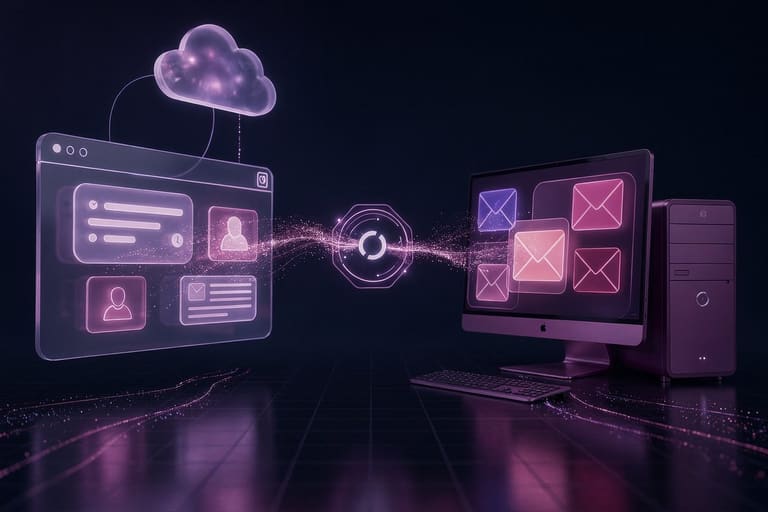
အီးမေးလ် management သုံးစွဲမှု ပြုလုပ်တဲ့အခါမှာ user သုံးစွဲသူအတွက် webmail နဲ့ desktop client ဆိုပြီး ရွေးချယ်မှုပြဿနာရှိပါတယ်။ ဘယ်ဟာများသင့်လဲဆိုတာ မိမိလိုအပ်ချက်၊ usage pattern ကို စဥ်းစားဖို့လိုအပ်ပါတယ်။ ဤအခန်းမှာ ဘယ်လမ်းကိုရွေးချယ်သင့်လဲ ကို ယှဉ်ပြပါမည်။
| Feature | webmail | Desktop client |
|---|---|---|
| Accessibility | internet ပါရင် device မပေးဆုံး access | device dependent |
| Storage | cloud/server, limited | local/server, flexible |
| Security | provider managed | user managed |
| Offline use | mostly unavailable | available |
သူစိတ် ဘယ် client သုံးမှာ သင့်တော်လဲဆိုရင် မိမိလိုအပ်ချက်၊ preference ကို စဥ်းစားပါ။ တစ်နေရာတစ်နေရာ အမြဲသွားလာသူ, device ညီမျှ access လုပ်ချင်သူဆို webmail အတွက် သင့်ပါတယ်။ စာပို့/ archive/ offline access/ data volume အကြီးစားလူမျိုးတွေ desktop client ပါသင့်ပါတယ်။
- ပဋိညာဉ် criteria
- Accessibility
- Storage
- Offline Access
- Security/ privacy
- Ease of use
- Cost
အောက်မှာ feature တစ်ခုချင်းစီ detail ဖြစ်ရှင်းပြပါမည်:
ဝင်ရောက်နိုင်မှု
webmail သုံးစွဲသူ Device ဖွင့်ပြီးပေးထားတဲ့ browser နဲ့ login လုပ်ရုံသာဖြစ်တဲ့အတွက် အသုံးပြုသူအများအတွက် mobile, tablet, PC, network တွေနဲ့ လွယ်လွယ်ကူကူ access တတ်ပါတယ်။ Desktop client တွေက ထပ် install လုပ်ရမယ် & offline access တတ်တယ်။
စွမ်းဆောင်ရည်
Webmail လုပ်ရာမှာ user network/ provider server speed ပေါ်မူတည်ပါတယ်။ slow internet ဖြစ်ခဲ့ခင်သိုမဟုတ် provider overload ဖြစ်တာမျိုးတွင် performance down သွားနိုင်ပါတယ်။ Desktop client က local data store/ archive/ bulk mail တွေကို instant မှ access/ archive နိုင်ပါတယ်။
လုံခြုံရေး
webmail/client 2ခုစလုံးမှာ security risk ပါရှိပါတယ်။ webmail ဟာ provider security သက်တော်ကိုယ်တိုင် password, 2FA, phishing block ကို configure လုပ်ပီးမလည်ပါ။ desktop client က user side security/ OS patch/ antivirus/ firewall ကို configure လုပ်ရတဲ့ user ပါတာပါ။
Webmail vs desktop client ဘယ် client သုံးမှာ သင့်တော်လဲဆိုရင် user need, pattern, security, offline, cost, customisation ကို consideration လုပ်ပါ။
အီးမေးလ် client ရွေးချယ်ရာမှာ သတိထားစရာများ
အီးမေးလ် client ရွေးချယ်ရာမှာ communication efficiency, productivity impactကို တစ်စိတ်အားကိုမှ ပြုလုပ်ပါ။ Webmail vs desktop client ကိုပဲရွေးချယ်မှာဆို user requirement/functionality/security/cost များကိုစဥ်းစားပါ။
Feature/function/ integration/ usability/ security/ cost များသာ user need မှာ မကြေပါဘူး။ calendar integration, multi-account, offline archive, search/filtering, advanced security, UI usability စတာတွေ သုံးစွဲသူအတွက် ကြီးမားစွာ ထောက်ကူပါမယ်။
| Feature | webmail | Desktop client |
|---|---|---|
| Accessibility | Anywhere/internet | Installed device only |
| Offline | Limited | Mostly Yes |
| Security | provider control | User control (more options) |
| Customization | Limited | More options |
Security importance မှာ client protocol/ encryption/ 2FA/ spam filtering/ phishing defense - တန်ဖိုးကြီးပါတယ်။ Cost/ subscription/ free plan / open source option ပါ user need ကို စဥ်းစား ။
အောက်မှာ client ရွေးချယ်လမ်းစဥ်:
- Need တွေကို စနစ်တကျသတ်မှတ်ပါ။ Functionality/ integration etc.ရေးတိုင်း
- User review ကို ကြည့်ပါ။ Feature လုပ်တာ/ error/ UI/ support
- Free/ trial ကသုံးပြီး တစ်လလောက် စမ်းပါ။
- Security active 2FA protocol/ password policy/ encryption
- Integration function တွေ calendar, todo, contact sync, etc. စစ်ပါ။
- ဒီလိုနဲ့ပဲ cost/ value/ subscription plan ကို compare လုပ်ပါ။
webmail vs desktop client ကို user personal need, budget, security, offline, integration, customization အပေါ်မှာ တကယ်မ စဉ်းစားမှန်အောင် ရွေးပါ။
Webmail နဲ့ Desktop E-mail ၏ လုံခြုံရေး ယှဉ်ကြည့်ခြင်း
E-mail security, webmail vs desktop client 2ခု စလုံးမှာ risk/ advantage ကွာခြားပါတယ်။ Provider တွေမှာ server-side spam filter/ malware scan/ SSL/TLS, 2FA security active ပါရှိပါတယ်။ Provider security policy/ mechanism error မရှိမှာ မသမားဖြစ်ခင်တော့ security risk မ်ားပါ။
- Security features:
- SSL/TLS encryption
- 2FA
- Spam filtering
- malware scan
- Session management
desktop client သုံးလူတွေအတွက် device security/ password policy/ antivirus firewall configuration ဖြစ်ပါတယ်။ Error/ data loss ဖြစ်ဘဲ၎ security risk ကို user သက်တော်ကိုယ်တိုင်လုပ်စစ်ထားရပါမယ်။
| Security | webmail | Desktop client |
|---|---|---|
| Encryption | provider managed | user configured |
| Spam filtering | auto/server-side | user configured |
| malware | server-side scan | local antivirus/fw |
| 2FA | provider supported | user enabled |
2မျိုးလုံးမှာ security risk of phishing/hackers/provider breach/device compromise နဲ့လိုဆို user awareness/ 2FA/password policies/security update ကို strongly recommend ပါသည်။
အီးမေးလ် client သုံးစွဲရာမှာ အကောင်းဆုံး ထောက်ထားမှုများ
Webmail/desktop client ကိုသုံးစွဲတဲ့အခါ productivity/gsecurity efficiency ကိုမွှတကြည့်တယ်။ Regular inbox cleanup, folder categorization, spam management, subscription cancellation တွေ လုပ်ပါ။ e-mail reputation ဟာ inbox တွေကို professional အတိုင်း maintain လုပ်နိုင်ပါတယ်။
| Best practice | explanation | benefit |
|---|---|---|
| Inbox cleanup | delete/archive spam/unwanted mails, unsubscribe | maintainable inbox |
| Folder organization | important mails/folders | quick access |
| Strong password | unique/complex password | security increase |
| 2FA | extra security layer | prevent unauthorized access |
Security aspect မှာ password policy/ 2FA/ suspicious mail detection/ device & client update/ OS management တို့အားလုံးကို implement လုပ်ပါ။ professional etiquette မှာ subject line/ content/ grammar/ spelling စား e-mail efficiency ကို တိုးပေးနိုင်ပါတယ်။
- Tips/ recommendation
- strong password
- enable 2FA
- suspicious link click မလုပ်ပါ
- inbox cleanup/archive/ unsubscribe
- proper folder categorize
- professional grammar & tone
Webmail နဲ့ Desktop E-mail Client အနုတ်ဆုံးအန်စာ
Webmail vs desktop client ရွေးချယ်မှုဟာ personal requirement/ security lifestyle/ productivity/availability/digital mobility ကိုောူပါသည်။ Webmail ဟာ universal access/ easy to use/ free/ security provider support ပါရှိသော်လည်း desktop client က advanced feature/ customization/ offline support/ powerful productivity integration များသုံးစွဲရတဲ့သူအတွက် ပိုထိရရှိပါတယ်။
| Feature | webmail | Desktop client |
|---|---|---|
| Accessibility | Anywhere/internet | device only |
| Features | Basic | Advanced/calendar/task integration etc. |
| Security | provider managed | user managed/customized |
| Offline | None | Yes |
Travel frequently/ mobile device နှင့် access လွှတ်လွှတ်မဖြစ်သူအတွက် webmail သင့်တော်ပါတယ်။ Archive, advanced search/ performance/ offline access/ business-focused user data workload ပြီးလာတဲ့သူတွေအတွက် desktop client တို့က ပိုခံပါ။
- Key points & action
- personal need/usage pattern ကိုဖော်ထုတ်ပါ
- feature/ disadvantage ကို compare လုပ်ပါ
- security need ကိုကြည့်ပါ
- choose/install client security configuration/ update regularly/ malware protection/ backup arrangement ပြုလုပ်ပါ
အကောင်းဆုံး client ဆိုတာ မိမိကိုသင့်တဲ့ client ဖြစ်ပါတယ်။ webmail/desktop client 2မျိုးလုံး try လုပ်ပြီး မိမိချစ်တဲ့အတိုင်း တော်သေ့နတ်ချက်ဆောင်ပါ။ security measure/ best practice မလေးတိုင်း follow လုပ်မှ client ၏ full potential ကိုနောနိုင်ပါသည်။
Password security, phishing awareness, 2FA activation တိုင်း client ဖြစ်သည့်ကိုယ်ပိုင် email security ကိုသိမ်းထားနိုင်မှာပါ။
အမြဲမေးလေ့ရှိသောမေးခွန်းများ
Webmail နဲ့ desktop e-mail client အကြား အဓိကကွာခြားချက်?
Webmail သည် browser မှတစ်ဆင့် မည်သည့် device မှမဆို access လုပ်နိုင်ခြင်း, desktop client ကတော့ ကိုယ့် computer/device တွင် install လုပ်ထားတဲ့ app တစ်ခုဖြစ်ပါတယ်။ Webmail သုံးက device မရွေး access လုပ်နိုင်သည်; desktop client အသုံးပြုရန် install လုပ် device တစ်ခုခုလိုအပ်ပါသည်။
ဘယ်အချိန်မှာ webmail သုံးတာပိုအဆင်ပြေသလဲ?
Device မရွေး လွယ်ကူရောက်နိုင်/ travel/ technical skill မမြန်လူများ/ installation မလုပ်ချင်လူတွေအတွက် webmail သုံးက ပိုအဆင်ပြေပါတယ်။
Desktop e-mail client သုံးသည့်အတွက် webmail နဲ့နှိုင်းယှဉ် advantage တွေ?
Desktop client တွေမှာ offline access, advanced search/filter, automatic archive, customization, calendar/task integration, local storage security, data privacy, performance advantage တွေ/ business workload များမှာ efficiency တိုးပါတယ်။
Webmail သုံးတဲ့အခါ security risk တွေရှိလား?
Webmail မှာ provider breach/ password hack/ phishing attack/ server outage ခေါ်လို့ risk များတွေပေါ်နိုင်ပါတယ်။
Desktop e-mail client သုံးနေရင်းလိုချင်သည့် issue များများရှိလား?
Install, configure, software update/ maintenance များအနုပျား ဖြစ်နိုင်ပါတယ်။ Device fail/lost/archive issue များကြောင့် regular backup လုပ်ဖို့ မရှိမဖြစ်ပါတယ်။
အီးမေးလ် client ရွေးချယ်ရာမှာ ဘာကို သတိထားသလဲ?
personal usage/ workstyle/ device portability/ security/privacy/functionality/cost/expert integration ကိုစဥ်းစားပါ။
Webmail vs desktop client security margin ကို comparrison လုပ်လို့ရနိုင်လား?
2FA/password policy/ provider/server/device security update/ antivirus များတွေနဲ့ user role ကိုယ်တိုင် security strengthen လုပ်ရမယ်။
E-mail security ကိုတိုးချင်ရင် ဘယ်အချက်တွေလိုအပ်သလဲ?
Strong password/ 2FA/ phishing awareness/ suspicious mail open/ device&client update/ antivirus/firewall/ regular backup အကုန်လုံးကို implement လုပ်ရပါတယ်။