 Afrikaans
 Azərbaycan
 Bosanski
 Čeština
 Dansk
Dansk Deutsch
 English
 Español
 Filipino
 Français
 Hrvatski
 Indonesia
 Italiano
 Magyar
 Melayu
 Nederlands
 Norsk
Norsk Oʻzbek
 Polski
 Português
 Română
 Slovenčina
 Slovenščina
 Suomi
Suomi Svenska
 Tiếng Việt
 Türkçe
 Ελληνικά
 Беларуская
 Български
 Русский
 Српски
 Українська
 עברית
עברית اردو
اردو العربية
 پښتو
پښتو فارسی
فارسی አማርኛ
አማርኛ मराठी
मराठी বাংলা
বাংলা தமிழ்
தமிழ் ไทย
ไทย မြန်မာ
 한국어
한국어 中文
中文 日本語
日本語

OS တွင် GUI (ဂရပ်ဖစ် ယူဇာအင်တာဖေ့စ်) နှင့် CLI (ကမန်လိုင်းအင်တာဖေ့စ်) တို့၏အဓိကပါးလွှားချက်များနှင့် ထိရောက်မှုများ ယှဉ်ပြောထားသော ဤဘလော့ပါးသည်၊ ဘယ်အင်တာဖေ့စ်ကိုဘယ်အချိန်/အခါမှာ သုံးသင့်သလဲဆိုတာကို ပိုလိမ့်အလင်းပေးပါတယ်။ GUI သည် အသုံးပြုသူအဆင်ပြေမှုနှင့် လွယ်လွယ်ကူကူ ဝင်ရောက်အသုံးပြုနိုင်မှုကြောင့် ထင်ရှားသည့်အချက်များရှိပြီး CLI သည် system resource အသုံးပြုမှု ထိရောက်မှု၊ automation အသုံးတည့်မှု အပိုင်းမှာ သက်သာမှုတွေရှိပါတယ်။ မျှတာက GUI နဲ့ CLI ဆိုတာဘာလဲ၊ အင်တာဖေ့စ်များ၏အခြေခံလက္ခဏာများ၊ အသုံးချနယ်ပယ်၊ performace ယှဉ်ခြင်း၊ အသုံးပြုသူအမြင် အမျိုးမျိုးကို နောက်ပြီးချီးမြင့်ပြောထားပါတယ်။ ဘယ်အင်တာဖေ့စ်ကို OS မှာ သုံးသင့်တယ်ဆိုတာအကြံဉာဏ်တွေနဲ့ သုံးရန်အကြံပေးမှုများပါဝင်ပါတယ်။ အဆုံးသတ်မှာ အသုံးပြုသူအတွက် မိမိလိုအပ်ချက်နှင့် နည်းပညာကျွမ်းကျင်မှုကို ယှဉ်၍ တိကျဆုံးဖြတ်နိုင်ကြောင်းဖော်ပြထားပါတယ်။
OS တွင် ဂရပ်ဖစ် ယူဇာအင်တာဖေ့စ် (GUI) ဆိုတာဘာလဲ?
GUI သည် OS တွင် သာ.ယာ.ယာ အသုံးပြုသူများလက်စွဲအနေဖြင့်ပါဝင်နေလာသည်။ မော်စ်၊ touch screen ကဲ့သို့သော input devices များဖြင့် ပုံပေါ်အရာများကိုအလုပ်လုပ်ခြင်း၊ file ကိုဖွင့်ခြင်း၊ ပရိုဂရမ်ကို run ခြင်း၊ system settings ပြင်ခြင်းတွေသာ ဖော်ရွေစွာလုပ်နိုင်ပါတယ်။ ကွန်ပျူတာ အသုံးပြုမှုလမ်းကြောင်းကို မသိသေးသောသူများအတွက် GUI သည် အတွေ့အကြုံတိုးမြှင့်စေသည်။
- အသုံးပြုမှုလွယ်ကူမှု: တွင်ရောက်သမားတော်အခါမဖြစ်စေရန် စနစ်တကျနှင့် လူသုံးအဆင်ပြေစေနိုင်သည်။
- ပုံရိပ်အလှအပ: မြင်ကောင်းစေတဲ့ ပုံစံအရောင်အဆင်း နှင့် animation များပါဝင်သည်။
- Multi-tasking: application တွေများစွာကို တစ်ပြိုင်နက်ပြည့်ဖြစ်စေသည်။
- သင်ကြားရန်လွယ်: command သေချာသိမှတ်ရန် မလိုတော့ဘူး။
- ပြောဆိုမှုအဆင်ပြေမှု: ကိုယ်မှာေး/မြင်ဖွယ်သာမန်မရှိသူများအတွက် screen reader software များနှင့်လိုက်ဖက်နိုင်သည်။
GUI သည် multimedia content ကို လွယ်လွယ်ကူကူကြည့်နိုင်/ပြင်နိုင်စေနိုင်သည်။ ဉပမာ - photo editing, video, music listening တို့သည် GUI မှာ ပြုလုပ်ရန်အလွန်ရိုးရှင်းသည်။ သို့သော် GUI code သည် CLI ထက် system resource ကို အသုံးပြုမှုများသည်။
GUI သည် user တိုင်းအတွက် OS အသုံးပြုမှုကို စိတ်ဝင်စားစေရန်အတွက် အဓိကပါရှိသည်။ Resource အများကြီးသုံးသည့်အနေဖြင့်; တစ်ခါတစ်လေ သတ်မှတ်ထားသည့် system flexibility နှင့် performance အတွက် CLI ဟာ ပိုမိုကောင်းနိုင်သည်။ Interface ရွေးချယ်ခြင်းသည် User ၏လိုအပ်ချက်နှင့် system demand ကိုလည်း တန်ပြန်လိုက်ဖြစ်သည်။
ကမန်လိုင်းအင်တာဖေ့စ် (CLI) ၏ အခြေခံလက္ခဏာများ
CLI သည် OS တွင်အသုံးပြုသူသည် keyboard မှတစ်ဆင့် text-based command များဖြင့် system ကိုပထမတန်းချုပ်ထုတ်နိုင်သည်။ GUI ထက် CLI သည် သစ်သားနှင့်တစ်မူ ကွဲခြားသည်။ CLI သည် automation, batch processing, direct system control တို့သည် ဖြောင့်တက်ပါတယ်။
CLI commands တွေမှာ syntax ပေါ်မူတည်နေလာသည်။ Command တွေကိုမှန်ကန်နည်းဖြင့် သုံးပြီး parameter နဲ့ operation ကိုသိမှတ်ပြုလုပ်ရပါတယ်။ အစပိုင်းမှာ command အားလုံး ကို သိမှတ်ရန် ရုတ်တရက်ကာကွယ်နေပါသည်။ တစ်ခါသိထားပြီးဆိုရင် data management, system operation တွေကို လျှပ်စစ်မြန်ဆန်စွာလုပ်နိုင်သည်။ Command piping ဖြင့် command တွေချိတ်ဆက်လို့ stack operation တွေအနေနှင့် compound function များတွေလုပ်နိုင်သည်။
- သိတာမြန်
- နည်းပညာ resource အသုံးစရိတ်နည်း
- Automation ချပေးနိုင်မှု
- Server management ပိုမိုလွယ်ကူစေသည်
- Core control
- Scripting support
Command ထိုင်ရင်း, CLI တွင် အသုံးချဖုံးလွှာ command များနှင့် function တွေပါဝင်သည်:
| Command | ဖော်ပြချက် | ဥပမာ |
|---|---|---|
ls |
directory အတွင်းရှိများကို display | ls -l (detailed) |
cd |
directory ပြောင်း | cd /home/user/docs |
mkdir |
directory အသစ်ဖန်တီး | mkdir new_folder |
rm |
ဖိုင်/directoy ဖျက် | rm file.txt |
cp |
ဖိုင်/directoy ကူး | cp file.txt /tmp |
CLI ၏ scripting functionသည် အသုံးပြုသူအတွက် tasks များ၊ backup စနစ်များ၊ regular operation တွေကို auto run ချပေးနိုင်မှုကြောင့် efficiency မြှင့်မည်။ CLI သည် GUI အမြင်မှာ resource usage နည်းသောကြောင့် သာမန် hardware တွေ၊ server တွေမှာ performance မလွန်နိုင်ပါ။
GUI နဲ့ CLI များ၏ ကွဲပြားချက်များ သဘောပေါက်ရန် အချက်ပြများ
OS တွင် GUI (ဂရပ်ဖစ် ယူဇာအင်တာဖေ့စ်) နဲ့ CLI (ကမန်လိုင်းအင်တာဖေ့စ်) တို့၏စစ်မှန်ခြင်းကိုသေချာသိထားခြင်းသည် system အသုံးပြုချက်ကိုမြှင့်ရန်အရေးကြီးသည်။ မျိုးစုံ advantages/ disadvantages တွေရှိသည်။ အသုံးပေါ်မူတည်ပြီး GUI & CLI ရွေးသည့်အခါ data-driven choice လုပ်နိုင်ရမည်။
| လက္ခဏာ | GUI | CLI |
|---|---|---|
| လွယ်ကူမှု | Beginner အတွက် ပိုလွယ် | Expert အတွက် ပိုမြန် |
| Resource ကိုသုံး | More usage | Less usage |
| Customizability | မိန့်များဖြစ် | အရမ်းနိုင် |
| Task run type | Visual interaction | Command execution |
GUI သည် visual & icon base အသုံးပြုမှုသည် beginner user မှာ comfortable ဖြစ်စေသည်။ CLI သည် advanced control-technical knowledge သာလွန်သူမှာ efficient ဖြစ်နိုင်သည်။ Resource စနစ်မှာ CLI မြန်မြန် run နိုင်သည်။
- Task demand ကို သေချာသိထားပါ
- လက်တွေ့အသုံးပြုမှုစဉ်ကိုစဉ်းစားပါ
- Performance needed level ကိုဂရုစိုက်ပါ
- System resource demand ကိုစပ်စဉ်ပါ
- Learning curve - စတင်မှတ်သည့်အချိန်ယူမှုကိုတစ်ချက်အလေးထားပါ
Interface ရွေးချယ်ယူသည့်အခါု ကိုယ်ပိုင် usage နှင့် skill level ကို prioritize လုပ်ပါ။ GUI သုံးလျှင် beginner နှင့် user friendly ဖြစ်လိမ့်မည်။ CLI သုံးမှုသည် skills advance ဖြစ်နိုင်သည်။ တစ်ခြား advantages တွေရှိနေလာသည်။
GUI ၏အားသာချက်များ
GUI ဆိုင်မှာ အသုံးပြုသူ technique မရှိ သူအတွက် command memorize မလိုဘူး။ Visual touch/ mouse interaction ဖြင့် easy usability ကိုဘေးအတားမဲ့စေသည်။ GUI သည် interface learning curve ကို ဖြစ်နိုင်သမျှတိုသုံး။
CLI ၏အားသာချက်များ
CLI ၏ နောက်တစ်ခုထူးခြားမှုက advanced control & customization ဆားချင်သူများအတွက်ပါ။ CLI များ နည်းပညာကျွမ်းမြင်သူများအတွက် complex task automation, system customization function များအတွက် မဖြစ်မနေ tool တစ်ခုဖြစ်သည်။ CLI သည် resource usage နည်းသည်။ Low-end hardware မှာ efficiency ပိုမြင့်သည်။
ဘယ်အခါ GUI ကိုရွေးသင့်သလဲ?
GUI (ဂရပ်ဖစ်ယူဇာအင်တာဖေ့စ်) သည် visual interaction အတွက် အဆင်ပြေလွယ်ကူများစွာရှိသည်။ မပေါ်တတ်သော technical skill များမလိုပေ၊ complex command မှတ်မှတ်မှားမှားမဖြစ်ဖို့ GUI သည် option ဖြစ်လာသည်။ တစ်နေ့တာ simple file management, browsing, office productivity applications တွေမှာ GUI သေးလေးရွေးတယ်။
| လက္ခဏာ | GUI | CLI |
|---|---|---|
| Easy | High | Low |
| Visual | Yes | No |
| Learning curve | Low | High |
| Simple task speed | High | အလယ်အလတ် |
GUI ၏ visual feedback များသည် user တွေအတွက် real-time reaction သေချာမြင်စေသည်။ Graphic design, editing, gaming application တွေမျိုးမှာ GUI သည် ပြည့်စုံပါတယ်။
- Beginner အသုံးပြုသူတွေအတွက် အဆင်ပြေသည်။
- Complex command တစ်ခုပြုလုပ်၍ မသိလူ့တွေအတွက် မှီခိုပါ။
- Visual related task တွေအတွက်
- Quick file management
- Intuitive interface needed apps အတွက်
သို့သော် resource အသုံးပြုမှုများပြီး performance နည်းနည်း down လုပ်နိုင်သည်။ System admin task, automation task တွေအတွက် CLI ပိုထိရောက်ပါသည်။
GUI interface များသည် accessible ဖြစ်တာပါ။ GUI မှာ visually impaired user အတွက် screen reader compatibility, keyboard navigation support များဒေသကြီးအလမ်းခံပါတယ်။
CLI အသုံးချနယ်ပယ်များနှင့် အားသာချက်များ
CLI (Command Line Interface) သည် system administrator, developer, advanced user များအတွက် OS တွင် tool မဖြစ်မနေဖြစ်သည်။ CLI သည် direct control & command-based automation ဖြင့် efficiency ကို မြှင့်တင်ပေးပါသည်။ CLI သည် SSH protocol ကဲ့သို့တည်းအကောင်အထည်ဖော်နိုင်သည်။
| လက္ခဏာ | GUI | CLI |
|---|---|---|
| Easy | High | Learning curve high |
| Flexibility | Limited | High |
| Resource | More | Less |
| Automation | Limited | High |
CLI သုံးနယ္ပယ်များ:
- Server administration
- Software development (build/test/deploy)
- Network troubleshooting
- Database management
- Backup/recovery
- Security audit/log examination
CLI သည် resource efficiency အပေါ်မှာ ထူးခြားသည်။ GUI ထက် processor & memory usage နည်းသည်။ Server environment၊ old hardware တွင် CLI သုံးခြင်းသည် သာလွန်ပေသည်။
CLI ၏အားသာချက်များ
CLI (Command Line Interface) သုံးမှုသည် speed, workflow efficiency ပိုမြင့်ပါသည်။ Shortcut commands, scripting, automation ကျွမ်းမြင်ပြီး CLI efficiency သားဖြစ်သည်။ ေကာင္းမွကောင်း security အထောက်အကူပြုသည်။ CLI operation log များ audit/ trace ထားနိုင်သည်။
Performance တိုက်တွန်းခြင်း: GUI vs CLI
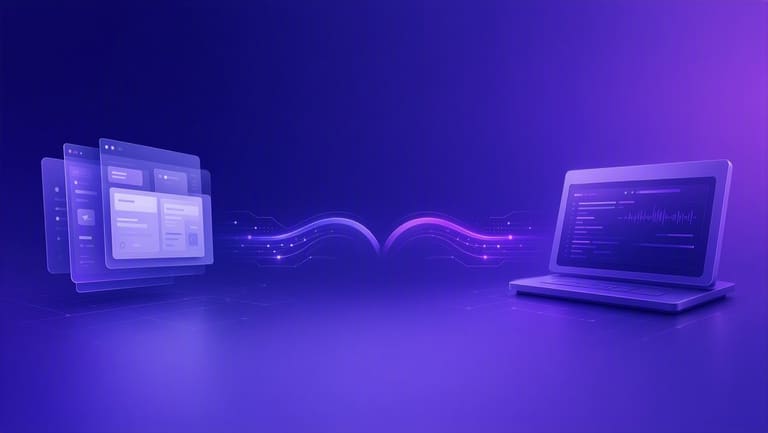
OS အသုံးပြု interface ရွေးခြင်းသည် system performance ကို ဦးတည်တက်သွားသည်။ GUI သည် visual interaction ကိုလူးလူးထွက်နှင့်လွယ်ကူစေပါသည်။ CLI သည် command-based efficiencyကို တစ်ထပ်ထက်ပြင်းပါသည်။
| လက္ခဏာ | GUI | CLI |
|---|---|---|
| Resource | High (CPU, RAM) | Low |
| Speed | Complex task တွင် slow | Simple task တွအတွက် fast |
| Automation | Limited | Advanced (scripting) |
| Easy | Beginner အတွက် easy | Expert အတွက် efficient |
- မြန်မာ: Job completion speed
- Resource: CPU, RAM, Disk usage
- Automation capability: degree of automation
- Efficiency: productivity/unit time
- Scalability: heavy load handling
Automation task တွေမှာ CLI scripting သုံးမှုက efficiency ပိုမြင့်သည်။ GUI တွင် automation မဖြစ်မှပါ။ CLI scripting မှာ massive batch operation လုပ်နိုင်သည်။ GUI ကို clicking သာဖြစ်သော်မယ် error prone ဖြစ်နိုင်သည်။
GUI vs CLI performance ဟာ ကိုယ်တိုင် usage demand, skill, job type ပေါ်မူတည်သည်။ OS interfaceသည် users အမည်အတွက် right choice ဖြစ်ဖို့ကိုယ်ပိုင် assessment ခံမှုပြုလုပ်တော့တယ်။
အသုံးပြုသူအမြင်မှာ ပြသရာကွဲခြားချက်
OS interface selection သည် user experience ကိုအတောအတွင်းဝိုင်းကြားသည်။ GUI သည် easy-to-learn visual interface ဖြစ်၍ beginner users များအတွက် ပိုလွယ်နိုင်သည်။ CLI သည် advanced control & automation လုပ်နိုင်သည်။ GUI easy but resource intensive, CLI efficient but high learning curve ဖြစ်တယ်။
- Learning curve: GUI quickly learned, CLI requires time
- Efficiency: CLI is efficient for experts
- Accessibility: GUI can be hard for visually impaired, CLI screen reader-friendly
- Customization: CLI allows deep customization, GUI is limited
- Error message: GUI errors are visual, CLI errors need technical knowledge
CLI သည် technical skill advance users များအတွက် ideal ဖြစ်တယ်။ CLI သည် codingစာတမ်းများမှ တစ်ပန်ကင်းထားစေတဲ့ အထောက်အကူပြုသည့်လက္ခဏာများ ပါဝင်သည်။
GUI vs CLI selection ဟာ မိမိ technical knowledge, habit, job type ကိုကြည့်သင့်သည်။ GUI သည် wide audience အတွက် စိတ်ချရ/ချစ်ဘဲ။ CLI သည် advanced operations/deep customization အတွက် efficient ဖြစ်သည်။
OS တွင် ဘယ်အင်တာဖေ့စ်ကို ရွေးသင့်?
OS အင်တာဖေ့စ်ယူရှိခြင်းသည် user demand, technical skill, target operation အပေါ်အများအပြားတည်ပါသည်။ GUI သည် အသုံးပြုသူအတော်များများအတွက် user friendly, intuitive ဖြစ်တယ်။ CLI သည် advanced operation/automation/deep control အတွက် suited ဖြစ်တယ်။
| လက္ခဏာ | GUI | CLI |
|---|---|---|
| Easy | Beginner friendly | Technical skill needed |
| Efficiency | Simple job | Complex job faster |
| Resource | High | Low |
| Customization | Limited | Advanced possible |
CLI သည် system administrator/developer/advanced user အတွက် suitable ဖြစ်သည်။ CLI scripting/remote access/systems tuning တွေမှာ efficient ဖြစ်တယ်။ GUI သည် စတင်အသုံးပြုသူများအတွက် visual/interaction သင့်သည်။
- တလုပ်ကိုသေချာအပ်ပါ
- ကိုယ်တိုင် skill level ကိုသေချာပေးပါ
- လက်တွေ့tranet ကိုစဉ်းစားပါ
- Performance efficiency ကိုစမ်းသပ်ပါ
- Resource usage ကိုစေ့စပ်ပါ
Interface selection သည် personal preference/custom job demand မှာဘဲ သေချာအုပ်ချုပ်ပါ။ ဥပမာ - ပုံမှန် usage GUI, advanced operation CLI ကို mixed သုံးခြင်းသည် ဘယ်လို efficiency ပြည့်စုံသလဲ။
အဆုံးမှာ ဘယ်မျိုးကို ရွေးသင့်သလဲ?
OS မှာ Interface selection သည် user need, experience, intended job ပေါ်မူတည်သည်။ GUI သည် easy-to-use visual/interaction-based ဖြစ်ပြီး; CLI သည် efficiency, resource-saving, automation-friendly ဖြစ်သည်။
| လက္ခဏာ | GUI | CLI |
|---|---|---|
| Easy | Beginner easy | Expert fast |
| Efficiency | Resource wasting | Resource saving |
| Job type | Day-to-day, office, multimedia | Sysadmin, programming, automation |
| Customization | Limited | Advanced customization |
- Beginner user တွေအတွက် GUI ဖြင့်စတင်ကြပါ။
- Sysadmin/developer user တွေအတွက် CLI ေနေတယ်။
- Batch file processing/automation CLI ဖြင့် efficient ဖြစ်သည်။
- Graphic/visual jobs GUI ပိုသင့်တယ်။
- Both interface နှစ်ခုကိုအတူတကွသုံးရန်ဖြစ်သည်။
ideal interface မရှိပါ။ Best interface သည် user require ကိုအတည်ယူအတည်လှမ်းရသည်။ GUI သည် easy/accessible ဖြစ်သော့် CLI သည် efficiency/resource-saving ဖြစ်သည်။
အသုံးပြုသူများအတွက် အကြံပေးချက်နှင့် app အသုံးခြင်းအကြံ
OS interface selection သည် user experience ကို ပိုမိုထိရောက်စေလုပ်ပါသည်။ GUI နှင့် CLI သည် သက်ဆိုင်ရာ advantages/disadvantages တွေကိုပေးပါတယ်။ မိမိအသုံးပြုလို job type, skill, frequency ကိုထည့်တွက်ပါ။ Graphic-intensive application တွေရင် GUI သည် best ဖြစ်နိုင်သည်။ System management/development/command-based workflow တွေဟာ CLI မှာ best ဖြစ်တယ်။
| Suggestion | GUI | CLI |
|---|---|---|
| Shortcut | Desktop app shortcut | Command alias |
| Learning | Advanced GUI tool discover | CLI command/tool regularly learn |
| Integration | GUI-CLI integration test | CLI script with GUI |
| Backup | Backup via GUI tool | Auto backup script via CLI |
GUI user တွေအတွက် os visual tool/function တွေကို maximize လုပ်ပါ။ CLI user တွေအတွက် command logic ကိုနားလည်ပြီး compound operation/scripting သုံးသင့်သည်။ Keyboard shortcut, autocomplete စတည်းတက်သင့်ပါ။
- Keyboard shortcut မှာမြန်မြန်သုံးပါ
- CLI auto-complete feature ကို active လုပ်ပါ
- Scripting skill ယူပါ
- Cloud integration အမြားအမြား test လုပ်ပါ
- Mixed interface သုံးပြီး flexible ဖြစ်ပါ
Interface selection ဘာစုံပဲရှိပါစေ continuous learning ကအရေးကြီးသည်။ Technology ပါ upgrade ဖြစ်နေလာပါတယ်။ Best interface သည် တကယ်မိမိအတွက် right choice ဖြစ်တဲ့ interface ဖြစ်သည်။
အကြမ်းမေးများ
GUI နှင့် CLI ၏ ပစ်မွတ်အဓိက ဘာတွေလဲ? user အတွက် ဘာကိုမွေးမလဲ?
GUI သည် visual interaction-based လုပ်နိုင်စေနဲ့ user-friendly ဖြစ်သည်။ CLI သည် command-based task run control များကို system tune လုပ်နိုင်လို user manually advanced control လုပ်နိုင်စေသည်။
CLI ကို GUI ထက် မည်သည့် task အတွက် ပိုသင့်သလဲ?
Automation, repetitive job, batch processing, system control တို့မှာ CLI သည် efficient ဖြစ်သည်။ System administration/security operation/development workflow တွေအတွက် CLI လိုတယ်။
GUI system သုံးနေသောနည်းပညာ resource အသုံးပြုမှုသည် CLI နှင့် ယှဉ်ရင် ဘယ်များသလဲ?
GUI သည် visual elements/animation တို့ကြောင့် more CPU/RAM အသုံးစရိတ်ရှိသည်။ CLI သည် less resource သုံးသည်။
Beginner user အတွက် ဘယ် interface ပိုလွယ်သုံးနိုင်လဲ?
သေချာစွာ GUI သည် beginner user နှင့် easy-to-learn ဖြစ်သည်။ Visual feedback & intuitive design သာလွန်သည်။
CLI သုံးသည့်အချိန် ဘယ်လိုဂရုစိုက်သင့်သလဲ?
Command syntax ကို သေချာတွတ်ဖတ်ပါ။ man page, online documentation, community forum တွေက အလျှောက်သုံးနိုင်ပါသည်။
GUI အတွက် accessibility issue တွေ ဘယ်လိုဖြစ်နိုင်သလဲ? CLI ကိုအခြားအဖြစ်ရန်မည်သို့သုံးနိုင်သလဲ?
GUI မှာ visually impaired user မှာ screen reader compatibility မနည်းနည်းအရှိနေလာသည်။ CLI သည် screen reader friendly - accessibility အထောက်အကူပြုသည်။
Programming language သင်ယူရင် CLI အသုံးချနည်းမှာ အကျိုးရှိသလား?
Python, Bash ကဲ့သဲ့ scripting language ကို သင်ယူခြင်း CLI usage/automation/efficiency ကို တိုးမြှင့်စေရမည်။
OS interface hybrid (GUI + CLI) သုံးသည့်အခါ ဘာ advantages တွေလား?
Hybrid use သည် each interface အားသာချက်တွေကို blend လုပ်နိုင်သည်။ Simple task တွေ GUI run, Advanced job တွေ CLI run. Overall efficiency ပိုမြင့်သည်။