 Afrikaans
 Azərbaycan
 Bosanski
 Čeština
 Dansk
Dansk Deutsch
 English
 Español
 Filipino
 Français
 Hrvatski
 Indonesia
 Italiano
 Magyar
 Melayu
 Nederlands
 Norsk
Norsk Oʻzbek
 Polski
 Português
 Română
 Slovenčina
 Slovenščina
 Suomi
Suomi Svenska
 Tiếng Việt
 Türkçe
 Ελληνικά
 Беларуская
 Български
 Русский
 Српски
 Українська
 עברית
עברית اردو
اردو العربية
 پښتو
پښتو فارسی
فارسی አማርኛ
አማርኛ मराठी
मराठी বাংলা
বাংলা தமிழ்
தமிழ் ไทย
ไทย မြန်မာ
 한국어
한국어 中文
中文 日本語
日本語


ಈ ಬ್ಲಾಗ್ ಬರಹದಲ್ಲಿ ಸಾಫ್ಟ್ವೇರ್ ಟೆಸ್ಟ್ ಆಟೊಮೇಷನ್ ಅನ್ನು ಆಳವಾಗಿ ವಿಶ್ಲೇಷಿಸಲಾಗಿದೆ. ಸಾಫ್ಟ್ವೇರ್ ಟೆಸ್ಟ್ ಆಟೊಮೇಷನ್ ಎಂದರೇನು, ಅದರ ಮೂಲ ಪರಿಕಲ್ಪನೆಗಳು ಮತ್ತು ಸಾಫ್ಟ್ವೇರ್ ಟೆಸ್ಟ್ ಪ್ರಕ್ರಿಯೆಯ ಹಂತಗಳನ್ನು ವಿವರಿಸುತ್ತದೆ. ಟೆಸ್ಟ್ ಆಟೊಮೇಷನ್ ಸಾಧನಗಳ ಲಾಭ–ಅಲಾಭಗಳನ್ನು ಹೋಲಿಕೆ ಮಾಡಿ, ಮಾರುಕಟ್ಟೆಯಲ್ಲಿ ದೊರಕುವ ಉತ್ತಮ ಆಯ್ಕೆಗಳನ್ನು ಗುಚ್ಛವಾಗಿಗಿಟ್ಟು, ಮಾನ್ವಲ್ ಹಾಗೂ ಆಟೊಮೇಟೆಡ್ ಟೆಸ್ಟ್ ನಡುವಿನ ವ್ಯತ್ಯಾಸಗಳನ್ನು ವಿವರಿಸಿ, ಸಾಮಾನ್ಯ ತಪ್ಪುಗಳಿಗೆ ಪರಿಹಾರ ಕಂಡುಕೊಳ್ಳುವುದು ಹೇಗೆ ಎಂಬುದನ್ನು ಉಲ್ಲೇಖಿಸುತ್ತದೆ. ಉತ್ತಮ ಆಚ್ಚರಣೆಗಳು, ಆಧುನಿಕ ತಂತ್ರಗಳು ಮತ್ತು ಬರುತ್ತಿರುವ ಆಟೊಮೇಷನ್ ಟ್ರೆಂಡ್ಗಳೊಂದಿಗೆ, ಯಶಸ್ವಿ ಟೆಸ್ಟ್ಗಾಗಿ ಬೇಕಾದ ಮೂಲಸಾಧನಗಳನ್ನು ಚರ್ಚಿಸಿ, ಮುಖ್ಯ ಅಂಶಗಳು ಹಾಗೂ ಕೌಶಲ್ಯ ಸಲಹೆಗಳ ಜೊತೆ ಸಾಫ್ಟ್ವೇರ್ ಟೆಸ್ಟ್ ಆಟೊಮೇಷನ್ ಸುಧಾರಿಸಲು ಮಾರ್ಗವನ್ನು ಪ್ರಪಂಚಿಸುತ್ತದೆ.
ಸಾಫ್ಟ್ವೇರ್ ಟೆಸ್ಟ್ ಆಟೊಮೇಷನ್ ಎಂದರೆ ಏನು? ಮೂಲ ಪರಿಕಲ್ಪನೆಗಳು
ಸಾಫ್ಟ್ವೇರ್ ಟೆಸ್ಟ್ ಆಟೊಮೇಷನ್ ಎಂದರೆ ಸಾಫ್ಟ್ವೇರ್ ಅಪ್ಲಿಕೇಷನ್ಗಳು ಕಾರ್ಯನಿರ್ವಹಣೆ, ಕಾರ್ಯಕ್ಷಮತೆ ಮತ್ತು ನReliability ಅನ್ನು ಖಚಿತಪಡಿಸಿಕೊಳ್ಳಲು ಟೆಸ್ಟ್ ಪ್ರಕ್ರಿಯೆಯನ್ನು ಆಟೊಮೇಟೆಡ್ ಮಾಡುವುದು. ಈ ಪ್ರಕ್ರಿಯೆಯಲ್ಲಿ ಟೆಸ್ಟ್ ಸೀನಾರಿಯೋಗಳನ್ನು ಆಟೊಮೇಟೆಡ್ ಆಗಿ ನಡಗಿಸುವುದು, ಫಲಿತಾಂಶ ದಾಖಲಿಸುವುದು ಹಾಗೂ ರಿಪೋರ್ಟ್ ಮಾತೃಕೆಗೆ ತಂದರೆ. ಮಾನ್ವಲ್ ಟೆಸ್ಟ್ನ ತಾಳೆ ಕತೆ ದೂರ ಮಾಡುತ್ತಲೇ, ಆಟೊಮೇಷನ್ ಟೆಸ್ಟ್ ವೇಗವನ್ನು ಹೆಚ್ಚಿಸುತ್ತದೆ, ವೆಚ್ಚವನ್ನು ಕಮ್ಮಿ ಮಾಡುತ್ತದೆ ಮತ್ತು ಹೆಚ್ಚಿನ ಟೆಸ್ಟ್ ಹೊಡೆಯನ್ನು ಮುಚ್ಚುತ್ತದೆ. ದೊಡ್ಡ ಮತ್ತು ಜಟಿಲ ಪ್ರಾಜಕ್ಟ್ಗಳಲ್ಲಿ, ಸಾಫ್ಟ್ವೇರ್ ಟೆಸ್ಟ್ ಆಟೊಮೇಷನ್ ಅನ್ನು Continuous Integration ಹಾಗೂ Delivery (CI/CD) ಪ್ರಕ್ರಿಯೆಯ ಅವಿಭಾಜ್ಯ ಭಾಗವಾಗಿ ನಿರ್ಧರಿಸಲಾಗುತ್ತದೆ.
ಸಾಫ್ಟ್ವೇರ್ ಟೆಸ್ಟ್ ವಾಣಿ ಏಕೆ ಮುಖ್ಯ?
- ಎರಲಿ ಹಂತದಲ್ಲಿ bug ಪತ್ತೆ
- ಉತ್ತಮ ಗುಣಮಟ್ಟದ ಉತ್ಪನ್ನಗಳು
- ವೆಚ್ಚ ಕಡಿಮೆ
- ಗ್ರಾಹಕ ಸಂತೃಪ್ತಿ
- ಪ್ರತಿ ಸ್ಪರ್ಧೆ ಸುಲಭಪಡಿಸುವುದು
- System Reliability ಹೆಚ್ಚಿಸುವುದು
ಸಾಫ್ಟ್ವೇರ್ ಆಟೊಮೇಷನ್ ಮೂಲಕ, ಪುನರಾವರ್ತನೆಯ, ಸಮಯ ಕಳೆ ಮಾಡುವ ಮಾನ್ವಲ್ ಟೆಸ್ಟ್ಗಳನ್ನು ಬದಿಗಿಟ್ಟು, ಟೆಸ್ಟ್ ಎಕ್ಸ್ಪರ್ಟ್ಗಳು ಜಟಿಲವಾದ Test Scenarioಗಳಿಗೆ ಗಮನ ನೀಡಿ, creativity ಬಳಸಿ ಹೊಸ ಬಗೆಯ ಟೆಸ್ಟ್ ಹಂತಗಳಲ್ಲಿ ಸಂಶೋಧನೆ ಮಾಡಬಹುದು. ಆಟೊಮೇಟೆಡ್ ಟೆಸ್ಟ್ಗಳು ಪ್ರತೀ code update ಅಥವಾ version ನ ಬಿಡುಗಡೆಯ ಮುಂಚಿತವಾಗಿ ಓಡಿಸಬಹುದಾಗಿದೆ, ಇದು bugಗಳನ್ನು ತಡವಾಗ ಸಾಕು ಬೆಳಗುವ ಬದಲು ತಡವೇ ಕಂಡುಹಿಡಿಯಲು ಸಹಾಯ ಮಾಡುತ್ತದೆ. time-to-market ಕಡಿಮೆ, feedback cycle ಬೇಗ ಆಗುತ್ತದೆ.
| ಮೂಲ ಪರಿಕಲ್ಪನೆ | ವಿವರಣೆ | ಅವರಿಗೆ ಅಗತ್ಯವಾದ ಅಂಶ |
|---|---|---|
| Test Scenario | ಒಂದು ನಿರ್ದಿಷ್ಟ feature ಟೈಂಟು ಟೆಸ್ಟ್ ಮಾಡಲು ವೆ.ವಿವೆ steps | Consistency, repeatability |
| Test Data | Scenarioಗೆ input dataಗಳು | Boundary, Variety cover ಮಾಡಬಹುದು |
| Test Environment | Testing ಮಾಡುವ Hardware, Software, Network config | Real-world simulation, ನಿಖರ ಫಲಿತಾಂಶ |
| Test Report | ಫಲಿತಾಂಶ summary ಹಾಗೂ analysis | Error diagnosis, fix ಗಮನ |
ಸಾಫ್ಟ್ವೇರ್ ಟೆಸ್ಟ್ ಆಟೊಮೇಷನ್ ಯಶಸ್ವಿಯಾಗಿ ಜಾರಿಯಾಗಬೇಕಾದರೆ, projectಗೆ ಸೂಕ್ತವಾದ automation tool ಅಥವಾ Test Framework ಆಯ್ಕೆ ಮಾಡುವುದು ಮತ್ತು ಸಮರ್ಪಕ Test Strategy ರೂಪಿಸುವುದು ಬಹುಮುಖ್ಯವಾಗಿದೆ. ಮಾರುಕಟ್ಟೆಯಲ್ಲಿ ಅನೇಕ automation toolಗಳು ಇವೆ, ಅವುಗಳ ಯಾವುದು projectಗೆ fit ಆಗುವುದು, budgetಗೆ ಅನುಕೂಲವಾಗುವುದು ನೋಡಬೇಕು. automation ನಿರ್ದೇಶನ ಎನ್ನುವುದು ನಿರಂತರ ಪ್ರಕ್ರಿಯೆ, ಅವುಗಳನ್ನು regular update ಮತ್ತೂ ನೀತಿ ಮಾಡುವ ಅನಿವಾರ್ಯ.
ಸಾಫ್ಟ್ವೇರ್ ಟೆಸ್ಟ್ ಆಟೊಮೇಷನ್ ಎಂದರೆ ಕೂಪದ ಗೆರೆಗಿಲ್ಲ, ಶಿಕ್ಷಣ ಮತ್ತು ಪ್ರೋತ್ಸಾಹಕ್ಕೆ ಅಗತ್ಯವೂ ಇದೆ. Automation ಮುಖ್ಯವಾಗಿ Development lifecycleನಲ್ಲಿ error detection ತಕ್ಕಂತೆ ಜಡಗುತ್ತದೆ, reliability, quality, confidence ಮೂಲಸಾಧನ, ಅದು competitionನಲ್ಲಿ ಗಟ್ಟಿಯಾಗಲು ಮಾರ್ಗ.
ಟೆಸ್ಟ್ ಪ್ರಕ್ರಿಯೆಯ ಹಂತಗಳು ಯಾವುವು?
ಸಾಫ್ಟ್ವೇರ್ Development lifecycleನಲ್ಲಿ ಸಾಫ್ಟ್ವೇರ್ ಟೆಸ್ಟ್ ಒಂದು ಅತ್ಯಗತ್ಯ ಹಂತವಾಗಿದ್ದು, product requirements ಸಂಪೂರ್ಣವಾಗಿ match ಆಗುತ್ತಿವೆ ಎಂದು ಅಗತ್ಯಾರ್ಹತೆ ಪರಿಶೀಲನೆಗೆ ಅರ್ಥ. ಇದು errorಗಳು ಮೊದಲೆ ಕಂಡುಹಿಡಿಯುವುದರಿಂದ later-stage fixing ವೆಚ್ಚ ಕಡಿಮೆಯಾಗುತ್ತದೆ, quality ಹೆಚ್ಚುತ್ತದೆ, user satisfaction ಲಭ್ಯ ನಿರ್ದೇಶನಗಳಿಗೆ ಉತ್ತಮ ಹಾಗೂ brand name ಸ್ಕೆಚ್ ಮಾಡುತ್ತದೆ.
ಪ್ರಕ್ರಿಯೆಯಲ್ಲಿ features identification, scenario building, running tests ಮತ್ತು result analyse ಹಂತಗಳು ಪ್ರತಿಯೊಂದು ಹಂತನು derby cover ಮಾಡಬೇಕು. ಊದಾಹರಣೆಗೆ unit tests ಪ್ರತಿಯೊಂದು code fragmentನ್ನು validate ಮಾಡುತ್ತದೆ, integration tests modulesಮೊದಲೆ interlink validation, system tests ಪೂರ್ಣ product verification, acceptance tests end-user perspectiveವನ್ನು cover ಮಾಡುತ್ತವೆ.
ಕೆಳಗಿನ tableನಲ್ಲಿ ಕೆಲವು Test Typesಗಳ overview:
| ಟೆಸ್ಟ್ ಹಂತ | ಉದ್ದೇಶ | ಹೊಡೆಕವ ಸಾಧ್ಯತೆ |
|---|---|---|
| Unit Test | Smallest code portion correcte ಮುಹೂರ್ತ | Function, method, class |
| Integration Test | Modules integration validation | Module interaction |
| System Test | End to end requirement fulfilment | Entire application |
| Acceptance Test | User Perspective validation | User scenario |
ಎಫೆಕ್ಟಿವ್ ಸಾಫ್ಟ್ವೇರ್ teste ಪ್ರಕ್ರಿಯೆ error detection ಮಾತ್ರವಲ್ಲದೆ, performance, security, usability enhancement ನಲ್ಲಿ ಸಹಾಯ ಮಾಡುತ್ತದೆ. automation tools ಉಪಯೋಗಿಸಿದಲ್ಲಿ, tests ಸ್ಪಷ್ಟವಾಗಿ, ಬೇಗ ನಡೆಯುತ್ತವೆ. ಆದರೆ ಯಾವ tests manual ಮೆಟ್ಟಲು ಮತ್ತು ಯಾವುದ automateಗೊಳಸಬೇಕೆಂದು ಖಚಿತವಾಗಿ ನಿರ್ಧರಿಸಬೇಕು.
Step by Step Process:
- Requirements Analysis
- Test Planning
- Scenario Design
- Test Environment Set-up
- Test Execution
- Error Reporting
- Regression Testing
ಯಶಸ್ವಿಯಾದ ಪ್ರಕ್ರಿಯೆಗೆ skilled testers, right tools, regular test repetition ಅಗತ್ಯ – result analysis, quick bug fixes, learning for future essential. ಸಾಫಟ್ವೇರ್ teste ವಿವೇಕದಿಂದ learning ತುಡಿವುದು.
Quality software ALWAYS THROUGH testing!
ಸಾಫ್ಟ್ವೇರ್ teste continuous improvement process. Right approach/tools yield user satisfaction & cost efficacy. The importance of testing is critical for any software project.
ಟೆಸ್ಟ್ ಆಟೊಮೇಷನ್ ಸಾಧನಗಳ ಲಾಭ ಮತ್ತು ಅಲಾಭಗಳು
ಸಾಫ್ಟ್ವೇರ್ teste tools ಸ್ಫೂರ್ತಿದಾಯಕ modern development processesನ ಪೂರಕ ಅಂಶವಾಗಿವೆ. Automation ಹತ್ತು tests/coverageನು ಹೆಚ್ಚಿಸಿ, errors ಮೊದಲು ತೋರಿಸಿ, Quality ಮೇಲೆ ಬೆಳಕು ಹಾಕುತ್ತದೆ. ಆದರೆ ಕೆಲವು drawback ಕೂಡ ಇದೆ. ಇಲ್ಲಿ tools ಶುಭ-ಅಶುಭ ಚರ್ಚೆ.
Tools, repeatable test scenario automate ಮಾಡಿ, testers time save, complex analysisಕ್ಕೆ ಅವಕಾಶ. CI/CD integrate ಮಾಡಿದರೆ feedback quick ಆಗುತ್ತದೆ.
ಕೆಳಗಿನ ತೂಗಾದಲ್ಲಿ toolಗಳ core feature ಗಳು ಮತ್ತು use-case/commerciality ಹೋಲಿಕೆ:
| Tool Name | Core Features | Use-case | License |
|---|---|---|---|
| Selenium | Web UI Automation, Multi-lang support | Web apps, browser compatibility | Open Source |
| JUnit | Unit tests, Java support | Java apps, small units | Open Source |
| TestComplete | GUI Automation, Multi-platform | Desktop, web/mobile apps | Commercial |
| JMeter | Load/performance testing | Web/API | Open Source |
Pros/Cons:
- Productivity– Speedier, efficient test cycles
- Coverage– Wider test area vs manual
- Early Bug Detection– Cheaper fixes
- Repeatability– Consistent result
- High initial cost– Some tools commercial, learning curve involved
- False positives– Sometimes misleading output
Tool structure ತಕ್ಕಂತೆ configure ಮಾಡಲೇಬೇಕು. Otherwise, automation cost-effective ಕೊಡುತ್ತಿಲ್ಲ!
ಲಾಭಗಳು
Automation tools ಮೌಲ್ಯವಂತ, ಮೊದಲನೇದೇ productivity/efficiency ಹೆಚ್ಚಿಸಲು, testers creativity/focusಗೆ ಅವಕಾಶ. Automation adoption time-to-market ಕಡಿಮೆ.
ಅಲಾಭಗಳು
Drawback–initial invest ಹಾಗೂ steep learning curve. Especially commercial tools SMEsಗೆ hurdle. Proper training & tool selection must.
Automation manual tests supplement ಮಾತ್ರ. User experience & exploratory testing manual human intuition ತುಂಬಾ ಮುಖ್ಯ. Thus, hybrid strategy combining automation & manual testing is best.
ಸಾಫ್ಟ್ವೇರ್ teste tools ಪ್ರಕ್ರಿಯೆಯಲ್ಲಿ ಬದುಕಿನ ಭಾಗ, ಆದರೆ correct tool/strategy used when maximum benefit.
ಅತ್ಯುತ್ತಮ ಸಾಧನಗಳ ಪಟ್ಟಿ
ಸಾಫ್ಟ್ವೇರ್ teste tools automation/quality enhancer, marketನಲ್ಲಿ ಕಾಲಿಡುವ ಪುಟದ ಅನೇಕ ಆಯ್ಕೆಗಳು project/requirement ಜೊತೆಗೆ ಪರೀಕ್ಷೆ ಮಾಡಬೇಕು. Tools open/commercial ಎರಡು categories. Open-source free, community support ಇದೆ. Commercial tools feature-rich, paid support, user friendly. Which type depends budget/team skill/tech need.
| Tool Name | Type | Features |
|---|---|---|
| Selenium | Open Source | Web automation, multiple language |
| JUnit | Open Source | Java unit testing |
| TestComplete | Commercial | UI, data-driven tests, various platforms |
| Appium | Open Source | Mobile automation (iOS/Android) |
ಅತ್ಯುತ್ತಮ ಸಾಧನಗಳು
- Selenium–Most popular for web automation
- JUnit–Unit tests for Java
- TestNG–More flexible than JUnit
- Appium–Mobile automation (iOS/Android)
- Cucumber–BDD, readable scenario
- JMeter–Performance/load for web
Tool selection project requirement/feature match, web appsಗೆ Selenium/Cypress, mobileಗಾಗಿ Appium. Performance testsಗಾಗಿ JMeter/LoadRunner. Tool is just tool, skilled testers & logical scenario equally needed–tool accelerates, doesn't replace skill! Choose tool as per strategy.
ಮಾನ್ಯುಯಲ್ vs ಆಟೊಮೇಟೆಡ್ ಟೆಸ್ಟ್
Software testing processesನಲ್ಲಿ manual/automated testing ಜೋಡಿ ಅಷ್ಟೇ ಪ್ರಮುಖ. Correct method pick project/time/cost ಅವಲಂಬಿಸಬೇಕು. Manual testing–human interaction/use-case/UX/heuristic test specialty; repeated cases/manual costly/time-consuming. Automated testing–tool driven scenario, regression/load/performance, fast, cost-effective, broad coverage.
Manual, Automated Test Comparison
| Feature | Manual Test | Automated Test |
|---|---|---|
| Cost | Long-term high | High upfront, low sustained |
| Speed | Slow | Fast |
| Accuracy | Prone to human error | Accurate, consistent |
| Coverage | Limited | Wide |
Hybrid testing–best! Repeatable/large tests automate, UX/manual cases retain human touch. Below main difference summary:
ತುಲನಾತ್ಮಕ ವ್ಯತ್ಯಾಸ
- Cost: Manual high long-term, automated upfront invest
- Speed: Automation faster
- Accuracy: Automation reduces error
- Coverage: Automation wider
- Repeatability: Automation easy repeat, manual laborious
- Human touch: Manual for usability/exploratory tests
Diligent balance project-wise is key.
ಮಾನ್ಯುಯಲ್ vs ಆಟೊಮೇಟೆಡ್ ಪರೀಕ್ಷೆಯ ಪೂರಕ ಹೋಲಿಕೆ
Manual–human-driven, user scenario, UI validation, discovery tests, new feature assessments, but costly/time-consuming/error-prone. Automated–tool-driven, code coverage, repeat tests, fast, broad, but set-up/svg maintenance costlier. Use both–max quality!
ಸಾಮಾನ್ಯ ತಪ್ಪುಗಳು ಮತ್ತು ಪರಿಹಾರಗಳು
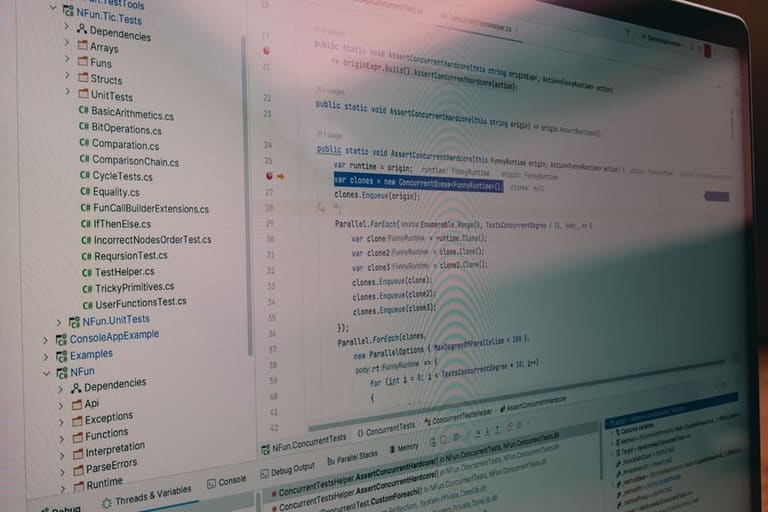
ಸಾಫ್ಟ್ವೇರ್ teste stepಗಳು ತಕ್ಷಣ product quality/reliability ನಿರ್ಣಯಿಸುವ ಹಂತ. Testing mistakes–resource loss–product failure. Common errors avoid essential!
Many teams ignore systematic strategy, resulting in late bug discovery/high fix cost. Good test strategy pinpoints/fixes efficiently, boosts performance/UX too.
| ತಪ್ಪು | ವಿವರಣೆ | ಪರಿಹಾರ |
|---|---|---|
| Poor Planning | Insufficient scenario design/coverage | Holistic test plans/all requirements covered |
| Wrong Automation Usage | Partial automation/wrong tool choice | Optimal tool & scenarios |
| Data Management | Unrealistic/insufficient test data | Real-world scenario diversified data |
| Poor Communication | Dev-test team synergy lacking | Regular meeting/open channels |
Tracking errors analysis/improvement is key. New tech/trend adoption adds value.
Common mistakes
- Lack of requirement analysis
- Improper Test Environment
- Wrong automation practices
- Skipping performance tests
- Neglecting security checks
- Usability test omission
Success needs tech-skill, problem-solving, detail focus in testers AND full team support.
Understanding/testing errors is important for every developer. Good strategy+tools+communication = quality outcome. Testing not only detects bugs, looks for best potential.
ಅತ್ಯುತ್ತಮ ಟೆಸ್ಟ್ ವಿಶ್ಲೇಷಣೆಗಳು ಮತ್ತು ತಂತ್ರಗಳು
ಸಾಫ್ಟ್ವೇರ್ teste successful development inseparable. Not just bug detection, quality/confidence/satisfaction enhancement. Best test practices/strategies ARE CRITICAL. Smart test strategy means requirements matched, error-free, performant product.
Begin with goals/requirements clarity. Identify priority features, acceptable risk, performance targets. This guides planning/resource allocation–focus test on key areas.
| Strategy | Explanation | Benefit |
|---|---|---|
| Risk-based Testing | Focus resource on high-risk areas | Early major bug detection, project risk mitigation |
| Agile Testing | Continuous feedback in Agile workflow | Rapid feedback loop, constant improvement |
| BDD | User-centric scenario validation | Improved stakeholder communication/requirement clarity |
| Automation | Repeat test automation, save time | Fast cycles, broad coverage, less human error |
Continuous feedback/improvement vital. Regular test analysis–what works, what needs more coverage, process enhancement–builds quality.
Teste ಸಲಹೆಗಳು
- Start testing early, span whole dev cycle
- Mix test types (unit, integration, system, acceptance) for broad coverage
- Keep test environment production-like
- Update scenarios for new feature/change
- Log/analyse results thoroughly
- Promote dev-team collaboration
- Automate repeat tests = speed/reliability
Testing is team work–dev, testers, product owners, stakeholder synergy==success. Early collaboration ensures early issue fix–quality product outcome.
ಆಟೊಮೇಷನ್ ಮುಂದಿನ ಹಂತಗಳು ಮತ್ತು trend
ಸಾಫ್ಟ್ವೇರ್ teste automation evolving field, next trends give competitive edge. AI/ML integration–smarter, efficient test cycles. AI generates test scenarios/analyses results/faster bug detection.
Cloud testing solutions–more popular. Cloud–quick environment setup/scaling, cost down/& speed up. CI/CD test integration–continuous feedback, quality, faster release.
Future Trends
- AI-Powered Test Automation
- Cloud-Based Test Solutions
- Continuous Test integration CI/CD
- Robotic Process Automation (RPA) for testing
- Low-code/No-code test tools
- Data-centric Test Approaches
Key tech advances summarized:
| Technology | Description | Potential Impact |
|---|---|---|
| AI | Auto scenario generation/bug prediction | Efficiency boost, less manual effort |
| ML | Result analytics, pattern recognition | Faster/more accurate bug spot, improved coverage |
| Cloud Computing | Quick scalable environments | Cost save, speed/flexibility |
| RPA | Repeat job automation | Less manual, faster cycles |
Low-code/no-code tools expand tester base–non-tech can contribute, more diverse team. These trends combined = more accessible/effective testing future.
ಯಶಸ್ವಿ ಟೆಸ್ಟ್ಗಾಗಿ ಬೇಕಾದ ಮೂಲಗಳು
Success in ಸಾಫಟ್ವೇರ್ teste needs right resources. Project size/complexity/technique variability–needs careful resource planning to avoid delay/overspend.
Testing environment invest first–automation/performance/security/error tracking tools boost speed/coverage. Proper tool configuration/training critical.
| Resource Type | Description | Importance |
|---|---|---|
| Test Environment | Simulation of real-world infra | Accurate result |
| Test Data | Realistic/diverse data | Checks reactions to varied inputs |
| Test Tools | Automation/performance/security/bug tracking software | Accelerates, expands coverage |
| Human Resource | Skilled testers/devs/managers | Plan, execute, analyse test process |
Expert testers–core, bug spot/improvement, quick fix. Collaboration across dev/test/project manager–fast bug resolution. Team training/adaptation = efficiency.
Resource Tip
- Pick tools–easy, project-need specific
- Set environment near alike production
- Data–wide scenarios, edge cases
- Team–continuous training for new skill/tool
- Bug tracking–monitor/fix cycle
Team synergy essential–open/regular dev/test/manager communication = early issue fix. Test result reporting to all, ongoing improvement for quality.
ಟೆಸ್ಟ್ ಆಟೊಮೇಷನ್ ಮುಖ್ಯ ಅಂಶಗಳು ಮತ್ತು ಸಲಹೆಗಳು
ಸಾಫ್ಟ್ವೇರ್ teste automation–dev cycle productivity, cost-save, reliable product foundation. But successful automation requires key principles + practical tips.
Begin automation–correct areas pick imperative. Not every scenario–just repeat+critical+human error-prone tests. Tool selection fit purpose/team skill. Wrong tool ruins automation.
| Key Point | Description | Tip |
|---|---|---|
| Correct Area Selection | Repeat/critical test pick | Risk-priority analysis |
| Tool Selection | Project-fit tool | Try free trials! |
| Test Data Management | Realistic, diverse data | Update data sets often |
| Continuous Integration | Automation in CI | CI/CD pipeline integrate |
Data management–reliable/diversified data = trustworthy result. Automation integrating CI/CD–faster cycle, early bug pick, instant reporting.
Automation continuous–keep scenarios updated as code/features change.
Summary Tips
- Prioritize scenarios: Automate high-impact/repeat test
- Select right tools: Team/project compatibility
- Manage data: Realistic/diverse data = reliability
- CI/CD integration: Fast dev-test loop
- Update automation scenario: Parallel to code changes
- Promote teamwork: All stakeholders collaboration
Automation success hinges on team communication. Dev, testers, stakeholders–regular feedback/communication==maximum quality/early bug detection. Transparent project environment needed.
ಪ್ರಶ್ನೋತ್ತರ
ಸಾಫ್ಟ್ವೇರ್ teste automation ಏಕೆ ಮುಖ್ಯ? Work processಗೆ ಯಾಕೆ relevance?
Automation–dev cycle ವಿಪರೀತ ವೇಗ–repeat test auto, time/cost save. Human error minimize, quality increase, quick feedback.
Automation tests manual testsವನ್ನೆಅಳಿಸಬಹುದು? ಯಾವ ಸ್ಥಳ manual test ಬೇಕು?
No–automation only covers pre-defined/repeat test. UX/usability/exploratory/human intuition manual-essential. New features/complex scenario manual required.
Automation start ಮಾಡಲು ಯಾವವನ್ಯ ಕೌಶಲ್ಯ ಅಗತ್ಯ?
Programming basics (Java, Python, C#), automation tool knowledge (Selenium, JUnit, TestNG), test principle/development understanding, version control (Git), CI/CD pipe concept.
ಯಾವ project automation useನೆಳೆಯುತ್ತಿದೆ?
Big/complex/long-term/repeat test/CI/CD project/ Ecommerce/Banking/SaaS–automation max benefit.
Success automation strategy–principal focus?
Pick test area, right tool, robust scenario, effective data management, regular result analysis. Early integration in SDLC, continuous improvement.
Automation challenges–how to overcome?
Scenario maintenance, environment complexity, false positive, set-up cost. Solution–modular, maintainable scenarios, updated environment, careful result analysis, cost-benefit analysis pre-invest.
Automation future–AI/ML role?
AI/ML–auto scenario, result analysis, bug detection, environment optimization. Smarter/faster/more efficient testing, boosted quality.
Automation learning resources?
Online courses (Udemy, Coursera, Test Automation University), original docs (Selenium, Appium, Cypress), active community (Stack Overflow, Reddit), practice projects, mentorship.