 Afrikaans
 Azərbaycan
 Bosanski
 Čeština
 Dansk
Dansk Deutsch
 English
 Español
 Filipino
 Français
 Hrvatski
 Indonesia
 Italiano
 Magyar
 Melayu
 Nederlands
 Norsk
Norsk Oʻzbek
 Polski
 Português
 Română
 Slovenčina
 Slovenščina
 Suomi
Suomi Svenska
 Tiếng Việt
 Türkçe
 Ελληνικά
 Беларуская
 Български
 Русский
 Српски
 Українська
 עברית
עברית اردو
اردو العربية
 پښتو
پښتو فارسی
فارسی አማርኛ
አማርኛ मराठी
मराठी বাংলা
বাংলা தமிழ்
தமிழ் ไทย
ไทย မြန်မာ
 한국어
한국어 中文
中文 日本語
日本語

మీ వెబ్సైట్లో ఉన్న ఫారమ్ లను మరింత మంది యూజర్లు పూర్తి చేయడానికి "ఫారమ్ ఆప్టిమైజేషన్" కీలకంగా ఉంటుంది. ఈ బ్లాగ్లో ఫారమ్ ఆప్టిమైజేషన్ అంటే ఏమిటి, దాని అవసరమెంత, మరియు ఫారమ్ డిజైన్లో ఉత్తమమైన 5 అడుగులు, యూజర్ అనుభవాన్ని బలపర్చే ఫీచర్లు, ప్రాక్టికల్ మార్గాలు విశ్లేషించబడతాయి. అదనంగా, ఫారమ్ లో వచ్చే పొరపాట్లు తక్కువ చేయడం, విజయవంతమైన ఫారమ్ పూర్తి స్ట్రాటజీలు, వాడగల ఉపకరణాలు, ఫారమ్ పనితీరు ట్రాక్ చేయడానికి ముఖ్యమైన సూచికలు చర్చించబడతాయి. చివరగా, ఫారమ్ ఆప్టిమైజేషన్లో వాస్తవిక ఫలితాలు మరియు ఆపరేషన్ స్టెప్పులతో మీ వెబ్సైట్లో కన్వర్షన్ పెంచడానికి మద్దతు మార్గాలు అందిస్తాం.
ఫారమ్ ఆప్టిమైజేషన్ అంటే ఏమిటి? సమగ్ర దృష్టికోణం
ఫారమ్ ఆప్టిమైజేషన్ అంటే మీ వెబ్సైట్లో లేదా యాప్లో ఫారమ్ లను యూజర్ అనుభవాన్ని (UX) మెరుగుపర్చుతూ, పూర్తి జాలాలను పెంచే ప్రక్రియ. ఫారమ్ డిజైన్, UI, ప్రశ్నలు ఎలా అమర్చాలి అనే విభిన్న అంశాలు ఇందులో ఉంటాయి. ముఖ్యంగా, యూజర్లు ఫారమ్ పూర్తిచేస్తున్నప్పుడు ఎదురయ్యే అడ్డంకులను తగ్గించాలనే వ్యవస్థ. ప్రధానంగా, డేటా సేకరణ మాత్రమే కాదు, యూజర్లతో గుండెతొ ఆప్యాయతను పెంచడం కూడా లక్ష్యం.
సులభంగా పూరించదగిన ఫారమ్లు, బ్రాండ్కు నమ్మకం పెంచుతాయి, యూజర్ సంతృప్తిని వృద్ధి చేస్తాయి—అది మీరుగా కూడా కస్టమర్ ప్రసాదాన్ని & చేరువను తీసుకురాగలదు. బాగా ఆలోచించిన ఫారమ్ ఆప్టిమైజేషన్ వ్యూహం అంటే - యూజర్ల అవసరాలు, ఆశలు తెలుసుకుంటేనే సాధ్యం.
ఫారమ్ ఆప్టిమైజేషన్ లక్ష్యాలు
- ఫారమ్ పూర్తి శాతం పెంచడం
- యూజర్ అనుభవంపై మంచి ప్రభావం
- ఫారమ్ విడిచిపెట్టు శాతం తగ్గ్చడం
- డాటా నాణ్యతను మెరుగుపర్చడం
- మార్పు (conversion) రేట్లు వృద్ధి (ఉదా: సేల్స్, రిజిస్ట్రేషన్)
- బ్రాండ్ ఇమేజ్ బలపర్చడం
ఫారమ్లను మబైల్ ఫRIENDLYగా ఉండేలా చేయడం ఎంత ముఖ్యమో తెలుసుకోవాలి. నేటికీ, మెజారిటీ యూజర్లు మబైల్ ద్వారా ఆన్లైన్కు వచ్చారు. అందువల్ల, ఫారమ్లు అన్ని స్క్రీన్లలో సులభంగా కనిపించాలి, పూరించాల్సిన విధంగా ఉండాలి. Responsive design వల్ల ఇది సాధ్యమవుతుంది. లేకుంటే, మబైల్ యూజర్లు ఫార్మ్ను వదిలే అవకాశాన్ని మీఉత్పత్తికి తాళం లాక్కొచ్చినట్లే.
ఫారమ్ ఆప్టిమైజేషన్కు ముందు-తరువాత డేటా కాంపారిసన్
| మీట్రిక్ | ఆప్టిమైజేషన్ ముందు | ఆప్టిమైజేషన్ తరువాత | మార్పు శాతం |
|---|---|---|---|
| ఫారమ్ పూర్తి శాతం | 15% | 35% | +133% |
| ఫారమ్ విడిచిపోవు శాతం | 60% | 30% | -50% |
| సగటు పూర్తి సమయం | 5 నిమిషాలు | 2 నిమిషాలు | -60% |
| మబైల్ పూర్తి శాతం | 10% | 30% | +200% |
ఫారమ్ ఆప్టిమైజేషన్ ఒక ongoing process. ఫారమ్ పనితీరును నిత్యం ట్రాక్ చేయాలి, యూజర్ feedbackదినియోగం & ఫారమ్లలో మార్పుల్ని అమలు చేయాలి. A/B testing ద్వారా డిజైన్ల, ప్రశ్నల అమరికలు - ఏది ఉత్తమమో నిర్ణయించవచ్చు. డేటా ఆధారిత నిర్ణయాలు అప్పటికప్పుడు చేస్తూ, ఫారమ్ ఆప్టిమైజేషన్ను మెరుగుపర్చడమే విజయానికి మార్గం.
ఫారమ్ పూర్తి శాతం పెంచటానికి అవసరం
ఫారమ్ ఆప్టిమైజేషన్ వల్ల, ఫారమ్ లు యూజర్కు చక్కగా, త్వరగా పూర్తి చేసేలా మార్పు సాధించవచ్చు. ఫారమ్ పూర్తి శాతం పెరగడం వల్ల, కొత్త కస్టమర్స్, డేటా మార్కెట్, వ్యాపార నిత్య క్రమాలకు ఛాంపియన్ ప్రసక్తులు
ఫారమ్ పూర్తి శాతం పెరగడం వల్ల, డేటా పెరగడం కాదు, యూజర్ అనుభవం కూడా మెరుగవుతుంది. యూజర్ ఆదరణున్న, సులభమైన ఫారమ్లు—వారు మీ వాటిని ఎక్కువ సార్లు దర్శిస్తారు, నమ్మకం పెరుగుతుంది. ఇది recurring visitors, loyalty అందిస్తుంది. ఫారమ్ ఆప్టిమైజేషన్ ద్వారా, ఫారమ్ను పూర్తి చేయడానికి ఆటంకంగా ఉన్న సమస్యలు తొలగించవచ్చు.
ఇక్కడ ఫారమ్ పూర్తి రేట్లు కలిగించే లాభాలు:
- మరిన్ని potential customer లు
- మార్పు రేట్లు (conversion) పెరగడం
- MNQ - మెరుగైన యూజర్ అనుభవం
- బెటర్ డేటా క్వాలిటీ
- కస్టమర్ loyalty పెరుగడం
- మార్కెటింగ్ ఇన్ఫ్లు మెంట్
ఫారమ్ ఆప్టిమైజేషన్ ద్వారా, డేటా సేకరణ దశ వేగంగా జరుగుతుంది. నాణ్యమైన డాటా, వ్యాపారి నిర్ణయాలు, target audience అర్థం చేసుకోవడానికి అవసరం. క్రింది టేబుల్ వివిధ రంగాలలో ఫారమ్ పూర్తి శాతం పెరగడం పెట్టే ప్రభావాన్ని చూపిస్తుంది:
| రంగం | అప్పటి ఫారమ్ పూర్తి శాతం (%) | ఆప్టిమైజేషన్ తరువాత (%) | శాతం పెరుగుదల |
|---|---|---|---|
| E-commerce | 25 | 40 | 60 |
| Finance | 30 | 45 | 50 |
| Healthcare | 20 | 35 | 75 |
| Education | 35 | 50 | 43 |
ఫారమ్ ఆప్టిమైజేషన్ వల్ల, పోటీదార్లకంటే మక్కువ, యూజర్ కు విలువ కలిగే పరిష్కారాలు/అనుభవాన్ని అందిస్తూ, టాప్ బ్రాండ్ గా దృశ్యతను పొందవచ్చు. ఇది బ్రాండ్ రిప్ట్ని మెరుగు పరుస్తుంది, దీర్ఘకాలిక విజయం చేరుగించేలా చేస్తుంది.
సమర్థవంతమైన ఫారమ్ డిజైన్కు 5 మెట్లు
ఫారమ్ ఆప్టిమైజేషన్లో, బాగా ప్లానింగ్ చెయ్యబడిన ఫారమ్ డిజైన్, యూజర్లు పూర్తి చేసే అవకాశం పెరుగుతుంది. ఇది అద్భుతంగా కనిపించడమే కాదు, స్పష్టంగా, అరువు రిప్డెంట్గా, త్వరగా డేటా పూరించగల విధంగా ఉండాలి. ఫారమ్ డిజైన్లో, యూజర్ అవసరాలు, ఆశలు, ఫారమ్ యొక్క అసలైన ముఖ్యతను ముందుగా డిఫైన్ చేయాలి.
డిజైన్ ప్రారంభానికి ముందుగా, మీరు ఏ డేటా సేకరించాలనుకుంటున్నారు? ఆ డేటా ఎందుకు అవసరం? objective ని ఎక్స్ ప్లేన్ చేసాక, target users వివరాలు, technical skill, ఫారమ్ పూర్తి బదులు చూడవచ్చు.
డిజైన్ అచ్యూస్ - 5 మెట్లు
- ఉద్దేశ్యం కచ్చితంగా వివరించండి.
- Target audience మీధ దృష్టి పెట్టండి.
- Fields ని optimize చేయండి (అగత్యం లేని fields drop చేయండి, క్యూ లాజికల్ ఆర్డర్ లో అమర్చండి).
- UX improvise చేయండి (clear labels, helper text, proper input type).
- Test & improvise (device/browser testing, feedback base changes).
Fields లను optimize చేసినద్వారా, ఫారమ్ త్వరగా పూర్తి అవుతుంది. కేవలం అవసరమైన ఫీల్డ్స్ మాత్రమే అడగండి, logical order లో arrange చేయండి. ఉదా: వ్యక్తిగత సమాచారాన్ని, కమ్యూనికేషన్, address వరుసలో ఇవ్వడం. field size & type inputన్నదీ data nature ఆధారంగా సెట్ చేయండి.
| Field | ఉత్తమ practice | కారణం |
|---|---|---|
| పేరు | పేరును రెండు fields గా (first name, last name) | డేటా పూర్తిగా, వ్యవహారికంగా పూర్తవుతుంది |
| ఇ-మెయిల్ | వాలిడేషన్ active చేయడం | తప్పుడు ఇ-మెయిల్.entries నిరోధించాలి |
| ఫోన్ | Country code picker ఇవ్వండి | అంతర్జాతీయ యూజర్ లకు సౌకర్యం |
| మెసేజ్/వివరణ | క్యారెక్టర్స్ పరిమితి క్లియర్ చేయండి | యూజర్ ప్రక్రియకు guide చేస్తుంది |
UX improvise చెయ్యాలంటే, field labels సరళంగా, స్పష్టంగా ఉండాలి. Help-textలు నిర్దిష్టంగా ఇవ్వండి, complex terminologyకు explanation mandatory చేయండి. Proper input selection (date type, number, etc.) వల్ల user friction తగ్గుతుంది.
Devices/browser ఇద్దరినీ test చేయండి, feedback base improvise చేయండి. ఫారమ్ ఆప్టిమైజేషన్ లో feedback loop continuous, మార్పులు నిత్యం updates చేయడం వల్ల పూర్తి శాతం పెరుగుతుంది.
యూజర్ అనుభవాన్ని పెంపొందించే ఫారమ్ అంశాలు
ఫారమ్ ఆప్టిమైజేషన్లో UX improvise చేయడం, ఫారమ్ లు త్వరగా పూర్తి అవ్వడానికి, conversion పెరగడానికి అత్యంత ముఖ్యమైన విషయం. ఈ విధంగా, motivational hindrance తగ్గుతుంది, completion శాతం పెరుగుతుంది.
ఫారమ్ లు user-friendlyగా ఉండటం ఒక luxury కాదు, కచ్చితంగా అవసరం. Clumsy, hard to read forms యూజర్ను discourage చేస్తాయి, form quit rate పెరుగుతుంది. Simple, clear, use-case మార్గంగా ఉన్న forms user trust పెంపొందిస్తాయి మరియు పెరుగుతాయి.
ఫారమ్ ఫీల్డ్స్
ఫారమ్ ఫీల్డ్స్ - యూజర్ డేటా వీటిలో జత చేస్తారు. తప్పకుండా, fields కోసం clear labelలు అవసరం - ఎలాంటి డేటా అందించాలో స్పష్టంగా చూపించాలి. Autofill, suggest features కూడా user support improvise చేద్దీయాలి.
మంచి fields design ఎలా ఉంటుందో ఈ టేబుల్ లో:
| ఫీల్డ్ లక్షణం | వివరణ | ఉదాహరణ |
|---|---|---|
| లేబుల్ | ఏ డేటా ఇవ్వాలో స్పష్టంగా చూపించాలి | పేరు, ఇ-మెయిల్, ఫోన్ |
| సైజు | అంచనా ప్రయోజనానికి field length | Short text/Long text field |
| కచ్చితంగా field | requirement టీది, ముగింపు* starతో | star or "must" notation |
| Help-text | ప్రమాద భరితమైన fieldsకి వివరణ | "పాస్వర్డ్ 8 అక్షరాలు, capital letter అవసరం" |
Logical sequence, grouped fields, mobile-first design—all improve UX. Grouped, balanced field layout users ముగించేలా guide చేస్తాయి. Mobile friendly structure must.
యూజర్ అనుభవం పట్టే లక్షణాలు
- Clear, understandable labels
- అగత్యం లేని fields drop చేయండి
- Autofill activation
- Error messages అవగాహనగా కావాలి
- Mobile-friendly design
- Logical group/sequence
బటన్ డిజైన్లు
బటన్లు - యూజర్ క్రియల (submit/save/cancel...)కు నీల్లిపోతాము. బటన్ పటిష్టంగా, స్పష్టంగా, ఉపయోగాన్ని తెలియజేసేలా ఉండాలి. Color, size, wording, shape—all affect conversion.
Best practice: brand color use, size adequate (touch devices), text—(Submit, Save, Cancel...), logical position/float, strategic placement.
A/B testing ఎక్కువ clicks fetch చేసే button/style నమోదు చేస్తుంది. Color, wording, prominence—all controlled experimentation ద్వారా తెలుసుకోవచ్చు.
ప్రతి optimization, UX improve చేస్తే completion rate డబ్బుల్ కలదు. Field layout, button style సర్దుబాటు conversion improvise చేస్తాయి, positivity పెరిగేలా చేస్తాయి.
ఫారమ్ ఆప్టిమైజేషన్కు ఉత్తమ మార్గాలు
ఫారమ్ ఆప్టిమైజేషన్ processలో లాజోకి, డిజైన్, UX, contentall చూడటం అనివార్యం. Best practice: aim clear, unnecessary fields avoid, question intent (why-this) clarify, motivate completion.
ఉత్తమ ఫారమ్ డిజైన్ టిప్స్
- Logical order
- Clear labels
- Extra fields avoid
- User-friendly error messages
- Mobile support
- Completion guide & sample
UX critical role – easy access, clear understanding, mobile responsiveness, fast loading, visual harmony with brand, no distracting clutter.
| Optimization తరం | Best practice | లాభాలు |
|---|---|---|
| ఫీల్డ్స్ | Unnecessary fields remove | Speed, motivation improve |
| UX | Mobile support | All devices easy access |
| Error messages | User-friendly wording | Error resolve చేయడం – quit rate తగ్గించండి |
| Labels | Clear, legible | Right data, better completion |
ఫారమ్ ఆప్టిమైజేషన్ continuous process: Regular performance tracking, feedback; identify drop-off fields, frequent errors, help-needed steps; adapt accordingly.
ఫారమ్ లో పొరపాట్లు తగ్గించాలంటే
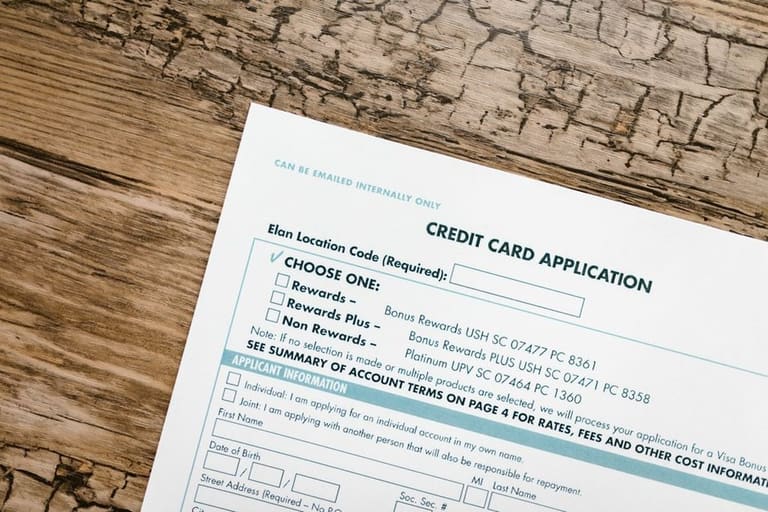
ఫారమ్ ఆప్టిమైజేషన్లో, errors minimize చేయడం ఎంత ముఖ్యమో తెలుసుకోండి. Form errors user experience పడిపోతుంది, data integrity తప్పిపోతుంది. Common error causes & prevention below:
సాదారణ ఫారమ్ errors:
- Incorrect/missing data
- Confusing fields
- Non-mobile design
- Unclear error messages
- Security inadequacies
- Too long/complex forms
Prevention: Field validation (email format, phone masks/length, required fields presence), clear error messages (problem & solution guidance).
| Error | Possible cause | Prevention |
|---|---|---|
| Missing Data | Required not filled, inattentive user | Mark required fields, trigger auto-complete |
| Wrong Format | Incorrect email, phone number | Mask validation, formatting tools |
| Security lapse | SQL injection/XSS threats | Sanitize input, firewalls |
| Usability | Complex form, mobile issues | Simple layout, responsive design |
User-friendly, minimal fields, clear labels; mobile compatibility; test frequently, use feedback, A/B testing for design improvements. Continuous adaptation key.
విజయవంతమైన ఫారమ్ పూర్తి మార్గాలు
ఫారమ్ ఆప్టిమైజేషన్ lets you boost completion: Design, information flow, motivation. Strategy must fit user expectation, minimize friction, explain clearly, mobile ready.
| Strategy | Explanation | Benefits |
|---|---|---|
| Stepwise forms | Break into short steps | No overwhelm, increased completion |
| Conditional logic | Fields shown/hide as per answers | Personalized, irrelevant skipped |
| Instant feedback | On-the-spot errors | Guides fixes, positive experience |
| Autofill | Browser/tool fill data | Less typing, speedy process |
Logical order, clear visuals, mobile-first; form end-thank/debrief, confirmation message – boost trust/loyalty/data quality.
Practical steps
- Logical field order placement
- Unnecessary fields avoid
- Clear labels & guidance
- Mobile-friendly build
- Unambiguous error feedback
- Enable autofill
ఫారమ్ ఆప్టిమైజేషన్కు సహాయపడే టూల్స్
ఫారమ్ ఆప్టిమైజేషన్కు టూల్స్: Analytics, A/B Test, feedback, design assistant. Data-driven improvise, strategy fit for real-user need.
Comparison table:
| Tool | Key features | Usage |
|---|---|---|
| Google Analytics | Completion rate, drop-off, behavior tracking | Data analysis, UX diagnosis |
| Hotjar | Heatmaps, session, feedback polls | UX, interaction insight |
| Optimizely | A/B & multivariate tests | Design trial, conversion boost |
| Typeform | Interactive forms, user-friendly UI | Surveys, feedback, engagement |
Popular Tools
- Google Analytics: Form analysis, user journey
- Hotjar: Heatmap & recording for UX
- Optimizely: A/B design experiments
- Typeform: Interactive modern forms
- SurveyMonkey: Feedback/survey analysis
Tools use: data privacy/security main. Analytics must be interpreted meaningfully. Data+user centric approach = maximum results.
Remember, tools supplement, not substitute. ఫారమ్ ఆప్టిమైజేషన్ continuous improvise - user needs align, real experience deliver.
ఫారమ్ పనితీరును తెలుసుకోవడానికి సూచికలు
ఫారమ్ ఆప్టిమైజేషన్లో, form effectiveness track చేయాలంటే key metrics నిత్యముగా మాపరి చూడాలి. Conversion rate, errors, drop-off, field-level issues tracked, improvise continously.
Conversion rate – viewed వర్సెస్ completed. Low rate = issue (complexity, friction, bug). Reduce blockers, UX improvise.
Key stats
- Form views: Visitors who see form
- Completion rate: Filled vs total views
- Bounce rate: Form opened, but no action, page exit
- Field error rates: Which fields cause errors
- Completion time: How much time per form
- Device/browser performance: Performance across devices
Bounce rate: High = initial impression poor, too long/confusing. First impression improvise. Completion time – short & clear better.
| Metric | Description | Tracking method |
|---|---|---|
| Form views | Number of visits | Google Analytics, Form tools |
| Completion rate | Success ratio | Form tools, custom scripts |
| Bounce rate | Zero action & exit | Google Analytics, Form tools |
| Field error rate | Problematic fields | Form tools, custom scripts |
Completion times – too long = complexity, give guidance, shorten, improvise UX.
ఫారమ్ ఆప్టిమైజేషన్లో ఫలితం & కార్యాచరణలు
ఫారమ్ ఆప్టిమైజేషన్ outcome, changes effectiveness assess చేసి, correct action adapt చెయ్యాలి. Data analysis, improvements retention, future optimization planning.
| Metric | Before | After | Change |
|---|---|---|---|
| Completion rate | 15% | 25% | +66.67% |
| Error rate | 8% | 3% | -62.5% |
| Abandon rate | 20% | 10% | -50% |
| Completion time | 60 sec | 40 sec | -33.33% |
Best practice actions
- Regular analytics monitoring
- Continuous A/B testing
- User feedback analysis
- Follow best design usage
- Mobile compatibility audits
- Update fields per need
ఫారమ్ ఆప్టిమైజేషన్ సరైన దిశలో పరిపాలన సాగించాలి – data-loop, feedback-loop, improvise-loop.
Each form/user unique; adapt, iterate, improvise. Goals achieve only through continual feedback-driven adaptation.
తిరిగితిరిగి అడిగే ప్రశ్నలు
ఫారమ్ ఆప్టిమైజేషన్ వెబ్సైట్ లకు ఎందుకు అవసరం?
వెబ్సైట్ ఫారమ్ లు completion rate improvise, conversions పెరుగుతాయి – కొత్త కస్టమర్లను, డేటా, brand image & experience improvise చేస్తుంది.
ఫారమ్ డిజైన్లో ప్రధానమైన అంశాలు ఏమిటి?
Clear/simple labels, unnecessary fields avoid, mobile-friendly, visual attractivity, instant feedback, progress indicators, autofill – all key for best experience.
Completion rates improvise చేయాలంటే UX లో ఏ approaches వినియోగించాలి?
Logical field order, pre-filled guidance, progress bar placement, intuitive flow design – all boost completion rates.
Form errors minimize చేయాలంటే చేపట్టవలసిన చర్యలు ఏవి?
Real-time validation, clear error messages, expectation guidance, cross-browser/device testing.
విజయవంతమైన completion strategy రావాలంటే ఏ steps తీసుకోవాలి?
Audience analysis, need-based design, continuous testing/improvement, A/B test/optimize best design.
Form optimizationలో ఏ tools ఉత్తమ?
Google Analytics, Hotjar, Optimizely, Formisimo, Lucky Orange, SurveyMonkey – completion analysis, feedback, UX improvise key.
Performance track చేయడానికి శాస్త్రీయ సూచికలు (KPIలు) ఏవి?
Completion rate, abandonment, error rate, avg time, field-level stats – identify fix points.
Form optimization changes effect track చేయాలని ఎలా?
A/B testing, conversion tracking, feedback, analytics monitor – all help judge effectiveness & future direction.