 Afrikaans
 Azərbaycan
 Bosanski
 Čeština
 Dansk
Dansk Deutsch
 English
 Español
 Filipino
 Français
 Hrvatski
 Indonesia
 Italiano
 Magyar
 Melayu
 Nederlands
 Norsk
Norsk Oʻzbek
 Polski
 Português
 Română
 Slovenčina
 Slovenščina
 Suomi
Suomi Svenska
 Tiếng Việt
 Türkçe
 Ελληνικά
 Беларуская
 Български
 Русский
 Српски
 Українська
 עברית
עברית اردو
اردو العربية
 پښتو
پښتو فارسی
فارسی አማርኛ
አማርኛ मराठी
मराठी বাংলা
বাংলা தமிழ்
தமிழ் ไทย
ไทย မြန်မာ
 한국어
한국어 中文
中文 日本語
日本語

இந்த வலைப்பதிவு, நவீன தொழில்நுட்ப உலகின் படிக்கட்டான இயக்கக விஷயத்தை விரிவாக ஆராய்கிறது. முதலில் இயக்கக என்றால் என்ன, அதன் அடிப்படை கூறுகள் மற்றும் முக்கியத்துவம் என்ற அடித்துக்கு விளக்கங்கள் தரப்படுகின்றன. தொடர்ந்து, கணினி இயக்ககத்தின் çekirdek பகுதி (kernel) பற்றிய வரையறை, உரிமை மற்றும் முக்கிய பணிகள் முழுவதும் விரிவேனும் அலசப்படுகிறது. இயக்ககத்தை உருவாக்கும் முக்கிய உறுப்புகள் விபரிக்கப்படுகின்றன; பல்வேறு இயக்கக வகைகள் மற்றும் அவற்றின் சிறப்புகள் பிரதிபலிக்கப்படுகின்றன. çekirdek எவ்வாறு செயல்படுகிறது, பயனர் மற்றும் கணினி இடையே நடைபெறும் பிணைப்பு, இயக்ககங்களின் பலன்கள் மற்றும் பிழைகள், புதுப்பிப்புகளின் அவசியம், மேலும் சிறந்த நிர்வாகம் பெறுவதற்கு குறிப்புகள்—all பகுதியும் உள்ளழைக்கப்படுகிறது. வாசகர்களுக்கு இயக்கக வழங்கும் பல்வகை இரு நோக்கை விளக்க நோக்கமாக கட்டுரை அமைந்துள்ளது.
இயக்கக என்றால் என்ன? அடிப்படை கூறுகள் மற்றும் அதின் முக்கியத்துவம்
இயக்கக என்பது, கணினி hardware மற்றும் பயனர் இடையே நடைபெறும் தொடர்பை வகுக்கும், system-resources-ஐ நிர்வகிக்கும் மற்றும் app-களின் செயல்பாட்டிற்கு நிலைமை உருவாக்கும் முக்கிய software ஆகும். கணினியின் அனைத்து அடிப்படை செயல்பாடுகளையும் ஒருங்கிணைக்கிறது, resource orchestration மூலம் உங்கள் computer-ஐ தக்கவைக்கும். இயக்கக இல்லாமல், hardware-இன் சிக்கலான பல கூறுகளுடன் நேரடியாக ச தொடர்பு வழி almost impossible.
இயக்ககங்கள் மட்டும் கணினிகளிலல்ல, smartphones, servers, cars-இல் இருக்கும் embedded systems வரை பல device-களிலும் உள்ளன. மற்றொரு desktop computer-இல் உள்ள இயக்ககமற்றும் ஒரு smartphone-இல் உள்ள இயக்ககமற்றும் ஜீவர்சேர்ப்பு, தேவையடிப்படையில் வேறுபடும்.
இயக்ககத்தின் அடிப்படை செயல்கள்
- Hardware resource-ஐ (CPU, RAM, storage) control & allocate செய்யும்.
- Apps-ஐ இயக்கி நிர்வகிக்கிறது.
- File system-ஐ activity & security-இல் ஒருங்கிணைக்கிறது.
- User interface வழங்குகிறது.
- Security & access control வழங்குகிறது.
- Network connectivity வழங்குகிறது.
இயக்ககன் பிரதான நோக்கம், resource-ஐ பயிற்சி, apps-ஐ allocate மற்றும் device-இனிடையே seamless access சூழல் உருவாக்கும். Resource allocation, task scheduling, hardware-ஐ message passing—all complex but invisible. சிறந்த இயக்கக, system resource-ஐ smartly manage செய்யும்போது, performance-ஐ உயர்த்தி user experience-ஐ சிறப்பாக்கும்.
இயக்ககத்தின் முக்கிய உறுப்புகள்
| உருப்பு | விளக்கம் | பணி |
|---|---|---|
| çekirdek (Kernel) | இயக்ககபட்டியின் உயிர்வாய். | Hardware control, process scheduling, system calls. |
| System Calls | Apps-ஐ இயக்கக service-ஐ access செய்யும். | File, process manage, read/write, etc. |
| Shell | User interface between இயக்கக and user. | Commands parse & execute, user command acceptance. |
| File System | File, directory structure management. | Data storage, access, management. |
ஒரு document-ஐ save செய்தால், இயக்கக file system-ஐ மென்மையானிவாக disk-இல் அந்த document-ஐ எழுதும். App run செய்யும்போது, இயக்கக memory allocation, resource binding—all invisible, but critical. இது seamless computing-இன் heart-ஆகும்.
இயக்கக çekirdek பகுதி: வரையறை மற்றும் அடிப்படை பங்கு
இயக்கக çekirdek (kernel) என்பது ஒரு இயக்ககத்தில் life-line ஆகும். Hardware & software-ஐ bridge செய்வது, system resource allocation, app execution reliability—all kernel job! கணினி power-on-ஐ முதல் shutdown-ஐ வரை kernel tirelessly ஓடுகிறது; அதன் stability மற்றும் efficiency யு, system-உம் user-உம் பலப்படுத்தும்.
Kernel functions, mostly low-level: CPU, RAM, storage, I/O devices-இனிடையே message-passing, resource-control, process-scheduling—all handled by kernel. Kernel, system calls-ஐ gate-keep செய்வதால், apps-க்கு direct hardware access blocked; security-க்கு பெரும் support.
çekirdek பகுதியில் செயல்கள்
- Process management
- Memory management
- Input/Output (I/O) handling
- File system management
- Device driver management
- System calls management
அடுத்துள்ள பட்டியில் kernel உட்பட்ட கூறுகள் மற்றும் அவற்றின் வேலைகள்:
| உருப்பு | விளக்கம் | பணி |
|---|---|---|
| Process Management | Process creation, scheduling, termination. | CPU-resource allocation optimum. |
| Memory Management | Allocate/release/protect RAM. | Data integrity & efficiency. |
| I/O Management | Hardware-device communication. | Data entry/exit orchestration. |
| File System Management | Structure and manage files, directories. | Persistent storage & access control. |
இயக்கக çekirdek, apps-க்கு seamless operation and system-hardware interaction–க்கு foundation-ஆக அமைந்துள்ளது. அந்தண்டும் kernel performance-ஐ optimize-கும்போது, system reliability வெகு உயர் நிலையை அடைந்து user-ற்கும் சிறந்த நேரலை வழங்கும்.
இயக்கக உறுப்புகள்: நீங்கள் அறிய வேண்டியவை
இயக்கக (OS), user & hardware-இனி இடையே நடந்துகொள்கிறது. அதில் complexity-ஐ கேட்கும்போது, இதில் பல உறுப்புகள்(dynamic components) பணிப்பகர்ச்சி செய்யும். ஒவ்வொரு உறுப்பும் system-க்கு சிறப்பாக contribute செய்யும்; இது resource utilization & user-experience-ஐ shape செய்யும்.
| உருப்பு | விளக்கம் | பணி |
|---|---|---|
| çekirdek (Kernel) | System heartbeat. | Hardware resource allocation, process-ஐ schedule, system calls handle. |
| Memory Management | RAM allocation/deallocation. | Memory virtualization, release, protection. |
| File System | Data storage/access. | File/directory creation, delete, read/write. |
| Input/Output (I/O) System | Hardware device communication. | Keyboard, mouse, printer, device read/write control. |
இந்த உறுப்புகள் ஒன்றின்ஒன்று effective co-ordination-ஐ கொண்டு, இயக்கக seamless-ஆக function செய்யும். File read/write—kernel takes request, uses device driver, sends data to app.
உறுப்புகள் (components) பட்டியல்
- çekirdek (Kernel)
- Memory management
- File system
- Input/Output (I/O) system
- Process management
- Network management
Process management: app creation, scheduling, termination. Network management: device-இன் network communication; above all, each component sub-system integral to computing. Performance, stability, efficiency depend on it.
Effective component functioning directly impacts speed/reliability. Poor memory management leads to lag/crash. Designers constantly optimize these. இயக்கக user-க்கு resource-access seamless-ஆக, computing-integrity sustained-ஆக்குகிறது.
çekirdek பகுதியின் அடிப்படை செயல்பாடுகள்
இயக்கக çekirdek system-இனின் heart-ஆகக் செயல்படுகிறது: hardware-இன் orchestration, resource allocation, scheduling, security—all çekirdek functions. System speed, user-experience, security—all shaped by these core actions.
çekirdek பகுதி, three core domains: memory management, process management, device management. All work in concert for stability/security.
மொழிபெயர்ப்பு (Memory) மேலாண்மை
Memory management kernel-இனின் prime task. Efficient RAM usage, proper storage/access of program/data. Allocation, release, virtual memory handling—RAM optimized. Multiple apps simultaneous execution—resource smart allocation.
- செயல்கள்
- Memory allocation/release
- Virtual memory
- Memory protection
- Memory leak prevention
- Cache management
Memory leaks/incorrect access destabilize system. Kernel detects & fixes for reliability. Secure memory handling is critical for servers, multi-user.
செயல் (Process) மேலாண்மை
Process management is another kernel cornerstone. Process = running app instance. Kernel: create, terminate, schedule, synchronize process flows. Process scheduling (who gets CPU, how long) directly impacts speed.
Multitasking, multiprocessing—kernel ensures fairness/resource allocation. Priority, resource assignment—all managed smartly for speed/stability.
பரிசோதனை (Device) மேலாண்மை
Device management: kernel controls hardware interfaces: printers, keyboards, disks, NICs. Kernel uses device drivers for precise hardware control.
| செயல் | விளக்கம் | முக்கியம் |
|---|---|---|
| Device Drivers | Bridge between hardware & software | Required for proper device functioning |
| Interrupt handling | Device alerts | Real-time response |
| I/O management | Data movement between device/system | Ensures smooth data flow |
| Device configuration | Hardware compatibility | Efficient resource usage |
Device management, plug & play advances, fault detection, error correction—overall system reliability.
இயக்கக வகைகள் மற்றும் சிறப்புகள்
இயக்கக வகைகள், modern computing-இல் user-needs, domain-முறையில் tailor செய்யப்பட்டவை. Desktop, server, mobile, embedded—ஒவ்வொன்றும் distinct purpose/specialty.
| வகை | அடிப்படை சிறப்புகள் | அடிக்கடி பயன்படுத்தும் இடங்கள் |
|---|---|---|
| Desktop OS | Friendly UI, wide-app support, hardware compatibility | Home, office, personal computers |
| Server OS | High-performance, strong security, network management, multi-user support | Data centers, enterprise, web servers |
| Mobile OS | Touch-friendly, portable, app store, wireless connectivity | Smartphones, tablets, wearables |
| Embedded OS | Low-resource, real-time, customizable | Appliances, automotive, industrial control |
Desktop OS: usability, app eco-system–Windows, macOS, many Linux distributions. Server OS: reliability/security, multi-user, high-demand–Windows Server, Linux server, Unix.
சிறப்புகளை ஒப்பிடும் பட்டியல்
- User-friendliness: Desktop OS easiest.
- Performance: Server OS are tuned for speed.
- Security: Server OS robust security.
- Portability: Mobile OS win.
- Efficiency: Embedded OS resource minimalism.
Mobile OS: Android, iOS–wide app stores, touch ecosystem. Embedded OS: real-time response/frugality–used in appliances/cars.
OS selection: need, budget, compatibility matter. E.g., heavy graphics–strong desktop OS; web server–secure server OS; mobile–UX/app-ecosystem; embedded–real-time & efficiency.
çekirdek எப்படி செயல்படுகிறது?
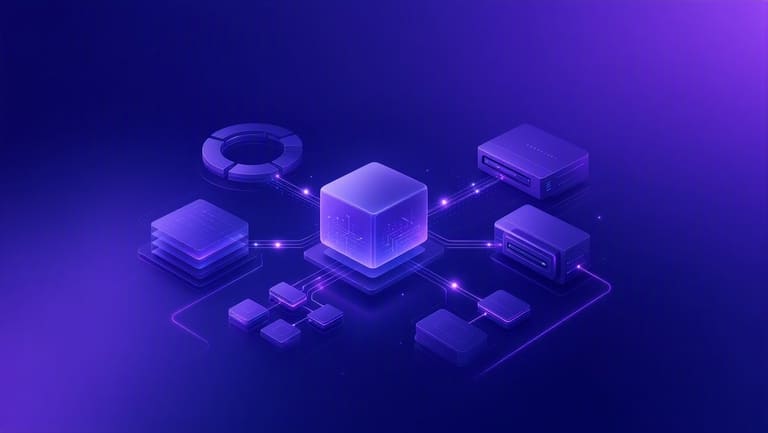
இயக்கக çekirdek: hardware-software bridge, manages resources & enables apps. Kernel consists of subsystems/services, interacts with apps via system calls. Apps indirect hardware access—security, stability sustained.
Working principle: system boot-ல் kernel loads, initializes hardware. Then, process management, memory management, file system & I/O management—all modular, all coordinated.
செயல்பாட்டுப் படிகள்
- Boot: Kernel loads at startup.
- Process management: App launch/terminate, resource allocation.
- Memory management: Allocation/deallocation, app-wise.
- File system management: File/directory create/read/write/delete.
- I/O management: Hardware communication, data transfer.
- System calls: Apps access kernel services via interface.
System calls: app requests kernel service, kernel acts, returns result. This prevents direct hardware access–safety. Kernel manages multi-user/app resource access, ensures fairness, prevents unauthorized actions (e.g., file access denied if no permission).
| çekirdek உறுப்புகள் | பணி | முக்கியம் |
|---|---|---|
| Process Management | Runs applications. | Stability assurance. |
| Memory Management | Allocates/frees RAM. | Efficient utilization. |
| File System Management | Controls file/directory access. | Data security & organization. |
| I/O Management | Communicates with hardware. | Error-free peripheral operation. |
Understanding çekirdek workings helps developers build high-performance apps, IT admins to optimize systems.
பயனர் மற்றும் கணினி இடையேயான தொடர்பு
இயக்கக: user/hardware-software interaction scaffold. User command input, system feedback–all intermediated. The better the interaction, the more productive the experience.
User interactions: Graphical User Interfaces (GUI), Command Line Interfaces (CLI), system calls, web interfaces, mobile apps. GUI–easy/visual, CLI–direct/faster but tech-heavy, system calls–low-level/dev interface.
தொடர்பு முறைகள்
- GUI (Graphical User Interface)
- CLI (Command Line Interface)
- System calls
- Web interfaces
- Mobile apps
நீங்கள் உபயோகிக்கும் தொடர்பு முறையின் சோபபாடுகள்:
| தொடர்பு வகை | விளக்கம் | பலன்கள் | பிழைகள் |
|---|---|---|---|
| GUI | Visual interaction | Very user-friendly | Resource-heavy |
| CLI | Text-based commands | Efficient, full control | Hard to master |
| System calls | App-kernel communication | Direct, fast | Dev-level complexity |
| Web interfaces | Browser-mediated | Accessible anywhere | Security, depends on internet |
OS offers file/process/memory/network management, user-focused tools—good system = better experience! A file open, app launch—complex, yet seamless kernel processes.
User-system interaction is the foundation of modern computing; OS quality directly impacts UX, productivity.
இயக்கக பலன்கள் மற்றும் குறைபாடுகள்
இயக்ககங்கள் computer usage-ஐ easy, productive-ஆக்குும். User-friendliness, resource efficiency, app compatibility—all pros. But OS negatives—security gaps, heavy requirements, hardware/software incompatibilities.
| உருப்பு | பல்வேறு | பிழைகள் |
|---|---|---|
| User Interface | Easy, intuitive | Complexity, learning curve |
| Resource Management | Efficient, optimizes speed | Resource-guzzling, slowdowns |
| Security | Firewalls, malware protection | Possible vulnerabilities, threats |
| Compatibility | Wide hardware/app support | Driver issues, incompatibilities |
OS advantage: bridges hardware/software. Wide compatibility = flexibility, but may also mean complexity/conflicts, especially for old/special hardware; new OS may need unique drivers/fixes.
பல்வேறு-பிழை பட்டியல்
- Adv: Easy interface, accessible.
- Adv: Efficient resource-usage, speed.
- Adv: Broad app/device support.
- Disadv: Security issues, malware threat.
- Disadv: System demands, performance lag.
- Disadv: Driver troubles, compatibility headaches.
Modern OS: multiple security features, but hackers continue to evolve threats. OS must be regularly updated, vigilant usage required.
OS—easy computing, productive work, but security/incompatibility/vulnerability matters. Best experience: proper OS selection + regular update!
இயக்கக புதுப்பிப்புகளின் முக்கியத்துவம்
OS updates–for reliability, security, performance & compatibility. Not just new features; secures system against vulnerabilities, enhances compatibility, boosts speed and efficiency.
Updates: Security, Features, Bug-fixes. Security updates–guard against malware/attack. Feature updates–new functionalities. Bug-fixes–stability enhancer.
Update Steps
- Notification: OS alerts when updates ready.
- Download: User downloads update.
- Backup: Always backup before.
- Install: Install, often needs reboot.
- Verify: Check correctness, fine-tuning.
- Test: Ensure core functions still work.
Regular updates mean not just security/performance, but compatibility. New hardware/software built for latest OS versions. Keep OS current for best device/app support! Also, improved energy efficiency (battery) critical in mobiles.
| Update Type | Purpose | Priority |
|---|---|---|
| Security | Protect from malware | Critical |
| Features | Enhance UX, new functions | High |
| Bug-fix | Remove errors, stabilize | நடுத்தரம் |
| Driver update | Optimize hardware performance | நடுத்தரம் |
OS updates: must for security, performance, compatibility. Stay current, reduce trouble; current OS = safe, speedy, productive device!
இயக்கக நிர்வாகத்திற்கான வெற்றிகரமான குறிப்புகள்
OS management–tech skill + strategic vision. Success: stability, security, productivity, UX—all depend on resource allocation, protection–fine-tuned control.
| Area | Description | Best Practice |
|---|---|---|
| Resource management | Efficient CPU, RAM, disk usage. | Monitor tools, terminate unnecessary processes. |
| Security | Malware & unauthorized access defense. | Update patches, strong passwords, firewall config. |
| Update management | Regular OS and app updates. | Enable auto-update, test in safe environments. |
| Performance monitoring | Continuous performance, error detection. | Use monitoring tools, check logs frequently. |
Proactive management: anticipate problems, fix fast. Regular audits, patch vulnerabilities, optimize performance, keep systems smooth. Take user feedback, iterative improvement.
Success Tips
- Regular audits: Check stability/security often.
- Patch management: Update OS & apps to close holes.
- Password hygiene: Complex/unique passwords for access.
- Performance tracking: Monitor speed, troubleshoot early.
- Backup & recovery planning: Reliable data backup, restoration plan.
- User training: Educate users on security & correct usage.
Continuous learning/growth also vital; tech changes rapidly–keep abreast, update systems, prepare for risks, explore new OS/tools.
Good communication & collaboration–with users, IT staff, suppliers–ensures faster problem-resolution, improved management. Teamwork = innovative, comprehensive solutions.
அடிக்கடி கேட்கப்படும் கேள்விகள்
இயக்கக இல்லாமல் computer இயங்குமா? ஏன்?
இல்லை. OS இல்லாமல் computer இயங்காது. OS manages hardware, provides execution environment for apps, bridges user-device gap. Without OS, device = lifeless circuitry.
çekirdek responsibilities என்ன? ஏன் அவை முக்கியம்?
Process management, memory management, I/O control, resource allocation—all core kernel duties. These ensure efficiency/reliability/security; without kernel, system performance/uptime diminished.
உயர்கள் எந்த OS components user-app interaction-ஐ facilitate செய்யும்? எப்படித் தொடர்பு ஏற்படுகிறது?
GUI/CLI, system calls, command interpreters–interface for users. Users give commands/uses visuals; kernel executes via system call translation.
Real-time OS பயன்படுத்தும் domains, வேறு OS-இனால் ஏற்கும் பெரிய வித்தியாசம் என்ன?
RTOS in aviation, defense, industrial control, medical–guaranteed completion time, strict latency limits–chief differentiation from standard OS.
çekirdek-இன் hardware-ஐ control பங்கும், அந்த பங்கு முக்கியம் ஏன்?
çekirdek manages CPU, RAM, storage, etc.; allows apps indirect resource access. Resource efficiency/security/all depend on proper kernel-hardware control.
User mode, kernel mode-இன் வித்தியாசம் என்ன? OS இவை ஏன் பயன்படுத்தும்?
User mode: apps run, limited access; kernel mode: critical code runs, full access. OS uses both, prevents direct hardware control—ensures security/stability.
OS updates-ன் முக்கியவுட்சம், neglect செய்தால் எப்படிப் பிழைகள் ஏற்படும்?
Updates: close security gaps, fix bugs, enhance speed/features. Neglect: exposed to malware, incompatibility, poor performance.
OS management-இல் அடிக்கடி வரும் சிக்கல்கள், அவற்றிற்கு கூடுதல் தீர்வு எது?
Challenges: security holes, performance, resource limits, compatibility, config complexity. Solutions: frequent security scans, resource monitoring, updated drivers, compatibility testing, automation tools.