 Afrikaans
 Azərbaycan
 Bosanski
 Čeština
 Dansk
Dansk Deutsch
 English
 Español
 Filipino
 Français
 Hrvatski
 Indonesia
 Italiano
 Magyar
 Melayu
 Nederlands
 Norsk
Norsk Oʻzbek
 Polski
 Português
 Română
 Slovenčina
 Slovenščina
 Suomi
Suomi Svenska
 Tiếng Việt
 Türkçe
 Ελληνικά
 Беларуская
 Български
 Русский
 Српски
 Українська
 עברית
עברית اردو
اردو العربية
 پښتو
پښتو فارسی
فارسی አማርኛ
አማርኛ मराठी
मराठी বাংলা
বাংলা தமிழ்
தமிழ் ไทย
ไทย မြန်မာ
 한국어
한국어 中文
中文 日本語
日本語

இணையதளம் மற்றும் செயலிகளில் பயனர் அனுபவத்தை நேரடியாக குறிக்க உதவும் Loading Animations (preloader), உள்ளடக்கத்தை ஏற்றும் வேளையில் காத்திருக்கும் நேரத்தை வாடிக்கையாளர்களுக்கு சிரமமாகவோ, சோர்வாகவோ உணரக்கூடாது என்பதற்காக வடிவமைக்கப்படுகின்றன. இந்த பதிவில் loading animations முக்கியத்துவம், பயனர் உணர்வை கட்டுப்படுத்தும் அதனுடைய பங்கு, பல்வேறு animation வகைகள், பயனர் அனுபவ மேம்பாட்டிற்கான இலக்குகள், மனநிலை தாக்கங்கள், குறியீட்டு வழிகள், பல்வேறு பிளாட்பார்ம்களுக்கு ஏற்ப பங்கேற்பு மற்றும் செயல்திறன் குறித்து விரிவாக பேசப்பட்டுள்ளது. சிறந்த loading animation உருவாக்கும் டிப்ஸ், சரியான தந்திரங்கள், கவனிக்க வேண்டிய முக்கிய பொருட்கள் ஆகியவை இருக்கின்றன.
Loading Animations ஏன் முக்கியம்?
இன்றைய இணையதளங்கள் மற்றும் செயலிகள் விரைவாக փոփոխிக்கப்படுகின்றன; பயனர்களுக்கான அனுபவம் (UX) மேம்பட வேண்டியது மிக முக்கியமானது. ஒரு இணையதளம் அல்லது செயலி குறுகிய நேரத்திலேயே ஏற்றப்படவில்லை என்றால், பயனர்களுக்கு சலிப்பு எழலாம் அல்லது அவர்கள் அந்த இணையதளத்தை விட்டு முன்னே செல்லலாம். இதற்காக loading animations (preloader) பயனர் மனநிலையை புதுப்பிக்க முக்கிய பங்காற்றுகின்றன. Loading Animations — sayfa அல்லது செயலியின் உள்ளடக்கம் ஏற்றப்படும்போது — பயனர்களுக்கு ஏதோ நிகழ்கிறது என்று காண்பிக்கிறது. இது, காத்திருக்கும்போது பயனர்களுக்கு சிரமமாக உணராமல் இருந்து அதனைச் சுற்றிலும் மீண்டு வைக்கிறது.
Loading Animations வெறும் அழகுக்காக அல்ல; அது மனநிலை முகாமையைப் பாதிக்கும். ஆராய்ச்சிகளின்படி, உயர்வான, அசைவான loading animation, static wait-screen-ஐ விட அதிக sabır அளிக்க உதவுகிறது. பயனர்கள் ஏதாவது நிகழ்கிறது என்று காண்பித்தால், அது wait-time-ஐ குறைவாகவே உணர்கிறார்கள். இதன் மூலம் வாடிக்கையாளர் சந்தோஷம் உயரும், site abandonment குறையும்.
Loading Animations நன்மைகள்
- பயனர்களுக்கு wait-time குறைவாகத் தோன்றும்.
- அனுபவம், விடாப்பிடி, சந்தோஷம் உயர்கிறது.
- Site abandonment-ஐ குறைக்கிறது.
- Brand image-ஐ வலுப்படுத்துகிறது.
- Interaction-ஐ தூண்டும்.
பலவகை loading animations வடிவமைக்கும்போது speed, complexity, brand style ஆகியவை மிகவும் முக்கியம். மெதுவாக இயங்கும், மிக குறைந்த அழகான animation பயனருக்கான sabır-ஐ சோதிக்கும். அப்படியானால், fast, simple மற்றும் brand visual-ஐ பிரதிபலிக்கும் animation-ஐ உருவாக்க வேண்டும். பல device/browser-இலும் loading animation smooth-ஆ வேலை செய்ய வேண்டும். சரியாக தேவைப்பட்ட animation, website/app உங்களுக்கு வெற்றியை தரும்.
Loading Animations வகைகள் ஒப்பீடு:
| Animasyon வகை | நன்மைகள் | பாதகங்கள் | பயன்பாடு |
|---|---|---|---|
| Simple Loops | வேகமாக load செய்யும், எளிதானது. | அவ்விதமாக அமையாமல் இருக்கலாம். | Light websites, Basic apps. |
| Progress Bars | Loading process-ஐ தெளிவாக காட்டும். | Non-linear loading-இல் தவறான info அளிக்கும். | File downloads, Data loading. |
| Custom Animations | Brand-ஐ பிரதிபலிக்கும், சந்தோஷம் தரும். | Resource usage அதிகம், சிக்கலானது. | Brand-focused websites, Games. |
| Text-based Animations | Light, Accessible. | Image impact குறைகிறது. | Accessibility-focused sites. |
பயனர் அனுபவ மேம்பாட்டு இலக்குகள்
Loading Animations பயனர்களுக்கு அவர்களின் functional wait-time-ஐ அனுபவத்தில் மாற்றுகிறது. Wait-timing உதைப்பது மட்டும் அல்ல; அவர் “பாத்து இருக்கிறேன்” என்று தோன்றாமல், சிறுவிதான feedback-ஐ அளிக்கிறது. இவை uncertainty-ஐ குறைத்து, “தொடர்ந்து செயல்படுகிறது” என்பதை கருவமாக காட்டுகிறது.
செயல்திறன் & Usability design principles நீங்க must-follow. Animation குறைந்த source-ஐ பயன்படுத்த வேண்டியது அவசியம் — இல்லையென்றால் experience தீயது ஆகலாம். Site/app-ஐ visual style-ஐ maintain செய்ய வேண்டும்; consistency-யும் முக்கியம்.
| இலக்கு | விளக்கம் | அளவீடு |
|---|---|---|
| Wait-time mask செய்யும் | பயனருக்கு wait minimal ஆகத் தெரிய வேண்டும். | Animation speed, complexity, Attractiveness. |
| Entertainment/செல்பிள | Wait செய்யும்போது பயனருக்கு bore ஆகாமல் செய்யவும். | Creativity, humour, interactivity. |
| Brand Awareness | Brand visual-ஐ animate செய்து உரிய touch-ஐ தரல். | Brand color, logo, visual motifs. |
| Feedback | Operation running-ஐ, அந்தத்தோடு எவ்வளவு நேரம் வரும் என்பதை காட்டும். | Progress bars, %, visual hints. |
சிறந்த loading animation status feedback must-வேண்டும். எடுத்துக்காட்டாக, file loading ஏற்பட்டிருக்கும் data size, percentage complete ஆகியது காட்ட வேண்டும். இது பயனருக்கு control உணர்வை வழங்கும்.
- Performance Optimize செய்யுங்கள்: Animation fast, efficient-ஆ load ஆக வேண்டும்.
- Brand Style Match: Animation brand visual-அுடன் match ஆக வேண்டும்.
- Feedback சேர்க: Loading status-ஐ பயனருக்கு தெளிவாக அளிக்கவும்.
- Entertain செய்யுங்கள்: Animation engaging & fun-ஆ இருக்கட்டும்.
- Accessibility: Device/browser compatibility-ஐ check செய்யவும்.
Loading animations பயனர்களை test செய்யும் வார்த்தைகளுக்கு வேண்டாம். மெதுவாக இயங்கும், complicate செய்யும் animation-ஐ தவிர்க்கவும். Duration, complexity ஜாக்கிரதை!
Loading Animations வகைகள் மற்றும் சிறப்புகள்
Web Hosting environment-இல் loading animations users-ஐ engage, brand சொல்ல நம் சாலை நன்மை மற்றும் signal strength-ஐ வழங்குகின்றன. Wait time pleasant ஆக மாற்றுவதற்கான பொருள் மட்டும் அல்ல; Brand image மனநளியானதைக் கொடுக்கும். விதவிதமான loading animation types-ஐ, அவர்களின் சிறப்புகளைப்பற்றி இங்கு பார்க்கலாம்.
Loading animations attention, info-ஐ visual motifs மூலம் சேர்க்கின்றன: spinning-wheel, progress bar, custom animation — இது users-ஐ reassure செய்ய பாவிக்கப்படுகிறது.
Loading Animations வகைகள்
ஒரு UX designer-இற்கும், web developer-ற்கும் பயன்பாட்டிற்கேற்ப பல loading animation types உண்டு:
பல்வேறு வகைகள்
- Spinning Circles: Most common, action-running signal காட்டும்.
- Progress Bars: Load status visual-ஆ தெரியும்.
- Animated Logos: Brand style-ஐ creative-ஆ animate செய்யும்.
- Custom Animations: Theme-ஐ match செய்யும், unique designs.
- Infinite Loops: Continuous action ஏற்கும், end-point தெரியாது.
Visual appeal equal-important to performance. Overly complex animations page-load speed-ஐ slow செய்யும், UX குறைக்கிறது. Balance-ஐ maintain செய்யவும்.
சிறப்புகள்
Good loading animation-க்கு இந்த key traits must:
Visual Clarity: Animation easy-to-understand ஆக இருக்க வேண்டும்.
Speed: Too quick or slow அல்ல; natural pacing-ஆ இருக்க வேண்டும்.
Design Alignment: Site/app style-அுடன் match செய்ய வேண்டும்.
File Size: Small size essential; performance affect செய்யக்கூடாது.
Animation Traits-ல் Compare:
| Type | Appeal | செயல்திறன் | Use Case |
|---|---|---|---|
| Spinning Circle | நடுத்தரம் | Low impact | Simple loads |
| Progress Bar | நடுத்தரம் | Low impact | Large file loads |
| Animated Logo | High | Medium impact | Brand-heavy |
| Custom Animation | High | High impact | Games, special sites |
Animation success இந்த traits-ஐ அடிப்படை படி தீர்மானிக்கிறது. மேலும், use cases-ஐ கவனிக்கலாம்.
பயன்பாட்டு சூழல்கள்
Loading Animations Browser/web/mobile/desktop/console—எங்கும் காத்திருக்கும்போது பயனர்களுக்கு wait pleasant-ஆ ஆகும் வகையில் வருகிறது:
Websites: Page transitions/media load
Mobile Apps: Data sync/app updates
Games: Level/resource load
Each scenario different-animation demand-ஐ உருவாக்கும். Mobile sync-க்கு progress bar, site transition-க்கு spinning-circle etc.!
Loading Animations: மனநிலை தாக்கங்கள்
Loading animations mere technical details அல்ல; பயனர்களின் wait-anxiety, control-loss, frustration mind-ஐ நேரடியாக தாக்கும். Good animation patience-ஐ SEO ranking-ஐ உயர்த்தி, brand affection-ஐ உயர்ந்த status-ஆ தள்ளும். நீங்க வெற்றிகர UX setup செய்ய design psychology mandatory-ஆ வேண்டும்.
| மனநிலை தாக்கம் | விளக்கம் | Example Scenario |
|---|---|---|
| Expectation Management | Wait duration என்ன என்பதை ஆவது தெரிய செய்யும். | Progress bar காண்பிக்கப்படுகிறது |
| Perceived Speed | Engaging animation wait-ஐ குறைவாக உனர்க்க. | Linear progress, not infinite spinning |
| Brand Loyalty | Brand style-ஐ animate செய்து, positive impression | Logo/brand colors animate செய்யும் |
| Stress Reduction | Clear status animation wait-anxiety குறைக்கிறது. | “Data loading…” animation splashes |
Wait time-ஐ “uncertainty” ஆக கொடுக்காமல், loading animation user-க்கு அல்ல. Progress shown/bars/percentages friendlier experience அளிக்கும்.
மனநிலை நன்மைகள்
- Wait short-ஆ அனுபவமாகிறது
- Uncertainty குறையும்
- Control-feeling உயர்கிறது
- Brand association உயரும்
- User satisfaction மேம்படுகிறது
- Anxiety/stress குறையும்
Brand identity-ஐ visual-ஆ load செய்யவும். Logo/colors creative animation brand recall-ஐ உயரும். Design-ன் brand/target-audience must-நான் முக்கியம்.
குறைந்த முடிவுகளுக்கான குறியீட்டு வழிகள்
Loading Animations coding faster performance, best UX-ஐ தரவேண்டும். CSS, JavaScript-based tricks, device/browser compatibility—all-Paul மறக்காமல் எடுக்க வேண்டும்.
| Method | Advantages | Disadvantages | Use Cases |
|---|---|---|---|
| CSS Animations | Simple, fast, easy to implement | Complex animation limitations | Simple loading, transitions |
| JavaScript Animations | Advanced, customizable, dynamic | Resource-heavy, slow | Rich, interactive loading |
| SVG Animations | Scalable, vector, crisp visuals | Browser issues, complexity | Logo, custom shapes |
| Lottie (JSON) Animations | Easy from After Effects, cross-platform | Big file, risky for performance | Mobile/web cross usage |
Performance Optimization தவிர்க்கவும்: avoid extra code, keep minimal, compress—all must. Cross-device/browser consistent work mandatory என்றால் test/polish செய்ய வேண்டும்.
CSS மூலம் Loading Animations
CSS-based loading: @keyframes defines steps-variety. Apply to HTML element visually. CSS animations low resource, fast loading.
Circle spinner/progress bar—easy-ஆ visual feedback. Spinner (circle), or progress fill (bar), user-க்கு loading-signal immediately வழங்கும்.
JavaScript மூலம் உருட்டல்கள்
JavaScript allows advanced/dynamic loading animations. Actions/interaction/event-driven animation must ஆராய வேண்டும். Resource problem-aware: always optimize, avoid heavy calculation.
requestAnimationFrame browser-sync-ஆ animation run செய்யும். Animation library (GreenSock, Anime.js) complex animation simplify செய்யும்.
Step-by-step Coding:
- HTML structure create; loading animation div insert.
- CSS: colour, size, shape design.
@keyframesdefine animation steps, start-end point.- Apply animation name/duration/iteration to element.
- JavaScript: animate on page load/action.
- Keep animation minimal, remove extra code.
- Cross-device/browser test; consistency check.
Animation mere decoration அல்ல; user engagement, brand perception must-create. Creative, User-centric-ஆ இருக்க வேண்டும்.
பல்வேறு பிளாட்பார்ம்களுக்கு Loading Animations
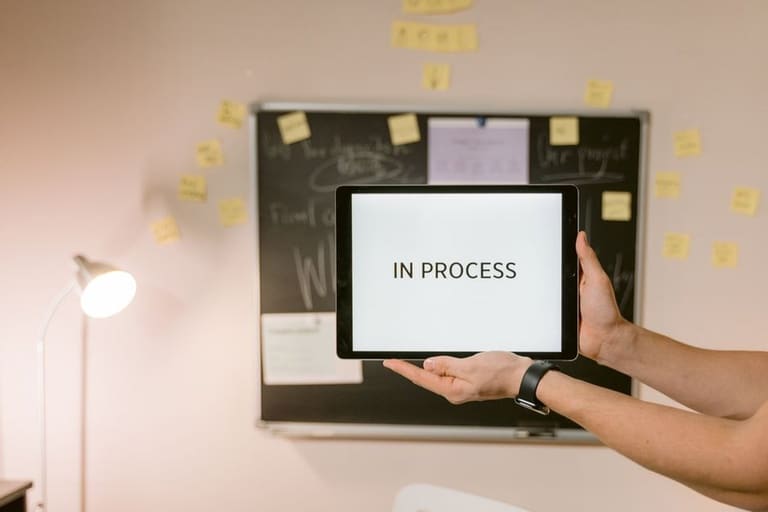
Loading Animations web/mobile/desktop/game/Smart TV platform-இல் UX optimize செய்யும். Loading duration, interaction-model, hardware limitation—all vary. Platform-specific design/user expectation understanding required.
Mobile: small screen, limited power. Desktop: large screen, fast. Mobile prefers simple, Desktop can handle rich visuals. Web: browser compatibility, faster load—essentials.
Platform highlights
- Websites: Browser compatibility, responsive design
- Mobile: Small screen, touch, low performance
- Desktop: Rich performance, large screen
- Games: Heavy graphics, realtime performance
- Smart TVs: Remote, large-screen, limited CPU
Comparison Table – Platform & Animation Type:
| Platform | Animation Example | Best Usage |
|---|---|---|
| Websites | Spinning circle | Quick load, basic functions |
| Mobile Apps | Animated logo | App start/data sync |
| Desktop Apps | Detailed progress bar | Large files, complex actions |
| Games | Game themed animation | Loading levels, cutscenes |
Pick right Loading Animation with user feedback, A/B testing. Optimize regularly for performance, user happiness.
Loading Animations செய்வதில் கவனிக்க வேண்டியவை
Loading Animations (preloader)-ஐ சரியாக design செய்யாமல் application speed, experience வெறுமனாய் தவிர்க்கப்படலாம். Duration, complexity, performance—all must-check. Brand style-உடன் match செய்யவும்.
| Criteria | Description | Tips |
|---|---|---|
| Duration | Animation screen-time. | Short, info-giving animation only; Avoid unnecessary long duration. |
| Complexity | Visual complexity. | Simple/clear animation first; Avoid heavy/complex animation. |
| செயல்திறன் | Device impact. | Light/optimized animation; Avoid large images/effects. |
| Accessibility | All user-groups compatibility. | Alt text/description for visually impaired; test for screen readers. |
Animation must-show something is happening; too long/misleading animation user patience break செய்யும். Loading status sync/display required.
Warning Tips
- Duration short, info-focused
- Performance-friendly
- Accessibility-checked
- Brand style matched
- Sync correct with actual loading-time
Loading Animations mere visual-அல்ல; site/app experience பக்கத்து கேட்பு வர்க்கம். Careful design/testing increase brand reputation!
Loading Animations செயல்திறனை தாக்கும் காரணிகள்
Loading Animations UX improve செய்யும், wrong-உட்டில் overall site/app speed low ஆகக் கொண்டுவிடும். Thus performance consideration each-step must.
- Performance Impact Traits
- Animation complexity: Simple faster, less resource.
- Visual file size: Big files slow-load.
- Tech used: CSS>JS for speed (mostly).
- Device CPU: Low on device, animation slow may happen.
- Browser: Different performance on each browser.
- Code Optimize: Poor code slow animation.
Table: Animations & Performance:
| Type | Performance Impact | Use | Tips |
|---|---|---|---|
| CSS Animation | High speed, hardware accelerated | Simple transitions/spinners | Prefer maximum |
| JavaScript Animation | Medium, flexible | Complex, dynamic | Optimize required |
| SVG Animation | Good, vector graphics | Logo/icons, scalable | Prefer small SVG |
| GIF Animation | Poor, big size | Short loops | Replace with CSS/SVG |
Appealing, fast Loading Animations is must. UX not just beauty: speed, efficiency are core.
Test/optimize for device/browser regularly. Loading Animations properly used—user-pleasure; improper – user-frustration!
சரியான Loading Animations தந்திரங்கள்
Right Loading Animations strategy UX elevate; perceived performance increase. Technical implementation + user psychology, expectation in planning. Animation must mask wait, show action, entertain and inform.
Brand match, speed, style, consistency must. Complex/slow animation user-boredom/day-out. Animation must be informative & pleasant.
| Strategy | Description | Priority |
|---|---|---|
| Speed Optimize | Fast, smooth animation | High |
| Brand Match | Consistent with identity | High |
| User Feedback | Reduce ambiguity, inform | நடுத்தரம் |
| Platform Compatibility | Run properly everywhere | High |
Animation duration/content must match expected wait. Short loads – quick/simple; long loads – progress/feedback. Progress bars reduce anxiety.
Accessibility vital: color, speed, size—different user-groups suitable-ஆ இருக்க வேண்டும்.
- User Expectation: Identify user needs.
- Brand Style: Maintain brand visual matching.
- Speed Optimize: Smooth speed, minimal lag.
- Progress Feedback: For long loads – show progress indicators.
- Accessibility: Colours, sizes, motion suitable for all.
Loading Animations வெற்றிக்கான டிப்ஸ்
Successful Loading Animations user experience enhance-ஆ வேண்டியது critical. Technical expertise–user psychology/design knowhow–சேர்ந்த advisable tips.
Design fitting purpose & quality; simple > complex usually best. Animation speed, duration real wait-weather match. Consistent brand style – mandatory. Consistent UX = higher loyalty.
Practical Tips
- Keep simple: Avoid messy animation; clear design.
- Adjust speed: Animation-paced actual loading-time.
- Brand match: Animation style matches brand visual.
- Feedback: Visual indication of loading progress.
- Fun & engaging: Creative, entertaining animations preferred.
- Accessibility: Colour, movement—all user-friendly.
Type comparison table:
| Type | Advantage | Drawback | Best-use |
|---|---|---|---|
| Spinning Circle | Simple, fast, familiar | Generic, low creativity | Web, Mobile |
| Progress Bar | Progress visual feedback | Needs accurate loading info | Download, Data load |
| Custom Animation | Brand-visual, creative | Time-consuming, resource-heavy | Games, Unique Apps |
| Skeleton Loading | Pre-show layout, perceived wait low | Advanced implementation | News/blog |
Regular performance monitoring & optimize. User feedback – animation refine. Device/browser testing required. Good Loading Animation makes wait pleasant & productive.
அடிக்கடி கேள்விகள்
Loading Animations ஏன் Web site/app-க்கு அவசியம்?
Wait-time pleasant-ஆ மாற்றும், user patience boost, first impression positive-ஆ இருக்கும். Abandonment-rate-ஐ குறைக்கும்.
Loading Animations design செய்யும் போது என்ன கவனிக்க வேண்டும்?
Speed/design appeal, contextual relevance, loop time—all important. Creative/informative animation preferred. Performance Issues avoid செய்யுங்கள்.
Loading Animations வகைகள் – எந்தப் பயன்பாட்டிற்கு எது சரி?
Circular bars, linear bars, spinner, custom design—varieties. Small/quick loads – simple; complex task/slow load – informative animation.
Loading Animations-ன் மனநிலை தாக்கங்கள்?
Wait-time less experience, patience increase; expectation manage—progress feedback control, ambiguity reduce.
Loading Animation coding tips & best-practice?
CSS/JavaScript/SVG technologies. Keep animations simple, images optimized, avoid unnecessary animation. Browser/mobile compatibility check.
Mobile/web loading-animation difference?
Mobile: Light, simple animation essential, performance crucial. Web: Rich/complex possible. Optimize device/screen-specific needed.
Loading Animation mistakes? Poor UX impact?
Long/complex/disruptive animations avoid. Must not block content or distract. Frequent repeat/freeze – bad experience.
Performance tools for loading animations?
Badly coded animation slow page/app. Google PageSpeed Insights, WebPageTest; monitor & optimize.