 Afrikaans
 Azərbaycan
 Bosanski
 Čeština
 Dansk
Dansk Deutsch
 English
 Español
 Filipino
 Français
 Hrvatski
 Indonesia
 Italiano
 Magyar
 Melayu
 Nederlands
 Norsk
Norsk Oʻzbek
 Polski
 Português
 Română
 Slovenčina
 Slovenščina
 Suomi
Suomi Svenska
 Tiếng Việt
 Türkçe
 Ελληνικά
 Беларуская
 Български
 Русский
 Српски
 Українська
 עברית
עברית اردو
اردو العربية
 پښتو
پښتو فارسی
فارسی አማርኛ
አማርኛ मराठी
मराठी বাংলা
বাংলা தமிழ்
தமிழ் ไทย
ไทย မြန်မာ
 한국어
한국어 中文
中文 日本語
日本語

ਇਹ ਬਲੌਗ ਲੇਖ ਵੈੱਬਸਾਈਟ ਲਈ SSL ਸਾਰਟੀਫਿਕੇਟ ਨੂੰ ਮੁਫ਼ਤ ਤੇ ਆਟੋਮੈਟਿਕ ਤਰੀਕੇ ਨਾਲ ਲੈਣ ਦੀ ਸਭ ਤੋਂ ਲੋਕਪਰੀ ਅਤੇ ਭਰੋਸੇਯੋਗ ਢੰਗ–Let’s Encrypt–ਦੇ ਪੂਰੇ ਪ੍ਰੋਸੈਸ, ਫਾਇਦੇ, ਤੇ ਭਵਿੱਖ ਦੀ ਗੱਲ ਕਰਦਾ ਹੈ। SSL ਕੀ ਹੁੰਦਾ ਹੈ, Let’s Encrypt ਕਿਵੇਂ ਕੰਮ ਕਰਦੀ ਹੈ, ਵਿਅਕਤੀਗਤ ਜਾਂ ਕਾਰੋਬਾਰੀ ਵੈੱਬਸਾਈਟ 'ਤੇ SSL ਲਗਾਉਣ ਦੇ ਸਾਈਂਸ-ਟੇਕ ਨੂੰ ਪੰਜਾਬੀ ਸਮਝ ਵਿੱਚ ਪੇਸ਼ ਕਰਦਾ ਹੈ। ਹਰ ਤਰ੍ਹਾਂ ਦੇ ਵੈੱਬ ਸਰਵਰਾਂ (Apache, Nginx, Lighttpd, cPanel ਆਦਿ) 'ਤੇ Let’s Encrypt ਨਾਲ SSL ਲਗਾਉਣ ਦੀ ਵਿਧੀ ਵੀ ਲਿਖੀ ਗਈ ਹੈ—ਨਾਲ-ਨਾਲ, ਆਟੋਮੈਟਿਕ renewal, ਆਮ ਤਰ੍ਹਾਂ ਆਉਂਦੇ errors, fixes, ਤੇ FAQs ਵੀ ਹਲਕੀ ਗੱਲ-ਚੱਲ ਵਿੱਚ ਮਿਲਦੇ ਹਨ। Let’s Encrypt ਦੀ ਦੂਜੀ ਮੁਲੱਟੀਆਂ, future potential ਅਤੇ online business ਲਈ ਇਸਦੀ ਮਹੱਤਤਾ ਵੀ ਬੀਨ-ਪੜ੍ਹੀ ਜਾਂਦੀ ਹੈ।
Let’s Encrypt ਕੀ ਹੈ? ਪ੍ਰਸਤਾਵਨਾ
Let’s Encrypt ਇੱਕ ਮੁਫ਼ਤ, ਆਟੋਮੈਟਿਕ ਅਤੇ ਖੁੱਲਾ SSL/TLS ਸਾਰਟੀਫਿਕੇਟ authority (CA) ਹੈ, ਜੋ Internet Security Research Group (ISRG) ਵਲੋਂ ਚਲਾਈ ਜਾਂਦੀ। ਇਹਨਾਂ ਦਾ mission ਇੰਟਰਨੈੱਟ ਨੂੰ ਵਿਅਕਤੀਗਤ, ਛੋਟੇ-ਵੱਡੇ, ਕਾਰੋਬਾਰੀ ਹਰੇਕ ਵੈੱਬਸਾਈਟ ਲਈ encryption–SSL/TLS ਸਰਟੀਫਿਕੇਟ–ਦੇਣੀ ਦੁਆਰਾ ਸੁਰੱਖਿਅਤ ਬਣਾਉਣ ਦਾ ਹੈ। SSL 'ਲੈਣਾ' ਦੀ ਓਹ ਪਰਾਣੀ ਮੁਸ਼ਕਲ ਅਤੇ ਤੇਜ਼ੀ, ਲੰਬੇ ਲੜੀ-ਨੂੰ ਪੂਰੀ-ਅਸਾਨ automatic lightning-fast digital ਵੀਰੇ ਹੌਣ ਕਰ ਦਿੱਤੀ। ਇਸਦੇ ਕਾਰਨ, ਹੁਣ ਆਮ ਵਿਅਕਤੀ ਜਾਂ ਯੰਗ startup ਵੀ SSL encrypt traffic ਦੁਆਰਾ user data ਨੂ safe ਰੱਖ ਸਕਦੇ ਤੇ search rank ਵੀ ਵਧਾ ਸਕਦੇ ਹਨ।
ਕੰventional SSL ਦਾ ਫੇਸਲਾ ਜਟਿਲ authentication, ਮਹਿੰਗਾ rate, ਲੰਬਾ process ਹੁੰਦਾ। Let’s Encrypt ਨਾਲ ਇਹ process ਨੂ ਤਕਨੀਕੀ skill ਬਿਨ੍ਹਾਂ ਵੀ, full automatic ਕਰ ਦਿੱਤਾ ਗਿਆ ਹੈ।
SSL generate, install, renew–ਇਹ process ਇੱਕ command ਜਾਂ GUI tool ਨਾਲ ਪਹਿਲਾਂ-ਕਿਵੇਂ ਆਸਾਨਤੇ ਹੋਇਆ। ਹੋਰ, website owner time/resource save ਕਰਕੇ main business/focus 'ਤੇ centre ਕਰ ਸਕਦੇ।
- Let’s Encrypt ਦੇ ਫਾਇਦੇ
- 100% ਮੁਫ਼ਤ: ਹਰ ਕੋਈ ਲੈ ਸਕਦਾ, ਬਿਨ੍ਹਾਂ ਕਿਸੇ payment/process fee ਦੇ।
- Automatic: SSL lagana/renew ਕਰਨਾ ਆਸਾਨ ਤੇ time-saving।
- Open-source: transparent system, developer-community driven।
- Easy to use: tech skill ਬਿਨ੍ਹਾਂ ਵੀ lagaya ਜਾ ਸਕਦਾ।
- Secure: modern encryption standards ਨਾਲ compatible।
- Wide compatibility: Linux, Windows, Apache, Nginx, cPanel, Plesk ਅਤੇ ਹੋਰ OS/server support।
Let’s Encrypt ਦੀ accessibility ਤੇ simplicity, ਇੰਟਰਨੈੱਟ 'ਚ ਆਮ safeguard/connection (HTTPS) adoption ਨੂੰ promote ਕਰਦੀ। SSL traffic Google, Bing ਵਰਗੇ search engine 'ਚ website ਕੋ rank/favourability ਵਧਾਉਂਦੀ। ਵੈੱਬਸਾਈਟ for SSL adoption–user trust, business security, SEO success, ਅਤੇ high visibility ਦਾ ਸਿੰਬਲ ਹੈ।
Let’s Encrypt–ਇੰਟਰਨੈੱਟ ਇਕ ਸੁਰੱਖਿਅਤ, open, universal place ਬਣਾਓਣ ਵਾਲਾ ਇੱਕ modern SSL CA–SSL 'ਲਗਾਉਣ ਦੀ process full simplify ਕਰਦਾ। ਇਸ ਤਰ੍ਹਾਂ, user data ਹਮੇਸ਼ਾ safe ਰਹਿੰਦੀ ਅਤੇ site search/visibility/profitability ਵਧੀ ਰਹਿੰਦੀ।
SSL ਸਰਟੀਫਿਕੇਟ ਕਿਉਂ ਜਰੂਰੀ ਹੈ?
ਆਜ ਦੇ ਸਮੇਂ ਵਿਚ internet security, site trustworthiness, user confidence–ਇਹ ਹਰ ਕਿਸੇ ਲਈ prime-demand ਹੋ ਗਈ। SSL (Secure Sockets Layer) ਸਰਟੀਫਿਕੇਟ ਦੰਦ-ਵੀਰਾ ਲੱਗਦਾ–address bar 'ਚ lock ਆਉਣੀ, HTTPS traffic, secure identity ਹਰ visitor ਲਈ visual trust point ਹੈ। Let’s Encrypt ਵਰਗੇ ਮੁਫ਼ਤ SSL providers ਵਰਗਿਗਾ, ਹੁਣ ਫਰੀ/ਮੁਫ਼ਤ SSL ਸਭ ਲਈ possible।
SSL ਸਰਟੀਫਿਕੇਟ, security ਤੋਂ ਇਲਾਵਾ, SEO/Google/Bing search rank 'ਚ boost/favourability ਦੇਨ ਵਾਲਾ factor ਹੈ। HTTPS traffic search engines ਲਈ top-priority–SSL enabled sites ਨੂੰ high visibility, more clicks, trust, conversion/profitability ਜ਼ਰੂਰੀ। Safe shopping/transaction, contact forms, login–SSL without hesitation possible।
SSL ਸਰਟੀਫਿਕੇਟ ਦੇ ਫਾਇਦੇ
- User data ਦੀ security।
- SEO ranking boost।
- Trust & credibility increase।
- Data integrity/anti-hacking protection।
- Legal compliance (GDPR, e-commerce laws)।
- Business-brand reputation ਬਹਿਤੀ।
SSL ਸਰਟੀਫਿਕੇਟਾਂ ਦੇ ਚੌਂ ਹਿੱਸੇ–protection type, validation level–compare ਕਰਨ ਲਈ ਨਿਮਣੰ ਤਾਲਿਕਾ ਦੇਖੋ:
| Certificate Type | Validation Level | Domains Covered | Common Uses |
|---|---|---|---|
| Domain Validated (DV) SSL | Basic domain ownership check | Single domain | Personal/blog |
| Organization Validated (OV) SSL | Company info validate | Single domain | Official company/e-commerce |
| Extended Validation (EV) SSL | Full company + legal proof | Single domain | Large business, banks, finance |
| Wildcard SSL | Primary + all subdomains | Unlimited subdomains | Multiple subdomain sites |
SSL install–sirf security ਲਈ ਨਹੀਂ, business success/heavy SEO reward 'ਤੇ investment ਵੀ ਹੈ। User safety, search visibility, brand reputation–ਇਹ ਸਭ ਲਈ Let’s Encrypt ਦੇ ਮੁਫ਼ਤ SSL install ਕਰਨਾ, smart/wise choice ਹੈ। Safe website, happy visitor, profitable business!
Let’s Encrypt ਦੇ ਕੰਮ ਕਰਨ ਦਾ ਢੰਗ
Let’s Encrypt nonprofit CA, free SSL/TLS provide ਕਰਦਾ–main aim: internet 'ਚ widespread encryption. SSL install/renew/proof process entirely automatic/manual hassle ਬਿਨ੍ਹਾਂ deploy ਹੋ ਜਾਂਦੇ।
SSL install ਤੋਂ ਹੋਣ ਵਾਲੀ traditional cost & complication–Let’s Encrypt-cut ਆਉਟ, modern ਆਟੋਮੈਟਿਕ ACME (Automated Certificate Management Environment) protocol ਵਰਤਕੇ।
ACME protocol ਨੇ SSL/TLS management ਨੂੰ full command-line/GUI automatic, web server-CA secure communication, validation, certificate provision–ਸਭ ਕੁਝ cut-simple ਕਰ ਦਿੱਤਾ। ACME ਨਾਲ, admin/team/developer–SSL install/renew ਦੀ headache/distraction ਉਡਾ ਸਕਦੇ।
Let’s Encrypt ਅਤੇ commercial SSL compare–
| Feature | Let’s Encrypt | Traditional SSL |
|---|---|---|
| Cost | Free | Paid |
| Validity | 90 days | 1–2 year |
| Setup mode | Automated | Manual, lengthy |
| Validation | Domain only | DV/OV/EV/Multiple |
Let’s Encrypt SSL ਵੇਲੇ: 90 days validity only–so frequent renewal needed. Automatic tool/protocol ACME + Certbot/other client–renewal hassle-free, expired worry free. Modern web site always secure, no downtime alert.
Domain Proof ਦੇ ਤਰੀਕੇ
Let’s Encrypt SSL ਲੈਣ ਲਈ, domain ਇਨਸਾਨੀ proof/deep validation–HTTP, DNS, or TLS-ALPN–ਇਹ techniques ਫੋਲੌ ਕਰਦੇ। ਕਿਸੇ ਵੀ ਤਰੀਕੇ ਨਾਲ proof setup, certificate ਬਣਨ ਤੇ deploy ਹੁੰਦੇ।
- HTTP-01: Specific file/folder web server 'ਤੇ upload, Let’s Encrypt robot ਉਸ file ਨੂੰ verify ਕਰਕੇ proof ਕਰ ਲੈਦਾ।
- DNS-01: Site DNS records 'ਚ TXT record add, Let’s Encrypt agent check–ownership proof।
- TLS-ALPN-01: Web server ਦੇ encrypted channel ਤੋਂ ownership proof setup।
Certificate Renew (Renewal)
Let’s Encrypt SSL ਆਟੋਮੈਟਿਕRenew–ACME protocol/Certbot/command-line clients ਤੇ Automate ਹੋ ਜਾਂਦੇ। Installation ਤੁਰੰਤ, renew job/cron configure–SSL expiry worry-free।
SSL ਲੈਣ ਦੇ Steps:
- Certbot install: OS/server compatibility ਦੇ ਅਨੁਸਾਰ Certbot client setup ਕਰੋ।
- Certificate obtain: Certbot run ਕਰਕੇ certificate claim/renew।
- Domain validation: Proof method (HTTP-01, DNS-01, TLS-ALPN-01) ਕੋਈ ਕਰਕੇ।
- Certificate files configure: SSL files/configurations server 'ਤੇ proper spot 'ਤੇ place।
- Web server restart: Reload/restart, SSL become live।
- Auto renewal setup: Cron job/timer–SSL always up-to-date।
Renew during–usual command (Certbot):
sudo certbot renew
ਇਹ Certbot install/certificate expiry near–all Let’s Encrypt certificates fully automatic renew/activate ਕਰ ਦੇਂਦੇ।
Let’s Encrypt ਨਾਲ SSL ਸਾਰਟੀਫਿਕੇਟ ਲਗਾਉਣ ਦੀ ਵਿਧੀ
Let’s Encrypt SSL install–tech skill ਹੋਣ (beginner-intermediate) ਬਿਨ੍ਹਾਂ possible, step-by-step CLI or GUI/hosting panel–easy walkthrough। SSL deploy–site visitor/SEO/security/developer ਲਈ premium experience।
Before setup: Server/domain DNS records properly set ਹੋੲੋ; dependency Install, OS/server compatibility check। Initial setup–smooth installation/deployment critical ਹੈ।
Required:
- Live domain name/URL
- Domain pointing to server
- Server (Linux/Windows)
- SSH access (Linux), or panel (Windows/cPanel)
- Certbot/client
- Root/admin rights
Certbot Let’s Encrypt ਦਾ ਸਿਫ਼ਾਰਸ਼ੀ client–install easy, compatibility: Apache/Nginx/cPanel/Plesk/other. SSL enable–Certbot run/few commands, instant HTTPS!
SSL Install Process–
| Step | Description | Tips |
|---|---|---|
| 1. Server Preparation | OS update, dependency install | OS/server version compatibility confirm |
| 2. Certbot Install | Certbot setup (OS method) | Official instructions from Certbot.org |
| 3. Certificate Issue | Certbot commands (domain config) | Certbot auto domain validation |
| 4. Certificate Activate | Certbot configure SSL | Manual config, if needed |
SSL install after–visit site, browser address bar–lock icon, HTTPS visible ਹੋਣ। CSS/image/script–all HTTPS protocol load, otherwise mixed-content warning possible।
Let’s Encrypt 90-day validity–automatic renew (Certbot cron job)–SSL expiry/dead time ਦੇ risk remove। Site hamesha encrypted!
Let’s Encrypt–ਇੰਟਰਨੈੱਟ ਨੂ ਸੁਰੱਖਿਅਤ ਤੇ ਪਰਦੇਦਾਰੀ ਬਣਾਉਣ ਲਈ ਮੁਫ਼ਤ, ਆਟੋਮੈਟਿਕ ਤੇ ਖੁੱਲੀ SSL CA (certificate authority)।
ਵੱਖ-ਵੱਖ ਵੈੱਬ ਸਰਵਰਾਂ ‘ਤੇ SSL ਲਗਾਉਣ ਦੀ ਵਿਧੀ
Let’s Encrypt SSL install, server type (Apache, Nginx, Lighttpd, cPanel ਆਦਿ) ਦੇ ਅਨੁਸਾਰ ਵੱਖਰਾ process/tools/configurations ਲਾਗੂ ਹੁੰਦੇ। Each server/panel own configuration files/admin tools.
Different web servers–SSL install tool/method compare:
| ਵੈੱਬ ਸਰਵਰ | Tool/Method | Description | Difficulty |
|---|---|---|---|
| ਅਪਾਚੇ | Certbot | Automatic SSL deployment/config | ਦਰਮਿਆਨਾ |
| ਐਨਜੀਨੈਕਸ | Certbot/manual | Certbot plugin/manual config | Medium-Advanced |
| Lighttpd | Manual only | Manual certificate file/config | Advanced |
| cPanel | cPanel integration | GUI one-click Let’s Encrypt deploy | Easy |
Server-specific install–proper instructions follow, Apache Certbot, Nginx plugin/manual, cPanel GUI point-and-click. Each server–command/config different.
Supported web servers:
- ਅਪਾਚੇ
- ਐਨਜੀਨੈਕਸ
- Lighttpd
- cPanel
- Plesk
- IIS (Windows)
Let’s Encrypt SSL expiry: 90 days. Auto-renewal (Certbot) configure, site always encrypted!
ਅਪਾਚੇ
Apache--Let’s Encrypt usually Certbot–cert deploy/configfiles update, Virtual host auto-detect/configure. Clean automatic SSL activation.
ਐਨਜੀਨੈਕਸ
Nginx--Let’s Encrypt SSL Certbot (plugin/manual)–auto certificate deployment/configfile update. Complex configs–manual setup better.
Lighttpd
Lighttpd–Let’s Encrypt manual only–certificate file generate manually, configfile edit/add. Advanced technical steps required.
Server-specific instructions/documentation read–Let’s Encrypt official docs follow–smooth SSL install/deploy possible।
Auto SSL Renew Process
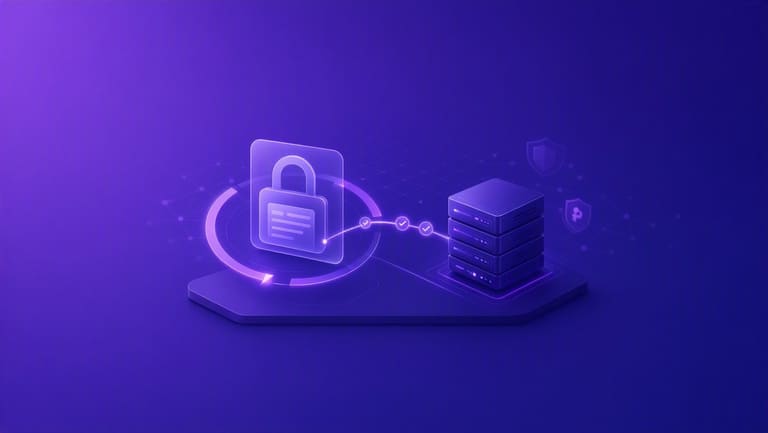
Let’s Encrypt SSL auto-renew, site always secure. Manual renew/error: time waste/risk; automation with tools (Certbot/CLI)–expiry_alerts/dead_ssl avoidable।
Auto-renew configure: server 'ਤੇ Let’s Encrypt client (Certbot) install; cron job/timer set–client periodic check–expiry SSL certificates automatic renew/deploy. No manual intervention/SSL downtime risk.
| Tool/Method | Description | Advantage |
|---|---|---|
| Certbot | Let’s Encrypt recommend tool–automatic setup, config files update | Easy-to-use, extensible |
| cron job | Linux timer–periodic auto-renew | Reliable/timely |
| ACME Protocol | Auto SSL management/proof protocol | Standard, security, compatibility |
| Web server integration | Apache/Nginx–auto renewal module/plugin | Simple config, full integration |
Auto renew setup–periodically check–log files review, expiry date check, email alerts activate–SSL always live/upto-date.
Renewal tips:
- Certbot latest version always use.
- Cron job properly setup/test.
- Log file monitor often.
- SSL expiry dates track.
- Email alerts enable.
- Error fixing ready.
Auto-renew working–server time zone correct, configs/test. Wrong timezone–SSL renew failed. Regular check/config–Let’s Encrypt SSL always valid/live.
SSL Install ਵਿੱਚ ਆਉਂਦੇ ਆਮ ਮੁਸ਼ਕਲਾਂ
Let’s Encrypt SSL install–ਸਧਾਰਨ, user-friendly; practical–errors/issues possible. SSL deployment troubleshooting/documentation/read–solution available।
Most common–domain proof errors (HTTP/DNS/TLS-ALPN). DNS record misconfig, file permissions wrong, server config error–proof fail. DNS/server conf check–troubleshoot.
Common Problems & Solutions:
- Domain validation error: DNS records/server setup check/fix
- Certificate auto-renew fail: Cron job check/config, manual renew
- Server config incompatibility: Web server Let’s Encrypt compatibility, manual config edit
- Firewall/port block: Port 80/443 open, firewall rules check
- Certificate chain mismatch: Certificate bundle correct, browser trust point
Renew fails–SSL expiry–site browser warning. Auto renew settings–periodically check/manual renew whenever required.
Some server/control panel–Let’s Encrypt incompatibility–old config/panels–install/renew become tricky. Documentation/community support–helpful. FAQs/troubleshooting guide use–issue fixing easy.
Let’s Encrypt ਦੀ Security ਪੱਖ
Let’s Encrypt–free SSL CA, security boost/Internet protection–open source, auto process–error risk cut, secure deploy, modern encryption standards always.
Let’s Encrypt–auto SSL install/renew, configuration mistake/human error minimize. Traditional SSL–manual process–complex/error-prone; Let’s Encrypt–one command, safe configuration, no loopholes/hacks.
Industry Software & Security Standard:
- Web server (Apache, Nginx)
- E-commerce (Magento, WooCommerce)
- CMS (WordPress, Joomla)
- Database (MySQL, PostgreSQL)
- Firewall (iptables, firewalld)
Let’s Encrypt–open source/transparency–security researchers/community–bugs/fixes, active audit/update, fast response. Website always up-to-date security standards.
Let’s Encrypt vs traditional SSL–compare:
| Feature | Let’s Encrypt | Traditional SSL |
|---|---|---|
| Cost | Free | Paid |
| Automation | High | Low/manual |
| Transparency | Open source | Closed/developer-only |
| Validity | 90 days (auto renew) | 1–2 year |
Let’s Encrypt short validity (90 day)–security plus point–quick expire, quick renew–safety always, key misuse limited, auto-renew process–no downtime risk.
Let’s Encrypt ਸੰਬੰਧਿਤ ਬਹੁਤ ਪੁੱਛੇ ਜਾਂਦੇ ਸਵਾਲ
Let’s Encrypt SSL/TLS–free/auto certificate provider–websites security, user data encryption possible, commercial SSL without cost/hassle। Most SMEs/startups/personal/blog–Let’s Encrypt–best choice।
Traditional SSL expensive; Let’s Encrypt–free, anyone/any site–easy install–planet web safer place।
Let’s Encrypt FAQs:
| Question | Answer | More info |
|---|---|---|
| Let’s Encrypt ਕੀ ਹੈ? | Free/automatic SSL certificate authority | Website encrypted/security boost |
| Let’s Encrypt ਦਾ process? | ACME protocol–auto SSL generate/proof/deploy | Certificates auto-renew, no manual process |
| Let’s Encrypt safe? | Yes, trusted CA | Browser recognized/trusted |
| Let’s Encrypt validity? | 90 days | Auto-renew process for ongoing security |
Let’s Encrypt SSL–90 day validity–auto-renew process ensures, site owner never manual renew struggle, always encrypted, always safe.
FAQs
- Let’s Encrypt 100% free?
- SSL install–steps?
- Renew–how often?
- Auto-renew–setup?
- Which web server supported?
- Install problem–solution?
Let’s Encrypt–Apache, Nginx, cPanel, Plesk, IIS–broad compatibility. Hosting panel–Let’s Encrypt auto-install/renew–GUI/button–user friendly।
ਨਤੀਜਾ: Let’s Encrypt ਦੇ ਫਾਇਦੇ ਤੇ ਭਵਿੱਖ
Let’s Encrypt Internet safer, SSL adoption easy–user data encryption, visitor trust, business profitability–all possible। SSL install/renew cost/barrier remove–demoCRatic SSL for all। Site owners now security adoption–easy step, no cost/technical hurdles।
Let’s Encrypt main plus–ease/automation: ACME protocol—auto install/renew, CLI/button–admin/content creator can focus on core work। SSL expiry worry, manual renew–gone, auto-renew–site always encrypted/protected।
Site security tips:
- SSL always renew, auto-renew setup enable
- HTTPS protocol–site always serve
- Strong encryption/cipher only use, old ones avoid
- All software/server–always upgrade
- Security scan/run regularly
Let’s Encrypt ਦੀ ਭਵਿੱਖੀ–Internet safety widespread/automatic, cyber threat-proof. Open source/community foundation–response/improvement–fast, new tools/features soon. Let’s Encrypt ਫਿਰ ਵੀ future face–safer mass adoption–critical role play ਕਰਦਾ।
FAQs
Let’s Encrypt SSL validity period and reason?
Let’s Encrypt SSL validity: 90 days only, security best practice promote, frequent renew, auto-renew enforced, quick expiry handling/easy revoke, site always safe.
Let’s Encrypt SSL install–technical skill necessary or beginner possible?
Install SSL–basic skill help but hosting panels (cPanel, Plesk) single-click–easy install, Certbot–easy/auto process, beginners can deploy SSL.
Let’s Encrypt–all type sites OK? When commercial SSL needed?
Let’s Encrypt–most sites OK, core SSL protection–good; business/site needs reputation boost, warranty, special security–paid SSL better (e-commerce, finance high-security required).
Let’s Encrypt SSL auto-renew fail–impact?
SSL expire, browser warning–"Not Secure"–visitor traffic reduce, trust loss, SEO rank drop, business loss. Auto-renew setup/periodic check–critical.
Let’s Encrypt vs commercial SSL–pros/cons?
Let’s Encrypt–free, easy, open source; commercial SSL–extra warranty, broad compatibility, technical support, high trust. Business-critical–paid SSL advised.
Let’s Encrypt installed–site still "Not Secure"–what to do?
Check all resources (image/CSS/JS) load via HTTPS; mixed-content fix. Browser cache clear; SSL config/validity check via online SSL test tool.
Let’s Encrypt future–new features/updates?
Let’s Encrypt–security/adoption keep rising; future–more automation, broader platform support, improved certificate types/tools, quick updates, community-driven fixes.
Common Let’s Encrypt SSL errors–troubleshooting?
Domain verification, server config, auto-renew–main issues. DNS record correct, web server SSL config check, Certbot/auto-renew setup verify, logs review–fast fix possible.