 Afrikaans
 Azərbaycan
 Bosanski
 Čeština
 Dansk
 Deutsch
 English
 Español
 Filipino
 Français
 Hrvatski
 Indonesia
 Italiano
 Magyar
 Melayu
 Nederlands
 Norsk
 Oʻzbek
 Polski
 Português
 Română
 Slovenčina
 Slovenščina
 Suomi
 Svenska
 Tiếng Việt
 Türkçe
 Ελληνικά
 Беларуская
 Български
 Русский
 Српски
 Українська
 עברית
 اردو
 العربية
 پښتو
 فارسی
 አማርኛ
 मराठी
 বাংলা
 தமிழ்
 ไทย
 မြန်မာ
 한국어
 中文
 日本語


Preconnect နဲ့ preload ဆိုတာ ဝဘ်ဆိုဒ်မြန်မြန်လုပ်ဖို့ Browser ကို ပထမထပ်မှာဘယ်လိုလုပ်ဖို့ ဆိုတာ အကြိုသတင်းပေးတဲ့ performance command နှစ်ခုပါ။ Preconnect က DNS, TCP, TLS connection အကြိုပြင်ပေးပြီး အပြင် resource တစ်ခုကို ချက်ချင်းချိတ်ဆက်နိုင်အောင် လုပ်ပေးပါတယ်။ Preload ကတော့ စာမျက်နှာရဲ့ အထက်ပိုင်းမှာအရေးကြီးတဲ့ font, CSS, JavaScript, ဓာတ်ပုံ တို့ကို အမြန်ဆုံး download လုပ်ဖို့ priority ပေးပါတယ်။ မှန်ကန်သုံးနိုင်ရင် LCP, rendering speed နဲ့ user experience ကို တိုးတက်စေပါလိမ့်မယ်။ မမှန်ကန်သုံးရင် bandwidth သုံးစွဲမှုမလိုအပ်ပေမဲ့ မလုံလောက်တဲ့ browser prioritization ကြောင့် page လည်းနှေးနိုင်ပါတယ်။
ယနေ့အခါ SEO ဟာ သာမက keyword, title, backlink တွေပဲ မဟုတ်တော့ပါဘူး။ Google ရဲ့ user experience signals, Core Web Vitals, mobile performance, server response time, page resource loading efficiency တို့နဲ့ တိုက်ရိုက်ဆက်စပ်နေပါတယ်။ ဒါကြောင့် ဝဘ်ဆိုဒ်ပိုင်ရှင်တွေ၊ developer တွေ၊ SEO ပညာရှင်တွေ အတွက် preconnect နဲ့ preload ကို မှန်ကန်သုံးနိုင်ဖို့ technical SEO ရဲ့ အရေးကြီးသောအပိုင်းတစ်ခုဖြစ်လာပါပြီ။
ဒီလမ်းညွှန်မှာ preconnect နဲ့ preload ဘာလဲ၊ ဘယ် scenarios များမှာသုံးသင့်လဲ၊ ဘယ်လိုမှားလို့မသုံးသင့်သလဲ၊ performance ကောင်းမွန်မှုကို ဘယ်လိုတိုင်းတာရမလဲ ဆိုတာ တစ်ဆင့်ချင်းရှင်းပြပေးပါမယ်။ Hostragons hosting အတွက် လည်း စစ်ဆေးနိုင်တဲ့ checklist များပါသုံးပေးထားပါတယ်။ Performance အတွက် hosting infrastructure အားနည်းရင် optimization ကလည်း အကျိုးမရှိတာမမေ့ပါနဲ့။ စတင်ရန် Hostragons ဝဘ်ဟိုစတင်းဖြေရှင်းမှုများ ကိုကြည့်ပါ။
Preconnect ဆိုတာဘာလဲ?
Preconnect ဆိုတာ browser ကို “ဒီ domain ကို connection တပ်ဖို့အချိန်မီပြင်ထားပါ” လို့ resource hint တစ်ခုပေးတာပါ။ Normally, browser က external resource တစ်ခု load မလုပ်ခင် DNS resolve, TCP connect, TLS handshake လုပ်ပြီး resource ကို download လုပ်ပါတယ်။ တစ်ခုချင်းစီဟာ milliseconds တစ်စုတစ်ဝါဖြစ်ပေမဲ့ especially mobile network မှာ 200-500 ms delay ဖြစ်နိုင်ပါတယ်။
Preconnect ကတော့ resource တကယ်လိုအပ်ခင် connection preparation ကိုအကြိုစတင်ပေးတယ်။ ဥပမာ Google Fonts, CDN, payment provider, external analytics, 3rd-party media service တို့ကိုသုံးလိုက်ရင် browser က early connection လုပ်နိုင်ပြီး site ရဲ့ first paint ကိုအမြန်စေပါတယ်။
သုံးပုံက head section မှာ rel=preconnect link တစ်ခုတင်ပြီး target domain ကို ပေးရုံပါ။ Cross-origin resource ဆိုရင် crossorigin attribute ထည့်ရပါမယ်။ Browser ကတော့ later access ကို secure ဖြစ်အောင် connection ပြင်ထားပါတယ်။
Preconnect ဘယ်လိုပြဿနာကိုဖြေရှင်းသလဲ?
Preconnect ဟာ connection setup cost ကိုကြိုလျှော့ပေးတာပါ။ ဒါမှမဟုတ် file size ကိုလျှော့တာမဟုတ်ပါဘူး၊ image ကို optimize လုပ်တာမဟုတ်ပါဘူး၊ JavaScript ကို minify လုပ်တာမဟုတ်ပါဘူး။ External server ကို connection ချိတ်ဖို့လိုတဲ့ prep time ကိုနောက်တလျှောက်တင်ပေးတာပါ။ အထူးသဖြင့် 3rd-party resource တွေမှာအကျိုးရှိတယ်။
- DNS lookup ကိုကြိုစတင်ပေးတယ်။
- TCP connection ကိုကြို initiate လုပ်တယ်။
- HTTPS site တွေမှာ TLS handshake ကိုကြိုပြီးစေတယ်။
- External resource download start ကိုအမြန်စေတယ်။
- Especially mobile network မှာ user အမြန်ကြည့်နိုင်အောင် first load ကိုမြန်စေတယ်။
Preconnect ကို အလွတ်သုံးရင် performance magic မဟုတ်ပါဘူး။ တစ်ခုချင်း domain 10-15 ခု preconnect လုပ်လိုက်ရင် browser connection pool ကို overload ဖြစ်နိုင်ပါတယ်။ Practically, critical ဖြစ်တဲ့ ၂ခု သို့မဟုတ် အများဆုံး ၃ခု origin ကိုပဲ သုံးသင့်ပါတယ်။
Preload ဆိုတာဘာလဲ?
Preload ဆိုတာ browser ကို “ဒီ resource ဟာ ဒီ page အတွက် အရေးကြီးပဲ၊ အမြန်ဆုံး download လုပ်ပါ” ဆိုတာ priority command တစ်ခုပေးတာ။ Normally, browser က HTML parse လုပ်ပြီး resource ကို discover လုပ်တယ်။ Resource တွေတစ်ချို့က late discover ဖြစ်တယ်။ ဥပမာ CSS မှာ font ခေါ်တာ, JavaScript မှာ images တွေ generate လုပ်တာ, hero area background image, critical script တို့အတွက် preload မလုပ်ရင် delay ဖြစ်တယ်။
Preload သုံးတဲ့အခါ resource address နဲ့ type ကို specify လုပ်ရပါမယ်။ ဥပမာ font အတွက် as=font, style အတွက် as=style, JS အတွက် as=script, image အတွက် as=image ဆိုပြီး browser ကို correct prioritization နဲ့ security apply လုပ်နိုင်အောင် သုံးပါတယ်။
Preload ဟာ Largest Contentful Paint (LCP) metric ကိုတိုးတက်စေတယ်။ Page visible first area မှာ big image, critical font, essential CSS တွေ late load ဖြစ်ရင် user က white screen, late text, sudden layout shift တွေကို ကြုံလာနိုင်တယ်။ Preload မှန်ကန်သုံးရင် critical resource တွေကို early download လုပ်နိုင်ပြီး perceived speed တိုးတက်စေတယ်။
Preload ဘယ်လိုပြဿနာကိုဖြေရှင်းသလဲ?
Preload က connection setup မဟုတ်ပါဘူး။ Resource discovery နဲ့ download priority ကို solve ပေးပါတယ်။ Browser က page အတွက် vital file ကို late discover မဖြစ်အောင် လုပ်ပေးတယ်။ Local resource, external resource နှစ်မျိုးလုံးမှာ သုံးနိုင်ပါတယ်။
- Hero image ကို early download လုပ်နိုင်စေတယ်။
- CSS မှာ late discover ဖြစ်တဲ့ font ကိုမြန်မြန် load လုပ်နိုင်စေတယ်။
- Critical CSS/JS files ကို priority ပေးတယ်။
- LCP element late load ဖြစ်တာကိုလျှော့ချတယ်။
- Browser resource prioritization ကို predictably control လုပ်နိုင်စေတယ်။
Preload ကို wrong usage လုပ်ရင် performance issue ဖြစ်နိုင်တယ်။ First paint မှာမလိုအပ်တဲ့ big slider image, page bottom video, unused font family preload လုပ်လိုက်ရင် critical resource တွေကို delay ဖြစ်စေပြီး site နှေးသွားနိုင်တယ်။
Preconnect နဲ့ Preload ရဲ့ အဓိပ္ပါယ်ကွာခြားချက်
Preconnect နဲ့ preload ကို head section မှာသုံးတော့ အများအားဖြင့် mixed ဖြစ်တယ်။ Preconnect က server connection ကို early စတင်ပေးတယ်။ Preload က specific file ကို early download လုပ်စေတယ်။ Origin focus vs resource focus တစ်ခုချင်းကွာခြားတယ်။
| Attribute | Preconnect | Preload |
|---|---|---|
| Main purpose | External server ကို connection အကြိုပြင် | Critical resource ကို early download |
| Solved issue | DNS/TCP/TLS delay | Resource late discovery/low priority |
| Best usage | CDN, font service, payment gateway, analytics | Hero image, critical font, main CSS/JS |
| Risk | Unnecessary connection resource consumption | Wrong resource prioritization, critical delay |
| Recommended count | 2-3 origins | Only truly critical resources per page |
Decision မလွယ်ရင် ဒီအကြောင်းအရာကို မေးမြန်းနိုင်ပါတယ် - “External server connection late start ဖြစ်နေလား၊ ဒါမှမဟုတ် specific file download late ဖြစ်နေလား?” ပထမမှာ preconnect, နောက်မှာ preload သုံးသင့်ပါတယ်။
Preconnect ဘယ်အချိန်သုံးသင့်လဲ?
Preconnect အတွက် best scenario က page load မှာ လုပ်မည့် resource ကို အမြန် connection လုပ်ဖို့ လိုအပ်တဲ့ external origin တွေပါ။ “Sure” usage ဖြစ်တဲ့ resource တွေကိုပဲ preconnect လုပ်ပါ။ User click ဖြင့်ပဲ load ဖြစ်မယ်, or page bottom မှာပဲ call ဖြစ်မယ်ဆိုရင် preconnect လုပ်စရာမလိုပါဘူး။
၁။ External Font Services
Google Fonts, external font services သုံးရင် preconnect သုံးနိုင်ပါတယ်။ Font files တွေက mostly separate domain နဲ့လာတယ်။ Browser က CSS ကို discover ပြီးရင် font ကို discover လုပ်တယ်။ Connection prep late ဖြစ်ရင် text late paint ဖြစ်နိုင်တယ်။ System font ကနေ custom font သို့ switch ဖြစ်ရင် layout shift ဖြစ်နိုင်တယ်။
Corporate site မှာ main heading font ကို external service ကလာရင် font domain ကို preconnect လုပ်လိုက်ရင် 100-300 ms faster ဖြစ်နိုင်တယ်။ All font families ကို preload/preconnect လုပ်မယ်မဟုတ်ပဲ, truly used fonts ကိုပဲ prioritize လုပ်ပါ။ Best practice က critical fonts ကို local hosting နဲ့ serve လုပ်ပါ။ အမြန်ဝဘ်ဟိုစတင်းနှင့် သတင်းအချက်အလက်စွမ်းဆောင်ရည် ကိုလည်း ကြည့်နိုင်ပါတယ်။
၂။ CDN Resources
Images, CSS, JS files တွေကို CDN ကနေ serve လုပ်ရင်၊ အထူးသဖြင့် first paint မှာသုံးရင် CDN origin ကို preconnect လုပ်နိုင်ပါတယ်။ E-commerce site တွေမှာ product image, main banner တွေ CDN မှာဆို early connection LCP ကိုမြန်စေတယ်။
CDN က main domain နဲ့ same origin ဆို preconnect မလိုပါဘူး။ HTTP/2, HTTP/3 infrastructure မှာ multiple resources single connection နဲ့ transfer လုပ်နိုင်တယ်။ Unnecessary origin preconnect မလုပ်သင့်ပါ။
၃။ Payment, Map, Security Services
Payment gateway, security verification, map API, live chat tools တွေကို preconnect သုံးနိုင်ပါတယ်။ ဒါပေမဲ့ service တွေကို whole site မှာမသုံးဘဲ relevant pages မှာပဲ preconnect လုပ်သင့်ပါတယ်။ Homepage မှာ payment provider preconnect လုပ်တာ performance gain မရှိပါဘူး။
Page-based optimization အရေးကြီးပါတယ်။ WordPress, custom code, e-commerce platform တို့မှာ template-by-template resource analysis လုပ်ပါ။ Domain, SSL, hosting structure ကို security connection influence ဖြစ်နိုင်လို့ Hostragons SSL စားပွဲများ ကိုလည်း စစ်ဆေးနိုင်ပါတယ်။
Preload ဘယ်အချိန်သုံးသင့်လဲ?
Preload usage က page initial paint မှာ truly needed & late discovery critical file တွေကိုပဲ restriction လုပ်သင့်ပါတယ်။ Preload တစ်ခုတင်တာ browser ကို “ဒီ resource ကို priority ပေးပါ” ဆိုတာပါ။ Diligent usage လုပ်ပါ။
၁။ LCP Image Preload
2026 SEO standards မှာ LCP သည် major performance metric ဖြစ်နေဆဲပါ။ LCP က user ကို page main content ဘယ်လောက်မြန်မြန်ပြနေလဲ ဆိုတာကို measure လုပ်ပါတယ်။ Blog cover image, product photo, homepage hero image တို့ LCP element ဖြစ်နိုင်တယ်။ Late discovery LCP image တွေ preload လုပ်ရင် big impact ဖြစ်နိုင်တယ်။
ဥပမာ homepage မှာ hero image ကို CSS background-image နဲ့ define လုပ်ထားရင် browser က img tag လောက် early discover မလုပ်နိုင်ပါဘူး။ Preload လုပ်လိုက်ရင် LCP time 3.2 sec က 2.4 sec ဖြစ်နိုင်တယ်။ Value က infrastructure မတူလို့ Lighthouse, PageSpeed Insights, Chrome DevTools နဲ့ measure လုပ်ပါ။
၂။ Critical Font Preload
First paint မှာ custom fonts တွေ preload လုပ်နိုင်တယ်။ Rule နှစ်ခု - (၁) Only used font weights ကို preload လုပ်ပါ။ ဥပမာ 400, 500, 700, 900 တို့ preload မလုပ်ဘဲ 400, 700 ကိုပဲ select လုပ်ပါ။ (၂) Preload လုပ်တဲ့ font တွေမှာ correct type & crossorigin info ပေးပါ။
Too many font preload လုပ်ရင် speed down ဖြစ်နိုင်တယ်။ Font files တွေ bandwidth competition ဖြစ်နိုင်တယ်။ Best practice က font count လျှော့ပါ၊ WOFF2 format သုံးပါ၊ font-display swap ကို prefer လုပ်ပါ။
၃။ Critical CSS & JS Preload
First paint required small CSS, core JS files တွေ preload လုပ်နိုင်တယ်။ Render-blocking CSS က already head မှာ normal call ဖြစ်နေလားဆို extra preload မလိုဘူး။ Target က late discovery/dynamic critical files တွေ prioritize လုပ်တာပါ။
Single page apps မှာ main bundle file ကြီးရင် preload မလုပ်ဘဲ code split, unused JS minimize, server-side render တို့ကို prefer လုပ်ပါ။ Preload က bad architecture hide လုပ်ဖို့မဟုတ်ဘူး။ Good resource loading plan ကို support လုပ်ဖို့ပါ။
Wrong Usage Examples & Performance Effects
Common mistake က “More preconnect/preload = faster site” ဆိုတာပါ။ Browser resource, CPU, network limit တွေရှိတယ်။ Wrong hints က browser prioritization ကို mix-up ဖြစ်နိုင်တယ်။
- All 3rd-party services preconnect: Ad, analytics, social, live chat, video service တွေကို preconnect လုပ်လိုက်ရင် connection chaos ဖြစ်နိုင်တယ်။
- Page bottom images preload: User scroll မလုပ်ခင် မမြင်တဲ့ images preload လုပ်ရင် LCP element delay ဖြစ်တယ်။
- Unused font preload: Site-wide loaded but relevant page မသုံးတဲ့ fonts bandwidth waste ဖြစ်တယ်။
- Page-level thinking မလုပ်တာ: All pages equal preload/preconnect rule apply လုပ်ရင် unnecessary resource consumption ဖြစ်တယ်။
- Measurement မလုပ်ဘဲ launch: Guess-based performance optimization မကောင်းဘူး။
Example - News site homepage မှာ 6 ad providers preconnect, 8 images preload, 5 fonts preload လုပ်လိုက်တယ်ဆို browser က first second မှာ overload ဖြစ်တယ်။ Main news image late load, text late paint, Total Blocking Time (TBT) တိုးတယ်။ Best practice က main news image preload, single font weight prioritize, critical ad origin preconnect ပဲပါ။
Step-by-Step Right Usage Checklist
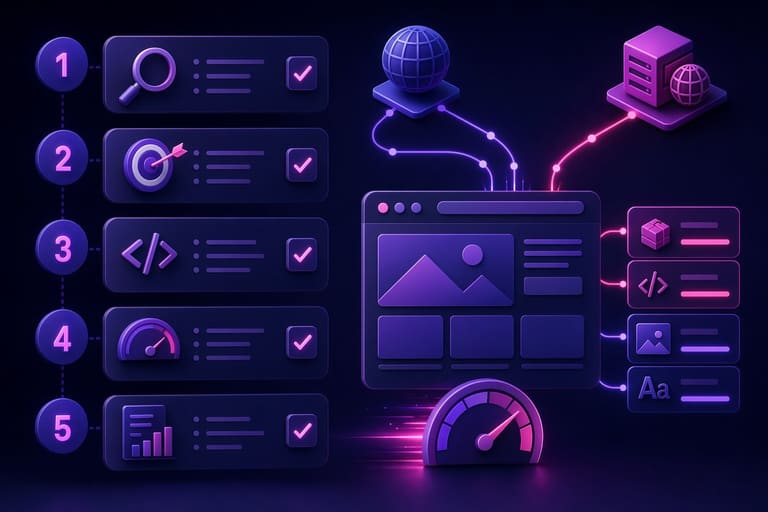
Preconnect/preload decision ကို guess-based မလုပ်ဘဲ measurement-based လုပ်ပါ။ Technical SEO audit မှာ safe & repeatable method အောက်ပါ steps တွေပါ။
၁။ Critical Pages Identify
Site မှာ most important page types တွေကို select လုပ်ပါ။ Homepage, category, product, blog, checkout, high-traffic landing pages တစ်ခုချင်းစီ resource needs မတူဘူး။ Blog page အတွက် cover image/font critical ဖြစ်နိုင်တယ်။ Product page မှာ product image, variation script, review widget တို့လည်း more important ဖြစ်တယ်။
၂။ LCP Element Detect
Chrome DevTools Performance panel, PageSpeed Insights report နဲ့ LCP element ကို find လုပ်ပါ။ LCP element က image ဆိုလျှင် discovery timing ကိုကြည့်ပါ။ Late discovery ဖြစ်ရင် preload candidate ဖြစ်တယ်။ Text-based LCP ဖြစ်ရင် font loading, render-blocking CSS ကို analyze လုပ်ပါ။
၃။ External Origins List
Network panel မှာ page က ဘယ် domains တွေကို connection ချိတ်နေလဲ ဆိုတာကြည့်ပါ။ “Is this origin required for first paint?” ဆိုတဲ့ question ဖြင့် preconnect candidate check လုပ်ပါ။ No ဆိုလျှင် preconnect မလုပ်ပါ။ Less 3rd-party = better performance.
၄။ Only Critical Resources Prioritize
Preload list မှာ first paint required & late discover resources တွေကိုပဲ add လုပ်ပါ။ Critical ဖြစ်/မဖြစ် ကို user-visible impact နဲ့ decide လုပ်ပါ။ Gallery at page bottom, modal after interaction, post-load widget တွေ preload မလုပ်သင့်ပါ။
၅။ Test Environment Try First
Live site အပေါ် direct change မလုပ်ဘဲ test environment မှာ comparison လုပ်ပါ။ Same page pre/post optimization 3-5 times measure လုပ်ပါ။ Single measurement က misleading ဖြစ်နိုင်တယ်။ Mobile simulation, device variation, real user data တွေ combine လုပ်ပါ။
၆။ Server & Hosting Layer မမေ့ပါနဲ့
Resource hints က bad server response ကို fully compensate မလုပ်နိုင်ဘူး။ TTFB high, database slow, disk I/O limit ဖြစ်ရင် preload/preconnect မထိရနိုင်ဘူး။ High CPU, NVMe disk, modern PHP, HTTP/2/3, proper caching ကြီး hosting infrastructure အရေးကြီးပါတယ်။ Hostragons ဟိုစတင်းပက်ကေ့များ ကိုကြည့်ပြီး performance-focused hosting ကိုသုံးပါ။
WordPress နဲ့ Custom Software Practical Tips
WordPress site တွေမှာ preconnect/preload ကို theme, performance plugin, custom code နဲ့ add လုပ်တယ်။ Plugin auto suggestion တွေမဟုတ်လည်း correct မဖြစ်နိုင်တယ်။ All fonts preload, excessive preconnect origins တွေကို check လုပ်ပါ။
WordPress practical tips - Critical cover image detect, unnecessary font weights shut off, local fonts evaluate, ad/analytics script delay, page cache active, CDN critical origin preconnect. Domain DNS performance လည်းအရေးကြီးတယ်။ Trusted domain management အတွက် Hostragons နေရာချိန်းမှတ်တမ်းစစ်ဆေးခြင်းနှင့် မှတ်ပုံတင်ခြင်း ကိုကြည့်ပါ။
Custom software မှာ template-based control လုပ်နိုင်တယ်။ Product detail template မှာ main product image preload, blog template မှာ post cover preload. Payment page မှာ payment provider preconnect, homepage မှာ rule skip ပါ။ Performance boost, resource waste minimize လုပ်နိုင်တယ်။
Measurement: Success Metrics
Preconnect/preload apply ပြီးလည်း Lighthouse score ပဲမကြည့်သင့်ဘူး။ Lighthouse က lab data ပေးတယ်။ Real user experience ကို field data နဲ့ check လုပ်ပါ။ Google Search Console Core Web Vitals, Chrome User Experience Report, server logs, real user monitoring tools တွေ combine လုပ်ပါ။
- LCP: Main content ဘယ်လောက်မြန်မြန်ပြနေလဲ ဗို့။ Preload impact အများကြီးပါ။
- TTFB: Server response time. Hosting, cache, app performance ပါ။
- FCP: First content paint timing.
- CLS: Layout shift. Font/image sizing issue တွေနဲ့ related.
- INP: User interaction response time. Heavy JS cause issue.
Project ပေါင်းစပ်ပြီး ideal goal - LCP < 2.5 sec, CLS < 0.1, INP < 200 ms. Preconnect/preload က target reach ကို support လုပ်တယ်။ Image compression, cache, code minimize, CDN, quality hosting တွေအတူတူသုံးမှ lasting result ပါ။
2026 SEO Perspective Best Practices
2026 မှာ search engines user satisfaction ကို holistic way နဲ့ measure လုပ်တယ်။ Speed, accessibility, security, mobile UX, content quality တွေကို တစ်ခုပေါင်းပြီး evaluate လုပ်တယ်။ Preconnect/preload technical optimization တွေ quality content နဲ့ blend ဖြစ်ရင် SEO effect ပိုကြီးတယ်။
Best practices summary:
- Preconnect ကို only truly needed critical external origins တွေမှာပဲ သုံးပါ။
- Preload ကို first paint required, late discovery files တွေမှာပဲ သုံးပါ။
- Page types တစ်ခုချင်း rule split လုပ်ပါ။
- Font count, weight minimize, WOFF2 prefer ပါ။
- LCP image correct size, compression, modern format serve ပါ။
- HTTP/2/3 hosting use ပါ။
- Every change pre/post measurement verify လုပ်ပါ။
- Technical optimization ကို HTTPS, fast DNS, effective cache နဲ့ support ပါ။
Remember - Preconnect/preload က site speed issue တစ်ခုပြီးဆုံးမလုပ်နိုင်ဘူး။ Right usage မှာ critical resource loading faster ဖြစ်ပြီး user experience, SEO measurable improvement ဖြစ်စေတယ်။
Summary & Conclusion
Web speed optimization မှာ preconnect/preload commands ကို correct usage လုပ်ရင် browser resource management smarter ဖြစ်တယ်။ Preconnect က external server connection prep, preload က critical file early download. Both commands က right scenario မှာပဲ useful ဖြစ်တယ်။
Success plan - LCP element, critical files, external origins detect first. Only truly needed resources prioritize, test environment measurement, live launch after Core Web Vitals monitoring. Strong hosting, updated SSL, fast DNS, proper cache support လုပ်မှ long-term results ပါ။
Site speed potential boost ချင်ရင် existing infrastructure, resource loading strategy, page templates review လုပ်ပါ။ Need ဖြစ်ရင် Hostragons hosting/domain/SSL solutions ကို အောက်ပါ link တွေကြည့်ပါ - Hostragons ဝဘ်ဟိုစတင်း, Hostragons ဒိုမိန်း ဝန်ဆောင်မှုများ, Hostragons SSL စားပွဲများ.
မေးလေ့ရှိသော မေးခွန်းများ
Preconnect နဲ့ preload ကို တစ်ခါတည်း သုံးနိုင်လား?
နိုင်ပါတယ်။ ဒါပေမဲ့ same problem မဖြေရှင်းဘူး။ External font service ကို preconnect လုပ်ပြီး critical font ကို preload လုပ်တာ logic ဖြစ်တယ်။ Both commands ကို truly critical resources မှာပဲ သုံးကြောင်း confirm လုပ်ပါ။
Every external resource ကို preconnect လုပ်သင့်လား?
မလုပ်သင့်ပါဘူး။ Preconnect ကို only first load required, performance impact ဖြစ်တဲ့ few external origins တွေမှာပဲ သုံးပါ။ Too many preconnects က browser connection resource waste ဖြစ်နိုင်တယ်။
ဘယ် images တွေ preload လုပ်သင့်လဲ?
Mostly first paint visible, LCP element ဖြစ်တဲ့ main image ကို preload လုပ်ပါ။ Page bottom gallery images, slider next images, post-interaction media files တွေ preload မလုပ်သင့်ပါဘူး။
Preload က SEO rank ကို direct boost လုပ်လား?
Direct ranking guarantee မပေးဘူး။ LCP, user experience performance metrics ကို tune လုပ်နိုင်ပြီး technical SEO support ဖြစ်တယ်။ Best result က content quality, fast hosting, mobile compatibility, secure infrastructure နဲ့ပေါင်းသုံးမှရတယ်။
Preconnect/preload add ပြီး test ကို ဘယ်လိုလုပ်သင့်လဲ?
PageSpeed Insights, Lighthouse, Chrome DevTools Network/Performance panels နဲ့ before-after comparison လုပ်ပါ။ Single measurement မလုပ်ဘဲ multiple tests, mobile scenario, real user data combine လုပ်ပါ။