 Afrikaans
 Azərbaycan
 Bosanski
 Čeština
 Dansk
Dansk Deutsch
 English
 Español
 Filipino
 Français
 Hrvatski
 Indonesia
 Italiano
 Magyar
 Melayu
 Nederlands
 Norsk
Norsk Oʻzbek
 Polski
 Português
 Română
 Slovenčina
 Slovenščina
 Suomi
Suomi Svenska
 Tiếng Việt
 Türkçe
 Ελληνικά
 Беларуская
 Български
 Русский
 Српски
 Українська
 עברית
עברית اردو
اردو العربية
 پښتو
پښتو فارسی
فارسی አማርኛ
አማርኛ मराठी
मराठी বাংলা
বাংলা தமிழ்
தமிழ் ไทย
ไทย မြန်မာ
 한국어
한국어 中文
中文 日本語
日本語

ဒီဘလော့ဂ်အကြောင်းအရာမှာ မြန်မာလို ဝဘ်ဆိုဒ် တင်သွင်းခြင်းနဲ့ ပတ်သက်တဲ့ Softaculous၊ Installatron ဆိုတဲ့ ကိရိယာများကို နောက်ခံအနုပညာအနေနဲ့ ဖော်ပြပေးထားပါတယ်။ ဒီအကြောင်းအရာကို စတင်ပင် မသိသူတွေအတွက် ရိုးရှင်းလှချာသုံးသားဖော်ပြတဲ့အပြင်၊ ဘယ်ကိရိယာ (Softaculous/Installatron) ဘယ်လို၊ ဘာကြောင့် အထူးအသုံးဝင်ပြီး ဘယ်လိုနည်းလမ်းတွေနဲ့ ဝဘ်ဆိုဒ် တင်သွင်းလို့ရမယ်ဆိုတာ၊ SEO နည်းလမ်းတွေနဲ့ ထည့်သွင်းဖော်ပြထားသလို၊ Installatron ကို အသုံးပြုပြီး ဝဘ်ဆိုဒ် စီမံခန့်ခွဲနည်း၊ update လုပ်နည်းစနစ်ကိုလည်း နေရာစွဲအနေနဲ့ မဖော်ပြနိုင်ခဲ့ပါ။ အဆုံးမှာတော့ ဝဘ်ဆိုဒ် တင်သွင်းအတွက် ဦးစွာသတိထားစရမယ့်အချက်တွေကို မြန်မာစကားလုံးများ၊ မြန်မာပြည်အတွက်ရှာဖွေမှုတွေအဖြစ် အရင်းအမြစ်တွေဖြစ်အောင်သေချာအောင် localize လုပ်ထားပါတယ်။
ဝဘ်ဆိုဒ် တည်ဆောက်ခြင်း — အခြေခံအချက်များ
ဝဘ်ဆိုဒ် တစ်ခု တည်ဆောက်ဖို့ဆိုတာ ဒီတန်လောက်မှာ ဧည့်သည်တော် အပြည်ပြည်ဆိုင်ရာနာမည်ကြီးစီးပွားရေးလုပ်ငန်း ဝင်မြောက်ဖို့ပေးတဲ့အလားတူပေါ့။ ကိုယ်ပိုင် Blog, လန်ချိန်ကုန်စီးပွားရေးကနေ စတင်ထားတဲ့ အဖွဲ့အစည်းတွေဆီအထိ ဝဘ်ဆိုဒ် တစ်ခုမရှိမဖြစ်လိုအပ်လာပါတယ်။ ဒါပေမယ့် ဝဘ်ဆိုဒ် တည်ဆောက်ခြင်းနည်းလမ်းတွေ၊ လုပ်ရတာတွေက နည်းပညာကိုမသိတဲ့သူဘယ်သူဆိုသော်လည်း တော်တော်လေး ခက်ခဲနိုင်တယ်။ ပြီးတော့ ဦးစွာအကြောင်းအခြေနေ အနားလေးကျွေးသန့်တာနဲ့၊ လုပ်ရမယ့် ကိရိယာတွေကိုမှန်ကန်စွာသုံးနိုင်မယ့်ပွဲဖန်ဆောင်းဖို့ကပနဲ့ မြန်မြန်မလွယ်တဲ့ လုပ်ငန်းစဉ်ပါပဲ။
ဝဘ်ဆိုဒ် တည်ဆောက်မယ်ဆိုရင် လိုအပ်တဲ့အရာများ
- Domain Name (နာမည်မှာ၊ အင်တာနက်ပေါ်မှာ ဝဘ်ဆိုဒ်လိပ်စာ)
- Hosting (လက်ချက် server မှာ ဝဘ်ဆိုဒ် ဖိုင်တွေထည့်ပါ)
- CMS (WordPress, Joomla, Drupal)
- HTML/CSS အနည်းအကျစ်အသုံးပြုနည်း (မလိုအပ်သော်လည်း အသုံးဝင်တယ်)
- Database (CMS များအတွက် လိုအပ်တတ်ပြီ)
- FTP Access (ဖိုင် upload, စီမံမှု)
- SSL Certificate (Security များအတွက်)
နည်းပညာကို မသိတဲ့သူတွေကိုပါ ဝဘ်ဆိုဒ် တည်ဆောက်ခြင်းနည်းလမ်းတွေကို Softaculous, Installatron ကဲ့သို့ automation tools တွေနဲ့ တော်တော်လွယ်မယ်အောင် လုပ်နိုင်ပါတယ်။ CMS တွေ တင်သွင်းချင်ရင် ဝဘ်ဆိုဒ် တစ်ခုက လက်စာရုံတင်ချင်းနဲ့ အသင့်နည်းမျိုး ပြန်လာနိုင်မှီမှာပါ။
| အရာ | ဖော်ပြချက် | အရေးပါမှု |
|---|---|---|
| Domain Name | ဝဘ်ဆိုဒ် အင်တာနက်ပေါ်မှာလိပ်စာ | Users ကို ဝဘ်ဆိုဒ် လမ်းကိုလမ်းပြပေးတယ် |
| Hosting | ဝဘ်ဆိုဒ် ဖိုင်တွေသိုလှောင်ထားသော server | 24hr အပြည့်အစုံ ဝဘ်ဆိုဒ်ခွင့်ပြုတယ် |
| စီအမ်အက်စ် | Content တွေကို အလွယ်တကူ လုပ် manage ပြုလုပ်နိုင်သည့် software | Content အသစ်ထပ်ထည့် နည်းလမ်းလွယ်တယ် |
| SSL Certificate | Security များအတွက် digital certificate | User data အား encrypt ပြုလုပ်မှု၊ secure connection |
ဝဘ်ဆိုဒ် တည်ဆောက်လိုက်တဲ့အခါ ပထမဦးဆုံး တည်ဆောက်မည့်ရည်ရွယ်ချက်၊ ခိုင်မာတဲ့ target audience ကို သေးကောင်းပိုင်လုပ်သင့်ပါတယ်။ မည်သူအတွက် ဘာဆို၂ မျှ၊ websites ရဲ့ ဖော်ပြမှုနဲ့ဖန်တီးမှု design၊ functionality တွေက audience များအတွက် တိုက်ရိုက် အသုံးဝင်မယ့် နည်းလမ်းပဲ။ SEO (Search Engine Optimization) လုပ်ငန်း အားသာသည့် content၊ design တွေကို ဖြည့်စွမ်းပေးသင့်ပါတယ်။
တည်ဆောက်ပြီးနောက် update ကြိုတင်လုပ်ထားဖို့၊ performance ကိုကြည့်စစ်ဖို့ အရေးကြီးပါတယ်။ upgrade ခုနကားပြီးနောက် လုပ်ငန်းများထက် security, user experience, website reputation အတွက် အလေးထားလုပ်သင့်ပါတယ်။ အောင်မြင်တဲ့ ဝဘ်ဆိုဒ် တစ်ခု လုပ်ချင်ရင် development, improvement, feedback ကို သတိယူပါ။
Softaculous ဘာလဲ? အားသာချက်နဲ့ လုပ်ဆောင်ချက်များ
Softaculous ဆိုတာ web hosting control panel တွေအတွက် auto script installer တစ်ခုအနေနဲ့ သိသာထင်ရှားတဲ့ tool ပါ။ မြန်မာသူတွေအတွက် နည်းလမ်းလှမယ့် ဝဘ်ဆိုဒ်တစ်ခုမတက်တတ်ဘူး၊ developer မလုပ်တတ်ဘူးဆိုတောင် WordPress, Joomla, Drupal, e-commerce, forum, gallery script မနဲ့ auto install တစ်ချက်နဲ့ အသုံးပြုနိုင်တဲ့ system ပါ။
Softaculous ရဲ့ ဘေးကင်းမှုတွေက ခန်းမတည်ဆောက်သူတွေအတွက် တင့်တယ်လှပါတယ်။ Technical knowledge မလိုအပ်ဘူး။ Auto script install, updated version တွေ available ပြီးနောက် stable, security patch တွေကိုအမြန် update လုပ်ပေးပါသည်။
| Feature | ဖော်ပြချက် | အားသာချက် |
|---|---|---|
| One-click Installation | Countless apps auto install | ရွာစီးတဲ့အချိန်၊ user-friendly |
| Wide Application Support | WordPress, Joomla, Drupal ဆင့် app demo support | ပေါင်းစည်း solution များ |
| Auto Updates | Apps ကို auto update | Security, performance, bug-free |
| Demo Option | Try demo before install | App selection ကိုမှန်ကန်စေ |
Softaculous သုံးပြီး backup & restore ပြုလုပ်ခြင်း၊ scripts category sorting ပြုလုပ်ခြင်းက user ရဲ့ requirements တွေကိုဖြည့်တတ်ပါတယ်။
- Softaculous Function လုပ်ဆောင်ချက်များ
- One click install
- 300+ scripts support
- Auto updates
- Demo view before installation
- Easy backup/restore
- User friendly interface
အသုံးပြုမူ့ လွယ်ကူမှု
Softaculous ကို မသိတဲ့သူတောင် ဘယ်သူမှ auto install ကို click နှစ်ချက်နဲ့ finish လုပ်နိုင်တဲ့ UI က user friendly ဖြစ်တယ်။ App selection, install wizard guide တွေက script ကို search နှင့်တပြိုင် မိမိလိုသော website install လုပ်နိုင်သည်။
အချိန်တိုတည်ဆောက်နိုင်မှု
Softaculous ရဲ့အရေးကြီးချက်က install ကို အချိန်စိုက်မလုပ်ပဲ minute အနည်းငယ်နဲ့ function install ပြုလုပ်နိုင်ချက်ပဲ။ အချိန်မတန်တဲ့အသုံးပြုသူတွေအတွက် တော်တော်လေး advantage ပါ။
မြန်မာပြည်ဝဘ်ဆိုဒ်များအတွက် Softaculous လေးကိုရင်းနှီးအသုံးပြုဖို့ အကြံပြုပါတယ် — ဗဟုသုတမရှိသူတောင် အသုံးပြုနိုင်တယ်။
Installatron — အားသာချက်မှ အားနည်းချက်၊ ဘာလဲ?
Installatron ဆိုတာလည်း Softaculous တောင်တောင် အသုံးပြုသူတွေအတွက် နေလှလှ auto installer တစ်ခုပါ။ Web hosting ပြိုင်နယ်တစ်ခုမှာ Installatron ဖြင့် user friendly interface နဲ့ ရင်းနှီးတယ်။ Same CMS, e-commerce platform နှင့်တကွ auto install, management ကနေ backup, restore ပါပါ။
- Installatron အားသာချက်များ
- User-friendly၊ install လွယ်
- WordPress, Joomla, Drupal များအတွက် support
- Auto backup ဖြင့် website security ပိုကောင်းစေ
- Easy update management
- Restore တစ်ချက်နဲ့ တစ်ကြိမ် ပြန်ဝင်နိုင်
- Multi-language support အတွက် ပိုနောက်တော်
Installatron ကို shared hosting လုပ်တဲ့ company တော်တော်များသည် Free နီးပါးပေးပါလိမ့်မည်။ ပြငယ်ပေးမှုကိုလည်း backup, restore, security အပိုပါဆိုတာပါ။ Error/ Deleted ဒေတာ မကျသည့်အတွက် restore နီးပါးချက်ပဲ။
| Feature | ဖော်ပြချက် | အားသာချက် |
|---|---|---|
| Auto Installation | App install one-click | Quick, easy |
| Auto Backup | Regular backup | Protect data loss |
| Update Management | Easy app/theme update | Secure site |
| Restore | One click restore | Quick problem fix |
Installatron အားနည်းချက်တွေဟာ နည်းနည်းတော့ရှိပါတယ်။ UI တစ်ချို့တွေ Softaculous လေလည့်စနစ်မပါ၊ supported apps နည်းနည်းနည်းနိုင်ပါတယ်။ မြန်မာ website တစ်ခုတည်ဆောက်မယ့်အခါ ကိုယ်လိုတဲ့ CMS, app, tool support မလုပ်သလား hosting provider Installatron အတွက် support status ကို confirm လုပ်ပါ။
အားနည်းချက်များ
Installatron အားနည်းချက် — hosting provider တစ်ချို့မှာ full support မမျှလို့ restriction တွေရှိနိုင်တယ်။ UI တစ်ချို့တော့ novice user တစ်ယောက်ကို complex ပါတယ်။ Supported apps များ Softaculous ထပ်ပိုပါတယ်။ Hosting, script, app support ကလည်း verify လုပ်ရန်လိုပါတယ်။
ဝဘ်ဆိုဒ် တည်ဆောက်လိုက်မှု အဆင့်ဆင့် လမ်းညွှန်
မြန်မာသူတွေအတွက် ဝဘ်ဆိုဒ် တည်ဆောက်ခြင်းက online reputation အတွက်၊ SME (လေးလေးကုမ္ပဏီ/အဖွဲ့အစည်း) မှာတော့ must-have နည်းလမ်းလုပ်ရင် ကိုယ့်ဝဘ်ဆိုဒ်ရည်ရွယ်ချက်၊ target audience နဲ့ plan မတည်မှာအမှားပါ။ Domain name ရွေး၊ hosting provider ရှာ၊ မရှိမဖြစ် CMS ရွေး — WordPress, Joomla, Drupal တပ်။ E-commerce hosting, blog hosting ကနေ တော်တော်လေးကြော်လူးတဲ့ လုပ်နည်းးတွေပါ။ Softaculous, Installatron အတွက် Install ရိုးရှင်းလာပါတယ်။
| Step | ဖော်ပြချက် | Tool |
|---|---|---|
| Planning | Purpose, target audience သတ်မှတ် | Survey, feedback, marketing tool |
| Domain & Hosting | Namecheap, GoDaddy, Bluehost type domain/hosting select | Namecheap, GoDaddy, Bluehost |
| CMS Selection | WordPress, Joomla, Drupal select | WordPress, Joomla, Drupal |
| Install | CMS install hosting panel | Softaculous, Installatron |
CMS install ပြီးတာနဲ့ Theme select — brand image, color များအတွက် appropriate template အနီးအကပ်ထည့်။ SEO content, high-quality article/image/video တွေရေး။ Security plugin, performance optimization, regular backup setup တို့လုပ်ပါ။
- Planning — objective, audience determine
- Domain & Hosting — domain name/hosting select
- CMS Selection & Install — need-based CMS install (WordPress အများဆုံး)
- Design & Theme — user-centered template choose
- Content Creation — SEO article, media resource
- Security & Optimization — Firewall, backup, speed optimization
Softaculous နဲ့ Installatron တန်ဖိုးနှိုင်းယှဉ်ခြင်း
Softaculous, Installatron ဟာ auto installer tools အနေနဲ့ မြန်မာ hosting provider တွေအတွက် အရေးကြီးပါတယ်။ Technical knowledge မရှိဘဲ web site အသုံးပြုနိုင်မှီ auto install one-click-enable ဖြစ်ပါတယ်။ နှစ်ခုလုံးမှာ features, supported apps, UI, backup setup, license fee ကရွေးချယ်စရာယှဉ်နိုင်ပါတယ်။
- Primary Comparison
- Application diversity
- Easy usage
- Update management
- Supported platform
- License/cost
- Security features
| Feature | Softaculous | Installatron |
|---|---|---|
| App Number | 400+ | 100+ |
| UI | Modern, user-friendly | Simple, functional |
| Update | Auto update | Manual & auto update |
| License | Paid | Paid/free with cPanel |
Softaculous ဟာ app diversity ပိုများ၊ auto update ပိုထောက်ပံ့တယ်။ Installatron ဟာ cPanel hosting တွေနဲ့ Free available ဖြစ်နိုင်ပါတယ်။ Multi-site, advanced user တွေလည်း Softaculous သုံးသင့်တယ်။ Beginners, simple website တည်ဆောက်လိုသူဆို Installatron သုံးနိုင်ပါတယ်။
Security, update frequency ညီတူ၊ သို့သော် manual patch လုပ်နိုင်သော features တွေ ကို Softaculous/Installatron အသီးသီးဂျီရှီဖြစ်တယ်။ User own security (password, update, backup) လုပ်ဖို့မမေ့နဲ့။
ဝဘ်ဆိုဒ်အတွင်း SEO နည်းလမ်းများ
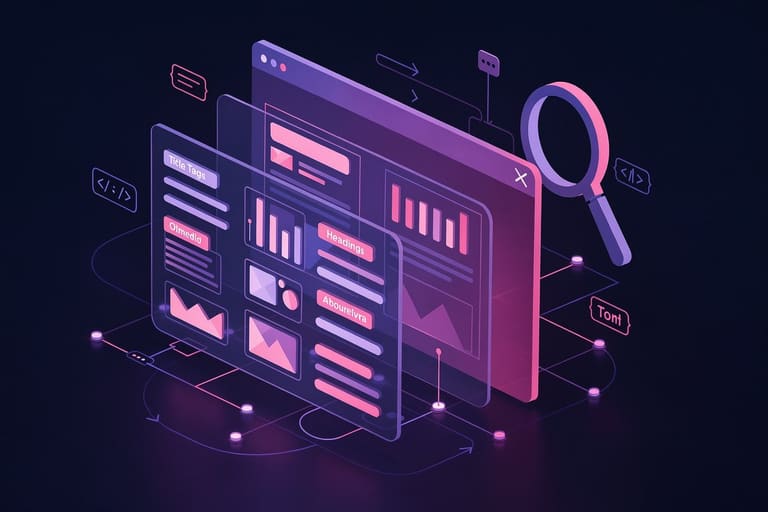
အောင်မြင်တဲ့ ဝဘ်ဆိုဒ် တင်သွင်းပြီးနောက် SEO strategy (မြန်မာတိုင်း Search engine optimization) မလုပ်မဖြစ်။ Google ရဲ့ search result ထိအရေးကြီးပါတယ်။ Technical SEO, content SEO, site structure, keyword usage, UX improvement တို့ကို ဦးစားပေး optimize လုပ်ပေးရပါတယ်။
သိရှိထားတဲ့ keyword research, meta description/Title/URL structure, speed optimization, mobile responsive, analytics tracking ကမြန်မာ website အများအတွက် relevancy တိုးတယ်။ Algorithm ရှည်လျားသမျှ စအားမခံပါနဲ့။
- SEO Techniques for Myanmar web sites
- Keyword research
- Meta description/title optimization
- URL friendly structure
- Content update
- Site speed optimization
- Mobile responsive
| SEO Item | Description | Optimization Tip |
|---|---|---|
| Title Tag | Page title HTML tag | Keyword included, max 60 chars |
| မက်တာဖော်ပြချက် | Short intro HTML tag | Keyword-focused, max 160 chars |
| URL Structure | Page address | Short, keyword-included URL |
| Content Quality | Original and high quality | Informative, unique content |
SEOဟာ တစ်ခြား search engine algorithm update မုန်းချစ်သည့်နည်းလမ်းဆိုတာ မရှိမဖြစ် update လုပ်နိုင်သော content/strategy တစ်ခုပါ။
Keyword အသုံးပြုနည်း
Keyword selection, long tail keyword (ကိုယ်ပိုင်ရှာဖွေမှု), competition keyword, content article မှာ နောက်သုံးအောင် optimize လုပ်ပါ။ Search engine visibility ပြည့်ဝစေ။ user intent ကို target လုပ်ပါ။
အကြောင်းအရာ update
Content update — blog post/article new လုပ်နည်း၊ old content FAQ/rewrite/extend/possible image/video attached ပဲ ဖြစ်သင့်ပါတယ်။ Search engine freshness ranking က ပိုအရေးကြီးနေပါပြီ။
Softaculous တစ်ချက် auto install လုပ်ရင် ဘာ သတိထားရမလဲ?
Softaculous ကို အသုံးပြုပြီး website install လုပ်တဲ့အခါ — ကိုယ်တင်သွင်းမယ့် CMS/app/tool ကိုမှာ selection လုပ်နည်းကိုရင်းမြတ်စွာစုစည်းပါ။ E-Commerce ဆို opencart/prestashop ကိုသုံး။ Blogဆို WordPress/Joomla တိုက်ရိုက်သုံးနိုင်တယ်။ App support, community, plugin/theme diversity အမြန်ကြည့်ပြီး။ Database Setup ကို Softaculous auto create လုပ်ပေမယ့် manual naming/password management လုပ်ပါ။ Admin username/password override/change ဆို security ခိုင်မြတ်စေပါတယ်။
| Software | Usage Purpose | Features |
|---|---|---|
| WordPress | Blog, company web | Theme/plugin diversity, user friendly |
| Joomla | Complex sites, portals | Flexible structure, user management |
| OpenCart | E-commerce | Product/payment integration |
| PrestaShop | E-commerce | SEO focused, analytics tool |
- Install tip
- Backup before install
- Strong password use
- Update software/plugin
- Optimize SEO setting
- Avoid unnecessary plugin
- Firewall/security plugin use
Softaculous install ပြီးသောက် SEO, meta tag, sitemap, Google Search Console တွေကိုပါအသုံးပြုပြီး visibility နှင့် ranking မြှင့်တင်ပါ။
Installatron ဖြင့် web site management
Installatron auto app install, backup, restore, update, clone, multi-site handle လုပ်လို့ရတဲ့ powerful tool ပါ။ Backup တစ်ခါစီလုပ်၊ update တစ်စိစိ auto လုပ်။ Security၊ performance၊ resource analysis — user ကိုအခက်အခဲမျှလွယ်ကူစေပါတယ်။
| Feature | Description | Advantage |
|---|---|---|
| Auto install | One click setup | Non-technical user အတွက် သင့်တော် |
| Auto update | Auto software patch | Bug/security လုံးပျော့ |
| Backup/restore | Site/database backup & restore | Quick recovery data loss |
| Clone | Site duplicate | Dev/test environment |
Installatron user friendly interface ၊ Resource monitor, site optimization, backup restore, security management ထည့်ထားပါတယ်။
Backup & restore
Installatron backup/restore မှာ local/remote backup storage ပေးပါတယ်။ Backup တစ်ခါစီ restore လုပ်ချင်ရင်၊ corrupted/deleted website ကို အမြန်ပြန်အောင်လုပ်နိုင်ပါတယ်။
- Management features
- Auto install app
- One click update
- Easy backup/restore
- Security management
- User-friendly UI
- Multi-language support
Installatron management — Non-IT users ကိုလည်း step-by-step, wizard guide ဖြင့် run နိုင်ပါတယ်။
web site ကို အမြဲတမ်း update ပြုလုပ်ခြင်းနည်းလမ်း
Web site become outdated လုပ်လိုက်တာဖြင့် security hole ၊ performance degrade တောတွေပေါ်လာမှာ ဘယ်သူမှမထပ်။ Code, plugins, theme, content တိုင်း update လုပ်ရင်၊ SEO/UX competitive advantage ရပါတယ်။
- Backup — Pre-update backup အရေးကြီး
- Test environment — Live update မသုံးခင် test
- Software update — CMS/plugin/theme update
- Content update — Blog/article update/rewrite
- SEO optimize — On-page SEO refresh
- Speed optimize — Speed test, cache tune
- Mobile responsive — Device compatibility
| Update type | Importance | Frequency |
|---|---|---|
| Security patch | Critical | Immediate (upon release) |
| Software update | High | Monthly/quarterly |
| Content update | အလယ်အလတ် | Weekly/monthly |
| SEO update | အလယ်အလတ် | Monthly/quarterly |
Site update planning — schedule, backup, changelog keep, test before launch သတိထားပါ။
အဆုံးသတ် — web site တည်ဆောက်မှုမှာ တော်တော်လေးအရေးကြီးတဲ့ သတိထားစေချင်တာများ
Business နဲ့ Individual စီးပွားရေးလုပ်ငန်းအပြည်ပြည်စုံမှာ web site ပြုလုပ်ခြင်းသည် must-have နည်းလမ်းဖြစ်ခဲ့ပါသည်။ Theme selection, navigation ease, mobile responsive, security, backup, regular update ကို အားထားလုပ်ရမယ်။ Performance monitor တစ်ခါစီ ရှိနေရမယ်။
- Key points
- Reliable hosting select
- Purpose-driven theme/template
- SEO optimized content
- Mobile responsive design
- Security setup (SSL/plugin/firewall)
- Regular backup
- Performance monitoring and tuning
| Item | Description | Importance |
|---|---|---|
| Hosting | Server reliability/performance | High |
| Design/theme | UX, visual appeal | High |
| SEO | Search ranking | High |
| Mobile responsive | Device compatibility | High |
| Security | Malware, hacking prevention | Critical |
| Content quality | Trustworthy/up-to-date info | High |
Success ကို continuous improvement, feedback, technology trend update နဲ့သာ ရတယ်။
မကြာခဏမေးလေ့ရှိတဲ့ မေးခွန်းများ
Softaculous, Installatron auto installation tools တစ်ခုကို ဘာအတွက်သုံးသင့်ပြီး နောက်ဆုံး ဘာအကျိုးရှိသလဲ?
WordPress, Joomla, Drupal ကဲ့သို့ CMS platform, e-commerce system ကို မလိုအပ်၊ technical knowledge မလိုအပ်တောင် auto install လုပ်နိုင်ပါတယ်။ Installation complexity, manual setup လုပ်စရာမလိုပါ။ Myanmar hosting landscape တွေမှာ Softaculous, Installatron auto installer tool သုံးယုံနဲ့ သူလားရတဲ့ advantage တွေပါ။
Softaculous vs Installatron — ဝဘ်ဆိုဒ်အတွက် တစ်ခုသာရွေးရင် ဘာတွေ သတိထားစဉ်းစားမလဲ?
Installation support, app diversity, backup setup, UI simplicity, update management ကိုနှိုင်းယှဉ်ရန်၊ ကိုယ်တော်သုံးနိုင်မည့် CMS/app support ကို hosting provider, version compatibility နဲ့ verify လုပ်ပါ။
SEO — site launch ပြီးပြီးနောက် တစ်ခုတည်းသတိထားရမယ့်အချက်တွေ?
Keyword, meta tag, title, mobile responsive, site map, content freshness, backlink နှစ်ခု Google ranking ကို တိုးတတ်စေပါတယ်။
Softaculous, Installatron auto-installed web site security ဆိုတာ ဘယ်လိုရရှိနိုင်မလဲ?
Strong password, auto update, firewall plugin, regular backup, user permission restriction လုပ်ပါ။ Default setting ကို override လုပ်မယ့် policy နည်းလမ်းများလည်းအသုံးပြုပြီး security flaws ကို prevent လုပ်ပါ။
Site update frequency ဘယ်လောက်လုပ်ရမလဲ?
Security update မရကျန်တော့ bagged patch ကို အသုံးပြုသောအခါ auto/manual update နည်းနည်းသာ update ပြုလုပ်ပါ။ Content/SEO update ကို weekly/monthly schedule ထည့်ပါ။
Auto installer tool အသုံးပြုပြီး အဓိပ္ပါယ်မရှိတဲ့ error/habit မလုပ်ဖို့ ဘာတွေသတိထားမလဲ?
Default setting, weak password, no backup, no security measure/monitoring တို့ လုပ်ရင် long term problem ပေါ်လာနိုင်တယ်။ Regular review, maintenance လုပ်ပါ။
Softaculous, Installatron တစ်ခုအပေါ် မှီခိုပြီး multi-site hosting ကို run နိုင်လား?
Hosting package permission အတိုင်း multi-site ၁၁ ကြည့်ပြီး database/file separate requirement ကိုသတိထားပါ။
Site ကို hosting transfer လုပ်ချင်ရင် auto installer tool က ဘယ်လို impact လုပ်နိုင်မလဲ?
Backup/export function အသုံးပြုပြီး new hosting provider ကို restore လုပ်နိုင်ပါတယ်။ Database configuration, path correction, permission update ကို post-migration verify ပါ။