 Afrikaans
 Azərbaycan
 Bosanski
 Čeština
 Dansk
Dansk Deutsch
 English
 Español
 Filipino
 Français
 Hrvatski
 Indonesia
 Italiano
 Magyar
 Melayu
 Nederlands
 Norsk
Norsk Oʻzbek
 Polski
 Português
 Română
 Slovenčina
 Slovenščina
 Suomi
Suomi Svenska
 Tiếng Việt
 Türkçe
 Ελληνικά
 Беларуская
 Български
 Русский
 Српски
 Українська
 עברית
עברית اردو
اردو العربية
 پښتو
پښتو فارسی
فارسی አማርኛ
አማርኛ मराठी
मराठी বাংলা
বাংলা தமிழ்
தமிழ் ไทย
ไทย မြန်မာ
 한국어
한국어 中文
中文 日本語
日本語

വളരെയധികം പഴയ, കുറഞ്ഞ ദക്ഷതയുള്ള കമ്പ്യൂട്ടറുകൾ വീണ്ടും ഉപയോഗിക്കാൻ സാധ്യമായ തരത്തിൽ പുരോഗമിപ്പിക്കാൻ Lightweight Linux ഡിസ്റ്റ്രോകൾ ഏറെ അനുയോജ്യമാണ്. ഈ ബ്ലോഗ്, പഴയ ഹാർഡ്വെയറില് എന്തുകൊണ്ട് Lightweight Linux തിരഞ്ഞെടുക്കണം, ഏറ്റവും മികച്ച ഡിസ്റ്റ്രോ വൈവിധ്യങ്ങൾ എന്തൊക്കെയാണ് എന്നതിനെക്കുറിച്ച് വിശദീകരിക്കുന്നു. Lightweight Linux ഡിസ്റ്റ്രോകളുടെ പ്രധാന സവിശേഷതകൾ, പ്രകടനം മെച്ചപ്പെടുത്താൻ വേണ്ടി ചെയ്യാവുന്ന ടിപ്സ്, ഘട്ടം ഘട്ടം ഇൻസ്റ്റലേഷൻ രീതി തുടങ്ങിയവയും ഉൾക്കൊള്ളുന്നു. ഫീച്ചർ ഒപ്പം, റിസോഴ്സുകൾ ഫലപ്രദമായി പ്രയോജനപ്പെടുത്തലിന്റെ പ്രാധാന്യം, ഈ ഡിസ്റ്റ്രോകളിൽ ചെയ്യാവുന്ന പ്രധാന അപ്ലിക്കേഷനുകൾ, ഉത്പാദകത്വം കൂട്ടാൻ വയ്യുന്ന ആക്സസറി ടൂളുകളെക്കുറിച്ച് മനസ്സിലാക്കാം. അടിസ്ഥാനത്തിൽ, ഈ ഹത്തായ Linux ഉപയോഗിച്ച് പഴയ കമ്പ്യൂട്ടറിനെ പുതുക്കി പ്രവർത്തിപ്പിക്കാൻ നിങ്ങൾക്കായുള്ള ഏറ്റവും ഉപകാരപ്പെട്ട വഴികൾ ഇവിടെ കാണാം.
പഴയ കമ്പ്യൂട്ടറുകൾക്ക് ജീവൻ നൽകാൻ എന്തുകൊണ്ട് Lightweight Linux പ്രവേശനം?
പഴയ കമ്പ്യൂട്ടറുകൾ, പുതുതായി വരുന്ന നിരവധി സോഫ്റ്റ്വെയറുകളുടെ മേൽനോട്ടം കൊണ്ട് കുറ്റിക്കാട്ടിലാകാം. അതെ, ഇന്റർനെറ്റിൽ വന്ന പുതിയ വീഡിയോ പ്ലേയര്, WordPress, cPanel, അല്ലെങ്കിൽ Cloudflare ഒക്കെ കുറഞ്ഞ റിസോഴ്സും, കൂടുതൽ സിമ്പിളാവശ്യങ്ങളുമാണ് ആവശ്യപ്പെടുന്നത്. എന്നാൽ, Lightweight Linux ഡിസ്റ്റ്രോകൾ നിങ്ങളുടെ പഴയ കമ്പ്യൂട്ടറിന് മൊത്തം പുതിയന്മയും സേവർഷ്യവും നൽകും. കുറഞ്ഞ RAM, CPU, ഡിസ്ക്ക് എന്നിവൂ ഉപയോഗിച്ച്, ഈ Linux ഡിസ്റ്റ്രോ പാട്ടം പുതിയെങ്കിലും നൈതികമായ അനുഭവം തരുന്നു.
Lightweight Linux ലേക്ക് മാറുന്ന ആനുകൂല്യം വെറും നിലയ്ക്കു ഡിസൈനറെപ്പോലെ പ്രത്യക്ഷപ്പെടുന്ന സോഫ്റ്റ്വെയർ ഇല്ലെന്നാണ്. അതുമുപരി, നീണ്ട ബൂട്ട് ടൈം, അനാവശ്യ പ്രോഗ്രാമുകൾ, വെറുതേ ബ്രൗസര് തുടങ്ങിയവ ഒഴിവാക്കാം. ഓരോ ഉപയോക്താവിനും ആവശ്യമായ അപ്ലിക്കേഷനുകൾ ഇഷ്ടാനുസരണം ഇംസ്റ്റാൾ ചെയ്യാം.
- Lightweight Linux പ്രധാന ആനുകൂല്യങ്ങൾ:
- കുറഞ്ഞ റിസോഴ്സുകളും, പഴയ കമ്പ്യൂട്ടറിലും പങ്ക് വെച്ച് അനുഭവം
- ബൂട്ട് അങ്ങനെ ശീഘ്രം കഴിഞ്ഞു, പവർ ഓഫ് ചെയ്തിട്ടു വേറുവേറ് നിലയ്ക്കാ
- കുറഞ്ഞ കമ്പ്യൂട്ട്, കൂടുതൽ ബാറ്ററി ടൈം (നോട്ട്ബുക്കുകളിലോ)
- അനാവശ്യ സോഫ്ട്വെയർ ഇല്ലാത്ത ക്ലീൻ UI, മത്സര ഷൈന് ചെയ്യാവുന്ന ഡിസൈനിംഗ്
- സിമ്പിള് അപ്ഡേറ്റ്/സിക്ക്യൂരിറ്റി, വേറുവേറു protection
- വ്യത്യസ്ത Lightweight Linux ഡിസ്റ്റ്രോ വെള്ളപ്പെട്ടവയില് നിന്ന് ഉപയോഗത്തിന് ഏറ്റവും വിധേയത്വം
മറ്റുള്ളവർ, Lightweight Linux ഡിസ്റ്റ്രോകൾ കാണും, freeware & open source ആയാണ്. അതിനാൽ, പണവും ചെലവില്ലാതെ, പ്ലഗ്ഗ് ആൻഡ് പ്ലേ user experience, customization, ഞാൻ ഇഷ്ടംപോലെ കളിക്കാം. Open Source ആണെങ്കിൽ, security issues സ്പോം ചെയ്യാനും, ചെലവിൽ തന്നെ കീഴടക്കാനും കഴിയിക്കാം.
പഴയ കമ്പ്യൂട്ടറെ Lightweight Linux ഉപയോഗിച്ച് പുതുക്കുന്നതിന് മാത്രം cost-effective അല്ല, അതുമുപരി nature friendly ആണ്. പഴയ laptop-കൾ കാല് (E-waste) ഡ്രൈയവിൽ പോയി നിറയുന്നത് ഒഴിവാക്കി ഇവ പുതിയ life ന് നൽകുമ്പോൾ, budget safe & അന്യമായ sustentability അത്തരം താനും.
പഴയ ഹാർഡ്വെയറിന് അനുയോജ്യമായ മികച്ച Lightweight Linux ഡിസ്റ്റ്രോ തിരഞ്ഞെടുക്കാം
പഴയ കമ്പ്യൂട്ടറിന് performance കൊടുക്കാൻ Lightweight Linux ഡിസ്റ്റ്രോ ഇല്ലെങ്കിൽ, അങ്ങനെ സ്മാര്ട് computing impossible ആണെന്നു പറയാം. ഓരോ ഡിസ്റ്റ്രോയ്ക്ക് സ്വന്തം സവിശേഷതയുമുണ്ട്, അവയിൽ താഴെ നാലു പ്രധാന ഡിസ്റ്റ്രോകളുടെ summary ടേബിളിൽ കാണാം:
| ഡിസ്റ്റ്രോ | Desktop Environment | Minimum RAM | Recommended RAM |
|---|---|---|---|
| Lubuntu | LXQt | 512 MB | 1 GB |
| Xubuntu | XFCE | 512 MB | 1 GB |
| Ubuntu MATE | MATE | 1 GB | 2 GB |
| Linux Lite | XFCE | 512 MB | 1 GB |
ചെറിയ കമ്പ്യൂട്ടറിന് ഡിസ്റ്റ്രോ തിരഞ്ഞെടുക്കുമ്പോൾ ശ്രദ്ധിക്കേണ്ട വിഷയങ്ങൾ:
- ഹാർഡ്വെയർ support: ഡിസ്റ്റ്രോയിൽ നിങ്ങളുടെ പഴയ HDD/RAM/card-supported ആണ് എന്ന് ഉറപ്പാക്കണം
- Desktop Environment: LXQt, XFCE, MATE എന്നിവ തരത്തിലുള്ള സൂപ്പര് light UI ആണ് നിന്നു വിഭവം
- RAM ആവശ്യം: നിങ്ങളുടെ ലാപ്ടോപ്/PC RAM കളിക്കുന്നു
- Updates: ചിത്രം പേസ്ഡില്ല ആണു ഡിസ്റ്റ്രോ അപ്ഡേറ്റോ ഫിക്സസ് കിട്ടും
- User Community: Support forum/official help/documentation കൂടിയിട്ടുള്ളത് തുടങ്ങാം
ഇതിൽ നിന്ന് Lubuntu, Xubuntu, Ubuntu MATE, Linux Lite എന്നിവ വേഗം, വേണ്ടത്ര സൗകര്യവും നൽകി പഴയ കമ്പ്യുട്ടർ തിരിച്ചുപിടിക്കാൻ അനുയോജ്യമാണ്.
Ubuntu MATE
Ubuntu MATE, എല്ലാ തരത്തിലുള്ള ഉപയോക്താക്കളും പൊതു ഉപയോഗത്തിൽ ഇമാനപ്രേമമായ UI experience. MATE Desktop Environment-ൽ GNOME 2 look & feel ആണ്, അതിന്റെ simplicity & efficiency കൈവരിക്കും.
Lubuntu
Lubuntu ശക്തമായി lightweight LXQt desktop environment, പഴയപഴയ laptop-കളിൽ ഒരിടത്തും lag ഇല്ലാതെ പ്രവർത്തിക്കും. വിശിഷ്ടമായത്, എന്നാൽ thumb drive RAM-ൽ നമ്മുക്ക് Lubuntu ഈ പരിമിതത്വം ഉപയോഗിക്കാം.
Xubuntu
Xubuntu XFCE ഡെസ്ക്ടോപ്പ് ഉപയോഗിക്കുന്നു. അതാണ് balanced performance, customization, compatibility. XFCE എന്നത് resource waste ഇല്ലാതെ user-ന്റെ ഇഷ്ടാനുസരണം സിറ്റപ്പ് മാറ്റാനും കഴിയി.
ഇവയിലേക്കുള്ള ഏറ്റവും യോജിച്ചതാണ് ഉപയോഗിച്ച് നോക്കിയാൽ തീർച്ചയാകും. Lubuntu, Linux Lite, Bodhi Linux തുടങ്ങിയ മനസ്സിലാക്കൽ, നിങ്ങളുടെ ആവശ്യത്തിന് best match കിട്ടും.
Lightweight Linux ഡിസ്റ്റ്രോയെക്ക് പ്രധാന സവിശേഷതകൾ
Lightweight Linux ഡിസ്റ്റ്രോകൾ, ശരിക്കും resource starved പഴയ HDD/CPU/SSD/RAM എന്നിവ ഉപയോഗിച്ചു തന്നെ പ്രവർത്തിക്കാൻ എഷ്ടായി. ഫോക്സ്, minimal resource വെച്ച് stable user experience ലഭ്യമാക്കുക ദിശയിൽ തിയ്യ്ക്കുന്നു:
- Lightweight Linux Distros - പ്രാഥമിക ഫീച്ചറുകൾ:
- കുറഞ്ഞ RAM, CPU – ഏതെങ്കിലും PC, netbook-ൽ തന്നെ work ചെയ്യുന്നു
- ബൂട്ട് (boot) അല്പനേരം തന്നെ
- XFCE, LXDE, Openbox പോലുള്ള UI – resource പറ്റുന്ന ഇടത്തോളം മാത്രം
- Pre-installed programs – എല്ലാ ചെറിയ, fast apps-വേണ്ടിയ്
- Modular – പ്ലഗ്ഗ് ആൻഡ് പ്ലേ / uninstall ഡയൽ-speed improvement
- Optimized Kernel – പഴയ ഹാർഡ്വെയറിൽ വിശിഷ്ടം run ചെയ്യാം
| ഫീച്ചർ | വിശദീകരണം | ഉപകാരങ്ങള് |
|---|---|---|
| Min RAM Usage | PC RAM തീർച്ചയ്ക്ക് കളിയ്ക്കു | Speed, multitasking performance |
| Instant Boot | SSD / HDD boot – waiting time കുറച്ചുക | User productivity improvement |
| Lightweight UI | XFCE, LXDE – reduced CPU & RAM usage | Lag, slow response ഇല്ല – smooth operation |
| Modular | Customization – only required apps add/delete | Less bulk, stable with own selection |
ഇതാണു regular security updates-ക്കു ഭൂമി. Open-source support forum/community users സംവാദം വഴി, install, troubleshoot, optimize, update etc. എല്ലാം easy & fast. ഈ ഡിസ്റ്റ്രോ, open-source ആയതു പോലെ, ഇത് നിരന്തരം update ചെയ്യുന്നു.
പഴയ ഹാർഡ്വെയറിനുള്ള മെച്ചപ്പെട്ട പ്രകടനത്തിന് ടിപ്സ്
Lightweight Linux ഉപയോഗിച്ച് പഴയ കമ്പ്യൂട്ടർ മിനുമ്മിടത്തോളം ഉപയോഗപ്രദമായി മാറുമെങ്കിലും, performance കൊടുക്കാൻ ചില optimization ചെയ്യണം. ഈ ടിപ് ടേബിൾ നോക്കൂ:
| Optimization | Explanation | Recommended Tools |
|---|---|---|
| Unused Apps Remove | Uninstall- unused software, releases RAM/SSD | Synaptic Package Manager, apt-get |
| Startup Apps Disable | Boot faster – unwanted apps, services turn off | Task Manager, systemd |
| Light UI | XFCE/LXDE selected, RAM save | XFCE, LXDE |
| Switch to SSD | SSD – HDD speed improve, big difference | – |
നമ്പി performance improvement ചെയ്യാൻ: (ലിസ്റ്റ്)
- Unused apps uninstall: Disk space, CPU save
- Startup apps trim: Boot time, response fast
- Light desktop: XFCE, LXDE desktop, best performance
- Defragment hard disk: HDD only, file access speed improve
- RAM upgrade: Added RAM, multitasking/maximize
- SSD install: HDD-നു പകരം SSD, read/write infinitely fast
അഭ്യസ്തതയാണെങ്കിൽ software level optimization കൊണ്ട് തന്നെ performance മൂന്നുമുരി improve ചെയ്യാം– temp files clear, disk defrag, background unwanted services disable, etc. Regular updates, log monitoring, performance tuning ആയി പതിവ് ഇടിച്ച് അതുപോലെ response കിട്ടാൻ നിർഭാഗ്യിരിക്കുക.
വർധിത പ്രകടനത്തിനായി മികച്ച Lightweight Linux ചോയിസ്
പഴയ, resource-limited laptop-കൾ efficient പെട്ടെന്നു അഭിനയിപ്പിക്കാൻ Lightweight Linux ഡിസ്റ്റ്രോകൾ ആവശ്യമാണ്. ചോയ്സ്, match to use-case:
| ഡിസ്റ്റ്രോ | ടെക്നിക്കൽ ഫീച്ചർ | Recommended Usage |
|---|---|---|
| Lubuntu | LXQt, minimal resource consumption | Daily, office, web browsing |
| Xubuntu | XFCE environment, customization | Advanced, coding, multimedia |
| Puppy Linux | Extremely compact, RAM boot | Rescue, portable, very old PCs |
| Linux Lite | User-friendly, XFCE desktop, pre-installed apps | Beginner, simple tasks, school |
- Lubuntu: Rapid, user-centric interface
- Xubuntu: Feature-rich, customizable
- Puppy Linux: Minimal, runs even on 128MB RAM
- Linux Lite: Smooth setup, usable for all
- Bodhi Linux: Lightweight Moksha desktop
- antiX: No systemd, more control
ഇതിൽ നിന്ന് ഉത്തമം match ചെയ്താൽ effective performance. Optimization include: remove unnecessary apps, adjust startup, light alternative softwares select.
Lightweight Linux ഉപയോഗിച്ച് ചെയ്യാവുന്ന പ്രധാന പ്രവർത്തനങ്ങൾ
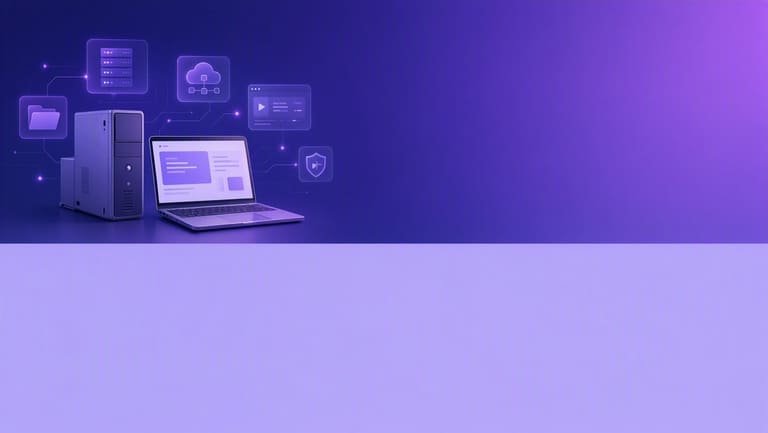
പഴയ laptop-ുകൾ, PC-കൾ Lightning Linux ഉപയോഗിച്ച് reactivate ചെയ്യുമ്പോൾ അതിൽ run ചെയ്യുന്ന major applications.
ഹത്തേ Linux ഉപയോഗത്തിൽ best productivity കിട്ടാൻ heavy software വിളിക്കാതിരിക്കുക. Office, web browser, media, development, server, etc. ആ category-ക്കൊണ്ട് ടേബിൾ:
| Category | Sample Software | Usage |
|---|---|---|
| Office | LibreOffice (Lite), AbiWord, Gnumeric | Documents, sheets, presentations |
| ഇന്റർനെറ്റ് | Midori, Dillo, Firefox ESR | Browsing, mail |
| Media | VLC, Audacious | Audio/video playback |
| Development | Geany, Nano | Editing code, scripts |
Services - unwanted disable, clean periodic maintenance, lightweight UI - LXDE/XFCE, performance jump വരും.
ഓഫീസ് അപ്ലിക്കേഷണുകൾ
LibreOffice Lite, AbiWord, Gnumeric തുടങ്ങിയവ – എല്ലാം minimal, മികച്ച performance. Document editing, spreadsheet, presentation, email/calendar, all light-weight productivity.
- Document creation/editing
- Spreadsheet analytics
- Presentation management
- Email clients
- Calendar/time-management
Games & Entertainment
VLC/Audacious ലക്ഷം പ്രകടനം. Lightweight games - retro, indie – perfect for legacy PC. Media apps play smoothly, as well as classics.
തീർത്തു ലാഭം കലക്ഷൻ: right distro install, periodic optimize, major tasks സാധ്യമായി.
ഇൻസ്റ്റലേഷൻ: ഘട്ടം ഘട്ടം മലയാളം ഗൈഡ്
Lightweight Linux പൂർവ്വം install ചെയ്യാനൊരു step-by-step guide:
നിങ്ങളുടെ hardware match ചെയ്യുന്ന distro download. Official ISO file get, 4GB+ USB/disk, Rufus/Etcher etc. nodigump-bootable create.
| Step | Explanation | Tool |
|---|---|---|
| 1 | Download ISO | Internet, Browser |
| 2 | Burn to USB/DVD | 4GB+ USB, Rufus/Etcher |
| 3 | Change BIOS boot order | BIOS access (Del/F2/F12/Esc) |
| 4 | Start installation | USB/DVD boot |
- Official ISO download
- Burn with Rufus/Etcher, bootable USB/DVD
- Set BIOS to boot from USB/DVD
- Start setup, follow wizard
- Disk partition: review carefully – root (/), swap, /home etc.
- Account create: strong password
- Restart; lightweight linux ready
Disk partition – novice use simple auto mode. Manual for advanced. All steps – careful. Documentations/support forum see.
ഉത്പാദകത്വം കൂട്ടാൻ പറ്റിയ എക്സ്ട്രാ ടൂളുകള് & സോഫ്റ്റ്വെയറുകൾ
പഴയ hardware മാസ്ക്കിയിട്ട് ഉത്പാദകത്വം improve ചെയ്യുക, performance-optimized tools:
| Tool Name | Description | Benefit |
|---|---|---|
| zRAM | RAM compress, virtual memory create | Low RAM PCs, speed improve |
| Preload | Frequently used apps pre-load | Apps fire up instantly |
| APT Fast | Multiple connections download faster | Software install/update quick |
| htop | Advanced system monitor | Resource usage, manage processes |
- RAM: zRAM optimize, light desktop saves
- CPU: preload makes faster
- ഡിസ്ക്: lightweight apps, minimize space
- Usability: some tool technical, some easy
Web browser: Firefox/Chrome sometimes heavy; try Qutebrowser, Pale Moon – faster, lighter. Each tool affects system differently; try options.
UI: XFCE, LXDE, Openbox, less RAM/CPU – compared direct GNOME/KDE heavy.
റിസോഴ്സുകൾ ഫലപ്രദമായി പ്രയോജനപ്പെടുത്തലിന്റെ പ്രാധാന്യം
പുതിയ tech വിപളവമായിരിക്കുന്നു. But, legacy hardware e-waste ആകുന്നത് വിടറുക. Lightweight Linux വഴി reuse, eco-friendly, cost-saving, sustainability.
| Resource | Utilization Tip | Benefit |
|---|---|---|
| CPU | Lightweight apps, disable background processes | Faster performance, energy savings |
| റാം | Distro select for low RAM, remove unnecessary apps | Smoother multitasking, less lag |
| ഡിസ്ക് | Light apps, clear junk files | Boot speed, storage free up |
| Power | Lower brightness, CPU throttling | Battery last longer, low bills |
- Prefer Xubuntu, Lubuntu, Puppy Linux
- Unused apps delete
- Background process trim
- Monitor RAM usage, kill high-consuming apps
- SSD install – speed up
- Energy saver – brightness down, power settings
Lightweight Linux school/library re-use, cost-saving, e-waste avoid. Reusing legacy PC – sustainability.
തീരുമത്: പഴയ കമ്പ്യൂട്ടറിനെ പുതുക്കി ഉപയോഗപ്പെടുത്തുക
Lightweight Linux വിവിധ distro/optimization വഴി പഴയ കമ്പ്യൂട്ടറിന് ഗോൾ give. Right distro select, unnecessary software remove, customize UI – energy-efficient, productive.
| Distro | Features | Usage |
|---|---|---|
| Lubuntu | LXDE/LXQt desktop, ultra-low resources | Office, browsing |
| Xubuntu | XFCE, user-friendly | Programming, daily |
| Linux Lite | Easy setup, pre-installed | Education, office |
| Puppy Linux | Small, RAM boot | Rescue, legacy revival |
- Right distro select
- Download ISO, create bootable USB
- Boot & install
- Remove unused programs
- Customize desktop
- Update drivers
Compare, test distros, select favourite. Community help, forum, documentation – install, fix, optimize.
So, legacy hardware used, cost-down, e-waste reduce, sustainable computing achieve.
ചോദ്യോത്തരങ്ങൾ (FAQ)
പഴയ ലാപ്ടോപ്പ്/PC-ഉം, Windows install കഴിയുന്നില്ല. Lightweight Linux install ചെയ്താൽ solution?
ഉറപ്പാണ്! Lightweight Linux, കുറച്ച് RAM/CPU- വക. Windows-കൽത്തിപോലെ lag അല്ല. Smooth, fast performance. ചെറുക്കാനാകാവുന്ന വ്യക്തം.
Lightweight Linux install ചെയ്യുന്നത് എങ്ങനെന്നു വിഷമമല്ലയുടെ? Tech knowledge വേണമോ?
പല Lightweight Linux ഡിസ്റ്റ്രോ easy install. Graphics installer, step-by-step guide. ഈ Malayalam blog-ൽ instructions/guidance.
Lightweight Linux install ചെയ്താൽ, Office, browser, entertainment എന്നിവ run ചെയ്യാമോ?
മിക്ക distro LibreOffice, Chromium, Firefox, VLC, AbiWord, Midori, etc. install ചെയ്യാം. Extra tools/softwares blog-ൽ consult/സൂചിപ്പിച്ചിരിക്കുന്നു.
പല distro ഉണ്ട്, എനിക്ക് ഇതിൽ യോജിച്ചതെന്ത്?
Depends: RAM, CPU, HDD, user comfort. Lubuntu, Puppy Linux, antiX തുടങ്ങിയവ തിരഞ്ഞെടുക്കാനാണ് blog recommendation. Specification-നു best match select.
Install കഴിഞ്ഞാൽ, performance improve ചെയ്യാൻ extra യുണ്ടോ?
Yes. Startup trim, light UI, disk maintenance, cleaning temp files – blog-ൽ summarize.
Lightweight Linux simple usage-ക്കു മാത്രമെ work ചെയ്യൂ? advanced tasks-ക്കും പോവുമോ?
Basic office/web/email – perfect. Advanced – coding, image/video editing, server, etc. optimized distro/tools install ചെയ്താൽ പറ്റില്ല.
Drivers install-ൽ Windows പോലെയാണോ Lightweight Linux?
Most cases auto detect & install. Additional, package manager install ചെയ്യാം. Blog-ൽ extra driver guide/help availability.
Lightweight Linux-ന്റെ major ഗുണങ്ങൾ എന്തൊക്കെയാണ്? Windows-നു option ആയേത്?
Low resource – old PC/low RAM/CPU – smooth, fast. Secure, free, customizable. Windows-ന്റെ ആവശ്യം RAM/CPU കുറച്ചാൽ PC life extend, reuse.