 Afrikaans
 Azərbaycan
 Bosanski
 Čeština
 Dansk
Dansk Deutsch
 English
 Español
 Filipino
 Français
 Hrvatski
 Indonesia
 Italiano
 Magyar
 Melayu
 Nederlands
 Norsk
Norsk Oʻzbek
 Polski
 Português
 Română
 Slovenčina
 Slovenščina
 Suomi
Suomi Svenska
 Tiếng Việt
 Türkçe
 Ελληνικά
 Беларуская
 Български
 Русский
 Српски
 Українська
 עברית
עברית اردو
اردو العربية
 پښتو
پښتو فارسی
فارسی አማርኛ
አማርኛ मराठी
मराठी বাংলা
বাংলা தமிழ்
தமிழ் ไทย
ไทย မြန်မာ
 한국어
한국어 中文
中文 日本語
日本語

ഈ ബ്ലോഗ് പോസ്റ്റിൽ, അനിമേഷൻ ഉപയോക്തൃ അനുഭവം (user experience) എങ്ങനെയാണ് സമ്പുഷ്ടമാക്കുന്നതെന്ന് ആഴത്തിൽ വിലയിരുത്തുന്നു. അനിമേഷൻ UI-യിലെ ഭാഗങ്ങൾ, അതിന്റെ പ്രധാന ഘടകങ്ങൾ, നല്ല അനിമേഷൻ ഡിസൈനിന്റെ സൂക്ഷ്മതകൾ എന്നിവ വിശദീകരിക്കുന്നു. ശരിയായ അനിമേഷൻ ഉപയോഗത്തിന്റെ ഉദാഹരണങ്ങൾ പങ്കുവെയ്ക്കുന്നു; ഉപയോക്താക്കൾ എന്തുകൊണ്ടാണ് അനിമേഷൻ അമിതമായ UI-കൾ തെരഞ്ഞെടുക്കുന്നത് എന്നതിനെ വ്യക്തതയോടെ വിശദീകരിക്കുന്നു. അനിമേഷൻ ഡിസൈനിൽ സാധാരണയുള്ള പിഴവുകൾ, പ്രകടനം മൂല്യനിർണയത്തിൽ അനിമേഷൻ കാരണമായ മാറ്റങ്ങൾ എന്നിവയും വീക്ഷിക്കുന്നു. ഒടുവിൽ, അനിമേഷൻ ഉപയോഗിക്കുമ്പോൾ ശ്രദ്ധിക്കേണ്ട അടിയന്തിര ചൂണ്ടികൾയും, ഈ മേഖലയിലെ ആനുകാലിക നേട്ടങ്ങളും വായനക്കാർക്ക് നൽകുന്നു.
ആമുഖം: അനിമേഷൻ ഉപയോക്തൃ അനുഭവം മീറ്റുന്നു
ഇന്നത്തെ ഡിജിറ്റൽ ലോകത്തിൽ, ഉപയോക്തൃ അനുഭവം (UX) വെബ്സൈറ്റുകളും ആപ്പുകളും വിജയിക്കുന്നതിന്റെ അതി നിർണായകമായ ഘടകമാണ്. ഉപയോക്താക്കൾ ഒന്നൊന്നായി കൂടുതൽ ദൈർഘ്യം സൈറ്റിൽ ചെലവിടുന്ന ഘടകങ്ങൾ, വിവിധ ഇന്ററാക്ഷൻ സ്റ്റൈൽസ്, ആകെയുള്ള സംതൃപ്തി – ഇതിനെ ഏറ്റവും പ്രധാനം കരുതുന്നു ഡിസൈനർമാരും ഡെവലപ്പർമാരും. ഇവിടെ അനിമേഷൻ ഒന്നുകിൽ ഒരു അപൂർവ ദൃശ്യമൂല്യമായി മാത്രം കാണിച്ച് മടങ്ങുന്നതിനില്ല – ഉപയോക്താവിന് കൂടുതൽ പ്രായോഗികവും മനോഹരവുമായ അനുഭവം നൽകാൻ, UI-യെ സംസ്കൃതിയാക്കാൻ വളരെ സഹായകമാണ്.
അനിമേഷൻ ഉപയോഗം അതിന്റെ ഗുണങ്ങൾ തെറ്റാതെ ഏറുമാനേ ഉള്ളൂ. ഏറ്റവും ആദ്യമായി, അനിമേഷൻ ഉപയോക്താക്കളുടെ ശ്രദ്ധ ആകർഷിക്കാൻ, പ്രധാന ഡാറ്റ ഇല്ലെങ്കിൽ ഡാറ്റയിലേക്കൊഴിയാൻ വലിയ പിന്തുണ ആണ്. ഉദാഹരണമായി, ഒരു ബട്ടണിൽ ഹോവർ ചെയ്താൽ ഒന്ന് വളർന്നുവരികയോ, നിറം മാറികയോ ചെയ്യുന്നത് ഉപയോക്താവിന് ‘ഇത് ക്ലിക്ക് ചെയ്യാവുന്നതാണ്’ എന്ന് മനസ്സിലാക്കാൻ നിര്ബന്ധവല്യമായി സഹായിക്കുന്നു. രണ്ടാമതായി, അനിമേഷൻ ഉപയോക്താവിന് അന്വേഷണത്തെ കുറിച്ച് ഫീഡ്ബാക്ക് നൽകുന്നു. ഒരു ഫോമിനെ സൗകര്യത്തോടെ സബ്മിറ്റ് ചെയ്ത ശേഷം കാണുന്ന ചെറുചിഹ്നം അല്ലെങ്കിൽ ലോഡിംഗ് സ്റ്റേറ്റസ്സ് – പ്രത്യേകിച്ച് ഉപയോക്താവിന്റെ പ്രതീക്ഷ നിയന്ത്രിക്കുകയും അവൻകൂടി ആശങ്ക കുറയുകയും ചെയ്യുന്നു.
അനിമേഷന്റെ ഗുണങ്ങൾ
- ഉപയോക്തൃ ഇന്ററാക്ഷൻ വർധിപ്പിക്കുന്നു
- ബ്രാൻഡ് ഇമേജ് ഊട്ടിയാക്കുന്നു
- സൈറ്റ്/ആപ്പിന്റെ ഓർമ്മതലും അനുഷഠാനതലും വർദ്ധിപ്പിക്കുന്നു
- ഉപയോക്താക്കൾ കൂടുതൽ സമയം മായം വെബ്സൈറ്റിൽ ചെലവിടുന്നു
- സങ്കീർണ്ണമായ വിവരങ്ങൾ എളുപ്പത്തിൽ വ്യാഖ്യാനം ചെയ്യാം
- ദൃശ്യഹീരാർക്കി ഉണ്ടാക്കി ശ്രദ്ധ യാഥാർത്ഥ്യമായി പ്രകടിപ്പിക്കുന്നു
അനിമേഷൻ ബ്രാൻഡ് ഐഡന്റിറ്റി പ്രദർശിപ്പിക്കാൻ, വിപരീതവും വേറിട്ടതുമായ മൂല്യങ്ങൾ പങ്കുവെക്കാൻ വലിയ പങ്കാണ് വഹിക്കുന്നതില്. അനിമേഷൻ ശരിയായി ഉപയോഗിച്ചാൽ ഉപയോക്തൃ അനുഭവം നേട്ടത്തിലേക്ക് ഉയർത്താം ― പക്ഷേ അതിസാധ്യമായോ ഉപയോക്താവിനെ വിറയിപ്പിച്ചോ ആകുന്നത് ഒഴിവാക്കണം.
അനിമേഷൻ ഹൃസ്വം ദൃശ്യവും മാത്രമല്ല, പ്രായോഗിക ലക്ഷ്യവും അനിമേഷൻ ഫലപൂർത്തിയാക്കുന്നത് പ്രധാനമാണ്. കൃത്യമായ അനിമേഷൻ ഉപയോക്താവിന് UI-യിൽ പെട്ടെന്ന് കൃത്യമായി എടുക്കാൻ, ഉപയോഗിക്കാൻ സഹായിക്കുന്നു; മേൽതോന്നിയ/കേംവ് അനിമേഷൻ ഉപയോക്താവിന് പൗരുഷം നഷ്ടപ്പെടാൻ സാധ്യതയുണ്ട്. അതിനാൽ, അനിമേഷൻ ഡിസൈനിൽ അതിഭാഗം ശ്രദ്ധ, ഉപയോക്തൃ കേന്ദ്രികൃതമായ സമീപനം, ഉപയോക്തൃ അനുഭവം മുൻപന്തിയിൽ വരുത്തുന്ന സൂക്ഷ്മത ശ്രദ്ധിക്കേണ്ടതാണ്.
ഉപയോക്തൃ അനുഭവത്തിൽ അനിമേഷൻ നിർണായകമോ?
അനിമേഷൻ ഇന്ന് UX-യിൽ പ്രഥമ ഘടകവുമായി മാറിയിട്ടുണ്ട്. പഴയ സ്റ്റാറ്റിക് വെബ്സൈറ്റുകൾ ഇല്ലാതായി, വ്യാപാരത്തിന് ഡൈനാമിക്, ഇന്ററാക്ടീവ് UI ആണ് ആവശ്യം. അനിമേഷൻ വെറും മനോഹരത നിലനിർത്തുന്നില്ല; ഉപയോക്താവിന്റെ ഉൽപ്പന്നവുമായി യഥാർത്ഥ ഇടപെടലിൽ എത്താൻ സഹായിക്കുന്നു. ശരിയായി ഉപയോഗിച്ചാൽ, ഉപയോക്താക്കൾക്ക് സൈറ്റിൽ മീറ്റുമുഖമാകാൻ, വിവരങ്ങൾ പെട്ടെന്ന് മനസ്സിലാക്കാൻ, ആകെയുള്ള അനുഭവം നല്ലതാക്കാൻ വിദ്യ നൽകുന്നു.
അനിമേഷൻ ഉപയോക്താവിന്റെ ഫീഡ്ബാക്ക് തത്സമയ, സ്വാഭാവികഭാഗം നൽകാൻ വലിയ തകഴിയാണ്. ബട്ടണിൽ ഹോവർ ചെയ്തു നിറം മാറുന്നവർ, ഒരുവിധേയ ഫീഡ്ബാക്ക് കിട്ടുമ്പോൾ കാണുന്ന ചെറിയ അനിമേഷൻ, ലോഡിംഗ്മനസ്സ് അവസാനിച്ചാലിടം വരുന്ന പ്രോഗ്രസ് ബാർ – ഈതര വിവരങ്ങൾ അക്ഷരാർത്ഥത്തിൽ ഉപയോക്താവിന് ഒറ്റനോട്ടത്തിൽ എന്താണ് സംഭവിക്കുന്നത് എന്നത്ഗ്കീഴിൽ വ്യക്തത നൽകുന്നു. ഈ ഫീഡ്ബാക്ക് അനിമേഷൻ ഉപയോക്താവിന്റെ സംശയം കുറയ്ക്കാൻ, നിയന്ത്രണബോധം രൂപപ്പെടുത്താൻ സഹായിക്കുന്നു.
അനിമേഷൻ ഉപയോഗം എവിടെയും യോജിക്കും എന്നതിന്റെ ചില ഉദാഹരണങ്ങൾ:
അനിമേഷൻ ഉപയോഗത്തിനു മേഖലകൾ
- ഫീഡ്ബാക്ക് നൽകൽ: ഉപയോക്താവിന്റെ ഓരോ പ്രവർത്തനത്തിലും അതുസമയം ദൃശ്യഫീഡ്ബാക്ക്
- UI യാത്രക്കുള്ള വഴികാട്ടി: വിവിധ പേജ് ട്രാൻസിഷനുകളിലും ഉപയോക്തൃ നാവിഗേഷൻ എളുപ്പപ്പെടുത്തൽ
- ലോഡിംഗ് സമയം മാനേജ്മെന്റ്: ഡാറ്റ ഉണ്ടാക്കുന്നതിലും, ഉപയോക്താവിന്റെ അൾപ്പം സമയം പാക്കണമെന്നതിലും മനോഹരത
- ബ്രാൻഡ് ഐഡന്റിറ്റി: അനിമേഷൻ വഴി ബ്രാൻഡ് വ്യക്തിത്വം ടീച്ചിക്കാൻ, emotional bond ആവർത്തിക്കാൻ
- ട്യൂട്ടിരിയൽ കുട്ടികൾ: സങ്കീർണ്ണ ഫീച്ചർ, അന്വേഷിച്ചാൽ എളുപ്പം മനസ്സിലാക്കേണ്ടതുണ്ട്
അനിമേഷൻ ഉപയോക്തൃ അനുഭവത്തിന് പ്രഭാവം കാണിക്കുന്ന തലങ്ങൾ ഉദ്ദേശിച്ച് താഴെ ടേബിൾ:
ഉപയോക്തൃ അനുഭവം എങ്ങനെ ഇനിപ്പറയുന്ന സെഗ്മെന്റിൽ മെച്ചപ്പെടുന്നു:
| അനിമേഷൻ വിഭാഗം | ഉപയോക്തൃ അനുഭവം | മൂല്യനിർണയ ശൈലി |
|---|---|---|
| Micro Interaction | ഉപയോക്തൃ സംതൃപ്തി/ഇന്ററാക്ഷൻ വർദ്ധന | ഉപയോക്തൃ ഫീഡ്ബാക്ക് സർവേ, click-rate, conversion-rate |
| ലോഡിംഗ് അനിമേഷൻ | കാത്തിരിപ്പിന്റെ മാനസികത കുറയ്ക്കുന്നു | Bounce-rate, session time, page views |
| ട്രാൻസിഷൻ അനിമേഷൻ | UI smoother ആയി, spa/portfolio നാവിഗേഷൻ flagship | Navigation-path analytics, user journey mapping |
| Explainer Animation | സങ്കീർണ്ണ ഡാറ്റ റെഡി ആക്കുന്നു | ഉപയോക്തൃ testing, പുതിയ വിവരങ്ങൾ retention |
അനിമേഷൻ ഉപയോക്താവിനെ പ്രഭാവം കാണിക്കാൻ അഭിപ്രായം മിതമായി; അതിരുകയറി ഉപയോഗം ബദ്ദ്ധി, കൂടാതെ പ്രതികൂലശ്രദ്ധ നേടാൻ സാധ്യതയുണ്ട്. അനിമേഷൻ ഓരോന്നിനും സഭ്യത തന്നെ ഒരു നേട്ടം തരണമെന്നത് നിർബന്ധം. അവതാനം ഉണ്ടാക്കുന്ന അനിമേഷൻ നഷ്ടം തന്നെയാണ്; അതിനാൽ ഉപയോക്താവിന്റെ ഫീഡ്ബാക്ക് CIO വരെ തുടർച്ചയായി ടെസ്റ്റുചെയ്താലോ തുടരാം.
അനിമേഷൻയുടെ പ്രധാന ഘടകങ്ങൾ
അനിമേഷൻ ഉപയോക്തൃ അനുഭവം ആഴത്തിൽ വലിയ മാറ്റം ചെയ്യുന്നത്യ്, നിർബന്ധം ആകാൻ unbiased intent, കൂടുതൽ ഓരോ ടേബിലുള്ളതാണ്. അനിമേഷൻ കൈവരുമ്പോൾ ഉപയോക്താവിന്റെ ശ്രദ്ധ പിടിച്ചെടുക്കൽ, സജീവമാക്കൽ – പരിവർത്തനമുണ്ടാക്കുമ്പോൾ UI വികസനത്തിൽ തുടർച്ചയായി ഇവ ജഡിക്കുന്നു.
- ഗുണങ്ങൾ:
- ദൈർഘ്യം: അനിമേഷൻയുടെ ദൈർഘ്യം ഉപയോക്താവിനെ നേരിട്ട് ബാധിക്കുന്നു. എളുപ്പം കടന്നുവെക്കുന്ന അനിമേഷനുകൾ ശ്രദ്ധിക്കപ്പെടാതെ പോകും; നീണ്ട അനിമേഷൻ ഉപയോക്താവിനെ bore ചെയ്യും.
- വേഗത: UI-യുടെ complexity അനുസരിച്ച്, ഉപയോക്താവിന്റെ processing speed അനുസരിച്ച് വേഗത ക്രമീകരിക്കണം.
- കൈകൊടുത്തതിൽ: Smooth motion, natural (organic) behaviour; abrupt/eccentric അക്കീർത്തനങ്ങൾ ഒഴിവാക്കുക.
- ഇന്ററാക്ടിവിറ്റി: ഉപയോക്തൃ ഇൻപുട്ട് ലഭിച്ചാൽ കൃത്യമായ പ്രതികരണം നൽകുന്ന അനിമേഷൻ
- Performance: അനിമേഷൻ സൈറ്റിന്റെ overall performance down ചെയ്യരുത്; optimized നിർബന്ധം.
Animation UI context - ഒരു വിശദതയിലുമില്ലെങ്കിൽ, അനിമേഷൻ overall designന്റെ harmony നഷ്ടപ്പെടുത്തും – ഒപ്പം brand credibility കുറയാൻ സാധ്യത. Minimalistic site-ൽ over-animated, playful brand-ൽ too corporate എന്ന ആദ്യ impression user loses.
| ഘടകം | വിവരണം | പ്രാധാന്യം |
|---|---|---|
| ഉദ്ദേശ്യ | അനിമേഷൻ achieve ചെയ്യേണ്ട ഫലം | ഉയർന്നത് |
| Target-user | അനിമേഷൻ ചെയ്യേണ്ട user segment | ഉയർന്നത് |
| Context | UI ഉള്ള content/design | മധ്യസ്ഥം |
| Performance | Performance metrics | ഉയർന്നത് |
Accessibility - totally immersive design mean ചെയ്യരുത്. Differently-abled user-കകൾക്ക് alternate options വേണം, disable button വേണം. Standards follow ചെയ്യണടി ശുഭം അല്ലെങ്കിൽ user site-ഉം app-ഉം അബ്ബാൻ താടുമെന്നതാണ്. മികച്ച അനിമേഷൻ ഉപയോഗിക്കുമ്പോൾ user experience കൂടുമ്പോൾ, മോശം anim-ation use-ഔട്ട് - exit-ചെയ്യൽ ചെയ്തേക്കാവുന്നതാണ്.
Psychological effect - അനിമേഷൻ emotional response trigger ചെയ്യാം; curiosity/unexpected fun ഉറപ്പാക്കാൻ. Error-message anim-ation, user irritating ചെയ്തില്ല; soft explanation നൽകി പ്രശ്ന ദിവസം.
മികച്ച അനിമേഷൻ മാത്രം കണ്ണിന് feast നൽകുന്നത് അല്ല, ഉപയോക്താവിന്റെ മനസ്സിൽ വികരിയോടു കൂടി സന്ദർശനം സൃഷ്ടിക്കുന്നു.
നല്ല അനിമേഷൻ ഡിസൈൻ ചെയ്യുമ്പോൾ സൂക്ഷിക്കേണ്ടത് എന്തെല്ലാം?
നല്ല അനിമേഷൻ അതിന്റെ user-experience വളർച്ചയിലേക്ക് എത്തിച്ചേരും. പകരം, കുറേ factors ഇപ്പോൾ കമ്പനികൾ പഠിക്കേണ്ടതാണ്. അനിമേഷൻ സാധൂകരിച്ച് ഉപയോക്തൃ സെഗ്മെന്റ്, ഡിസൈൻ ശൈലി, technical implementation, performance വിഭാഗം; ഇവ തളിരിടുന്നു. User ഈ UI-യിൽ കൂടുതൽ സംതൃപ്തി, smooth workflow, productivity – ഈ outcome. അതിനാൽ, അനിമേഷൻ പ്ലാൻ ചെയ്യുമ്പോൾ ചിന്തനയോടെ കാസ്റ്റ് ചെയ്യണം.
Animation UI design-ൽ, brand identity, overall harmony വേണം. Irrelevant anim-ations, conflicting elements, user attention divert ചെയ്യരുത്. Color palette, typography, design language – anim-ation context synchronise ചെയ്യണം.
| കണ്ടം | വിവരണം | പ്രാധാന്യം |
|---|---|---|
| ഉദ്ദേശം | ഉപയോക്താവൊക്കെ ഇല്ലെങ്കിൽ, prompting, guiding, educating. | ഉയർന്നത് |
| Target-user | Segment preferences & expectations | ഉയർന്നത് |
| design harmony | UI/brand identity integration | മധ്യസ്ഥം |
| Performance | Optimized, smooth, fast | ഉയർന്ന് |
Performance: slow or laggy anim-ations, user irritation & site abandonment. Optimize, cross-browser, cross-device support, code-optimized anim-ations. Reduce animation size, pointless effects avoid, cutting-edge web-tech apply.
Accessibility: Engaged users, differently-abled included. Animation disable opt-out, alt-text usage, keyboard control access. Design decisions accessibility-ടെ സുതാര്യമായ ഭാഗം ആക്കണം.
ഉദ്ദേശ്യ ഉപയോക്തൃ വിഭാഗം നിർണയിക്കുക
Animation design start before, target-user analysis. Age-group, preferences, tech-literacy വ്യത്യസ്ഥ anim-ation approach. Younger crowd – dynamic, playful. Corporate – subtle, informative. Segment preference understand ചെയ്തെങ്കിൽ, anim-ation most effective design outcome possible.
രൂപകൽപ്പനയ്ക്ക് മുൻഗണന
Animation visual design first impression കൈകൊടുക്കുന്നു. Colors, shapes, transitions, UI esthetics harmony, brand identity reflect-ചെയ്യണം. User-friendly design & anim-ation purpose reinforce ചെയ്താൽ productലും outcome better. E-commerce site – add-to-cart anim-ation – clear visibility, process clarity.
Design workflow steps:
- Concept: Animation purpose, target-user define
- Script: Storyboard / flow planning
- Visual design: Color, shapes, elements selection
- Prototype: Testing in mock-up
- Integrate: Merge with actual site/app
- Optimize/Test: Performance, feedback, refinement
Successful anim-ation design investment is positive user-experience, retention, brand engagement.
പ്രഭാവം കാണിക്കുന്ന അനിമേഷൻ ഉപയോഗത്തിന്റെ ഉദാഹരണങ്ങൾ
അനിമേഷൻ ഉപയോക്തൃ അനുഭവം യഥാർത്ഥത്തിൽ ചുലികയാകുന്നു. User journey easy, brand reinforcement clear. Right animation grabs attention, redirects user correct place, enhances recall value.
അനിമേഷൻ തരം – ഉപയോഗിത്ത്:
| Animation type | Descrip | Usage |
|---|---|---|
| Micro Animation | Small, interactive | Button click, form feedback |
| Loading Animation | Waiting, distract user | Heavy-data sites, apps |
| Transition | Page-section smooth | SPA, portfolio |
| Explainer | Complex info simple | Education platform, product demo |
Successful animation – pure visual not, user journey guide, brand image reinforce. E-commerce – product-page transition, loading progress; mobile app – successful form submission confirmation. Finance sector – animated chart, graph; health – pill reminder, exercise animation.
വിത്യസ്ത മേഖലകളിലെ അനിമേഷൻ ഉദാഹരണങ്ങൾ
Education, health, finance, entertainment – anim-ation transforms communication, explainer, emotional connect, recall.
- E-commerce: Product transition/cart effect
- Mobile apps: Payment confirmation etc.
- Education: Interactive tutorial animations
- Finance: Data viz anim-ations (charts/graphs)
- Health: Reminder, exercise animations
- Gaming: Character move, effect
Finance – complex info animated chart, health – pill/exercise reminder. Functional tool, explainer, not just visual treat.
Each animation not universal: Right context, target-user, performance, value. Over-use danger – distract, annoy. Minimal, purpose-driven animation is user-experience cornerstone.
അനിമേഷൻ: ഉപയോക്തൃ അനുഭവം തികച്ചും – ഉപയോക്താവിന് അനിമേഷൻ ഇഷ്ടമാകുന്ന കാരണങ്ങൾ
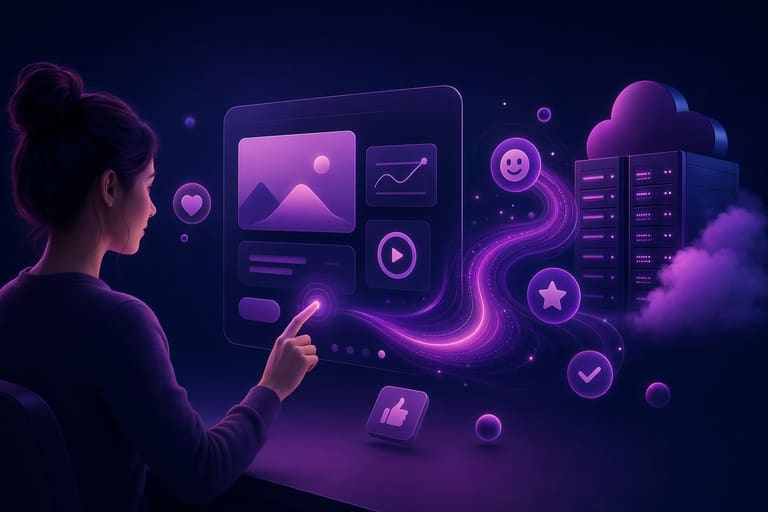
User prefer animation for several reasons – UX is key to digital platform success. Animation increases recall, engagement, site time. Dynamic content wins over static.
Explainer – abstract made simple; e-commerce – product 360° view helps purchase decision; app tutorial animation – easy learning, improved onboarding.
| Animation type | Use-case | Benefit |
|---|---|---|
| Loading | Web/app | Waiting easier |
| Micro interaction | UI elements | Prompt feedback |
| Transition | Page navigate | Smooth UI |
| Explainer | Education, product | Complex info simple |
Animation strengthens brand connect, emotional recall, user loyalty. Over-use/poor design – adverse impact. Proper context, intention is key.
ഉപയോക്താവിന്റെ ഇഷ്ടങ്ങൾ
- Fast, smooth animation
- Clear, informative animation
- Purpose-driven design
- Mobile optimized
- Brand harmony
- Interactive
Accessibility – visually challenged, motion-sensitive users; alt-text, keyboard control, subtle animation – inclusive design is must.
അനിമേഷൻ ഉപയോഗത്തിൽ സാധാരണ പിഴവുകൾ
അനിമേഷൻ ഉത്തമ ഉപയോക്തൃ അനുഭവനം – പകരം, പിഴവുകൾ user irritation, site exit. Designers/developers – mindful use, common pitfalls avoid.
Over-use – most common: Every transition, interaction animated – distraction, user fatigue. Animation strategic, measured; feedback purposes, highlight, yes. Needless/distracting – no.
| പിഴവ് | വിവരണം | പരിഹാരം |
|---|---|---|
| Over-used animation | Every action animated – user fatigue | Use animation only where value added |
| Slow animation | Waiting, irritates | Optimize duration |
| Inconsistent | Different animation/sections – confusion | Visual harmony needed |
| Accessibility issues | Trigger motion-sensitive user | Offer disable option |
Performance impact ignored – unoptimized, heavy animation, poor site loading (especially mobile). Code, visual optimization – must.
കൃത്യമായ പരാമർശങ്ങൾ
- Over-use, unnecessary animation
- Poor performance optimization
- Ignoring accessibility
- Visual disharmony
- Wrong duration setting
- User feedback ignored
Accessibility – some users motion-sensitive, dizziness/headache. Always provide disable, subtle options; design standards inclusive.
പ്രകടനം മൂല്യനിർണയിൽ അനിമേഷൻ ഇടപെടലുകൾ
അനിമേഷൻ വിമർശനാവലം, performance impact measures must. Site/app speed, user satisfaction direct outcome. Performance analysis, optimization – essential.
| Metric | Descrip | Importance |
|---|---|---|
| Load time | Page/app full load duration | First impression, bounce-rate |
| FPS | Frames/sec | Fluid animation benchmark |
| CPU use | Processor load | Slow devices, poor battery |
| Memory | RAM usage | Heavy usage, lag |
Performance assessment tools – Google PageSpeed Insights etc. – bottleneck, optimization guidance. Mobile apps – similar tools.
Success measures:
- Load time optimized – animation asset compression
- FPS stable (ideally 60+)
- CPU load reduced – efficient code
- Memory controlled – avoid leakage
- User feedback continuous evaluation
Optimization tips – CSS animation mostly performant than JavaScript (hardware accelerated); minimize asset size, avoid unnecessary, only purpose-driven animation. Aesthetic is good – performance poor, user loss. Balance is key.
സംക്ഷേപം: അനിമേഷൻ ഉപയോഗത്തിൽ ശ്രദ്ധിക്കേണ്ടതെല്ലാം
അനിമേഷൻ UX elevate ചെയ്യുമ്പോൾ, misuse – negative outcome. Wise, contextually designed – must. Otherwise, user confusion, disruption, site exit.
Common pitfall – over-use. Every UI element animated – clutter, fatigue. Purpose-driven anim-ation only; process-completion, status-indication, highlight-essential info.
| Attention-points | Descrip | Example |
|---|---|---|
| Performance | Site loading unaffected | Simple, optimized animation only |
| Harmony | Brand style reflect | Brand color, style-guide match |
| Accessibility | Inclusive for all users | Motion-sensitive – disable option |
| Purpose | Clear action/feedback | Guide, feedback animation |
Accessibility a must – motion-sensitive, differently abled users, animation opt-out/keyboard accessible/screen-reader friendly. Performance optimization – simple, low-Lag assets, cross-device testing.
- Purpose-driven animation: Only where user-experience improved
- Simple animation: Avoid complex, heavy assets
- Thorough testing: Devices, browsers – performance check
- User feedback: Iterative improvement on real-user reviews
ഭാവി: അനിമേഷൻ ടെക്നോളജിയുടെ പുതിയ സാധ്യതകൾ
Tech advancing, അനിമേഷൻ future – exciting progress. Not just entertainment; education, health, marketing, engineering – animation integrated. AI, machine learning – smarter, custom, interactive experience.
| Tech | Vertical | Expected benefit |
|---|---|---|
| AI | Character, scene animation | Realistic, auto-content generation |
| AR | Education, retail | Interactive learning, product demo |
| VR | Gaming, education, simulation | Immersive, experiential content |
| Cloud computing | Prod studio | Collab, cost reduction |
Designers/developers UX/UI skill essential; അനിമേഷൻ just visual treat not, user goal reach, value-add mandatory. User-centric design – future norm.
- AI-driven tools
- AR/VR integration
- Customized animation
- Gamified, interactive content
- Cloud-based prod studio
- Real-time rendering
Inclusiveness trend: Color contrast, captioning, voiceover – wider audience, equal digital access. Social responsibility meets tech innovation.
അനിമേഷൻ future – next-gen, user-centric, accessible, performance-optimized experience.
Performance optimization – load-speed, fluidity, low-resource – positive user attitude. Designer/developer – skill up optimization, factor in anim-ation planning.
ചോദ്യോത്തരം
വെബ്സൈറ്റുകളും ആപ്പുകളും അനിമേഷൻ ഉപയോഗിക്കേണ്ടതിന്റെ ലക്ഷ്യം എന്താണ്?
ഉപയോക്തൃ അനുഭവം മെച്ചപ്പെടുത്തുക, engagement വർദ്ധിപ്പിക്കുക, info എളുപ്പത്തിൽ explain ചെയ്യുക. Attention capture, prolonged usage, site/app retention.
അനിമേഷൻ user-friendly യാക്കുന്നത് എന്തൊക്കെ?
Purpose, speed, smoothness, harmony. User irritation avoid, guided action, expectation meet. Performance unaffected – minimal.
എന്തൊക്കെ അനിമേഷൻ user-experience negatively തളർത്തും?
Over-use, unnecessary, slow or abrupt animation. Distracting, task completion hindrance. Device lag, battery drain കരുതുക.
Animation performance – site/app effect measure ചെയ്യുമോ?
Load-speed, CPU, RAM metrics. Google PageSpeed Insights, other tools – test, optimize.
UI anim-ation – accessibility ഊന്നിയെടുക്കേണ്ട ഡയറക്ഷനുകൾ?
Motion-sensitive – disable/minimize option. Color contrast, screen-reader support. Task completion hindrance avoid.
E-commerce anim-ation user behaviour affect-ചെയ്യുമോ?
Product attraction, guided purchase, trust improve. Cart-animation, page transition effect – conversion-rate improvement possible.
Micro-interaction, anim-ation തമ്മിലുള്ള ബന്ധം?
Small, animated feedbacks – UI engaging; button click color change, form submission confirmation – classic micro-interaction.
Anim-ation tech future – novelty?
AI-driven, AR/VR, customized experience, performance optimization & accessibility – growth sure. Better tools, inclusive design.